Desertcart purchases this item on your behalf and handles shipping, customs, and support to South Korea.
🚀 Upgrade Your Drive Like a Pro — Fast, Smart, and Future-Ready!
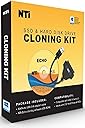
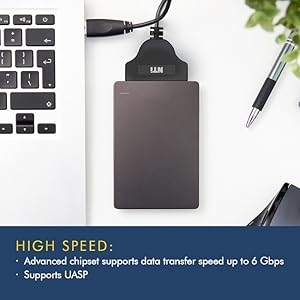
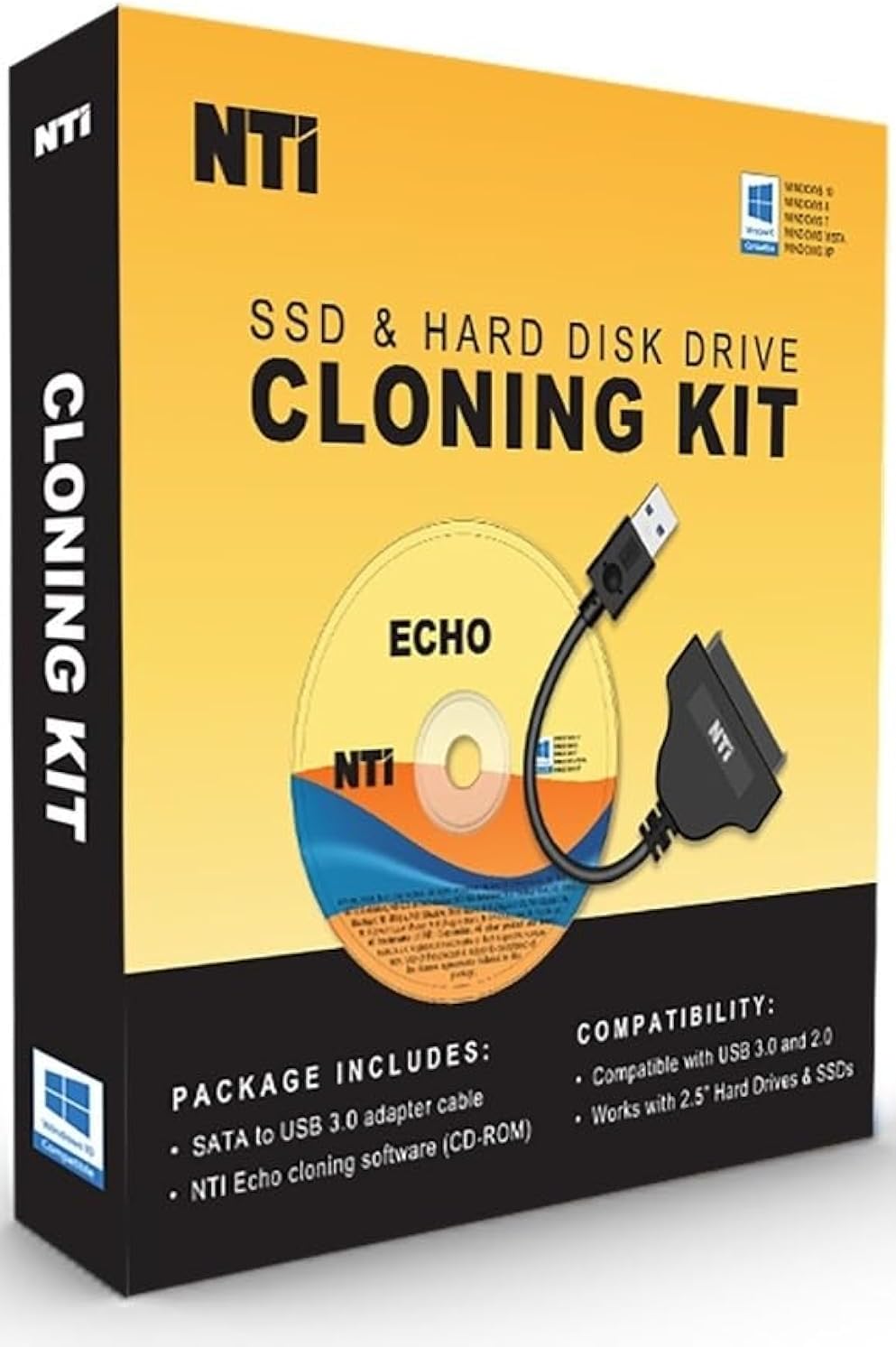
The NTI Cloning Kit with Version 7 software offers a professional-grade, user-friendly solution for upgrading or migrating your computer’s drive. Featuring advanced 4K-sector support, automatic dynamic partition resizing, and a USB 3.0 SATA adapter for 2.5-inch SSDs and HDDs, it ensures fast, reliable cloning across Windows, Linux, and macOS partitions. With a lifetime software license and comprehensive tech support, this kit is the ultimate tool for seamless drive upgrades and backups.


| ASIN | B07SW211KV |
| Best Sellers Rank | #584 in SATA Cables |
| Brand | NTI |
| Built-In Media | Download Instructions, SATA-to-USB adapter cable |
| Color | Yellow |
| Compatible Devices | PC |
| Connectivity Technology | SATA, USB |
| Customer Reviews | 3.9 out of 5 stars 877 Reviews |
| Data Transfer Rate | 6 gigabits_per_second |
| Enclosure Material | copper |
| Hard Disk Form Factor | 2.5 inches |
| Hardware Interface | USB |
| Hardware Platform | PC |
| Item Type Name | Upgrade Kit |
| Manufacturer | NTI Corporation |
| Material | copper |
| Mfr Part Number | 8819-K |
| Model Number | 8819-K |
| Number of Items | 1 |
| Number of Packs | 1 |
| Supported Devices Quantity | 8 |
| UPC | 684473080105 |
| Unit Count | 1 Count |
S**E
It works great! But, with one caveat
MAKE THE BIOS CHANGES BEFORE RUNNING THIS PROGRAM! I bought this cloning kit for the obvious reason: My C:\ drive was full. I had to constantly move or remove programs and/or data to clear space for updates, new programs, etc. I even extended the C:\ drive to combine with another drive. This was not recognized by some programs. Alas, what to do? During searches for solutions I stumbled on the NTI Cloning Kit. It promised an easy three step way to clone the original C:\ drive to a new larger drive. I purchased a two terabyte drive to replace the original 250 gigabyte drive. After installing the NTI disc, the program scans your computer in order to detect any possible conflicts. In my situation it found two conflicts in the BIOS. It gave specific instructions to reconcile the conflicts. Therein lies the caveat! I have always followed instructions to the letter all my life. That is generally the best way to go. Not in this case. I printed out the instructions and proceeded with the installation...the computer froze! The instructions say to start the program and it will stop to let me know to change the BIOS. When I hit the button to start the program is when the PC froze. There was nothing I could do to get a response from my PC. I called NTI. I spoke to Heather at customer support for about an hour. Heather was very thorough but we could not solve the problem as the PC was frozen despite several times attempting to reboot the system with a Windows thumb drive. I gave up for that day. The following day I spoke with my Grandson about this. He knows the workings of a computer better than I. We finally got the PC to turn on. He accessed the BIOS and made the changes specified in the program. With no prompting from me, IMMEDIATELY the NTI Cloning program continued and completed the process successfully! The moral of this long story: Make the BIOS changes BEFORE attempting to run the program. I heartily recommend the NTI Cloning Kit. It did a fantastic job.
D**E
Truely amaizing how well it works (many times)
There have been so many questions about this product that I am updating my review (again). I have used this a lot. I am now writing my second revision. If you bought the CD, you might want to download the newest version from the website. You can do this using the code that came on the sheet of paper in the box. The newer version is even more stable than the older one. To people using Windows 10. Windows 10 is so fragile that any change to the system may crash it. I added a blank solid state drive to a windows 10 computer and it crashed. Each version of Windows 10 will behave differently. Some may not work well with any new software including NTI. NTI will not damage anything unless you terminate the cloning prematurely. NTI does not work on a Macintosh or any apple product. Only Windows (any version from XP on). The adapter that comes in the kit is made for a solid state drive. It works great for that. You can clone almost any other drive if you have a USB to IDE/SATA Converter Hard Drive Adapter (available on Amazon). This allows you to run almost any hard drive from the USB port unless the drive is really really old (from the early 1990's). The program will also clone or back up to a flash drive as long as the flash drive is big enough to hold the data. It calculates this automatically before you run the backup. This program can BACK UP any part of any hard drive it can see whether internal or external. It can backup TO any hard drive it can see, internal or external as long as there is room. The program will NOT clone to another computer through the USB port. The program will not clone a Linux hard drive unless it is solid state. You cannot do it with a USB to IDE/SATA Converter. This is because Windows cannot see a Linux file system. The NTI solid state adapter seems to get around that issue. You can convert a non solid state hard drive to a Windows file system with a Linux computer and then you can use it to clone to. This product not only cloned the hard drive I bought the product for, it did it at 350 MB per second so it took very little time. The new drive was five times the capacity but it booted up and worked perfectly. The really great thing about this product is when I used it on a new solid state hard drive that was completely inaccessible by any computer. I had tried windows XP, windows 10 and Linux. Nothing had worked. I used the NTI cloning device and when it finished there was a message saying "the cloning had failed". THE CLONING HAD NOT FAILED. The hard drive worked perfectly after that. I cannot explain it but it saved the drive.
B**N
Don't buy this product unless you want to play with fire with your laptop
This product was really really bad. I bought a brand new laptop, a new 2 TB SSD from Amazon. The new SSD was to replaced the 256 GB SSD that came with the laptop. I had the new 2 TB SSD plugged into the second empty SSD slot, partition it and set. I plugged in my USB DVD-ROM to install the software. I went through the menu selection, finally I clicked start cloning. That's where everything went down hill. It modified the Windows 10 bootloader, it rebooted into the Linux command prompt and asked me to continue to clone or abort to continue Windows boot up. I tried the first option first to clone, but then it just rebooted again to the same Linux prompt screen. This happened a few time and finally I realized something may be wrong. Note I did not do anything other than hitting the enter key to move to cloning. Then when I tried to select abort to Windows boot, it did the same thing, over and over again, in an endless infinite loop of hell. I tried search the web for forum and Youtube, people said the same thing, about the endless loop of reboot. I spoke to my laptop manufacturer support. They gave me a Microsoft post to create Windows Media Tool, I did that on another computer and booted my new laptop to it and tried every option it did not work. I finally rolled it back the system prior to the install of the NTI Echo 2019 (Note, you must do the rollback before following the below steps for it to work). It did not do a thing. So as last resort I called NTI tech support. I cannot believe they tried to direct me to their web site to register before they will respond by email. So when someone name Heather took my call and patiently listened to my story, she was able to tell me what do to, here's how I restored the Windows bootloader: 1. Boot the laptop with the Windows Media Tool. 2. Click troubleshoot. 3. Click the command prompt 4. At the command prompt, type "C:", 5. Then check for the existence of the Windows directory 6. Once confirmed, type "bcdboot c:\windows" 7. This will rebuild the Windows boot file. 8. Once rebuild, shut everything down, unplug your usb and usb dvd. Just let it boot to the C: drive I tried it again and it did the same thing to my laptop with the endless infinite reboot hell. Then I tried the above steps 1-8 but it did not get out of the infinite loop reboot hell. I found I have to rollback the system with the Windows Media Tool and roll it back to prior to the installation. Once I did that, then I was able to follow steps 1-8 to restore to Windows 10 boot. My personal opinion, don't buy this software, you are asking for trouble, in my case I had spent hours installing custom software on the SSD. Hope this helps.
R**N
As simple as it says
I actually bought and returned 3 different products before trying this one to clone my hard drive. This one was a simple as it could have been. I downloaded the software and used the product codes provided to activate it. Then I plugged the included cable to my new hard drive and connected it via USB and when I started the program both my main drive and the new drive were populated into the right spots for cloning and all I had to do was click start. For those who want simple, easy and user friendly this is the one.
A**R
Product works and does what it claims to do !
I believe this to work like a champ simple to use. Had an issue with license on a high end accounting program that I feel would have been an easy fix with reinstall. Played with this late at night in my business and didn’t want to be down the next day so put the HDD back in and was up and running for business. I will re-install again and re-install the program with lic. (Info held on server anyway) other than that everything swapped over and couldn’t have been easier to use. Reading other reviews I was very hesitant. I feel those that didn’t get it to work either had other underlying issues, bought an SSD that was smaller than that of the HDD, or couldn’t stop licking windows long enough to read those pesky instructions (one or two lines not a book) and were just click happy. This product honestly couldn’t be easier to use. I had read online about the “free” programs to download bla bla bla. Simple rules on life. Quality isn’t free and free isn’t quality. If you are skeptical and have any computer sense at all buy it. It is the program it claims to be. I don’t often review products but felt others like myself might benefit. Today’s internet you could send someone a pound of Gold and someone would complain it was too heavy, didn’t come gift wrapped, that had to get their lazy tail up to answer the door for the mail man. Etc !!!! Enjoy....
G**.
Works very well, but there CAN be issues, be patient and ask!
My older Dell running Windows 10 came with an 80GB hard drive, it was 90% full and we all know that’s dangerous...so ordered a new 1TB drive and this cloning package. I bought a 3.5 inch drive as that’s the size in the machine, didn’t want to change TOO many variables. While some of the reviews state they had no problem using this cloning kit with a. 3.5 hard drive (the box says 2.5 hard drive or SSD) it would NOT work for me; Echo software did not “see” the drive attached to USB with their cable. NTI Tech support replied by email same day, said the USB cable would not power a 3.5, apparently they need more juice than a 2.5....theY suggested a fix - I removed my second (data only) hard drive, put the new drive in it’s place, the software saw it easily and the cloning took about 1/2 hour. I then removed the cloned drive, installed it in place of my C drive and put the 2nd drive back in it’s regular place - booted right up! Only issue was my Quickbooks desktop would not run, couldn’t find the required license file in the right place. Quickbooks has a tool hub program that fixed the issue in about another 10 minutes.
P**S
Had some issues
The drive migration in windows 10 from a 1 tb drive to a 256 gb drive stopped and instructed me to run chkdsk two times in a row even though the 256 gb ssd drive was new. This program puts partitions on the destination drive that can't be removed unless using a dos drive utility at the command prompt. Also made my source drive corrupts so I had do a windows 10 recovery and lost my data. After that, the migration seemed to work just fine and now my laptop is running on the new ssd. Giving it 3 stars but I'm in a good mood because my laptop is finally fast and was a dinosaur before the migration lol.
O**N
Excellent! Used 3 times.
The only problem I had is that my Dell desktop wouldn’t function with it until I disabled “Secure Boot”. After that, it worked great. I intend to use this cloning kit and my 2 spare SSD drives as a form of backup. Speed varies greatly according to source and target drives used. The original HDD took almost 2 hours for 188GB of data. The other 2 took about 15 minutes and 30 minutes, respectively, for the same amount of data. I would buy again. UPDATE: Prior to use, be sure to use: Properties>Tools>Error Checking>Repair on the source drive. Do the same afterwards on the target drive. I didn’t do this and had issues with subsequent backups. My guess is that my source HDD had errors, which were cloned to my target SSD drives. Everything seems fine now.
Trustpilot
3 days ago
1 month ago