


👀 Keep an Eye on What Matters Most!
The Imou WiFi Security Camera is a state-of-the-art indoor surveillance solution featuring 360° coverage, 1080P FHD video quality, AI motion detection, and smart night vision. With two-way audio and compatibility with Alexa, it ensures seamless communication and monitoring of your loved ones, all while prioritizing your privacy with multiple storage options.
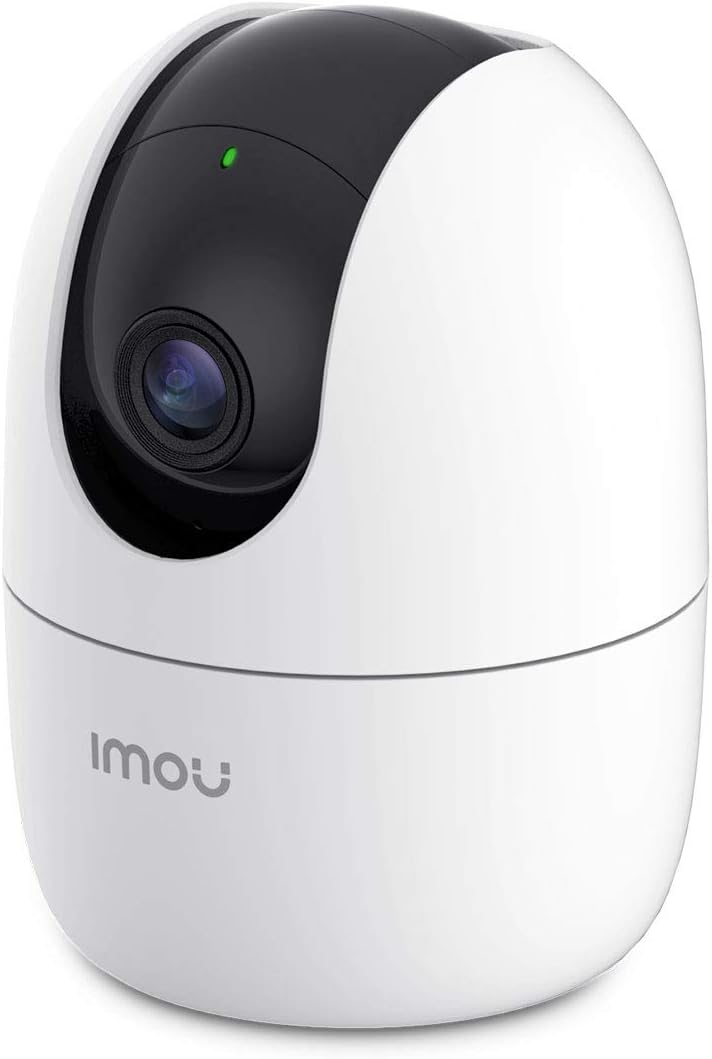



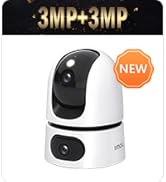


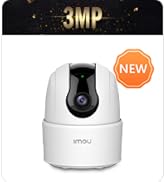


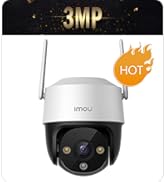
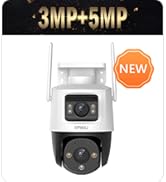


| Alert Type | Motion Only |
| Antenna Location | Baby Monitoring |
| Asin | B07RVFB3PB |
| Batteries Are Required | No |
| Best Sellers Rank | 260,731 in Electronics & Photo (See Top 100 in Electronics & Photo) 2,339 in Dome Cameras |
| Brand | Imou |
| Colour | Ranger 2 1080p/2mp |
| Compatible Devices | Smartphone |
| Connectivity Protocol | Wi-Fi |
| Control Method | App |
| Controller Type | Amazon Alexa & Google Assistant & APP |
| Customer Reviews | 4.3 4.3 out of 5 stars (1,191) 4.3 out of 5 stars |
| Effective Video Resolution | 1080 Pixels |
| Field Of View | 360 Degrees |
| Form Factor | Dome |
| Global Trade Identification Number | 06939554995736 |
| Included Components | 1 x Camera, 1 x Quick Start Guide, 1 x Power Adapter, 1 x Power Cable, 1 x Screw Package, 1 x Mounting Plate, 1 x Installation Position Map |
| Indoor Outdoor Usage | Indoor |
| Item Dimensions | 10.6 x 7.7 x 7.7 centimetres |
| Item Type Name | Security Camera |
| Item Weight | 0.37 Kilograms |
| Light Source | Infrared |
| Manufacturer | Imou |
| Manufacturer Warranty Description | Imou is a global smart security brand boasting 24-month warranty and local lifetime technical support. |
| Model Name | IPC-A22EP |
| Model Number | IPC-A22EP-D |
| Mount Type | Wall Mount |
| Network Connectivity Technology | Wireless |
| Night Vision | Night Color |
| Night Vision Range | 33 Feet |
| Number Of Channels | 2 |
| Number Of Items | 1 |
| Other Special Features Of The Product | Night Vision |
| Part Number | IPC-A22EP |
| Photo Sensor Technology | CMOS |
| Power Source | Corded Electric |
| Room Type | Office |
| Unit Count | 1.0 count |
| Video Capture Format | MPEG-4 |
| Video Capture Resolution | 1080p |
| Viewing Angle | 360 Degrees |
| Voltage | 5 Volts |
| Waterproof Rating | IP65 |
| Wattage | 3 watts |
| Wireless Technology Type | Wi-Fi |
| Zoom Type | Digital Zoom |
User
A Brilliant Indoor Security Camera Giving Excellent Value for Money
I’m really impressed with my IMOU indoor WI-FI security camera. It was simple to set up and link to my WI-FI.The associated app makes using the camera easy. It’s motion detection and alerts all work well.You have the option of paying for cloud storage so that you can record and save video or photo images. I don’t need to keep images, so I haven’t needed to subscribe to their service.I have put a memory card in my camera, giving me the option of saving any images, should I ever need to.The camera has a night vision function. The quality of images using this function are exceptional.All in all, I would happily recommend this camera to anyone. It is exceptional value for money and I would give it 5 *****
User
Safety code is on the bottom of the device
Very decent bit of kit, NV works well, I would recommend buying an SD card as it doesn't come with one however you are able to record on your phone so not really nesacery, pretty straight forward to set up, says it has trouble going through walls with the WiFi in the manual but mine works well and my routers downstairs. Haven't had any problems at all had it running for about one week pictures clear sound is clear so overall very impressed for 20 pound
User
Great piece of kit depending on what you want it for
I purchased this camera to sit on a window sill in order to keep an eye on my car outside. As it's on a busy road, I have no desire for the motion detection function as I just want to look at it on the iPhone app now and again using the live view options. I also have no need for the microphone/audio option, or the alarm function, so my review includes no details about them.However, for my purposes, this is a really great piece of kit as it does exactly what I want. The pan/tilt functions are great and the app is very easy to use in that regard.Another bonus is that you can disable all the LED lights from within the app, so it is very inconspicuous.The only bad points I've noticed are as follows:- The quality is not good enough to read number plates (but to be fair, this is designed for indoor use)- LED lights come on briefly whenever you plug the camera back into a power source, even when LEDs are disabled in the app, but after power-up is complete, the lights go off again as per the app settings- The power cable included comes with a 3 pin adaptor which is a bonus, but the cable is not that long (so not ideal if you are trailing it up walls and around windows etc)- Cloud storage requires a monthly subscription (for comparison, Blink is free), but you can purchase and install an SD card and record locally- Notifications are slow and not instant, even when I am at home with fast / strong signal WI-FI (e.g. it took about 5 minutes after the fact to alert me that the camera had been unplugged)In terms of setup, it was incredibly easy and the app works great with iPhone. The camera itself is a lot lighter than expected and includes fixings for attaching to ceilings (you can also flip the view 180 degrees via the app if you're installing it upside down). I actually think good quality adhesive strips would hold it on the ceiling, because it's that light - this would save damage caused by drilling holes (not tested this though).This is very close to a 5 star product. If it was battery powered and rechargeable, it would be amazing. But in terms of an inside CCTV solution to keep an eye on your house remotely, I don't think there is currently a better product on the market. I look forward to seeing new products from Imou in due course.UPDATE:Still using these cameras and bought a few more since. Initially, I was using the SmartPSS application to view the camera feeds on Windows/Mac computers but was getting frustrated because the feeds would keep dropping whenever you navigate out of the program or minimize it. However, having recently bought a Synology NAS, I thought I would see if Surveillance Station is any better, and it is - it is very easy to add these Imou cameras (just be sure to use the password on the device label, not your custom password - username should be admin) and most importantly for me, the feeds never drop - so if I hear something going on outside, I can immediately get the feed up (SmartPSS took about 10 seconds to reconnect and display the feeds, which was very annoying). The only drawback with Surveillance Station is that the pan/tilt/zoom controls don't work, so you would need to use the mobile app for this. The image is also not as sharp as it is on SmartPSS for some reason - absolutely no idea why but it's not the end of the world. Hope this extra information is useful to someone!
User
Good value product
Pros- Good quality image- Supports both Cloud and micro SD Storage- Free continues recording when inserted micro SD card.- Cloud storage is cheap in comparison to other brands- Really well made mobile app- Has in-built siren- Motion and abnormal sound detection is good- Detects motion through the window, also at night, but you can't see much in the dark- Very good value in comparison to other products within the same price rangeCons- two way audio sound quality not great.- You can't control in-built siren. Therefore there is no way to trigger all indoor cameras to produce lots of noise to deter thief. Some other competitors allow to trigger the siren manually by pressing a button in a live preview.
User
Good camera and at night through window too.
I like this camera don’t seam record 24/7 option but on view history record has acually picked up most things to minute can find. Also has message area. I like this camera as works through window outside hardly reflects in day and strong sun still picks up great images. My victure cam don’t and angle less wide field.This also can turn off night function so works through window at night and picks up good footage can’t even turn off night function victure cams. I find this cam lot better quality ezviz cam also got to and at night.I’d recommend it I’d consider another. It quite easy use interface app. I also have a wandworth and this superior all features and other cams.It can give lots false detections but I don’t mind as can check back lots footage nearly any minute day can usually find. I do have 4 out 5 sensitive though.
User
Great little dome camera
Good quality PTZ dome camera that is very compact and has a lot of features. Camera connects via ethernet or wifi and has movement and person detection with motion tracking which works well. Privacy mask is also a good feature and is accessed via the app. You can map the detection area to cut down on alerts and also be notified if a loud noise is detected like a smoke alarm. The camera also features 2 way audio. I have had this camera setup for just over a month and no issues to report. Picture quality is good day or night and the app works well.
User
High Expectations, But Underwhelming ... Caveat Emptor
I am a long time, avid user of IP cameras and have significant experience of using a variety of IP cameras manufactured / marketed by e.g. Dericam, Reolink, Tenvis, Foscam, EyeSpy247 etc in both static and PTZ model formats. I use Blue Iris to manage and maintain my home security setup comprising of 10+ IP cameras.I bought the Imou Ranger 2 as a replacement / upgrade for an existing yet ageing IP camera. There's plenty of choices and competition in the IP camera market, with many products of varying quality, functionality, budget etc. Key criteria in my decision making were for my IP camera to be functionally rich, affordable, easy to set-up and of a good build quality that would seamlessly integrate with my existing IP camera home set up. Unfortunately, the Imou Ranger 2 did not meet these criteria. Not by a long way. Why?Setting up the Imou Ranger 2 “out of the box” was quite challenging - even for someone like me who has setup many IP cameras before. There are too many steps. The Imou Ranger 2 is not “plug and play”. In some cases, a misstep during the initialisation phase will require you to do a full reset and you’ll have to start again. The absence of a user’s manual in either the box or online makes this an even more precarious task since there’s no way of walking yourself through the initialisation phases beforehand.There are also too many online registrations required during the initialisation phase; there are at least two to get the Imou Ranger 2 operational on your smartphone and then another one if you wish to use the "toolbox" software, which you will do if you're like me and don't just wish to use the “out of the box” default settings.The Imou Ranger 2 "toolbox" software (available online from the Imou website) is very poor and didn’t work in my case. It wouldn’t even detect the Imou Ranger 2 on my network although it had an assigned IP address.You cannot access the Imou Ranger 2 via a PC / MAC web interface, which the vast majority of other IP camera manufacturers allow you to do. This is an essential user requirement if you want to get "under the bonnet" of the Imou Ranger 2 which I did and do frequently with other brands of IP cameras.As previously mentioned, there are no user instructions / manuals for the Imou Ranger 2 – either in printed form or on any website. In other words, if the Imou Ranger 2 doesn’t do something you were expecting it to do, or something doesn’t work or you don’t know how to use, say, a particular function, then you’re on your own having only trial and error and lots of Googling to support you. The Imou Ranger 2 does come with a quick start guide, but in my case, it wasn’t much use as a guide and certainly didn’t speed up the initialisation phase. The lack of a user guide and manual probably won’t bother you if your initialisation happens faultlessly. But if you encounter problems (which in my experience you will) there's no-where to go for help.The Imou Ranger 2 was unable to maintain a stable connection through Blue Iris, despite the fact that it was connected to my wired Cat5e network using an ethernet cable. There were frequent signal "drop outs", despite the fact that my other IP cameras continued (as always) to operate as normal with no loss of signal at the same time. I knew there was no issue with my network, but this conclusively proved it was the Imou Ranger 2 which was at fault.The Imou Ranger 2 doesn't work well with common NVR software e.g. Blue Iris. This for me was the single biggest cause of concern. If you do manage to get the Imou Ranger 2 connected to Blue Iris (no easy feat, and only achieved with lots of Googling, but through no fault of Blue Iris) then you lose the majority of the Imou Ranger 2’s functionality such a two-way audio and PTZ control. Why buy a PTZ camera and then not be able to use the majority of the functionality that comes with it? Be wary. The product description on Amazon says the Imou Ranger 2 is compatible with NVR software. It is not in my experience and an email to Imou customer services went unanswered. This issue for me was the reason why I returned my Imou Ranger 2 for a full refund.The Imou Ranger 2 also has a “super-user” password (called a Safety Code) which is on a label on the underside of the Imou Ranger 2. This cannot be changed, co-exists with and overrides any other unique password you may choose. This to me is a serious data privacy and personal safety concern, as theoretically anyone who has the safety code could access your Imou Ranger 2 without your knowledge.In summary, if you're a home security professional, a hobbyist or an IP camera enthusiast, then avoid the Imou Ranger 2. It will surely disappoint you. If you want an IP camera that you can only use on your smart phone, and you’re happy with the limitations I’ve set out above, then maybe you won't be as disappointed as I was.
User
Perfect for keeping an eye on our precious dogs and making sure they are happy when we are out!
Absolutely love this camera. Picture is brilliant, love that you can change the angle while out, ideal for keeping an eye on our precious dogs. Easy to set up, I have vascular dementia and struggle with setting tech things up, but found this very straightforward.It would be great if it alerted if dogs barking, but it does detect unusual sound so then I just check by clicking on the microphone. Very happy, thank you!
User
It works well and as advertised... except it picks my puppy up as human
Very clear
User
Small and clear
Works well clear picture either in SD or HD alerts to the mobile
User
Great picture quality, when it doesn't drop out
Worked great for the first week, then constant wifi drop outs.Running on 2.4ghz wifi connection.Cannot be the internet connection as bandwidth is not a problem.
Trustpilot
5 days ago
1 month ago