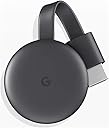
🔥 Upgrade your TV game with Chromecast — stream smarter, not harder! 📲
Google Chromecast (3rd Gen) transforms any HDMI-enabled TV into a smart entertainment hub, streaming over 2,000 apps in vibrant 1080p HD. With simple plug-and-play setup and intuitive phone control, it’s the perfect minimalist upgrade for millennial professionals craving seamless, on-demand content without the bulk or expense of a new TV.
| ASIN | B07M9BKHNZ |
| Best Sellers Rank | #50,974 in Electronics ( See Top 100 in Electronics ) #242 in Streaming Media Players |
| Brand | |
| Built-In Media | Google Chromecast (3rd Generation) Media Streamer - Black |
| Color | Black |
| Compatible Devices | Television |
| Connectivity Technology | Wi-Fi |
| Connector Type | HDMI |
| Controller Type | Remote Control |
| Customer Reviews | 4.3 out of 5 stars 21,056 Reviews |
| Form Factor | TV Stick |
| Global Trade Identification Number | 00842776106445 |
| Item Dimensions L x W x H | 2.29"L x 0.54"W x 2.29"H |
| Item Weight | 1.7 Ounces |
| Manufacturer | |
| Memory Storage Capacity | 32 GB |
| Mfr Part Number | GA00439-GB |
| Model Name | Chromecast 3 |
| Model Number | GA00439-GB |
| Other Special Features of the Product | Chromecast |
| Resolution | 1080p |
| Special Feature | Chromecast |
| Supported Internet Services | YouTube |
| UPC | 842776106445 |
| Video Codec | H.264, H.265/HEVC |
| Video Output Resolution | 1920x1080 Pixels |
| Warranty Description | manufacture |
J**R
Works well, not 100% dependability
I used this for teaching and it works well but it’s not a perfect product. There are limitations for sure. It goes in and out or takes a while to connect. I ended up using for about two years and was obsessed with it. I ended up going back to hardwire. It’s just faster and more reliable. Still, this is worth it for the money. I would consider using it in my home instead of school.
W**.
Cast from your device to your smart TV.
Use this to watch a video stream from a smartphone, laptop or tablet on a smart TV. (Note that this version of the Chromecast only supports 1080p resolution. If your TV is better than that, get the latest version.) Plugs into your TV's HDMI port and can be charged from the TV itself if the TV has a charging USB port. By selecting that HDMI port for the TV's source, you can watch whatever you are sending to the chromecast device from your iphone etc. All the streaming apps will display a "cast" button that you can use to send them to the Chromecast. It doesn't work well (if at all) from video players in browsers, but does work with various apps on an iphone like YouTube, Netflix, and Amazon Prime Video. My instructions were all in Japanese, but it was simple enough to figure out how to use it without being able to read them.
A**C
Seamless Setup and Good Quality
This product has, hands-down, the most seamless and effortless setup I've ever experienced, despite the packaged instructions being entirely in an Asian language. There are English instructions online, and you don't even need instructions if you're using the Google Home app. When I opened my Google Home app, it immediately found the device without any user input from myself and I was able to set it up within minutes. The streaming quality is quite good by my standards and I haven't noticed any significant buffering or image quality issues yet. The only complaint I have is that it does take a decent bit of time (20-60 seconds) to actually start streaming once you cast to the device. Likewise, any updates you make (pressing pause/play, rewind/fastforward, etc.) seem to take a little bit of time to take effect as well.
M**A
And it is really good
It is really good that I can watch movie onto my phone into my tv
R**S
Received Japanese version
Besides receiving a Japanese version, which I was able to work thru with a translator app, I could not get this to work. All I wanted to do was stream from my PC to my Samsung TV. After resetting going thru the setup multiple times and installing Google Home app (which was not mentioned), I could never get the device to work. I could see it in Google Home app but it was always unreachable. The only help was to make sure it was on the same WiFi network, which it was. Perhaps for other use cases the device works fine, but for me it was a lesson in frustration. I have sense returned the item and found a different solution.
D**L
Just as good as the first revil.
I ordered this to update to the latest version and because my smart tv doesn't have Chromecast built in. The box it came in looked like it came off the shelf. Brand new condition. You can see its from Japan. Not problem as the instructions are easy to understand. If your new to Chromecast the best way to install the app on your tv after you hook it up to your hdmi port and usb power is to install it through you google home app. Make sure your tv is on the right hdmi input that you hooked up to, Once inside the app all you have to do is let the app find your Chromecast, when it's found just fallow the on screen prompts until setup is finished. That's it. Just remember when you want to use Chromecast you have to switch to the hdmi it is setup on. It works flawlessly. Hope this helps. Enjoy.
J**T
This Google Chromecast is exactly what I wanted
It is hard to find the 3rd generation Google Chromecast in the market now (or in Amazon at least). You can mostly find the Chromecast with Google TV in the market, also in a cheaper price (non-4K version). As I already have a smart TV, I do not need the Google TV, but I just need a device that allows me to cast Netflix from my phone to the TV, instead of logging in on the TV. This 3rd generation Chromecast works exactly as I wanted, although the set up was in Spanish (which was a bit weird). Worth the purchase!
A**N
Great connection thru Google Home with downfalls.
The package is written in Japanese. Beware. But you don't need to know any instruction there. Download Google Home app and click on add device. It will walk you through. Compared with other 3rd party Dongles which require you to use "Smart view" in Samsung phone, you will have to go in Google Home app, find Google cast device you just set up and click on start chromecast. Connection is very good. But I have noticed that the phone screen would not turn off while Chromecast is running. It drains the phone battery very quick as you can imagine. If you manually lock the phone with the power button, casting turns black also. It's such a disappointing feature. With "Smart view" in my phone with any other dongles, the phone screen turns black automatically to save the battery life just like screen timeout function in the phone while the cast is still running. I'm sorry Google. Some of your devices are just not up to par.
A**R
Original & Made in USA Product. Very Satisfied.
This is Made in USA product and sincerely i was amazed that i received a USA product. Good quality. Works very well where i can cast YouTube from my mobile to my LED Tv. The plug of the adapter is US style. So please buy a travel adapter or plug as per UAE requirement else you cannot power onnthe product.
D**R
It has got to be the easiest way to stream content for a few pounds.
I have 3 of these, stream to anything that has a HDMI socket (OK, it needs a wifi connection, and power, power is either from a USB socket on your device or if no USB on the device then a mains adapter (supplied) must be used. Easily connect to a PC monitor, Projector, or any tv (with HDMI inputs) . It would probably work with HDMI adaptors, but I have not got one to test. FYI. I find Chromecast faster and easier that the smart TV apps.... I recently got asked; Can you use your phones hotspot instead of wifi? A: The short answer is YES. It will be cast on any WIFI network. To cast using a mobile network you would need a third device, as the mobile being used as the hotspot would not be able to connect to the chromecast directly. Firstly you will need a good mobile data connection. Set your phone with the mobile data connection up as a hotspot. Connect the third device (another phone, tablet, laptop, pc whatever) to the hotspot network. Optional step (press and hold the button on side of the Chromecast until it resets to factory settings.) Link the third device to the Chromecast using the hotspot wifi details and google home app. Follow the setup instructions and ensure that you connect the Chromecast to the HotSpot Wifi that you created with your mobile... This does work, but do note that you must have a 3 devices, you can not stream directly from the hotspot device. Also Mobile data can be very expensive 1080HD could be >3GB per hour IMO.
S**N
Kalitesiz
Orijinal değildir Çin ☹️😢☹️
P**.
Semplicissimo
Ottimo sia come installazione sia come funzioni
L**O
Très bon produit
Très bon produit merci
Trustpilot
1 week ago
3 weeks ago