Buy anything from 5,000+ international stores. One checkout price. No surprise fees. Join 2M+ shoppers on Desertcart.
Desertcart purchases this item on your behalf and handles shipping, customs, and support to South Korea.
🚀 Elevate your remote presence with ultra-HD clarity and effortless focus!
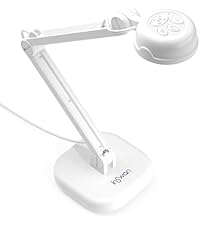
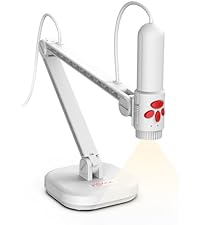
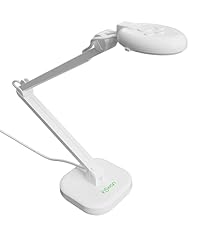
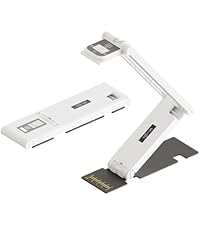
The INSWAN INS-1 USB Document Camera delivers professional-grade 8MP Ultra HD imaging with autofocus and macro capabilities, enhanced by a 7-level LED light and anti-glare sheet. Designed for seamless plug-and-play use across Windows, Mac, iPad, and Chromebook, it includes powerful Documate software for annotation, zoom, and recording—perfect for distance learning, remote teaching, and live demos.


| ASIN | B07PQJZK66 |
| Aperture Modes | 2 |
| Aspect Ratio | 16:9 |
| Audio Output Type | internal |
| Audio Recording | Yes |
| Autofocus | Yes |
| Best Sellers Rank | #15,743 in Office Products ( See Top 100 in Office Products ) #2 in Document Cameras #35 in Document Scanners |
| Brand | INSWAN |
| Built-In Media | Camera with USB-A cable, user guide, anti-glare sheet, microscope adapter |
| Camera Flash | no flash |
| Color | White |
| Compatible Devices | Chromebook (38.00 or higher), Mac (OS10.11 or higher), PC (Windows 7/8/10) |
| Connectivity Technology | USB |
| Customer Reviews | 4.6 4.6 out of 5 stars (2,776) |
| Digital Zoom | 16 x |
| Effective Still Resolution | 8 MP |
| Exposure Control Type | Automatic |
| File Format | MP4, JPEG |
| Flash Modes Description | Automatic |
| Flash Type | Internal |
| Focal Length Description | 34.0 millimeters |
| Focus Type | Autofocus |
| Hardware Interface | USB |
| Has Self-Timer | No |
| ISO Range | [100-1600 or higher] |
| Image stabilization | Digital |
| Item Dimensions D x W x H | 11.38"D x 4.53"W x 3.27"H |
| Item Weight | 0.8 Kilograms |
| Light Sensitivity | [100-1600] |
| Macro Focus Range | 10 cm |
| Manufacturer | INSWAN |
| Maximum Aperture | 2 f |
| Maximum Focal Length | 34 Millimeters |
| Maximum Shutter Speed | 6.0E-4 |
| Media Type | Photo |
| Mfr Part Number | INS-1A |
| Minimum Shutter Speed | 0.0006s |
| Model Name | INS-1A |
| Photo Sensor Resolution | 8 MP |
| Photo Sensor Technology | CMOS |
| Real Angle of View | 59 Degrees |
| Screen Size | 3 |
| Sensor Type | CMOS |
| Shooting Modes | Automatic, Easy, Macro |
| UPC | 755874952640 |
| Video Capture Format | MP4 |
| Video Capture Resolution | 1080p, 2448P |
| Viewfinder Type | LCD screen |
| Water Resistance Level | Not Water Resistant |
| Zoom Type | Digital |
M**O
Easy set up!
Excellent choice for a classroom. I use it every day. Out of the box, 3 min connection to laptop computer, and working!!! Excellent camera! Students use it easily too! 5 star plus!
S**N
Perfect for on-line instruction!
Works perfectly! I teach English/writing on-line with children in the Orient. Well documented - free downloads, easy to use and works with a variety of on-line teaching systems. It also works with other systems not mentioned by the camera company. Instructions were simply and it worked the first time we tried after down loading the FREE application software (windows used by me). Clear picture/simple to use/superb performance. You won't be Disappointed!
G**F
Great for rock samples in Geology classes!
I’m using this for the upper level geology courses I teach online. I mostly bought it to be able to talk about the finer details of rock and mineral samples. This has been great. Good color, good focus, pretty crisp image. I think it has the ability to focus just a bit more closely than the description suggests, but you can zoom in pretty nicely as well. This is better than face-to-face in many ways, as we can all see the same fine details at the same time. I anticipate bringing this into the classroom when we return to face to face. It’s also great for notes or sketches. The software is easier. I’m not taking advantage of any of its additional capabilities, but I think they have a lot of promise. Overall, easy, compact, pretty good quality, reasonable price.
L**E
Very good, wish buttons were elsewhere
Works great! However, it would be better if the buttons were on the base rather than the head: when you try to adjust focus or lighting, it moves the camera.
E**S
Great price for a projector.
Used an Elmo L-ex1 for the last 4 years and was very used to what it offered, switched jobs and no Elmos at my new workplace. I did not want a wandy projector and wanted more rigid straight arms. So I ordered the InSwan INS-1 after reading the reviews and it is pretty comparable in terms of video quality and especially the built in mic that the older Elmo suffered from. InSwan software is easy to download. Great price point for a portable projector, and the heavy base anchors the armature well limiting possible tipping over. I think the only downsides is it has a slight keystone, the length of the arms could be about 5 inches longer or telescopic arms for displaying larger items. Have elevate this projector on several items to fit in displaying larger works of 12x18.
T**A
Works great; my wife uses this to teach 1st grade
For teachers looking for an online teaching solution, this is the product you need. The image works great, the stand is solid and the camera does it's job without you noticing it. That is perfect in technology. The only thing that hit us was we could not load the downloadable included software. Her school district has her computer locked down and administrative privileges are required. That's typically for security and our workaround was simple. We used the built in Windows 10 camera software and then shared the screen/windows. That worked much better trying to use it as a webcam directly to show documents. If you use this as a webcam Google Meet limits the resolution; googles default is 360p!. Even bumping it up you can only get to 720p. But if share the camera windows, everything is nice, crisp and high resolution. We don't use the included light much. It works fine but for our lighting, we didn't need it. It was also a little strange in that the light won't work until the USB drivers finish installing. Must be software controlled on some level. In any case, give it a few seconds after plugging it in and then the light button works fine. My favorite feature is that you can hold two buttons at once on the top and flip the video vertically. That means when she is done teaching we can flip the camera up 90 degrees, press those buttons and presto you have a mounted webcam with a really good image. Not expecting to teach online or being overly versed with technology, my wife tells me this device saved her for this semester. Highly recommended.
E**Y
Easy, smooth functionality with lots of perks!
I am in love with my new inSwan document camera! I just got it out of the box, and it was super easy to set up. It is sleek and does not take up a lot of space on my desk. It is so easy to use, and it comes with software that lets you effortlessly take video and photos. You can use it for documents or rotate it up to view your face for video conferencing. You can use it live to show books and things you are writing, and it has on-screen drawing capabilities so that you can draw shapes, lines, arrows, text for freeform drawings over the images you are displaying. You can even pull up images from your computer to draw on. It also has a whiteboard feature to just draw without any images. You can capture all of your notes on top of your images to save for later, and you can copy those notes without the underlying image as well. You can use the selecting tool to capture just parts of your images and notes, and you can save them in a file or copy them to a clipboard to use elsewhere. It's all so simple, intuitive, and user friendly, and it has so many functions I didn't even imagine I could want! It will make my life so much easier! I'd like to thank the designers for thinking of everything. :)
P**T
Works great!
I sacrificed and bought a doc cam with my own money for virtual learning. It's worth the level of engagement I have with my students because I can model clearly for my K students, and they can see the pictures of the books. It's fairly sturdy, but shakes a little if you bump the table, not a huge deal, but give you a sense of the solidness of it. The armature so far has held and stays in place. I did place it on a yoga block to give me more height to show larger picture books and it's great. The light does a decent job since I did have to turn off the lights one day to let a wayward hummingbird fly out of my room. (Didn't work, it took 3 custodians and a vice principal to help it out) I use a MacBook and it is plug and play since it works with Quicktime with Google Meet without using any additional software to download.
M**3
El diseño, para mi, es perfecto con una base pesada con lo q no puede caerse. El enfoque es bastante malo, se nota en las tomas de documentos (escáner), ya q no se pueden leer bien las letras o números pequeños. De echo volveré a comprar un escáner.
O**R
Ce scanner est performant et «souple». Je l'utilise pour des travaux où les scanners de livres ou à plat sont mal adaptés. Le gros reproche qui vaut les seules trois étoiles est dû à la qualité du logicel fourni. Tout est à revoir : ergonomie, performance, fonctions disponibles, etc. Ce logiciel est digne des années très antérieures à notre époque. À signaler le fait que le scanner n'est pas reconnu par d'autres logiciels d'imagerie.
M**T
Boyundan kaynaklı mesafe yeterli değil
L**O
Idéal pour une enseignante. Polyvalent. Qualité exceptionnelle. Pratique. Plein d'utilisations possibles. Full trop cool!!
F**A
Me queda súper bien para dar clases de pintura, aunque por la estructura vibra un poco
Trustpilot
2 weeks ago
2 weeks ago