


🚀 Elevate your productivity and play with the Galaxy Tab S — where power meets portability.
The Samsung Galaxy Tab S 10.5-inch tablet combines a powerful 1.9 GHz octa-core processor with a dazzling Super AMOLED display at 2560x1600 resolution, backed by 3GB RAM and 16GB storage expandable via microSD. Running Android 4.4 KitKat, it supports multi-window multitasking and features a sleek, lightweight design ideal for professionals seeking a versatile laptop alternative. Despite some fingerprint scanner quirks, its vivid screen and efficient performance make it a top-tier choice in the 10-inch tablet category.
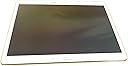
| ASIN | B00KIWWUFI |
| Batteries | 1 Lithium Ion batteries required. (included) |
| Customer Reviews | 4.3 4.3 out of 5 stars (2,262) |
| Date First Available | June 12, 2014 |
| Is Discontinued By Manufacturer | No |
| Item Weight | 1.02 pounds |
| Item model number | SM-T800NZWAXAR |
| Manufacturer | ???? |
| Product Dimensions | 0.26 x 9.74 x 6.98 inches |
P**)
Best 10"-range tablet to be found right now
This is probably the best tablet on the market right now, bar none. The 10.5" 2560x1600 screen is vividly bright and sharp, the eight-core Exynos processor cleverly combines high performance with power efficiency, and battery life is good — it'll go all day on a full charge, even watching videos. The smartest thing about this tablet is its processor. It's really two four-core processors in one — an efficient one, and a high-performance one. When it's idling or doing un-demanding tasks like, say, displaying an e-book, it runs on the four low-power CPU cores to maximize its battery life. Ask it to do something demanding like play a game or a high-defniition movie, and it seamlessly switches to the four high-performance cores. You won't even know it's done it. There are larger screens available, like Samsung's 12.1" Galaxy Tab Pro. However, they come burdened down with a lot of faux-business applications that you probably don't want, and they're not enough bigger to justify their price premium. The Galaxy Tab S has a big enough and sharp enough screen to make it a superb e-reader, while still slipping into a jacket pocket. Granted, there's some bloatware on the Tab S as well, starting with "My Magazine" aka Flipboard, the Samsung bloatware app that 90% of Samsung owners learn to love to hate, but which Samsung won't let us remove. But it's not bad, and Flipboard can at least be locked out. To be fair, there is one downside to the Galaxy Tab S, and that is its fingerprint scanner ... which, bluntly, is utterly worthless. It has to scan your fingertip nine or ten times to "learn" it, and every time you swipe it, you have to have the angle, and the pressure, and the speed all just right, or it won't recognize your print. Hand's sweaty? So sorry, try again. And even when you do get it working, it can only recognize one fingertip per user. I tried the fingerprint authentication for about a week, before I gave up on it after the "cool factor" wore out next to the "swipe, swipe, swipe, swipe slower, a bit to the left, slower, now straighter, make sure you swipe the entire fingertip..." ....oh, forget it, it's easier to just type a password. Sorry, Samsung, but this is a terrible fingerprint-scanner implementation that isn't likely to accomplish anything but souring users on fingerprint authentication. Now my Barska biometric safe, by comparison, could show Samsung how it's done. But I digress... Another shortcoming specific to this model is ... look, OK, just spring for the 32GB internal storage, OK? 16GB really isn't enough. It SHOULD be enough; but unfortunately, Android is atrociously bad at managing storage. You SHOULD be able to tell Android "Use the SD card slot for everything possible, use the internal storage only when you have to." But you can't. And that's a shame, because Android, based on Linux, should be able to do much better. This is not a hard problem. But this is really Android's fault, not Samsung's. Samsung has recently released their new Galaxy Tab S2, but it's not clear to me yet what the technical improvements in it are, and it's not available in a 10.5" screen (yet) anyway. If you're looking for a 10"-range touchscreen tablet, look no further. This is the one to buy.
C**E
Perfect tablet and Laptop replacement even if you are an apple user
I did a research for 2 months about tablets since I don't like to buy things by impulse... Since is a medium/large investment I wanted to be sure that this is what I need it... Currently I have a Samsung Galaxy S4 as a phone and a Macbook as a laptop.. Previously I had an Iphone 4s and an Ipad Retina Display which undoubtedly you can guess I was an apple user... But when I bought the Galaxy S4 I did it because I needed a flexible device with more space and I can't afford paying extra $100 for 16gb more on i-devices when you have android devices with memory card Slots which you can purchase 64gb for $30... Same happened with the tablet... I wanted a device that can replace what I normally do on the computer: - facebook - youtube - email - browsing - downloading torrent - watching movies (all formats mkv, avi, mp4, etc) - watching or editing word docs - listen to music - playing casual games... On the Galaxy Tab S I'm doing all that with plenty space or power to do more things... let me give you my review of the main point of this tablet: Display: nothing more to add that hasn't been said... simply the best display on a tablet.... its look much better than my Ipad retina display (which I gift it to my GF), color on ipad look pale and wash out... people complaint that color on super amoled look over saturated... and even if they do... I don't get how people complaint about it when it just look better than any other devices.. Design: This is something that I don't care that much... since I'm not looking all the time at the back of the device... I'm looking at the screen... but feel like a premium device... is super thin... and lightweight.. Yep.. the Ipad look more premium with the metal cases.. but the Galaxy tab S doesn't feel cheap like other samsung tablets like the galaxy tab 3... Power: The octa core processor work great.. I'm giving this device a very heavy use so far and I haven't felt any major hiccup or lag... yes sometimes It doesn't response right away like when you exit out of an app and want to open other app right away... but is just normal like any other premium android device... unfortunately this is how the OS works... don't get me wrong... is really fast and these so called hiccups or lag are barely noticeable and even if you noticed, its for about 2 secs then the tablet response is normally... It happened sometimes on my retina display Ipad as well... I guess this is normal for any device with... well.. ram... even computers have the same problem for over years... Interface / OS: This has been the main problem with androids.. the ecosystem is not a fancy and good looking as the IOS and samsung touchwiz is not well optimized and look dull... I have to say that by far this is the best touchwiz experience that I had.. I still prefer how IOS look and feel over android, but this is a major improvement comparing it with my Jelly Bean Galaxy S4... kitkat touchwiz is on the right direction... but they are not quite there yet... the black and blue tones are something borring and the menu, settings, contacts, profile, etc.. haven't change since... well.. ever.... just minor touches but still look the same... I'm hoping for a major overhaul with android L... I hope that they change the interface on touchwiz... that since galaxy S1 is very similar to latest version... The magazine interface is good, but is laking of widget and customization.. I'm hoping on future versions that they allow us to select free feeds to add to the widgets since they only have a couple "categories" that I don't care that much like culture, bussiness, living, photos, travel.. etc... I don't see gaming or movies like on flipboard... and they only have twitter as a feed, I don't see facebook or instagram... Apps: IOS has more tablet dedicated apps, but is not noticeable for my usage, email, youtube and browser are tablet friendly and that is what I use the most... facebook and all other work fine... even if they are phone versions... look and feel better than on my galaxy S4... android had the same problem with apps vs the app store a few years back and they catch up... they will do the same shortly with tablets.... Some apps doesn't work on my country like paper garden, milk music and most of the "gift apps" that come with the table... but is not a big deal for me... Camera: haven't use it... I don't care about it.. FingerPrint scanner: This is a feature that I don't care that much but it Work 95% of the time... is a good ratio if you asked me... I heard some bad reviews that It never works... but is working fine for me... Multi-Users: this is great... you can have 2 users on the same tablet like on computers... I'm not sure if there is a feature like this on IOS but is perfect for me, since I can have 2 accounts... one for me and one for my GF.... Multi tasking/ multi windows: Work perfect... this is another thing that IOS is missing... I was considering buying an Ipad Air over this... but even on IOS 8 there is no multi tasking... I use this a lot since I translate some documents... I had the translator app on top and the word app at the bottom and do my work directly from my galaxy tab S without even open my computer... Battery: I head so many great things... but I had to say that battery is average.... I will say same or even a little less than the Ipad... don't get me wrong.. it last the whole day with normal usage... but it drain out the battery fast when I use my torrent app... or when I download anything... Usage: perfect laptop replacement... I download some movies on it.. and watch them on any format... I have some movies and videos on my computer and I don't have to use the stupid itunes and a program to convert my avi movies to mp4 in order to transfer the movies to the tablet... I just simply copy them to my SD card.. and that's it... since I have Tab S I haven't use my computer only to do this review since involve a lot of typing... I'm just waiting for that keyboard case for this tablet and I'll be done. Bottom line, is an excellent device if you plan to replace your laptop or use it less since is more confortable to do it from a tablet... I'm using my phone even less... since I prefer to browse facebook and twitter on the tablet than on the phone... the screen is amazing... better than any laptop/tablet I've ever seen... and the multi tasking and sd card slot are the catch that put me away from other IOS device... more tablet dedicated apps are coming daily on the play store... so is not a deal breaker over the ipad... and the ecosystem is getting in the right direction.. even touchwiz is looking better these days than previous versions....
N**.
Modèle quasi-introuvable, en rupture de stock ou à des prix exorbitants, j'ai pourtant fouillé tout le net et les grandes enseignes (Carrefour, Auchan, Darty...). Je voulais à toux prix me procurer la Tab S en version 10"5, qui contrairement à la nouvelle version S2, est équipée d'un flash. Donc ravi d'avoir pu la trouver à prix raisonnable. J'ai eu un doute à cause de la mention "Générique" dans la fiche du produit, mais j'ai bien reçu une tablette authentique sous scellé. Ne négligez pas le bronze, c'est une très belle couleur ! Pas de dysfonctionnement à relever. Très bonne communication avec le vendeur, honnête, attentif et soucieux du client.
C**N
Je suis très satisfaite de la tablette. Rien à reprocher. Tablette viens avec étui et le service après vente très bon. Le chargeur devenait chaud. J ai écrit le soir et le lendemain matin elle me répondait qu' elle va en envoyer un autre. Je conseil.
A**R
For over a year I’ve been waiting for the new Samsung Google Nexus to be available – well it never happened and after dropping some hints to my wife that I would really like a Nexus 10 for Christmas, she bought me one. Worst mistake I have made all year (see my poor Nexus review) Anyway having been married for 38 years we know each other well enough to admit our mistakes and come clean. I returned the Nexus and bought a Samsung Galaxy Tab S and having had it for a week I can only say its FAN-TAS-TIC. Its everything I wanted in a 10” tablet: Its light weight and super thin yet seems strong enough to survive the knocks of everyday life. It has a sharp bright display that can be viewed from any angle, the sound is amazing considering the size of the small speakers. I have twinned mine to a Bluetooth wireless headphone and its great to watch movies on. I have also fitted a 64Gb micro SDHC card loaded with 40+ movies which should keep me entertained when I lose WIFI. The Titanium bronze trim looks the business (very smart). Apps all work seamlessly and the speed of downloads and browsing is all very smooth, presumably due to the octa-core processer and the 3Gb Ram. The on-screen keyboard looks sharp and the short vibrate when a key is pressed gives a very nice positive feedback. As far as battery life is concerned mine tends to last a couple of days, before it needs re-charging - but of course it depends very much on usage. I would like to see a 32Gb or even 64Gb model available and I guess that will come in the future. With the ability to be able to fit a 128Gb SHCD card and being able to load (some) Apps onto the SDHC Card perhaps its not too much of a problem. I have bought a MoKo Samsung Galaxy Tab S 10.5 Case which is reasonably priced, fits well, protects the tablet (as expected) and looks very smart. I thoroughly recommend this Samsung Galaxy Tab S Tablet it really is a step up from previous Tablets – buy it and you won’t be disappointed.
R**A
La tablet es muy ligera, excelentes prestaciones en pantalla, procesador, versión de Android. Nos encantó! Samsung sigue demostrando su supremacía en dispositivos inteligentes.
P**.
It does all we wanted it to do. Great for picture taking and reviewing simple to use as it was for my Mum in her 90's. She is finding she can take pictures on the 10inch screen and view them to. The colour is great as is the clarity. One BUT when I opened it first the screen was all in Japanese and I had no idea how or what to touch to change language. The small document on operating it could have pointed this out. Once over that hurdle by coming to my home and my computer for internet access Very pleased.
Trustpilot
2 weeks ago
3 days ago