🎬 Elevate your smartphone storytelling with pro-grade smoothness and style.
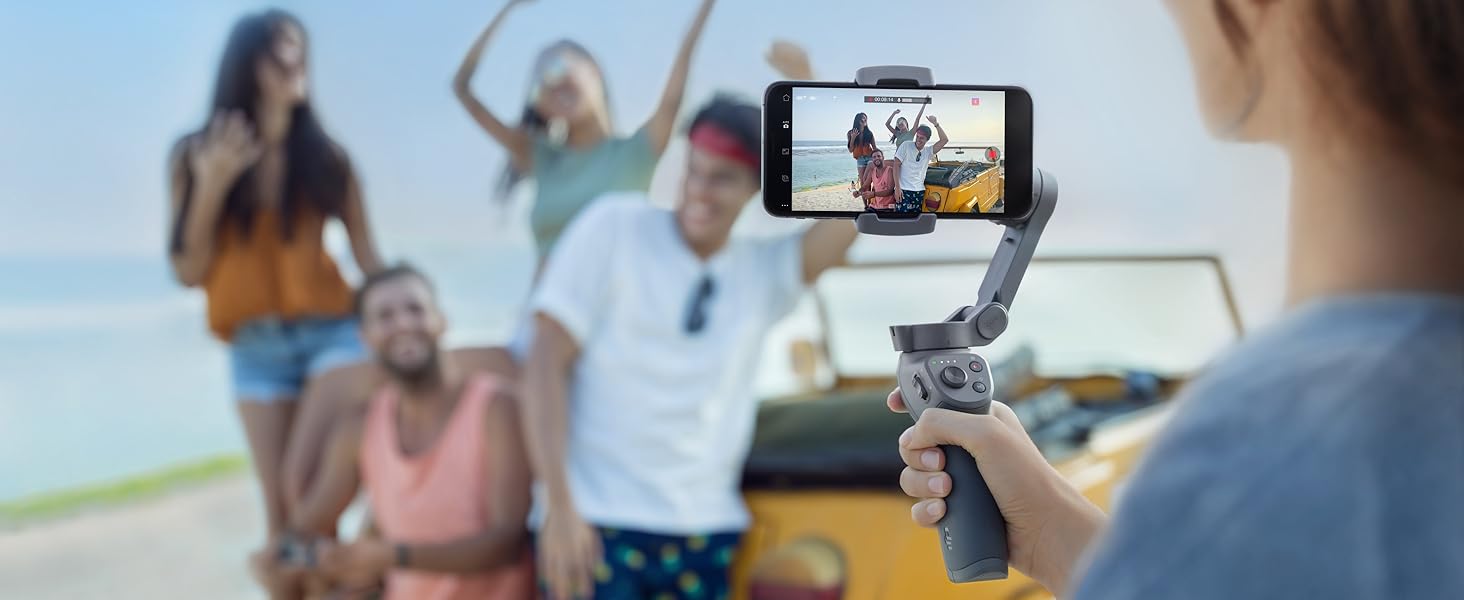
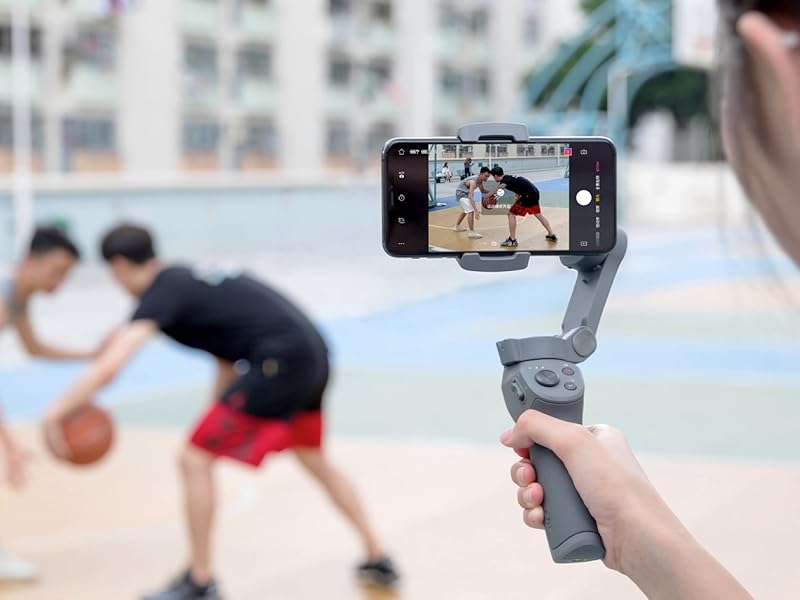
The DJI Osmo Mobile 3 is a foldable, lightweight 3-axis gimbal stabilizer designed for smartphones, delivering smooth, professional-quality video with advanced features like Active Track 3.0, gesture control, and multiple creative shooting modes. Compatible with most modern phones, it empowers vloggers and content creators to capture steady, cinematic footage anywhere.


| ASIN | B07RHJ7LWH |
| Batteries | 1 D batteries required. (included) |
| Best Sellers Rank | #366 in Video Camera Supports & Stabilizers #504 in Professional Video Stabilizers |
| Customer Reviews | 4.5 4.5 out of 5 stars (26,657) |
| Date First Available | April 26, 2019 |
| Item Weight | 14.3 ounces |
| Item model number | CP.OS.00000022.01 |
| Manufacturer | DJI |
| Product Dimensions | 6.38 x 2.44 x 7.05 inches |
H**N
Nice Phone Stabilizer, High Quality
I'm very pleased with the quality and functionality of the Osmo 3, and its software. Expect a little learning curve of the stabilizer and the software, and get some hours of practice making stabilized videos. The best thing is, your pictures and videos are always LEVEL! No "rocking boat" effect like you get with those "Merlin"-style mechanical balance stabilizers. I built several of those, and active stabilization is just MUCH better, and worth the cost. The roll axis (horizon) just stays level. The tilt and pan axes smoothly follow your movements, with about a 15 degree "lag" behind your movement. This lag is how you guide it around without shaking it. Don't expect to make perfect "flying" videos while walking -- it stabilizes the angles, but not not the position of the camera (like any hand-held stabilizer); so as you walk along, objects in the near-field hop and wiggle a little bit, while the far-field stays still in the frame. I'm using it with a Galaxy S9+, a big phone with a great camera. You DO need to remove the phone case, even a thin one. Balancing is easy; just hold it by the upper arm and slide the phone in the clamp until it doesn't tilt (with the Osmo off). You DO need the app; the Osmo comes to life after turned on AND paired with the app. At first I used the QR code on the box to download the app from DJI. It didn't work! I uninstalled it and downloaded it from Play Store and it worked fine. The app easy to use; just poke around in the menus & settings, like any app, to see what all it does. The handle has 2 buttons, a 4-way slider, a zoom slider, and a trigger. I found it hard to remember what 1,2,3 presses does, so you do need to use it a good while to memorize the button/trigger functions. Don't expect all features to work with all phones. For example, on my S9+ it will not do slow-mo, but will do hyper-lapse. And the zoom is jerky, not smooth, with the zoom slide switch. Be sure to get a little 3-wing table-top tripod for it; you can't set it down without one. Battery life is fine; last a lot longer than you'll want to carry it around making videos. Overall, this picky techie is very pleased with it, and recommends it if you want a best-in-class phone gimbal, from a well-trusted brand. (I was NOT compensated in any for my review.) --KV5R
J**.
Excellent choice for less shaky video (wish i bought it earlier)
Product: I attached this to my pixel 3XL and set the balance w/o the case in about 3 minutes (less if you're not switching phones) and I needed to watch a couple of youtube videos to understand the product and see what it was capable of doing. The battery lasts forever and there is even a USB phone charger. It does an amazing job keeping the camera from shaking which is the main function. With a click of a button, you can switch your camera from landscape to portrait mode. You can also hold a button to keep the gimble locked in the same direction. Additionaly, there is good tracking ability. IE you can pick an object and it will try to move to keep the object in the center. My only ask here is that you could pick the placement in the frame that you wanted your tracking object, as directly in the center is not typically the most interesting shot. The controls take a little bit of practice. It has 5 buttons and some have second and third functions ie you need to double or triple-click them. For example, if you are resetting the gimble to shoot straight ahead and get it wrong it might accidentally switch to the front camera. After a bit of practice, anyone can get it down though. Since I only have a digital zoom on my camera I will never use the zooming rocker, so I wish I could reassign this button. DJI's software takes a bit of time to load but afterwards it was intuitive. It's is fine if you are a novice, but as you gain experience and want more control I recommend an app such as FiLMiC Pro. My phone takes good pictures, fair videos during the day and terrible videos with bad light. If you use this with your phone in good light you get shake reduction that is almost as good as a tripod and for action shots where the camera needs to move this opens up interesting and other creative options. Even if you are just chasing your toddler this will make the video more watchable w/o making your audience sick. After doing a bunch of research and testing it out, no regrets other than the fact I did not purchase it earlier.
D**N
Did you know it can charge your phone???? Perfect for our Newborn's Birth!!
So...idk how this is not more expensive. After having owned multiple pricey DJI drones in our family, I am amazed at the quality, functionality, and ability of this fair-priced gimbal. My sister and brother in law are both buying one now This gimbal works great with my Google Pixel 4 XL with a clear case on. We ordered this and had it delivered the next morning. I'm so glad we did because labor happened later that day. What are my favorite functionalities? The stand. It's simple, but allows everything to be smoothly captured. Tracking - also an amazing tool. The app - surprisingly good. I know it's had some updates - but I haven't had any problems with it! You have to remember to change the resolution right away in the app - but it doesn't think your pictures or videos by downgrading the resolution (other than 60fps not available with 4k res). We captured our first little ones birth with this gimbal and it worked so well. We have used it for a few hours and it still has near full battery. Did you know it can charge your phone with the included USB output?? The bad: Using our wide angle lens attachment for my phone weights down one side - not doable, but not a deal-breaker. Thanks DJI for helping us capture our first kid's birth!!
L**A
Amazing product! First time trying to learn more about moviemaking and this is a very good start and very basic. Very helpful for somebody with no knowledge. Very good material and app needed to use the gimbal is very user friendly and has tons of features to play with. Stabilization is amazing, i chased my dog in an open field over the summer with it and it looked amazing!
C**N
À ceux qui pensent que la stabilisation de leur smartphone est suffisante, essayez de filmer des scènes avec demi tour ou des scènes de sport avec et sans l'osmo et comparez ;) l'osmo donne de suite un look plus professionnel aux vidéos et comme ma fille l'a dit : "on dirait un film de cinéma". Vous pouvez utiliser l'appli pour faire des timelaps, des suivis de mouvement, des hyperlaps ou de courtes vidéos avec enchaînement automatique (l'appli vous bloc la durée de chaque petits clips qui composent le montage et fait un mouvement spécifique à la fin de chaque clip, elle monte le tout et voilà. Vous pouvez même retirer le logo dji dans l'appli directement). Attention, l'appli ne filme pas en 4k 60 fps sur Android. Si vous voulez profiter de l'osmo sur l'appli photo d'origine du téléphone, vous pouvez, seule la stabilisation fonctionne mais c'est le but premier du produit. Pour changer le mode de stabilisation, faites le sur l'appli Dji, quittez cette dernière puis lancez l'appli photo du téléphone, le mode est resté en mémoire. Sur mon note 10+ cela me permet, par exemple, de filmer en 4k 60fps stabilisé avec l'osmo. Combinez l'osmo avec un monopod et amusez-vous, testez toutes sortes de mouvements de caméra.
P**L
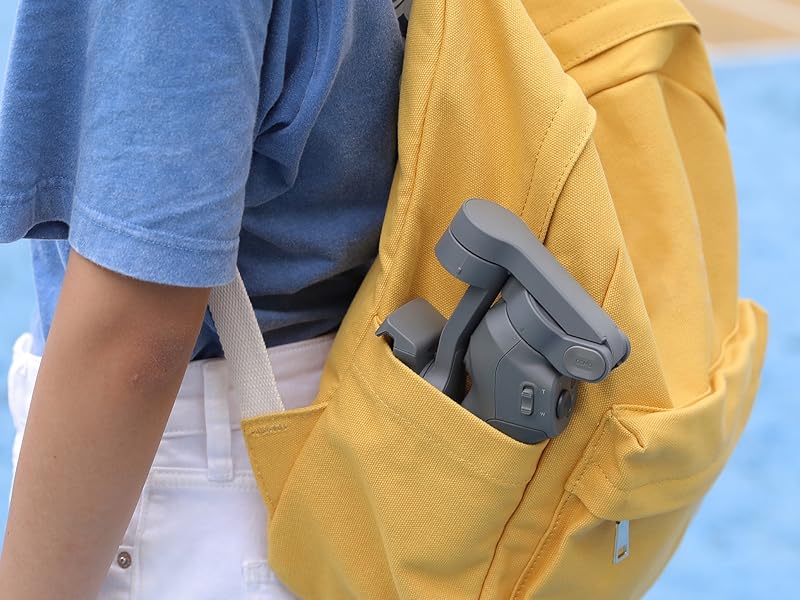
DJI : une marque qui s’est déjà clairement fait un nom dans le domaine du loisir avec entre autre une gamme très vaste de drones (Mavic Air, Mavic Pro, Spark, Phantom, …) et aussi tout le une gamme de stabilisateurs (Osmo Mobile, Osmo Pocket, …). Pour le stabilisateur Osmo Mobile dont il est question ici, on est déjà à la troisième génération. DJI a bien fait évoluer son produit, et en plus le prix baisse : la version 2 était vendue à 149 euro, la version 3 ici est venue à 109 euros en « version de base » et 129 euro en « version combo » (version que je conseille vraiment par rapport à la version de base car pour seulement 20 euros de plus, on profite en plus d’une mallette de transport et d’un trépied). C’est rare d’avoir des prix qui baissent tout en ayant des performances en hausse, la concurrence profite plutôt souvent du passage d’une génération n à la génération n+1 pour augmenter ses tarifs. ➡️ Les améliorations par rapport à la version 2 : -Une mallette de transport bien plus petite (au moins 2 fois plus petite). C’est bien plus pratique, et c’est grâce au pied pliant. Ça reste quand même difficile de le mettre dans une poche mais ça reste possible avec une grande poche. -Le port usb permet de recharger son téléphone pendant qu’on filme. Il est bien placé et le câble usb ne cogne pas contre le support lors des mouvements. -En deux clics sur le bouton M, on passe du mode portrait au mode paysage sans avoir besoin de débrancher le téléphone ou arrêter de filmer. -Activ Track 3.0 : grâce à cette fonction, la caméra suit automatiquement une personne. On peut aussi faire des Time Lapse très simplement. Ça permet de faire des vidéos de très bonne qualité. DJI maitrise son sujet, la partie matérielle et la partie logicielle sont très bonnes. ➡️ Des points à améliorer? Franchement pour cette gamme de prix, c’est vraiment excellent. Je conseille la version combo pour seulement 20 euro d’écart mais un point reste à améliorer : le trépied fourni ne rentre pas dans la mallette de transport mais il se glisse sur le côté et dépasse donc un peu. J’ai du mal à comprendre ce choix, même s’il ne remet pas en cause les performances de ce stabilisateur. ➖➖➖➖➖ EN CONCLUSION ➖➖➖➖ 👍 Cette version 3 est franchement mieux que la 2 qui était déjà une référence : Plus légère, plus compacte, plus performante et malgré tout moins chère. Je ne peux que vous recommander cet achat. Pour moi, c’est le meilleur stabilisateur sur le marché, en tout cas dans cette gamme de prix. ✅ En espérant vous avoir été utile.
T**S
Über diesen Smartphone-Gimbel wurde schon viel geschrieben und so gut wie alles alles gesagt. Er gilt bei den allermeisten Testportalen als Referenzprodukt seiner Klasse und ist auch noch Top im Preis- Leistungsverhältnis. Nach etwa 20 Stunden mit dem Osmo mobile 3 zähle ich deshalb hier nur mal auf, was verbessert werden könnte: - die App DJI Mimo ist zwar übersichtlich und bietet viele Funktionen ist aber für FOTOS nur bedingt zu gebrauchen. Grund: Es sind nur Aufnahmen im 4:3-Format möglich. Es gibt überhaupt keine Möglichkeit das 16:9 Bildformat auszuwählen. Auflösung, Belichtung oder sonstiges lässt sich ebenfalls nicht ändern. Das ist ziemlich unverständlich. Mit der Fotofunktion des Handys sind leider nur die Grundfunktionen des Osmo mobile 3 verfügbar. Ich benutze ein Samsung S9+. Vielleicht ist es bei iphones anders. - Die Mimo-App neigt offenbar dazu, die Bluetooth-Verbindung zu verlieren. Dann Funktioniert zwar noch die Aufnahme und das Gyroskop, aber nicht mehr die Gestensteuerung und das Tracking. - Selbst für Rechtshänder sind die Bedientasten nur bedingt ergonomisch angeordnet. Für den Auslöser z.B. muss man schon etwas den Daumen verrenken. Mit der linken Hand geht's dann - zumindest bei mir als Rechtshänder irgendwie besser, dann erreicht man allerdings nicht die Zoom-Wippe (die man allerdings eher selten braucht). - Bei Verwendung der Mimo-App kann man nur das Standartopjektiv der Hauptkamera nutzen. Auch beim zoomen wird nicht auf das dafür verbaute Objektiv gewechselt. Man hat auch keine Möglichkeit, vor der Aufnahme ein bestimmtes Objektiv auszuwählen. - Das Case im Combo-Kit (20 € Aufpreis) ist zwar qualitativ top, aber das dazu gelieferte Dreibein passt dort nicht mit herein. Ziemlich unverständlich, oder? Der Aufpreis für das Case und Tripod ist zwar fair, dafür bekommt aber auch ein Ministativ und ein Case, in dem Gimbal und Stativ zusammen reinpassen von Drittanbietern. - Das Active-Tracking verliert all zu schnell das zu trackende Objekt und erkennt es dann sehr oft nicht wieder, wenn es kurz aus dem Bild verschwand. Mehr gibt es meinerseits auch gar nicht zu meckern. Das meiste wäre zudem noch über eine Software- Anpassung zu lösen. Fünf Sterne hat das Osmo mobile 3 jedenfalls locker verdient.
D**K
Esta muy cool es super facil de configurar y usar, pesa un poco y jala vastante pila del telefono pero funciona super bien y su aplicacion tiene unos modos de uso muy sencillos y q son muy utiles 100% recomendado
Trustpilot
4 days ago
2 months ago