โจ๏ธ Elevate your workspace โ type smarter, switch faster, and stay illuminated.
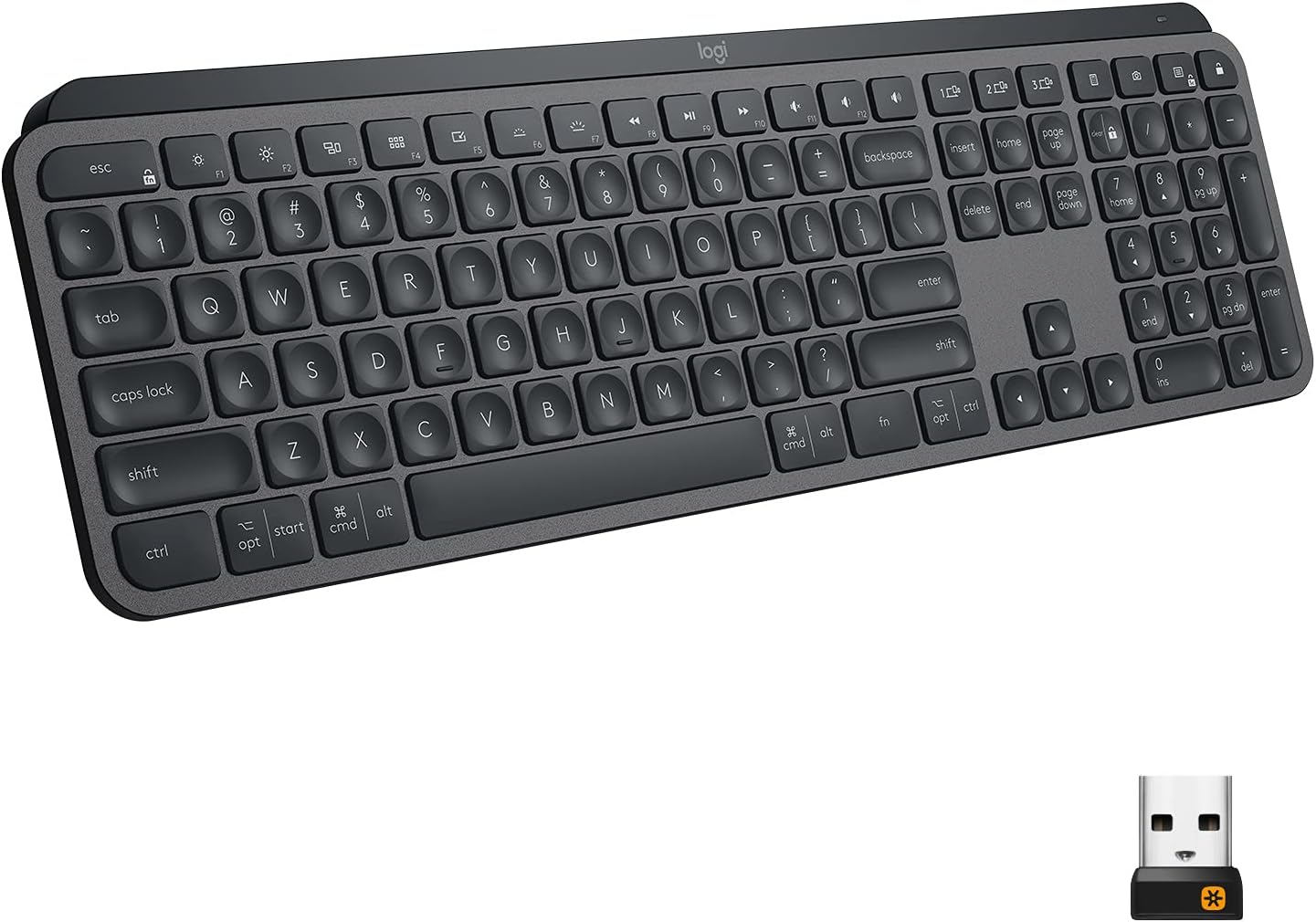
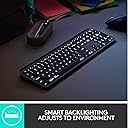
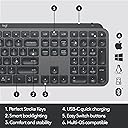
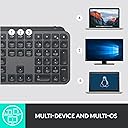
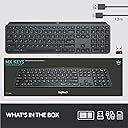
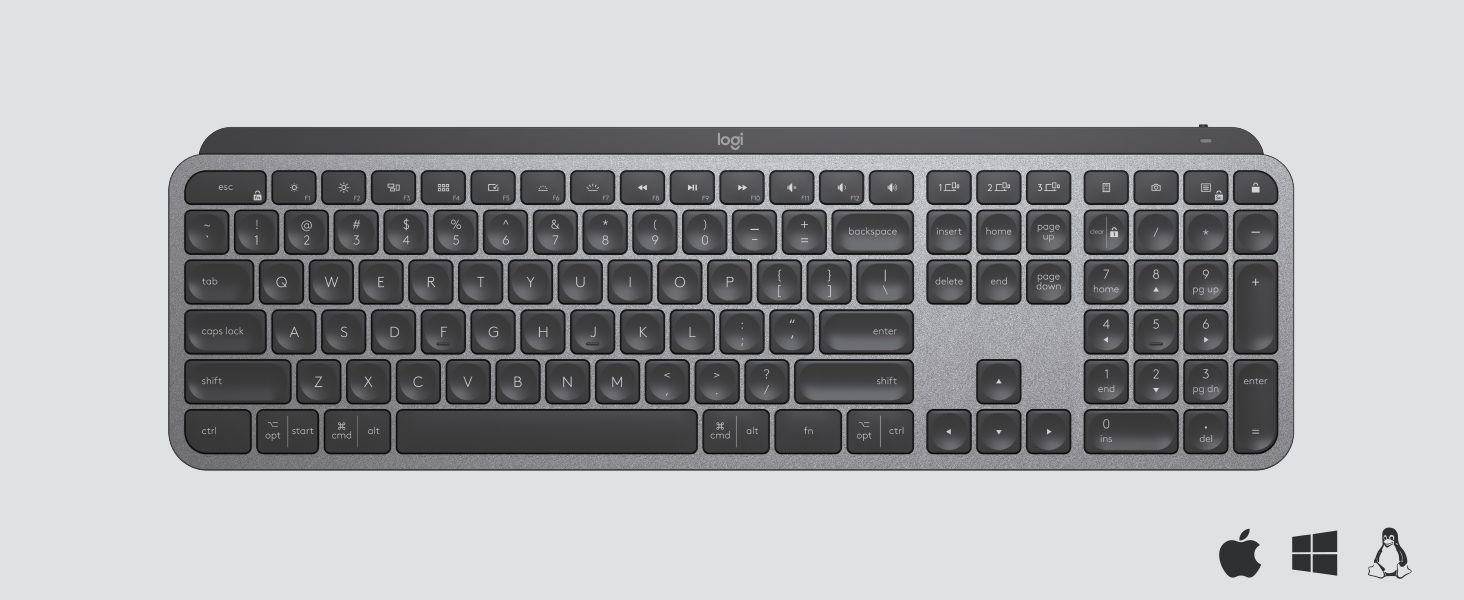
The Logitech MX Keys is a premium wireless illuminated keyboard designed for professionals who demand precision, comfort, and seamless multi-device control. Featuring perfectly contoured keys, smart backlighting that responds to hand proximity, and compatibility across Windows, macOS, Linux, iOS, and Android, it supports effortless switching between three devices. Its USB-C rechargeable battery offers up to 10 days of use with backlighting, while its sturdy, weighted design ensures stability during intense workflows.

| ASIN | B07S92QBCJ |
| Additional Features | Backlit |
| Antenna Location | Office |
| Best Sellers Rank | #3,182 in Computer Keyboards |
| Brand | Logitech |
| Built-In Media | Cable |
| Button Quantity | 78 |
| Color | Graphite |
| Compatible Devices | PC |
| Compatible Operating System Family | Linux, MacOS, Windows |
| Compatible Tablet Computer Models | AAUB P30 |
| Connectivity Technology | Bluetooth, USB |
| Customer Reviews | 4.7 out of 5 stars 15,288 Reviews |
| Enclosure Material | Metal |
| Global Trade Identification Number | 00097855152893 |
| Hand Orientation | Ambidextrous |
| Item Dimensions L x W x H | 16.9"L x 0.8"W x 5.1"H |
| Item Weight | 30.37 Ounces |
| Keyboard Backlighting Color Support | Single Color |
| Keyboard Description | Wireless |
| Keyboard Layout | QWERTY |
| Manufacturer | Logitech |
| Mfr Part Number | 920-009294 |
| Minimum Required Operating System Version | Android 9.0 Pie |
| Model Name | MX Keys |
| Model Number | 920-009294 |
| Number of Keys | 104 |
| Number of Sections | 1 |
| Power Source | Rechargeable Battery |
| Recommended Uses For Product | Office |
| Series Number | 920 |
| Special Feature | Backlit |
| Style Name | MX Keys |
| Switch Type | Tactile |
| Theme | Elegant |
| UPC | 097855152893 |
| Unit Count | 1.0 Count |
| Warranty Description | Manufacturerโs warranty can be requested from customer service. |
V**Y
Worth Every Dollar
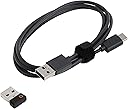
The MX keys is the best keyboard I've ever had. The keys are soft to the touch and quiet when they are pressed. As far as the feel, this keyboard is in between a regular desktop keyboard and a laptop keyboard. The buttons are sturdy and not wobbly. The backlight is perfect. A lot of reviewers complain about the back light not staying on, but It's best that it doesn't, because it conserves the battery life during each use, you don't even have to press any keys or buttons on the keyboard, the backlight comes on when your fingers hover over the surface of the keyboard. when your done typing the backlight stays on from 5 to 7 seconds, then shuts off. All you have to do is brush your fingers across the keyboard and the backlight is back on so you don't have to worry about pressing the wrong keys in the dark. PERFECT. If the backlight stayed on then everybody would be complaining that the battery doesn't last long enough. Logitech had this in mind when building this keyboard. Everybody is also complaining about the weight of the keyboard saying its too heavy, it is in fact heavier than the standard desktop keyboard, but that's good, because if its bumped it won't move or if it is placed on a slanted surface then the weight of the keyboard and the rubber feet will prevent the keyboard from sliding off of it's surface. My keyboard was sitting half way on the edge of my bed and half way off I sat down on my bed before I realized this. I was terrified and my hart sunk to the bottom of my stomach, because I thought it was going to fall on my hard wood floor and possibly get damaged, but because of the weight of the keyboard it didn't fall and I had a chance to move it so it wouldn't fall. The weight comes from the built in battery. I rather have a little extra weight, which isn't really a lot of weight. once you have the keyboard for a week or so you don't even really notice the weight. The weight of the keyboard is actually a BIG PLUS in my option. If your looking for a good keyboard with no latency as far as the response to the keys being pressed, then this is the keyboard. My keyboard is connected via Bluetooth and I've never had any connectivity issues. No need to worry about buying batteries I can just plug my phone charger into the Type-C connection on the keyboard and it charges right up, you can also use this keyboard while it's charging. Thank you Logitech.
J**.
Takes time to get used to if used to K800. Has some advantages and some not so much.
I have been using the Logitech K800 keyboard for over 12 years and preferred it over any other I tried. When I found out the K800 was discontinued, I was really bummed out but decided to try this keyboard as a replacement. One thing that I don't like about this keyboard is that on the older K800's, the rechargeable batteries could be replaced. For the keyboard, it is not usable once the rechargeable batteries wear out. I am still getting used to the smaller chiclet keys, but there are a few things I like about this keyboard in comparison to the K800. So, what to I like about this keyboard as compared to the K800 keyboard? 1) This keyboard is much narrower as it does not include the imbedded palm rest which I don't need. So, it requires less space on my desk. 2) The illumination of this keyboard is adjustable as was the K800 but uses different keys for the adjustment. The K800 used the FN key with either the F5 or F6 keys to adjust the brightness of the keyboard. This keyboard uses an OPT key with either the F6 or F7 key for brightness adjustment. Not bad, just different. 3) The K800 has tabs to pull out to raise the back of the keyboard. This keyboard has a built in riser which I find preferable to the tabs as, on the K800, they often flattened when the keyboard was bumped. 4) This keyboard can be connected to 3 devices and the K800 could be connected to only one. 5) This keyboard easily connected to the internal Logitech Unifying software in my computer, but a USB dongle is supplied that can be used for Bluetooth connection. 6) One full charge of the battery on this keyboard last so much longer than a full charge on the K800. I have had to charge the battery on my K800 every other day, and this keyboard battery has lasted over 2 weeks without having to recharge it. In response to some comments in reviews: 1) Blinded by the light - the keyboard lighting is adjustable. 2) Lighting of the keyboard goes off when you are not using it. When your hand goes near the keyboard, the light goes on and does not go off while you are using it. The light turns off when the keyboard is not in use to conserve the battery power - so less charging is necessary. 3) The fixed keyboard angle is the same as the K800 provided with tabs, but it doesn't go down if you bump the keyboard. This is a plus for me. 4) The power switch is on the back rather than on top of the keyboard, but this is just a matter of getting used to where it is. Not a problem for me. 5) There is light leak around the keys, but this is also not a problem for me. It just provides more definition of the keys. Really, the only problem I have had with this keyboard is getting used to the smaller chiclet keys. Other than that, I think it has a lot of improvements over the K800 keyboard I am used to. UPDATE 5/29/23: I have been using this keyboard 2-3 hours every evening for over a month, and I am loving it. I fully charged it when I first got it, and have not had to charge it since. According to the Logi Options software, the battery is still full. Since I have to charge the K800 I use on my other computer every other day, I think this is very impressive. Having used this keyboard for over a month, I am now used to the chiclet keys, and actually like them. Even though the K800 on my other computer still works, I am seriously considering getting another of these keyboards to replace it. I hope this review was helpful for you.
A**Y
So perfect
This is the best keyboard I've ever used! I had initially been looking for a mechanical keyboard (because everyone says they're the best) but all of the ones I tried out in stores were too loud, even the silent keys. I had wanted something that was backlit, silent, and felt good to type on. I had found this in the back to school section with basic office keyboards and oh my God, it was love at first "type". Typing on it was as smooth as butter. The price tag is a little high for a simple office keyboard but if you type a lot throughout the day this is a great investment! I'm not a gamer, I'm an average computer user that's trying to learn how to code and a regular cheap $20 keyboard was far too clunky for me. If you are able to try out keyboards in a store, I recommend that. Had I bought a pricy mechanical one based on the reviews I would've been disappointed because I absolutely hated the feel of them once I typed on one in a store. Pros: + Backlit - the keyboard is motion activated and the lights only come on when your fingers are near the keys so it saves on battery! You can't change the color but that isn't a deal breaker for me. + Wireless - I didn't think this was a big thing for me but it makes my desk look cleaner and it's easier to move around when I need to. The charge lasts about 2 weeks for me for the amount I use it (4-5 hours a day) + Quiet typing - I wouldn't say it's completely silent but it is pretty darn quiet! The sound they make isn't at all irritating to me or the people around me. The keys are similar to one you'd find on a laptop. They have rounded indents so your fingers sit comfortably. They require a little bit of pressure to type (but still very easy to push!) which I appreciate. I can't stand super sensitive keyboards. Cons: - the only con I can think of is the alt and option keys have both words for pc and mac users. For me, having multiple words on one key is a little confusing but it's not a big deal. Overall this is an incredible keyboard and I never would've imagined spending $100 on a keyboard but it's improved my typing so much and I highly recommend it. If you can go to your local office depot/staples/best buy to try one out before you buy please do!
D**Z
Best Keyboard to date
It seems like I keep ordering keyboards because I'm never happy with them. Either the keys are positioned well, or the keyboard is missing caps lock light, or the keyboard is too loud, or some other features I don't like. This keyboard is the best one I've ever owned. The keys are laid out perfectly, for me, there's the cap lock light which is always important, especially when entering passwords so you know that when the password isn't accepted, you KNOW it's not because the caps lock was on and you weren't aware. Pressing the keyboard has a great feel and it's also quieter than many other keyboards I've owned. I also like that I can charge this via USB and not worry about constantly replacing batteries. Bluetooth works great. My only wish is that the key to control the "Start" menu on Windows would have the Windows logo like many other keyboards rather than the word "Start", but that is such a minor complaint and probably only applicable to my tastes that I wouldn't lower any rating for it. I read some reviews where some functionality stopped working after a while. For me, it's way too early to know the reliability of this item yet, so potentially possible that in the future I may have to update the review, but right now, this was definitely worth my investment!
K**O
Logitech Stood Behind The Product!
I purchased 8 MX Keys keyboards since November 2019. The keyboard itself is great - the feel of the keys, the ability to charge it and the "flow" feature to connect it to 3 systems. There are no replacement keycaps available for this keyboard, so my advice is to register this product. ===================================================================================== October 16, 2020 update There is a Logitech Support team that monitors MX reviews on Amazon. My review was escalated and a Logitech Operations Manager contacted me with an offer to send a replacement MX Keys keyboard: "I was able to locate your ticket and want to apologize personally for the experience you had. While we do not typically replace products due to accidental damage, I am more than happy to send you a replacement keyboard as this should have been communicated to you much sooner in the process instead of asking you for so many details only to shut you down." I had already repaired the original keyboard, but the Manager followed up again: "I am still happy to send you a replacement keyboard that you can either keep as a backup or deploy somewhere else you may have a need for it. Just let me know if you would like that and I'll be happy to take care of it for you." This is very impressive - I can't remember when I've received a similar offer. I changed the number of stars for the review because of the Manager's follow-up and sincere attempt to make things right. ===================================================================================== Update: October 7, 2020 I was able to get replacement keycaps & hinge clips (switches) from laptopkeys. com by searching for the Logitech Craft keyboard. The replacement fit perfectly. The MX Keys & Craft keyboards have the same keycaps & hinge clips (switches), but a slightly different layout function keys & hot keys. Reviews stated that the keyboard "feel" was similar. ===================================================================================== Update: October 6, 2020 What I really needed was the hinged switch for the keycaps - a corner snapped on each one. I tried laptop switches from several old bluetooth keyboards for iPads. The fit was close. I ended up taking the parts from other keys that I don't use. It's such an easy thing to fix. 1. Keycap: The plastic piece with letter, number or symbol on it. 2. Hinge Clip: The keycap snaps on to the hinge. Wider keys can use 2 or more hinge clips. There is a thin metal retainer bar to "join" all of the hinge clips into a group that act as a single key when the wide key is pushed. An example is the space bar. 3. Cup: The cup provides the "up & down" motion when the key is pushed. Repaired the A key: The hinge broke on the lower right corner. Used the hinge from the * key on the numeric keypad. Repaired the Left opt | start key: The metal retainer was missing but the hinge was OK. Replaced it with the retainer from the Right opt | ctrl key. I didnโt notice the metal retainer when I picked up the pieces and it was probably vacuumed up when I cleaned. Until I can find replacement parts, I used tape for the original keycaps (* key and the right opt | ctrl key). ===================================================================================== CASE HISTORY from September 13 - October 5, 2020 Via the 1 year warranty, Logitech said they will replace the keyboard. Support will request the following: 1. A photo of the broken part together with the case number handwritten on a piece of paper included in the same photo. 2. Serial Number from the device itself and not from the box The serial number is on the back of the keyboard. Look for a small sticker underneath the ledge. What Happened? 1. I had to submit the photo multiple times. I had typed the serial number on the paper in the photo, then was told to handwrite the serial number. which was not what the original instructions stated. After I sent the handwritten info, I heard from Logitech Support about the replacement. Now I have to wait another week for info about whether the warranty replacement has been approved. 2. Received a response that the replacement request "will go through a final approval process which can take up to 15 business days for review." 3. A few days later, received another response: "Our higher support is asking how the keys of the device broke off, thank you." The next day, the replacement was not approved on October 5.
T**B
GREAT KEYBOARD!!!! THE BEST!!!!<<<<<<<<
This keyboard is obviously the result of Logitech's many many years of building great keyboards for every need. The Perfect Touch keys take a little getting used to, but after you've adapted to it, you won't ever want to go back to anything else. IMHO, this is the finest keyboard ever made. It has a solid aluminum body which feels very sturdy and rugged. The keys are 100% silent, so you won't be bugging anyone else in the room. It has a VERY light touch, and the shortest key travel of any that I've ever seen. I'm a 50 WPM guy, but I can see where a very fast typist can go full speed with this one. The backlight is an extra bonus, and works well and has sufficient adjustments to suit any need. My only problem with it is that it should stay on when plugged in. After all, there's no need to conserve battery power when it's plugged in, but otherwise works very well. It has a light sensor that detects ambient lighting, and adjusts itself accordingly, and a proximity sensor that detects your hand movement so it wakes up the lights for you, and does it well. The concave keys feel really nice under your fingers, and after getting used to placement of certain "F" keys, you'll be on your way. My only complaint is in the setup. I already owned an MX3 mouse, which Logitech promotes as the perfect mate to the MX Keys keyboard, but they really are hard to mate together with Bluetooth. I kept getting freeze ups after an hour or two of use, and figured out there was a conflict with the connection, so I ended up mating the keyboard with Bluetooth, and the mouse to the Logitech Unifying Receiver. After that, it worked perfectly. BTW, don't throw away your old mouse and keyboard before you have finished setup because you'll need both to accomplish your connection. A bit of a hassle to get connected, but well worth the aggravation for the result. I gave the MX Keys 5 stars for gaming, even though I'm not a gamer, I didn't want to drag down the overall rating for a feature that I don't use. It's my understanding that it's all about speed, so this should be a great gaming keyboard, even though it doesn't have all the flashing multi-colored lights so common to the gamer's keyboards I see today. So gamers, if you're looking for function, speed and sturdiness, rather than bling, this keyboard is the bomb.
K**0
Love this keyboard!
I work as a transcriptionist, so my job is typing sometimes 10 to 12 hours a day. I am very particular about my keyboards because I need them to last, and I need the profile and keystroke to be optimal for the way I type. I used to buy a new keyboard every six months to a year because the keys would start sticking, they would be too high profile for accuracy at rapid speeds, or they just started breaking and wearing. I finally spent more than $300 once on a Logitech keyboard that had what they call the "perfect stroke" key system. That was the best purchase I ever made, and that keyboard lasted for more than four years before the space bar hardware snapped and I couldn't use it anymore. By that time, they were no longer making that keyboard. They were also not making keyboards with the perfect stroke system anymore. I was very disappointed and moved to several other brands of keyboards, none of which held up well. I bought the first model of this keyboard that controls two computers and found that while the keyboard worked well, I was disappointed by the fact that the arrow keys and number keys were the same, so in order to use the arrow keys to navigate, I had to turn off the number pad, which became quite a problem for me. When I saw that this model had been released, I was not disappointed. This keyboard has lovely, fairly quiet keys that have a clean press, so they can keep up with my typing speed with accuracy and don't make my fingers tired. The ease of switching back and forth between two computers is even better than the first model, with dedicated buttons that you only have to push once to switch back and forth, and it can handle three different devices if you want to attach it to a tablet or cell phone, as well. It's held up beautifully, although I admit I haven't had it long, but long enough to get a firm grasp on performance. I'm so glad that Logitech went back to the perfect stroke keys, as they are much more reliable, last longer, and are so much smoother for typing. The battery life for me is several days, but the keyboard is rechargeable, and I find that plugging it in right at my desk is not a problem. It doesn't take long to recharge, and it can still be used while it's charging, so I haven't had any problems with battery life. I find it preferable to buying a constant stream of expensive batteries for all the time I spend typing. If you're someone who spends a lot of time typing, or who works from multiple computers and wants a keyboard that will manage both, you won't be disappointed in this one, even for the price.
R**M
Love this Keyboard!!!
Right out of the box you can tell this is a quality and well made keyboard. All metal housing on the top and outside, and has a nice heavy feel to it. Just typing on this is a dream, and quiet as a mouse. The keys on this keyboard are well made and have a nice feel to them, and really do cradle your fingertips. I did buy the wrist rest to go with it, and I have to say, w/out it would be a bit uncomfortable. But not something you have to have. I am typing the last bit of this comment w/out it and it is just fine. One other thing I did want to comment on, is you can program certain keys on this keyboard to function any way you want to, and with the Logitech Options app, gives you all the flexibility to program this keyboard to suit and your work or play needs. Overall I can't find a thing bad to say about this keyboard, it is well made, comfortable, programmable, and overly quiet. All other keyboards need to take notes from this one. I know its a bit pricey, but it is well worth the cost. I don't mind paying a little extra for something if I am getting what I am paying for. You can feel the quality right out of the box, and soon as your fingers hit the first key, you know you made the right decision.
Trustpilot
2 weeks ago
2 months ago