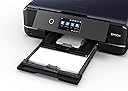
🖼️ Elevate your creative space with pro-level prints that make your work impossible to ignore!
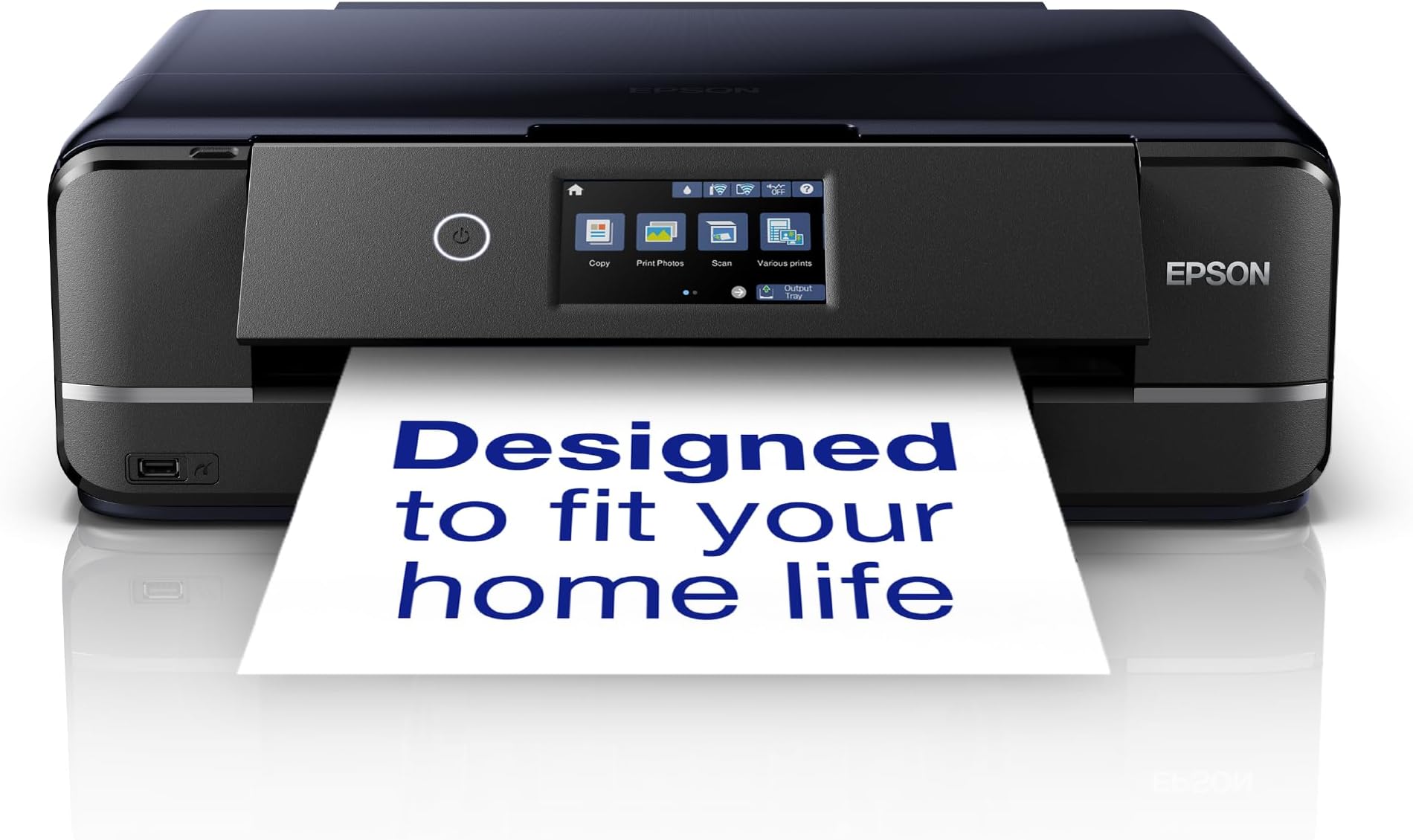
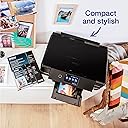
The Epson Expression Photo XP-970 is a compact all-in-one wireless inkjet printer designed for professionals and creatives who demand A3 photo-quality prints. Featuring 6-color Claria Photo HD inks for vibrant, archival-quality images, it supports thick media up to 300gsm and offers versatile printing options including CD/DVD printing. With a user-friendly 10.9 cm touchscreen, dual paper trays, and seamless mobile connectivity via Epson’s apps, it’s the perfect blend of style, performance, and convenience for the modern creative workspace.


| ASIN | B07XZHX1RT |
| Are Batteries Included | No |
| Best Sellers Rank | 1,100 in Computers & Accessories ( See Top 100 in Computers & Accessories ) 6 in Portable Photo Printers |
| Colour depth | 36 bpp |
| Compatible devices | Smartphones, Tablets |
| Connectivity Type | Wi-Fi |
| Controller type | Android |
| Customer Reviews | 4.3 4.3 out of 5 stars (2,708) |
| Date First Available | 17 Sept. 2019 |
| Dual-sided printing | Yes |
| Form Factor | All-in-One |
| Guaranteed software updates until | unknown |
| Hardware Platform | Smartphone, Tablet |
| Included components | What's in the box - Individual Ink Cartridges, Main unit, Power cable, Setup guide, Software (CD), Warranty document |
| Item Weight | 8.79 kg |
| Item model number | XP-970 |
| Manufacturer | Epson |
| Max copy speed (black and white) | 10 ppm |
| Max input sheet capacity | 120 |
| Maximum Supported Paper Size | A3 |
| Maximum black and white print resolution | 5760 x 1440 DPI |
| Maximum colour print resolution | 5760 x 1440 DPI |
| Maximum copies per run | 1-99 |
| Number of USB 2.0 Ports | 1 |
| Number of USB 3.0 Ports | 1 |
| Operating System | Mac OS X 10.6.8 or later, Windows 10, Windows 7, Windows 8, Windows 8.1, Windows Vista, Windows XP SP3, XP Professional x64 Edition SP2 |
| Power consumption | 20 Watts |
| Print media | Glossy photo paper |
| Printer resolution colour vert. max. | 5760 Centimeters |
| Processor Count | 1 |
| Product dimensions | 36D x 48W x 15H centimetres |
| Scanner type | Flatbed |
| Sheet size | A4 |
| Wattage | 20 watts |
M**N
Compact all in one printer
Very happy with this all in one printer. It prints reliably from my phone, iMac and iPad, produces excellent quality images on gloss or matt photo paper and also works well as a photocopier for occasional use. The original ‘starter’ ink cartridges seemed to last quite a long time and I’ve had no problems with poor quality printing even if it hasn’t been used for a while. Original inks aren’t cheap (£55/set of 6) but they are probably no more expensive than similar printers. It’s also easy to set up and use. Downloading the Epson Print App adds functionality and more control when you are printing outside of mainstream applications.
A**Y
A fantastic printer if you take the time to setup correctly.
As someone who frequently juggles home office documents, the kids school projects, and a passion for printing cherished family photos and making CD/DVDs, finding a single printer that excels at all these tasks can be a challenge. After careful consideration, I invested in the Epson Expression Premium XP-6100 A4 Multifunction Wireless Inkjet Printer, and I am genuinely impressed by its capabilities. This isn't just a printer; it's a versatile creative hub, deserving of its "Premium" moniker. Documents: For everyday text documents, the dedicated pigment black ink delivers crisp, sharp, laser-like text that is incredibly easy to read and looks professional. Even fine print retains remarkable clarity. Graphics & Presentations: When it comes to charts, graphs, and colour documents, the vibrant dye inks truly pop. Colours are accurately reproduced, with smooth gradations and excellent saturation, making presentations and reports visually engaging. Photo Printing (The Star of the Show!): This is where the XP-6100 truly excels. With its additional photo black ink, the printer produces stunning, gallery-worthy prints. The depth of colour, the fine detail, and the smooth tonal transitions are truly exceptional, rivalling outputs from dedicated photo printers. Whether it's a vibrant landscape, a detailed portrait, or a black and white print, the results are consistently breath-taking. I've printed numerous photos on various Epson photo papers, and each time, I'm genuinely surprised by how professional they look. Borderless printing is a breeze and adds to that premium feel. Now, for a vital piece of advice that will ensure you unlock the XP-6100's full potential: take your time with the initial setup. Like any sophisticated piece of technology, proper setup is paramount. It’s not overly complicated, but rushing through the steps could lead to less-than-optimal results down the line. Read the Instructions, go through the included setup guide carefully, step by step. Epson has made it quite visual and easy to follow. Setting up the wifi was a breeze, helped by step by step instructions on the printer screen. If you're looking for a versatile device that delivers professional-grade results for both everyday documents and cherished memories, and you're willing to invest a little care into its initial setup, the XP-6100 comes with my enthusiastic and wholehearted recommendation. It’s a truly premium experience.
T**R
Great printer and good value
This printer is very good and will do everything needed by a home printer / scanner really well. It produces good quality photos and black and white prints. It is a step up from the previous XP 640 I had and is fairly quick when printing documents. The set up is very easy if you use the online drivers and software from the genuine Epson website. One thing to take care with is if you use non-Epson cartridges. Epson has made recent firmware updates which prevent most third party cartridges working at all. If you buy this printer, do not make any firmware updates and block all such updates. Instructions how to do this are widely available on the web or YouTube. Updates to the software are fine and don't affect this. The XP 7100 is perfect for all home needs but Epson ink is expensive. Great if you use non-Epson ink.
M**E
As near perfect as you'll get for low-volume A3+ photo/art printing
Oh wow, this is a fantastic printer. I'm the retired CEO of a hi-tech design studio. I needed a hi-res photo/graphics printer suitable for use in a home living environment and where printing volumes would not be particularly high. I also wanted a dedicated printer not one with integrated scanner and copier functions. This printer model is actually discontinued: I'll explain why you should buy it while it's still in stock. It looks like Epson has (understandably) changed its business model from selling complex hardware cheap and selling ink expensive. The replacement model for this printer uses 'cheap' ink by utilising refillable tanks. The downside is that it's a lot more expensive. Fair enough: if you need high-volume printing go for the more expensive model. OK, why is this printer so great? From the aesthetic point of view it's gorgeous and it's compact: ideal if it's on show in a living room. Everything about the design is thoughtful, ergonomic and well-engineered. The control panel is hinged: tilt it out to operate it, push it back to the neat vertical position when you're done. The control panel features a high res, back-lit LED screen. The excellent resolution means that small print is legible and a lot of information and graphics can be displayed. This makes for very intuitive operation with the well-coded UI that Epson provides. The screen isn't touch but navigation using the arrow keys makes it easy to use. All this makes for fast & easy set up, operation and maintenance/test tasks. The printer provides an integrated bottom slide-out tray for A4 paper. For media up to A3 + the back feeder is used. The pull-out paper holder/support at the back holds up to 20 or 30 sheets. This back feed is used for regular sheets, thick media, canvas etc of any size up to A3+. A great feature is that the output paper support is motorised: it pops out when printing is initiated and retracts when the printer is off. This feature contributes the beautiful design of the machine. Now the key question: quality. It's awesome. As a test, I printed a 300 dpi A3 image with solid colour, skin tones and subtle shadows (a 50MB TIFF file). The result was amazing: vibrant, solids immaculate, colour rendering excellent, blacks really black and excellent shadow detail. I wasn't seeing much difference between the image on my 27" Mac retina display and the image on paper. The colour rendering is helped by the 6 ink cartridges used: CMYK plus grey and red. Needless to say, the printing is super sharp – so regular mono printing on plain paper also looks good. For the application I've described, I reckon you'll not get better than this in terms of value for money, print quality, UI/UX, build quality, looks and compactness. If you have high volume requirement, ink cost would make this an expensive solution and you should spend more and go for the much more costly ink tank model. If you want archive printing (essentially max colour rendering fade resistance), spend even more money to get more print heads and a non-dye ink system. One last thing: I bought, also from Amazon, the flat-pack Devaise mobile 5-drawer file cabinet as the base for the printer. In black, it looks great and is the perfect base for the printer. At £67, the unit is a fraction of the cost of the Ikea equivalent and just as good in terms of looks and quality. As ever with Amazon, both these items arrived super fast and well packaged. For once, it's nice not to have to rant about design issues of a product: this printer is the "Dog's" if you know what I mean!
J**Y
Nice looking printer will print on cds as well
H**H
جميييله ودقة في الطباعة والسعر مناسب جدا انصح فيها وبقوه
D**N
Ок!
A**R
livraison efficace
B**3
Quelques difficultés pour l'installation, mais fonctionnement parfait une fois celle-ci faite
Trustpilot
2 days ago
3 weeks ago