Desertcart purchases this item on your behalf and handles shipping, customs, and support to South Korea.
🔊 Elevate your audio game—because your sound deserves to be legendary.
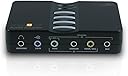
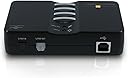
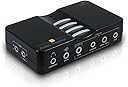
The VANTEC USB External 7.1 Channel Audio Adapter delivers rich, immersive surround sound with easy USB 2.0 connectivity. Featuring stereo microphone inputs and SPDIF optical digital I/O, it’s designed for professionals and audiophiles seeking superior audio quality on desktops and laptops. Compact and driver-free, it’s the ultimate upgrade for your sound system.


| ASIN | B004HXGJ3S |
| Best Sellers Rank | #26 in External Sound Cards |
| Brand | Vantec |
| Built-In Media | Item |
| Color | Black |
| Compatible Devices | Desktop, Laptop |
| Connector Type | USB Type B |
| Customer Reviews | 4.2 out of 5 stars 981 Reviews |
| Finish | Matte |
| Global Trade Identification Number | 08447670147536 |
| Item Dimensions | 3.94 x 2.28 x 1.02 inches |
| Item Type Name | USB External 7.1 Channel Audio Adapter |
| Item Weight | 9.6 ounces |
| Item dimensions L x W x H | 3.94 x 2.28 x 1.02 inches |
| Manufacturer | Vantec |
| Mfr Part Number | NBA-200U |
| Model Number | NBA-200U |
| Number of Items | 1 |
| Number of Ports | 2 |
| Package Quantity | 1 |
| Power Plug Type | No Plug |
| Specific Uses For Product | personal |
| UPC | 844767014753 115971233453 191120008172 |
| Unit Count | 1 Count |
D**S
Cheap way to add a SPDIF output to a PC / HTPC - One year of use.
One year in. I use a desktop PC as a Home Theater PC (HTPC) that I have plugged into a Yamaha receiver. I was using a Sound Blaster sound card in it and the results were "ok" but not great - a distinct lack of silence when nothing was playing. The receiver has a built in DAC that is better than that on the sound blaster or the one built into the PC. I plugged this little dude into the USB port and connected it to my receiver with an optical cable and: IT WORKS! I'm using Linux and the operating system recognized the device immediately, as did the receiver. Whether I'm playing audio files or the sound from movies I'm watching from Amazon/Netflix/Hulu/etc, the sound is much better than from the SoundBlaster card or the onboard sound circuit in the PC. The biggest downside is that MP3s may sound worse as you can hear the imperfections of compression, so, if you are ripping CDs, make sure you use a lossless encoder like FLAC. There are much more expensive boards for this, but unless you have a dedicated room and VERY highend equipment on the other side of the cable, this is as good of a device as you need to get sound from a PC into a receiver and you can put your extra money toward other things that would give a greater improvement - like better speakers. My Yamaha has 3 digital inputs, and many others do as well. Using an outboard DAC is the best way to get sound out of a PC as the analog circuits are too exposed to electrical noise from the motherboard and accessories. By allowing (in my case) the receiver, which is designed to be as noiseless as possible, you greatly improve the sound quality. I've also noticed the CPU runs slightly less than with the sound blaster. FINAL NOTE: I would NOT buy this for the analog outputs and only bought this as a test in using a SPDIF to DAC on my receiver. I feel the analog ports are no better than the ports built in to the PC. They might come in handy if I needed to use it with the analog ports on a preamp that didn't have a DAC, AND needed to move it often - but there are probably better devices for that use.
D**D
Looking For One Of These? Look No Further. This Little Sound Adapter Is Excellent.
An excellent external audio adapter. I bought two of them for my Win 10 and 11 PC's. Reason: I broke off a 1/8" connector inside my internal soundcard rendering it useless and for the Win11 PC I wanted the ability to use effects. One of the many drawbacks to Win 11 is that they removed much of the functionality options available that always came with Realtek soundcard applications in the past (at least with my internal soundcard) Once I found the correct software to download from the company website, installation in both machines went flawlessly. Up and running sound almost immediately. The adapter itself is fairly small and won't take up much room on your desk. The functionality and effects are excellent. I like a touch of reverb when I am playing certain games and this does what Realtek used to do. Considering the price for an internal soundcard these days, this little unit is a perfect substitute. Excellent purchase and I could not be happier in my choice.
C**L
Good enough
Works fine (better than I thought it might), but I can only get 4 of my speakers to work with it so far (I haven't tried to fix it at all). I don't mind that much, but I rear speakers in my 5.1 setup don't seem to engage from my PC (it uses the front speakers for left/right rear). I was more interested in my center channel speaker and bass speakers, so it's not a huge deal to me. NOTE: The drivers that come with the unit are on a CD (yes, and actual disk).
T**P
Must Have for Old Analog PC Speakers on new mobos without the ports
They say things get better with time and better technology, but I disagree when it comes to modern PC speakers over older analog speakers. I bought this as an alternative to going with an internal sound blaster card. Same issue as many others have stated when going to these newer mobo's, there's ZERO analog ports anymore for older 5.1/7.1 systems. In my case, I lost the ability to use my old X-530 Logitech PC 5.1 Speakers. I only use them in the 2.1 capacity as super budget studio speakers for playback of created music. But, that's not the point. The point is, I now am able to do so again without issue. Download the driver install straight from the Vantech site for this unit. It's also smaller than the pics show. It's about the dimensions of a credit card, except about 1.5 inch height. The 4 buttons on top of the unit are Mute Mic, Mute Volume, Vol up and Vol down. The compatibility is 5.1/7.1, a headphone port, a line in port, and two additional mic ports on the left outer side (mono and stereo). Lighting is blue (led for power, mic mute noti). I literally had ZERO issues with this thing in Windows 11 Pro. Driver, connect, reboot system. Considering the cheapest sound blaster PCIe for my setup would have been about 60 bucks, it was worth trying an external. It does have only a USB 2.0 line though, but it's plenty for this unit. Honestly can't really complain just because I've had no problems with it since hook up. Will update should it go defunct, but I have a feeling it'll be fine for my use. Totally worth it for older Logi or other analog speaker setups. For reference, the Logitech x-530's came out in 2004. Most of these older PC systems are just better than this new age stuff for PCs. Sure, I've got wires, but it sounds good.
J**9
Works great in Windows 10 + Lenovo Y510p [How To Install]
[Update: Sept. 4th, 2016] Download this: [...] Just run setup.exe, and restart your computer. You're good to go! [Update: After experimenting for a while I discovered I didn't' have true 5.1 and/or 7.1 surround sound - Found a Fix] Hello again. (June 6th, 2015) update: I was tinkering around my sound card and noticed that I didn't have true surround output with the fix I showed to you. Fortunately there's a workaround for installing the program and outputting correctly the sound. This has been tested on Windows 10 Build 10130. Here it goes: 1st. Download this file [...]2nd. Open it and extract its content anywhere, in the case of this example I'm going to open the file and copy and paste the folder "CM6206-1.08(QR)" into my desktop. There will be a bunch of folders in there. 3rd. DO NOT CLICK Setup.exe (I know you did it ;) ) 4th. Go to the extracted folder and head into "WIN81(WHQL)", there you will see a "Setup.exe" and "Setup.ex_" file YES, with the underscore at the end!. 5th. Rename "Setup.exe" to "Setup.exe_bak" (or whatever) 6th. Rename "Setup.ex_" to "Setup.exe" 7th. Run "Setup.exe" by double clicking or pressing enter. 8th. You will now see the "Installing USB Multi-Channel Audio Device". If it asks you to connect it, connect the device. 9th. Restart your PC. 10th. After restarting on the task bar at the right (system tray) you'll see a blue icon. Double click to configure 11th. Enjoy! :D ****ORIGINAL**** Here's a quick guide on how to get working it on Windows 10 (and other Windows versions in case setup does not work): 1st. Download this file [...] 2nd. Open it and extract its content anywhere, in the case of this example I'm going to open the file and copy and paste the folder "CM6206-1.08(QR)" into my desktop. There will be a bunch of folders in there. 3rd. DO NOT CLICK Setup.exe (I know you did it ;) ) 4th. Plug in your device to your PC, wait for Windows to finish installing your device. (It doesn't matter if you plugged in the device before extracting the files, but before step 5 you need to have it plugged in!) 5th. After Windows finished installing the device, head to Device Manager. To open it, press start and type "Device Manager" Or press Win + X, then M 6th. Go where it says "Sound, video and game controllers", and find USB Audio Device. Right Click on it and select "Update Driver Software" 7th: Click "Browse my computer for driver software" 8th: Now, where it said "Search for driver software in this location, click "Browse". And go to the extracted folder, since in my case I extracted it to the desktop I head to the desktop, and open my folder. Go to this folder: (this is your extracted folder) CM6206-1.08(QR) => WIN81(WHQL) => SoftwareDriver With SoftwareDriver highlighted, press OK. 9. Click Next 10. Wait for Windows to finish installing the drivers. 11. Go to the Speaker icon at the right bottom of your taskbar. Right click and select "Playback Devices" 12. Select "Digital Output" and then "Set Default". Press OK 13. You now have setup your digital adapter! :D :D :D In case you need to roll back to your previous configuration, repeat steps 11 - 12. Instead of selecting "Digital Output" select your original device. Now about the proper product, I've seen an increase in sound quality Sounds louder, brighter and deep bass can be appreciated. I'm no audiophile so I don't have that ability to perceive great sound quality... But for me it was worth the addition! Now rocking 5.1 and 7.1 surround sound in my Y510p ;)
C**N
BEST.... SOUND CARD.... EVER!!! (Update: 10/6/2014)
WOW!!! I have never been so blown away in my life by such a little device! the drivers are simple and diverse, the sound is absolutely amazing for every genre of music and gaming, plus it is portable and easy to install! The only downside is that a headphone and speaker shouldn't be plugged in at the same time on the device, it doesn't prioritize the headphones. This little device is durable, portable, and sounds fantastic! the cheap price isn't because its discounted, its because its a STEAL! I'm not joking when I say this is completely worth the investment, buy this and take full advantage of your speaker set! Edit 10/6/14: Welp, after over a year, this little card is still satisfying as ever! However, I have some gripes I've found over the initial acquiring of this product: * The sound drivers are only meh. While they offer plenty of options to customize the type of sound, the EQ filters, the environment, and microphone and line-in settings, I've had issues forcing it to remember my profiles! It always tends to self-delete my customizations if I either plug it in to a different USB port, or if I try to reboot my computer. Sometimes it remembers, other times it doesn't. Also the UI of the program is not all that polished, but it is easy to use. * The Microphone is surround input, which means you need a splitter to actually make the audio input stereo instead of mono. There are 2 jacks on the side of the device for microphones, so you either need 2 microphones or 1 microphone with a 2 male --> 1 female 3.5mm splitter. Also, there are no settings for this in the driver program. * The headphones jack does not stop the audio output to the other speakers plugged into the device, so you can't use your headphones without having the other speakers still turn on, which is VERY annoying. Other than those major complaints, it's been working fine for me! Still sounds good, there are no issues with the jacks falling loose or becoming duds, the device is still very easy to use, and the line-in and S/pdif features work very well! Overall, still highly recommend it, but it's not quite as poise and polish as I thought it was when I first purchased it. Still a good value!
Y**L
Line-In doesn't work
Rating is based on only one feature - the Line-In. The Vantec's Line In feature doesn't work. I was looking for a USB product that will make up for the fact that my notebook computer doesn't have a line-in jack. The product I was looking for had to provide a line-in capability or functionality which is IDENTICAL to the one provided by the line-in jacks of computers that have them. To record using the Line In feature of computers that do have line-in jack, (1) connects the Out jack of a cassette player (which has such a jack) to the line-in jack of the computer (by an appropriate cable), (2) either from inside the recording program's interface, or at the Recording Control of Volume Control, one selects the Line In option (and set the desired volume), then (3) one presses the Play button at the cassette player, and gives the Record command at the recording program. The program records what the cassette player is playing, directly (as opposed to acoustically) from the cassette player's Out jack. As it turned out the Line In of the Vantec doesn't work. Using the same cassette player, cable, and recording program, which work flawlessly with computers' line-in jacks, (and, obviously, the audio device or driver that comes with the Vantec product) does not result with any recording. I returned the product.
F**B
Works, just wish it would work better.
Annoyed that I can't route audio whenever there's multiple sources plugged ie. Optic and headset. Or how the headset doesn't recognize mic and I need to plug in a splitter to get the mic to work off the integrated headset. Bright blue light is floofing bright. I wish it wouldn't blink or frankly be on at all. I can tell when a device is on or not, it doesn't need to have LEDs. Latency: Fine, idk I'm not going to measure it Portability: Yes it's USB. Value: Sure Stability: No disconnect issues so far PlugnPlay: Yes
A**R
Useful for headphone sound
For apartment TV (58 inch Hisense), the headphone output is 2.0. Using and old laptop, with the Vantec NBA-0200U Usb device plugged into a usb 2.0 port, ... it became a new external audio device to use with regular headphones with a 3.5 mm male plug. Using the SPDIF TV output to the NBA-200U(cable not included), FosPower (0.9M/3FT) 24K Gold Plated Toslink Digital Optical Audio Cable (S/PDIF) - [Zero RFI & EMI Interference] Metal Connectors & Ultra Durable Nylon Braided Jacket. Once the external audio device is properly configured, the NBA-200U Adaptor front panel headphone jack, provides an incredible 7.1 "clean" sound field ... that can only be believed once heard ! The result is that now, ... in an apartment setting, the audio output from any TV source fed into NBA-200U Adaptor becomes a "surround experience" that will rival a big buck audio system, ... in stealth mode. The unit is an old school 2012 type of unit, and the software looks dated, BUT IT SURE WORKS FINE ! Such an inexpensive solution to achieve a sound field of astonishing proportions. What a GREAT device and RESULT !
C**L
Pas le bon produit pour obtenir un son surround de la Shield TV
En connectant le Vantec sur un port USB d'une Shield TV Pro (le nouveau modèle), je pensais pouvoir avoir un son Dolby Digital 5.1 sur la sortie optique. Et bien non ! Stéréo au mieux. Par contre ça fonctionne en le connectant sur le port USB d'un PC sous W10 mais c'est pour moi sans intérêt. Je retournerai donc le produit.
L**O
Excelente producto
Lo compre en un inicio para conectar la salida audio óptico de mi Tv a la entrada de audio óptico de la tarjeta Vantec pero no dio señal, probé con otros dispositivos como Xbox one, play 4 y otra computadora con salida optical y estos si daban señal, por lo que deduje que la salida optical de mi tv era la que no servía y la entrada optical de la tarjeta Vantec si. Por lo tanto, estaba a nada de regresarla debido en que no cumplía lo que requería pero me convenció la excelente calidad de sonido que tiene a pesar de ser externa y de bajo costo, la recomiendo.
R**D
Works with Shield - but different with older and with newer Shield-Generations
Update 31.07.2021: Die Shield-Geräte haben keinen optischen Audio-Ausgang. Falls ein solcher Ausgang direkt am Shield benötigt wird ist dies für Shield-Besitzer wohl der wesentliche Grund diese Vantec-USB-Soundkarte zu kaufen. Leider konnte ich (immerhin Informatiker i.R. ;-) dem NBA-200U bei dem älteren Shield-Gerät keinen Surround-Sound über den optischen Ausgang entlocken. Nur wenn das Quellmedium in Stereo bzw. PCM 2.0 vorliegt (also z.B. alles bei Youtube) gibt der optische Ausgang die Signale an z.B. den Denon-Receiver weiter. Angeschlossen am neusten Shield (2020) war Surround über den optischen Ausgang des NBA-200U möglich, warum auch immer. Die beiden Shields bzw. die Kodi-App waren auf RAW-Passtrough eingestellt und alle Surround-Sound-Protokolle waren erlaubt (DTS, E-AC3, DD Atmos .. erlaubt.) Wenn auf dem älteren Shield Passtrough innerhalb Kodi (19.1) abgestellt wurde ergab dies eine erfolgreiche Tonwiedergabe (2 Kanalige ?) über den optischen Ausgang. Nehme an, Kodi hat den Stream dann umgewandelt in einen PCM-Stream. Manchmal zeigte das NBA-200U durch Blinken einen Signaleingang auch bei einer Mehrkanal-Quelle an. Aber über dessen optischen Ausgang kam kein für den AV-Receiver erkennbares Signal (getestet am älteren Shield) heraus. Die analogen Ausgänge des NBA-200U habe ich nicht getestet, auch weil dort von einer qualitativ schlechten D/A-Wandlung auszugehen ist und analoge Signale an dieser Stelle höchsten z.B. für einfache Zwecke zu gebrauchen sind. Jedenfalls erzeugte ein qualitativ höherwertiges 48 KHz Stereo-Signal ausgegeben über den USB-Audioausgang des älteren Shield und via den LWL-Ausgang des NBA-200U- an den AV-Receiver weitergeleitet sofort Tonstörungen. Das normale (geringer aufgelöste) Stereo-Signal funktionierte hingegen (am alten Shield getestet). Da ich das Teil dennoch für einen Youtube-Musik-Stream gut gebrauchen kann (zum einfachen Musikhören via LWL bzw. AV-Receiver und ohne Beteiligung eines über HDMI angeschlossenen TVs) werde ich es nicht zurückschicken und vergebe ich 3,5 Sterne. Gerne hätte ich 5 Sterne vergeben aber die beschriebene Surround- und 48 KHz-Problematik kann ich nicht eindeutig zu Lasten der Shields verbuchen. Für eine bessere Problem-Eingrenzung wären ggf. weitere Tests und ggf. Messgeräte nötig.
M**W
VANTEC external USB audio adapter 7.1 suround sound with STEREO MIX.
I like the VANTEC USB external audio adapter, works like a charm, the only complaint I have, I couldn't purchase it locally, had to buy it from the US of A, but only took one week to arrive, that's cool, the price tag is very affordable, They even have a web site for this product should you need support, Oh and it works on Windows 10 32/64 Bit systems. Installation and use worked with out any problems, in 5 mins I was up and running, I'm a happy camper now.
Trustpilot
2 weeks ago
1 day ago