


Desertcart purchases this item on your behalf and handles shipping, customs, and support to South Korea.
♻️ Plan smarter, erase faster, and never lose a brilliant idea again!
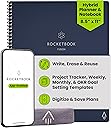
The Rocketbook Fusion Hybrid Reusable Planner Notebook is a 42-page, 8.5x11 inch executive planner featuring erasable Pilot Frixion pen compatibility and seven versatile page templates. Designed with a durable faux leather cover and microfiber pages, it integrates seamlessly with the Rocketbook app to digitize and upload notes to popular cloud platforms. Perfect for professionals seeking a sustainable, reusable, and tech-savvy planning solution.


| ASIN | B07ZHZFZGB |
| Best Sellers Rank | #4,491 in Office Products ( See Top 100 in Office Products ) #110 in Planners (Office Products) |
| Binding | Office Product |
| Brand | Rocketbook |
| Brand Name | Rocketbook |
| Color | Navy Blue |
| Cover Material | Faux Leather |
| Customer Reviews | 4.6 out of 5 stars 26,605 Reviews |
| Format | Notebook |
| Global Trade Identification Number | 00850007403577 |
| Item Dimensions L x W | 11"L x 8.5"W |
| Item Dimensions L x W x Thickness | 8.5"L x 11"W x 0.4"Th |
| Item Weight | 11.36 ounces |
| Manufacturer | Rocketbook |
| Material | microfiber |
| Model Number | EVRF-L-K-CDF |
| Number of Items | 1 |
| Pages | 42 |
| Paper Size | 8.5 x 11 inches |
| Part Number | EVRF-L-K-CDF |
| Ruling Type | Dotted |
| Sheet Size | 8.5 x 11 inches |
| Special Features | Soft Cover |
| UPC | 850007403577 |
| Unit Count | 1 Count |
D**A
Absolutely Love This Reusable Planner!
I absolutely love my Rocketbook Fusion Hybrid Reusable Planner & Notebook! It’s perfect for keeping everything organized in one place without constantly going through notebooks and planners. I love that it combines both planning and note-taking, so I can keep track of my schedule, to-do lists, goals, notes, and ideas all in one convenient book. The reusable pages are definitely one of my favorite features. Being able to write, scan and save anything important, wipe the pages clean, and use them again is incredibly convenient. It keeps me organized while cutting down on paper and clutter. I have a busy schedule and juggle several different responsibilities, so having something that helps me stay organized is extremely important. The Rocketbook Fusion makes it easy to plan out my days and weeks while still giving me plenty of space for notes and brainstorming. It’s practical, easy to use, well-designed, and something I actually find myself reaching for every day. If you love staying organized but don’t want to keep buying new planners and notebooks, I definitely recommend the Rocketbook Fusion
A**R
Indispensable Tool for Teachers and Students!
I absolutely love my Rocketbook Fusion! As a current student and future teacher candidate, I not only have notes from my college courses, but also have preliminary lesson plans and observational notes that are critical to my field preparation which means I am taking countless handwritten notes. As someone who cares about the environment, it matters to me that I am utilizing products that lessen that environmental impact, since you can reuse the pages. Oftentimes I don't even need to print the pages because I can view them in the easy-to-use Rocketbook App, and just print out what I need which is why the Rocketbook works for me. Additionally, some of my teachers in my college courses don't allow laptop use in the classroom. The Rocketbook is my #1 go to in these courses! I can just write out my notes, scan them after class, and still have a high tech solution for note taking while following the expectations for my courses. The Fusion is such a timesaver as it is so convenient to send my notes to my email so I can review them at my convenience. This has come into handy often. Case in point, I left my Rocketbook at home and I needed my notes for a school project, but couldn't drive two hours to go home, pick up my Rocketbook, and drive back with it because I needed them to collaborate with my colleagues. (Honestly it was embarrassing to admit that I left my notes at home too!) But because I had my notes both in my Rocketbook App and in my email, I could just could retrieve them them, print them out on a wireless printer, and my colleagues could view them right away and start work on the project not wasting any valuable planning time. Rocketbook saves the day! Of course you never want that to happen, but it is nice peace of mind knowing that once you scan your notes, your notes are with you at all times, via your Rocketbook phone app and/or email. The Rocketbook app is so easy to set up and use, permitting me more time to focus on my schoolwork or planning. I am not super computer savvy but basically you download the Rocketbook App, assign where you want your documents to go, write away, check off where you want it sent at the bottom of the page, and scan your QR code on each page. Super easy. (I also like that it will sort anything by name if you enclose the title into two hashtags before and after the title like this ##title## at the top of the page. This means I don't even have to think about how to file it, and will know how to find it!) When you get into the app, there are also some free pages you can download and print out for one use purposes that can also work with the app. These are awesome! There are more lined pages, music pages, and graph paper for math students. Why is this amazing you ask? These are nice for taking notes in if you are working in groups in class and have to turn in your work. Normally you wouldn't be able to keep a copy because you have to turn it in, but fear not! Because you have preprinted out pages beforehand and scanned them, you can now turn them in, and even email them later to the whole group! You can have a copy to refer to for studying for a future test! The possibilities with Rocketbook are endless! I prefer the Letter-size version since typically my notes should be on standard-sized paper. I find the 7 different template styles included in my Rocketbook very useful for my purposes. The planning pages help me view what "to do" items I have scheduled, the agenda helps me plan 2 weeks at a time, which is invaluable as a student, the calendar template helps me plan out a whole semester with assignments, idea planning template helps me with planning ideas for future lesson plans for teaching, blank pages help me map out and diagram lesson planning webs or visuals to work out projects. The lined paper is my favorite template since it helps keep my writing looking neat and organized. I love too that all my notes which are colored coded, actually scan in color, continually helping me to stay organized as sometimes I use different colors for different subjects and can tell at a glance which subject I am looking at without reading all the text. Just a few notes. I have only used Frixion brand products in my Rocketbook. I have never had any issues with not being able to erase notes or notes disappearing on me, however I am careful not to leave my Rocketbook Fusion in my car. I recommend using only Frixion brand just because it seems to work really well with these pages. The ink does need a sec to dry before turning pages because it can smear on occasion, but then I just erase it and rewrite it again, not an issue at all. Lasly, I like the thickness of the pages and quality of my Rocketbook. It is extremely durable. It also reduces the need for me to carry a number of notebooks to class, since now I just bring the one. I am extremely satisfied with my Rocketbook Fusion and highly recommend it as an indispensable tool for any student or teacher for all these reasons and more! Hope you give a try, as I am happy I did! I love it!!!
A**S
Best solution for paper clutter
I take a lot of notes during my personal Bible Study time. I reorganized my desk and found that I needed four large three-ring-binders to keep my notes in from these past 12 or so years. To save on paper and for my sanity I started researching other ways to keep notes. This Rocketbook Fusion is super easy to use and though I’ve only used it once this far (just received it) I am super psyched. I love the planning section, which is a bonus for me because I have thrown away so many used planners...this I don’t throw away I just erase! Saved dates and info are directly saved to my google drive and I also have my email set up to share special dates and events with family...super neat and an added bonus! I love the dotted paper. I’m a doodler and have done some bullet journaling. These pages are great for my creativity! There are actually a lot of lined pages! Super psyched about this. I’ve already started taking notes and can’t wait to see how this turns out. Though reviews say it’s not the same as writing on actual paper I haven’t noted much difference. You do have to let the ink dry to avoid smudges but I’ve smudged ink on paper hundreds of times. No biggie. I do have one blank page in my rocket book. I believe it was a mistake for I cannot save anything I write on that blank page onto the Rocketbook app however, I can use this page for my verse mapping and save my finished work to Evernote. The page wipes clean after using, so it still works for me. You do have to use the special FriXion pens for the notebook, the one I received came with the notebook already and I researched it...I’m ordering an 8-pack of colored FriXion pens for under $14. I truly don’t think this is a bad price for erasable pens. And the one I already have writes smoothly and is easy to grip. Though I have had only one day of using this notebook. I made project plans and two full pages of note writing completed. They have been saved in digital files and cleaned off. This is probably one of the best birthday gifts I have gotten myself in 8+ years! (And I get myself some really nice gifts.)
L**E
Mostly an unwrapping/first impressions
Please excuse my kid with the background noise and my phone’s mediocre audio skills 😅 Check the whole package for the pen. It should be in a separate compartment on the side of the package the rocketbook comes in. It’s easy to miss. So far, so good. Leaving 4 stars because I don’t know what this will be like long term, but I like what I see so far. Since it’s spiral bound, you cannot add pages without taking it all apart. I did test erasing with the cloth and it works seamlessly—just be sure to let the ink dry for about 10 seconds. The eraser on the pen is only meant for regular paper and not the rocketbook synthetic paper. The pen works well and I’m one of those weird pen people who have a favorite brand and will likely unravel if the company stops making them 😬 There is the rocketbook pro (way more expensive) that I had my eye on while researching this one. That seems more likely what I’d end up buying (if I do like the rocketbook fusion—and it lasts) over the course of a year with this one. I value personalization of note-taking and quick/easy ways to change things based on my current focus, and you can easily switch out templates that work best for you with the Pro version. It also seems so sleek and has a hard cover already so no need to buy a folio (the one I have in this vid was $8 on Amazon or else I prob wouldn’t have one). I like the pro features but needed to see how much I use this one and how much use it can handle to justify buying the Pro or Pro 2.0. Will update if I upgrade. My pettiness surely will make me update if I end up back at regular notebooks and don’t find this to be better than the tried & true disposable pen & paper 😅😬 Good luck on your search for your fav notebook(s)!
A**K
Perfect for college
First things first, if you're on the fence, get it. This is the last notebook you'll ever need. 1. Great for taking notes. With the lined and dotted pages, you can write, make diagrams, or draw easily. The paper is a dream to write on, like a whiteboard for pens. Because the paper has no grain and is thick, there's no feathering, bleeding, or ghosting. The pens are erasable, so you can fix any mistakes for perfect study guides. Also, I haven't had a problem with smudging even though I'm left-handed. Erasing a whole page is super easy, just wipe with a damp cloth (you might have to wet it again and wing the ink out a little if you wrote a lot) and it's like you never wrote on it to begin with. 2. Perfect for sharing notes. I received my Fusion a week before summer finals and it was a lifesaver. In the app, you can send scans to up to five emails per destination (the seven symbols on the bottom), so I was able to make final review guides and send them to all my study groups. Plus you can search text in the app (which is free!), so multiple people can scan it and be able to find exactly what they need quickly. 3. Great for bullet journaling. There are some people who think that mixing bujo with technology defeats the purpose, but honestly, I've become more consistent because I love how this paper feels. The dotted pages on the letter-size are 8mm^2 (about 3/inch) and there's 31 down and 23 across (minus 3 on the bottom line for the QR code), so you can track up to 20 habits per month. Also, being able to search when I wrote about certain things saves me so much time. 4. ECO FRIENDLY! I write a ton through study guides and journaling, and I feel guilty about how much paper I use, but now I can use the same notebook over and over, saving resources and space! 5. Great FREE app. The app is a big reason I got a Rocketbook. I tried with the test page template from their website and fell in love with the handwriting recognition and color enhancement. I've always taken pictures to share notes, but the color enhancement makes them so much better. I color-code my notes, and the "Magic Color Enhancement" setting handles it beautifully, so I can have super legible scans of all my notes. Plus being able to search my notes makes studying more efficient. The only thing that would make it better is the ability to import scans into the app. I've been journaling and writing study guides for years and this is my favorite notebook ever. It's nice to write on and easy to keep your notes organized in the cloud, as well as share them with others. I've already recommended this to several of my friends and study partners. If you write even a page a week, this is a great product for you. P.S. I recommend getting a cover, so your notebook doesn't get damaged and you can keep your pens organized. I got [[ASIN: B07QF6R496 this one]] and I love it.
A**.
Extremely Satisfied.
I found this product line by accident at Walmart and bought the first one, the regular Rocketbook which just had a dot journal. Looked online and found the Fusion notebook with a lot more pages available to store different kind of contact. But the letter size and the executive were still kinda bulky to carry. This product, the Rocketbook Mini, solved that problem. I use the Frixion pen that came with the Rocketbook Fusion: Frixion Clicker 0.05. I guard this pen with my life, as I can use it on other surfaces as well, but just so that I have the something to use with the Mini. I've read the negative reviews and had a very hearty laugh at the problems other people had. A lot of stemmed from the pen issues or that the design is wrong/weak. In my enthusiastic state where I was able to save on wasted paper, and be able to find old notes that were written on scrap paper, I went and bought many color pens and color markers of the Frixion line. I did not need any of the extras, but I bought them anyway. Yes, some of them weren't as good as my favorite: Frixion Clicker, but they still worked. If you decide to go cheap and buy knock offs or a generic brand, you're on your own. The Frixion pens work great with the pens that are recommended. In terms of design, yes it's annoying that there's no attachment for the pen, but you can totally buy a stick on thing to attach, or honestly keep it together. It's like whining that you have to carry a phone, keys and wallet and complaining that they aren't together. "Oh no, my first world dilemma of having to carry too many things. Whatever will I do?" If it's such a problem, get a purse or bag. If that's too much for you. Skip this product altogether and just use your phone. The design is not stiff, kinda bendy, but I don't use it for anything crazy. I bring it in my pocket and yes it's one more thing I have to carry. Also it's important to notice realistic expectations. The goal of this notebook is to be able to take notes, without waste. So no paper. And then you can scan the notes to the cloud/email/etc to save it for future reference. It's not designed to replace your phone/tablet/computer, it's not a smart tablet that recall the image or note that you took on the notebook. It saves paper and saves your notes. I've been using my notebook mini for a couple of months now. My friends saw it and I gave them this exact review and told them to manage realistic expectations. And they still bought it. TL;DR I love this product. I saved so much paper, and I have saved my notes that I took for later viewing.
D**S
Think I might switch to exclusively Rocketbooks!
I got this because I just started my Master's degree and filled a 5 subject notebook in 2 weeks. Felt kinda uncomfortable with the amount of paper I'd be using, but I'm weird and absolutely have to hand-write my notes. I was hesitant to buy at first because of the bad quality control reviews but my Rocketbook arrived in perfect shape! The pages are all cut evenly and there were no issues with how the pages attach to the spiral. The app walks you through each step the first time you download and once you have everything configured it really does only take a couple seconds from "scanning" your page to it appearing in your cloud storage of choice. The pages feel more like glossy print paper than notebook paper so it took me a couple minutes to really get the hang of writing on them (especially because I'm pretty heavy handed, so I had to get used to writing more lightly to not score the pages) but now it's second nature just like writing! It really doesn't take that long to get used to it. The pages are super easy to erase, I just spray the corner of the included cloth with some water and wipe. You can also spray the whole page if you want to quickly erase an entire page. Be extra careful to fully dry the page before using it again (you'll know its dry when you don't get any more of that waxy/crumby texture from the page when you wipe). That being said, DO NOT USE THE PEN THAT COMES WITH THE ROCKETBOOK it's literally the worst. Pilot Frixion makes clickable pens that are way more comfortable to write with and glide on the pages better. I also would not recommend using anything lighter than a 0.7 because it feels like scratching/scoring up the pages, IMO. I mainly use this notebook to write notes and prefer the lined pages, so I took the spiral out and rearranged so the lined pages come before the dot-grid pages. This is fairly simple to do with a set of needle-nose pliers: you just gently unbend the ends of the spiral that keep it in place and twist until it has come out, and bend the ends back into place when you have replaced the spiral. I wish the layout for the organizer pages was different (I wanted to have the month page as the first page) but because of how they are laid out, it wouldn't make sense to rearrange them. I also wish the cover was less pliable/sturdier. If you need to color code your notes like me, I have attached a comparison of that the different colors in the set of pens I bought look like IRL vs in the scan. I suggest using the brighter colors to color code, as the darker shades just aren't that vibrant when scanned. I'm getting more brighter colors so I'll update the review to add more comparison pics! Overall, I'm really happy with this purchase, and hope it'll last me a long time. At least for now, it's going in my everyday carry.
R**R
It does what it's supposed to, but I'm not sure the hassle is worth it.
It does exactly what it's supposed to do... be a reusable notebook. The problem is, the page material makes it take longer for the ink of the provided pen to dry, so it smears very easily. If I need to erase, I need to wait 10-15 seconds for it to dry, or risk smudging everything around what I'm trying to erase. Eraser residue stays on the page and makes writing over the same spot impossible. When it comes time to scan, the app is hit or miss. It scans the pages pretty cleanly, but half the time it exports them as a bunch of images rather than a single PDF. When I go to combine them into a PDF, the sizes are all very different, and the pages are out of order. I don't really see the difference between what it does, and just using the scan ability on any smartphone now days. You can check the little boxes, and it will help categorize what you're note is about, but that's about it. Then, when it comes time to bulk erase, it's basically impossible to do cleanly without water. So you wipe down the pages with water, and you're left with wet, inky residue that you have to go back and dry up with something else so the pages don't stick to each other and leave a shear of that inky residue on the pages. The whole process takes 5-10 minutes. Given that you can buy a regular spiral notebook for 50c to $1 most places, I just don't see where the value is in paying 35-70X that for this notebook. I can just buy virtually unlimited spiral notebooks as I fill them up, and if I want to scan, I can just use the scan on my phone. The frixion pen that comes with it is widely available and works on regular paper, so if erasing is my goal, I can do that with a regular notebook. Cool idea, but just not very useful in practice.
E**Z
Great item
Great idea reusable no paper perfect
N**N
Beklentiye Uygun
Kaliteli ve sağlam paketliydi.. Hızlı gönderim 👍🏻
A**N
Excelente producto!!
Me encanto esta libreta! Súper fácil de usar, secado rápido y súper sencillo de pasar tus documentos a cualquier aplicación que tu desees. Recomiendo muchísimo ya que contribuyes a dejar de utilizar tanto papel y ayudas al medio ambiente. Las plumas frixion están increíbles se pueden borrar y la punta es finísima.
L**.
Bien
Me encanta!
H**O
Tenha cuidado com a vida útil do Rocketbook.
Para quem quer utilizar o caderno no dia a dia, para fazer suas anotações, sem o uso constante, ele é incrível. Mas, para quem quer usá-lo todos os dias, é necessário ter mais cuidados. Eu comprei o Rocketbook vai fazer um ano, com o intuito de estudar e escrever nele todos os dias, e há alguns detalhes que gostaria de destacar: Se você usar a parte de fricção da caneta para apagar no papel, a folha pode ficar mais difícil de ser reutilizada. Na segunda vez que você tentar escrever na mesma página, a tinta não vai sair como da primeira vez, na parte em que você usou a borracha da caneta. Bom, eu percebi isso, então comecei a borrifar um pouco de água diretamente na folha e depois esperava secar para reutilizar, mas não adiantou. A folha, depois de um tempo, vai ficando mais difícil de escrever, mesmo com tinta na caneta. Então, comecei a borrifar água no pano, e não diretamente na folha. Isso ajuda muito a manter a qualidade da folha, mas, independente do método de limpeza, a folha vai se desgastando. As folhas vão se desgastando porque eu sempre gostava de usar as mesmas. Então, quando for utilizar, sempre tente alternar as páginas, evite usar as mesmas para prolongar a vida útil do caderno. Também, sempre mantenha o seu caderno limpo. Não deixe a tinta da caneta na folha por muitos dias, pois isso pode deixar a folha manchada. Sobre a caneta, quando você comprar o caderno, já virá com uma. Mas, como qualquer outra caneta, essa também acaba. A diferença é que você não vai encontrar em qualquer lugar. Eu moro em uma região muito próxima de tudo, e não encontrei em nenhuma papelaria, só consegui achar no shopping ou online. Ela é mais cara do que uma convencional. Por exemplo: uma caneta esferográfica comum custa em torno de R$1,50, enquanto a caneta Pilot Frixion custa em torno de R$20,00. Aconselho você a usar somente a Pilot Frixion no Rocketbook, pois outros tipos de caneta podem danificar o papel. Em torno de 1 ano, comprei 8 canetas Pilot Frixion. Também vendem o refil, mas não consegui encontrar um lugar para comprar. Já vi gringos utilizando canetas permanentes nele, para ficar com um padrão personalizado na hora da digitalização; isso também funciona! Sobre a escrita, não faça muita força com a caneta, utilize-a suavemente. A tinta dela é de boa qualidade, não precisa de tanta força, até porque, se usar com força, pode danificar a folha. Eu não achei muito diferente do papel comum, você se acostuma rápido a escrever nele. Bom, a consideração final é que é um excelente caderno. Ele é mais caro, mas vale o investimento! Já digitalizei diversas coisas nele, e a premissa é que ele seja "infinito", mas o termo mais adequado seria "duradouro". Nada é para sempre. Ele dura mais que um caderno comum com certeza, e, se você cuidar bem dele, pode utilizá-lo por anos, mesmo usando todos os dias. Eu estava em dúvida entre um caderno inteligente ou um tablet. Comprei esse caderno porque, para mim, a retenção de conhecimento escrevendo no papel é melhor do que em uma tela, e, claro, ele é mais "barato" que um tablet. Pesquise bem antes de comprar, talvez você prefira um tablet, que tem muitas vantagens, ou prefira o papel, mas de uma forma mais moderna, que permita digitalizar e armazenar na nuvem. O Rocketbook é uma boa opção para isso.
Trustpilot
1 month ago
4 days ago