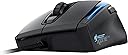
🎮 Dominate every battle with precision, speed, and style — the Kone XTD is your ultimate gaming edge!
The ROCCAT KONE XTD Max Customization Gaming Mouse is engineered for pro-level gamers seeking supreme control and comfort. Featuring an 8200 DPI Pro-Aim R3 laser sensor with advanced tracking and distance control, a powerful 32-bit Turbo Core V2 processor for instant command execution, and eight fully programmable buttons enhanced by Easy-Shift[+] technology, it delivers unparalleled customization. Adjustable weights and a soft-touch surface ensure ergonomic comfort, while customizable RGB light rails add a personal flair. Compatible with Windows systems, this mouse is built to elevate your gaming performance and style.
| ASIN | B009DYOPK0 |
| Antenna Location | Gaming |
| Are Batteries Included | No |
| Are Batteries Required | No |
| Brand | ROCCAT |
| Button Quantity | 8 |
| Compatible Devices | Personal Computer |
| Connectivity Technology | USB |
| Customer Reviews | 4.1 out of 5 stars 1,340 Reviews |
| Enclosure Material | Plastic |
| Global Trade Identification Number | 04250288118102, 05147841689102, 07755774177948 |
| Hand Orientation | Ambidextrous, Right |
| Hardware Platform | PC |
| Item Weight | 4.32 ounces |
| Manufacturer | ROCCAT |
| Mfr Part Number | ROC-11-810 |
| Model Name | KONE XTD Max |
| Model Number | ROC-11-810 |
| Mouse Maximum Sensitivity | 8200 Dots per Inch |
| Movement Detection | Laser |
| Movement Detection Technology | Laser |
| Number of Buttons | 8 |
| Operating System | Windows 7, Windows 8, Windows XP |
| Range | feet |
| Style Name | Laser Sensor |
| Theme | Gaming |
| UPC | 021112372441 132017873145 012951476148 014444579930 724627308294 |
| Unit Count | 1.0 Count |
| Warranty Description | 1 Year Replacement Warranty |
A**N
Customer support shaky at first, but glad I stuck with it.
UPDATE #2: So It's been about a month since I started using the new mouse they sent me, and it's worked perfectly since then. I play FFXIV quite a bit, and I couldn't imagine playing the game without it now. Heck I couldn't imagine using my PC without it, due to all the useful macros for browsers and just daily PC use (ie: copy/paste/cut/delete, browser back, forward, and refresh functions, video controls, etc all in one hand!). All of this functionality coupled with the best UI for a peripheral I've ever seen(A good number of profiles that can be switched automatically to whatever program is active, amazing fine-tuning of control such as speed, dpi, scroll speed, lighting per profile as well)makes this the best practical and intuitive mouse I've ever had. All-in-all, I enjoyed this mouse so much that I decided to support Roccat even further by purchasing the Roccat Apuri mouse bungie/usb hub and the Roccat Alumic mousepad from them. They go perfectly with the mouse and I highly recommend them to anyone that spends a good amount of time on the computer. In fact, I'd recommend most any of Roccat's products to those in the peripheral market, as Roccat is top of the line and designs their products on what the consumer actually wants. I actually plan on replacing my keyboard and headphones in the near future with the MK Ryos Pro and the Kave XTD respectively. I'm starting to feel like someone from their PR department but their product is just that good. My original review of this product was very harsh, but that was due to my past experiences with other companies and their terrible support, I just didn't have any patience anymore. I'm glad I stuck with it. 5 out of 5 stars from me! UPDATE #1: I sent an email to ROCCAT support right after posting this review essentially saying the same things stated in the original review. I got an email from them within minutes, and they explained that someone had sent me a response a day after I sent the support form in. I checked my inbox and spam folder and couldn't find it, so I'll just give them the benefit of the doubt. There could have been a malfunction during the process of sending the response. They said to go through the replacement process via amazon. If you go to the product's amazon page, there'll be an option to return/replace it near the top. The process was fairly easy and took no more than 5 minutes or so. So now I'm gonna box up the current mouse and get it ready for pick up by UPS. My new mouse is already on the way. I've raised the score from 2 stars to 4 due to such a quick response. I'll raise it to 5 once I get the new mouse and know that it works properly. ================Original review================== The Roccat Kone XTD is the best looking mouse and most functional mouse I've ever owned. However, Their supposed complete lack of support will be the downfall of their business. One of the extra buttons didn't work out of the box (the DPI + button just below the scroll wheel) and so I sent a support form via their website to ask for a replacement. Their support site specifically states that it may take UP TO a few days to respond. I sent my support form 5 days ago and have received no response. Although it may seem harsh, I am doing this because I have heard from other people that they have not received response from ROCCAT when they needed it, and I am doing this because they were not able to respond in the time that they promised. This is my way of encouraging them to pick up the pace with customer service. The mouse really is as good as others say, and I prefer this mouse as opposed to one with 15 buttons on the side or something. The Easy Shift+ doubles the functionality of the buttons, and the mouse feels and looks great(again better than any I've owned before). Unfortunately sometimes, like in my situation, products in this industry always have a chance of a part not working, and I understand that. However that is where Customer Support comes in to rectify that problem and so far I have received zero customer support. If I get a positive response from them within a couple of weeks as of writing this review, I will update my score to 4 stars. If I get my mouse replaced at little to no charge and within a reasonable time frame, then I will update my score to 5 stars.
T**O
Amazing Mouse Feel's great, Amazing Sensor, Looks great.
First of all when i got the mouse the box had every information I would ever need to ask which was great. Feeling the mouse right out of the box felt very very well built even better then some razer products I've had the Imperator and that was once the best mouse I've had. The tracking on this mouse is pristine, great on point senor, Love it trust this mouse to get to and on where i need it to be. I've had some mouse that senor didn't read right and might nudge a small to the side and make me miss, on this mouse I don't have to look where I'm point I trust it to be there. The Feel of this mouse is fanamanal its amazing feels like it'll last me years high quality material doesn't feel cheap at all. It has mostly a mat finish all around except the glossy strips where the LED's are. One thing that i noticed that was pretty obvious is that using this mouse it is kinda large, I have a glove size medium and this mouse is a little bit to big someone with a large size hands would be perfect for this, I can still claw it a little fits great when I palm it but maybe if my hands were a little larger would be even better. The mat finish on top feels great no slipping, but I've seen that this mouse makes my palm sweat a little more then my other mouse without a mat finish on top, Idk what it might be could be the mouse gets a little warmer due to the LED's or just the material. Other then those to points I would still buy this mouse 100X's Customization is one of the major selling points in this mouse, I play alot of games from MMO to FPS and Indie games. For MMO I have plenty of functions on this mouse to do anything, what I also love it has presets for this mouse like presets for WoW and other games where it might have the macro's already preloaded and you can make your own if you have one you might use. Customization on this mouse is endless from making lights do what you want scroll weel speed lift off distance, changing ANY button on the mouse to do what you want, and all looking on an amazing mouse not a cluttered mess that has 15 keys on one side and making it look weird. want something to make your own style and functions GET this mouse. Software - Whats a good gaming mouse with tons of function's if it doesn't have good software just an expensive office mouse. well no worries here this software is outstanding give you controlls in everythign its very fast no weird names for function's you would have to look up to see if you need it on or not. 5 profile's you can set everything differently in each have the mouse light up and buttons be in different in each. Visually easy to understand and use set up from button actions to macro and lights. I'm really impressed by this software, better to me then anything razer has released I've had a couple razer mice and the software doesn't match this ones at all. Conclusion if your in the market for a great gaming mouse you wouldn't regret buying this mouse, unless your on a budget this mouse isn't for you at the moment for this price range, recommend something like the Galia from genius little cheaper has alot of functionality but small. This mouse fits anyone that wants something made for them from button layout to functionality you wont regret getting this mouse. Pros - Customizing Senor tons of macro's 22 function's with preloaded commands. Software Look and feel high quality and standards Cons - Price Little large for medium hand's (recommend if can go to store if you have medium hands to try it out) mat finish or lighting makes you sweat a little Will be updating in the future on how this mouse has kept up. thanks
S**W
Very good mouse
I'm an avid PC gamer and go through a new mouse about every 2 years. I've been more or less a strict Logitech fan, but their newer mice feel small to my hand and almost all of them finally give out on the left click, so I decided to try something different. While the ROCCAT has a lot of customization to it, I find myself only using the primary functions. I attempted to set macros and alternate functions, but that's a bit much for my brain during a game. It all appeared to work as I would expect though. For my use of the mouse as just a standard one, it works very well. I've not had any problems clicking or with movement. The size and shape of the mouse feels good. I have average to a little bigger male hands, so my pinky drags on the pad, but I've found it helps me control gliding the mouse around better. The buttons are responsive and the range on the the mouse in which you can click (not just the tip) is very nice. My chair/desk setup isn't perfect, so my hand sits back on the mouse due to my desk being too high. This mouse still works well in that situation. I'm running Win8/64 and had no problems with the driver or setup. I can't seem to figure out how to set up the lights to stay a color I tell it, but since my hand is on it, I can't really figure out why there's lights there anyway. Everything else about the setup and compatibility went very smooth. The only negative I have about the mouse is the wheel. I don't like the scroll or wheel click at all. I find myself having to push against the wheel to scroll and sometimes click it by accident because I can't get enough traction between my finger and the wheel. I've read that others thought the wheel gave in over time and while I can tell its not as difficult to scroll as when I got it, it's still not anywhere close to the ease of my last Logitech. I've learned to live with my one complaint of the mouse though and I would purchase this exact mouse again if I needed a new one.
D**Y
roccat xtd kone max mouse
out of the 3 gaming mouses i have had in my life. starting with the razer naga epic, razer death adder, and now the kone xtd. I would say the kone is my favorite mouse to use as of now. it is very comfortable to play with and with the option to additional weights it makes it feel very solid. whereas the razer death adder, feels kinda light and cheap, by no means is the death adder bad it just is light and feels a little cheap. one thing i think is a little weird is a function key button. so to go back a web page it is hold arrow back and left mouse click. The roccat software allows you to change it to be any way you want it. I just got used to it so it doesn't bother me. interesting features is an award system that gives you trophies for using the function keys and so many clicks per minute etc. it makes no difference to the mouse just keeps makes you want to use the mouse more i guess. features of the mouse: has a 8200 dpi sensor. with the software you can pre-set 4 different sensitivity levels that you can change on the fly with a click of a button up or down. 12 buttons with the function button makes it 24 buttons all programmable allows up to 5 different profiles so you can play switch between profiles for different games. not really a feature i use but nice to have i guess if you are really into games. cosmetics/ ergo: it is coated in a light rubberized material makes it feel extremely solid and has 2 light beams on the side with rgb: leds that allow for every color. you can set it to stay a color or allow it to breath and switch colors. its like the tron mouse from razer just less gimmicky. has a massive roccat logo on the palm rest. not terrible just kinda interesting i wish it wasn't there but could be worse there could be a penis logo on it and you would have to hold a penis the whole time you use the computer. (well i do but thats at least mine.) I have a little bit of a smaller hand and the death adder feels a little bulky to me. this mouse almost fits perfect still a little big for my hand but its very comfortable. has a thumb slot and is shaped for i believe its called a claw style grip. not fully sure on that it just means your ring and pinky fingers are slightly bent down instead of resting on a side profile. all the buttons are in reach of your thumb and index finger. i have to use my middle finger to reach the button in front of the scroll wheel however it controls the dpi setting. (i dont constantly switch my dpi not a big deal) TL: DR Pros: comfortable/ ergonomic customizable to meet your preference durable plastic/ coated plastic very good looking? tron style lighting doesn't have a penis logo on it. Cons takes a little time to get used to the function button has a massive roccat logo on the front the lid to the weights is kinda cheap feeling.
S**7
Must Read for Gamers
This is long winded because I have included an in depth explanation with my testing method included of what is wrong with this mouse. To preface this review I make it to be clear what qualities I look for in a good mouse, in no particular order: - Comfort - Glide smoothness - Button 'feel' - Amount of buttons/button accessability - Tracking precision I am going to breeze through the 'pros' of this mouse because they quickly became irrelevant to me. COMFORT - I have largish hands, and this mouse fit perfectly. After the initial adjustment period of a new mouse size/shape/weight I was absolutely loving the way the mouse felt in my hand. I noticed I would go much longer without adjusting my hand than with my previous mouse. GLIDE SMOOTHNESS - Because of the optional weights this can definitely be adjusted, but I went with the lightest option of no weights added. The mouse was still a bit heavier than I was used to but felt great in my hand. Moving across my mouse pad was as smooth as I could imagine. (Mousepad = Steelseries qck+) BUTTON FEEL - The buttons felt great, the wheel loosens up after a few hours of use to a very appropriate scroll resistance. Pushing down the scroll wheel is slightly disappointing, but not an issue that bothered me. BUTTON AMOUNT/ACCESSIBILITY - This is the reason I was in the market for a new mouse. I loved everything about my old mouse, but I saw a lot of value in having a shift button to increase potential mouse inputs, as well as the side to side presses of the scroll wheel. After using the mouse for the first hour I was very excited about the potential of this on certain games, and had already adjusted my ARMA 3 keybinds to use the additional buttons. (Still looking for a mouse with the 'shift button' customization but a better sensor). TRACKING PRECISION - Now here is where everything falls apart. To put things in perspective, I am not an engineer, nor do I work in electronics, but I am a thorough researcher and tried my best to determine whether this mouse would have the problem so many laser mice do. I read things from legitimate review sites like "Most accurate mouse we've tested", and almost every review I read had one of the pros being "tracking accuracy". However I was unable to find actual tested tracking statistics, I'm assuming it is because the mouse is still fairly new, and not among the most commonly used. To start I matched my DPI to what my previous mouse, the Razer Deathadder 2013 was set at. Most of my testing was done on Counter Strike:Global Offensive. In game I tested the mouse sensitivity and it seemed to match with the deathadder I had been using. So I started to break myself in, playing Team Deathmatch practicing quick target acquisition with a new mouse feel/weight. After about an hour of testing I felt that I was consistently having trouble lining up quick headshots on targets, especially when they were moving and at a distance. And I am talking about shots I had mastered with my previous mouse. I brushed this off thinking it was just an adjustment period, as I did just start using a new mouse and a new mousepad the same day. Two days in I had used the mouse for about 10 hours and loved the feel of it, however something still felt off. At a certain point the mouse actually stopped tracking properly altogether. When ever performed a very specific motion, which was somewhat of a down and left arc, the mouse would continue on a horizontal plane but not pull downward. This was VERY SPECIFIC and happened EVERY TIME on the exact same part of a map, where I needed to turn left and look down a ramp. I tried numerous things, adjusting the lift off sensitivity, resetting the mouse entirely. Nothing changed. There was only one map/area that this happened so I brushed it off for the time being. Here is where I learned that this mouse fails to meet my needs. After feeling that I had plenty of time to adjust but was still unable to aim as accurately as with my Deathadder I decided to see if I could find any definable issue. My first idea was the distance test. My mousepad is 17" wide. I entered an empty map on Counter strike and pointed at a blank wall straight in front of me and fired one shot to create a bullet whole directly lined up with my crosshair. I then slowly moved my mouse the entire length of my mousepad until the opposite edge and fired a second bullet. With my very low sensitivity settings this distance on my mousepad turns my character roughly 270 degrees or 3/4 of a full turn. I then slowly moved my mouse back and forth across my mousepad making sure the bullet holes lined up with my crosshairs when I reached each end of the mousepad. Initially this showed no errors. The results showed very good accuracy with less than an inch of error on occasion. However the next part of the testing turned for the worse. I began moving my hand faster, making sure to slow down without carrying the mouse over the edge of the mouse pad. When moving my hand quickly I noticed my crosshair would often shoot WAY past my bullet hole, often as much as 90 degrees past it. Which means the distance I moved my mouse to rotate 270 degrees was rotating me as far as 360 degrees when moving my mouse quickly. Now I want to say two things. First off, I have gone to great lengths to edit my Windows registry and remove ANY windows mouse acceleration, as well as turn it off on my mouse driver, and also turn it off on the ingame options. Second I realize this test includes a degree of human error, which is why I spent a good half hour trying this test different ways with very similar results. Finally I decided to do the same test with my Razer Deathadder. No matter how fast I moved my mouse the Deathadder was near perfect every single time. And not even just within an inch, I mean EXACT precision where my bullet hole and crosshair were perfectly centered on each other. I started to adjust different settings and continued the testing, variations of a higher DPI etc. No matter what I did the problem persisted. What I eventually concluded is that this mouse includes the same inherent mouse acceleration as all other lasers to date. Many people argue it is unnoticeable. I can tell you right now, I loved everything about this mouse but I knew something was off, and proved myself right with this test, which means the acceleration must be noticeable for some. My thought is with games like Counter Strike where low sensitivity is key, and moving your mouse extremely fast to turn around is important, the acceleration will be very noticeable, but with faster paced games like BF3 most people probably wouldn't mind the acceleration because the degree of precision is not as important and error doesn't end in death as often. Also NON-gamers will probably love this mouse, and if gaming wasn't my primary function of use I would definitely continue to use it. The acceleration won't be noticeable in just about any scenario outside of the ones mentioned above. So buyer be-ware, if you want extreme precision with quick hand movements, this mouse is not for you. I give it a 1 out of 5 because this mouse is unusable for me, and according to Amazon there is no returns on it.
A**X
Super Solid Gaming Mouse
Overview: First let me just say that I LOVE this mouse. I'm really nit-picky about all of my electronics, but Roccat hit the nail on the head with this one. I've had this guy for about three months, so I think it's about time I did a review on it. Instead of doing pros and cons, I'm just going to go over a few of the main things that I think are important in a gaming mouse: Quality: 5/5 Housing is really high quality. Very robust exterior. The weight tray in the bottom is also made really well. Clicks feel solid, and the wheel feels great. Very high-quality cord and USB jack. I think this thing is gonna last a LONG time. Best I've ever used. 5/5 Performance: I play almost every genre of games, including FPS, third and first person RPG, strategy, and MMO, and this mouse does great with all of them. The Kone XTD is also great when it comes to just regular PC browsing. It shines both in and out of game...something few other mice can claim. It tracks fast, and it's got all of the DPI you could ever need. Very responsive...and the on the fly adjustable DPI is EXCELLENT. The way it works is that you have five different profiles, of which you can swap from a command button on the mouse. Each profile has five user-programmed DPI settings, which can be quickly changed from the mouse during a game. This is a MUST have feature on a gaming mouse, and the Roccat Kone XTD really got this one right. You are also given audio feedback when you make a DPI or profile change, so you always know exactly what's going on. This mouse is your best friend when you're in the heat of battle and need to make an adjustment. When paired with the Roccat Alumic two sided mouse pad, this thing is at it's best. It's forty bucks, but totally worth it. I will probably use this mouse pad for a long time, because it's gonna be hard to beat. Also, miss-clicking is very rare, yet hitting the left and right mouse buttons feel effortless, and the rebound is superb. Roccat also has this down to a science. This thing feels like a direct extension of your body, and never gets in your way. I also like how comfortable this mouse is. I can game all day and I'm perfectly fine...not cramps, no fatigue, no nothing. Easy 5/5 Ease-of-Use: 4/5 Getting used to all of the mouse controls can be somewhat intimidating at first, and the software can take a little while to get used to, but once you get the hang of it, all of the features are great to have, and are worth the hassle of learning. 4/5 Cool Factor: 4.5/5 I gave this a 4.5 simply because there are cooler looking mice (in my opinion) out there, such as the Rat series mice. However, the lighting options and graphics on this thing are super sick. You can give it a nice classy look, or just go crazy with the colors, and combinations are limitless. It can literally suit any user, whether you want it for hardcore gaming, or just a nice desktop mouse. It's really cool, but it doesn't give me that crazy-gamer-nerd smile every time I put my hand down on it that some other mice have. Again, this is just my opinion. 4/5 All things considered, this is the best gaming mouse that I have ever owned. It doesn't have a sniper button or a million macro keys like some other more specialized mice, but if you want something that's going to preform no matter what you're doing with it, GET THIS MOUSE. Period. 5/5
B**R
Not Impresses
I have had the Roccat Kone for eight months. It worked fine for 6 of those months. Then I started having problems. Aesthetically, it is a very nice looking device. I use a claw hand grip and my hands are on the small size, but the mouse feels great in my hand, even fully loaded with all 4 weights. It is very customizable and the interface is pretty straightforward to use. The only issue for the 1st month was that plastic where my thumb and fingers rest on the sides felt oily and slightly sticky, even after I had just washed my hands. This improved over time for some reason. I originally bought this mouse for gaming, but due to life circumstances I never used it for that. So this review is based only on using it for office work - that is, in a much less intense environment than it was designed for. About six months in, I would get an error message saying that the Win 7 OS "can no longer detect the USB device." Only rebooting would fix this. I started having to have another mouse connected to the system so I could continue to work, since the Roccat mouse would die intermittently, often in the middle of my work cycle. Finally, it got to the point where I contacted Roccat support. They were very responsive and made several suggestions but nothing worked. They agreed to my RMA request, so I returned the mouse (I had to pay for shipping). It took about two weeks for a new mouse to get back to me. Out of the box, the new mouse does exactly the same thing, which is really disappointing. I have given up at this point and won't be sending this one back because it doesn't seem like I simply had a defective mouse. I can't even imagine how upset I would be if I was relying on this mouse for gaming. I have heard good things about Roccat, but It seems like there is poor quality control occurring for this particular model. In contrast, my cheap Logitech B100, which I have had for 2 years, used when the Roccat was not available, and now use as backup on this system, has never had a problem and works flawlessly. Really can't recommend this mouse for anything at this point.
M**E
Very Impressed!
My old Logitech G500 finally gave up (left button click became faulty), so I needed a replacement. I have big hands, and I learned that I prefer the "palm" grip (been using mice for decades, and didn't even know there was a classification for that). Anyway, I was looking for a big, full size mouse. I initially tried the Razer Imperator, but didn't care for the buttons since their design is that they curl up at the end, and have sort of a sharp edge. In my research, I came across the Roccat brand which I had never even considered, but now I am pleasantly surprised with the Kone XTD. Pros: - Very, very comfortable. - Large mouse for big hands, and the palm grip style. - Only a few buttons, and they are well placed so they don't get in the way. I don't care for the gaming mice that are nearly covered with a multitude of buttons. I mainly only use the primary buttons anyway. - Surface is smooth, but not glossy. Great for long sessions. - Mouse wheel is very quiet and comfortable. - Software is easy to use, and has many features for configuring the mouse to your own personal preferences. - The lights on the side can be change to any color, or completely turned off if desired. - Comes with some weights like my old Logitech, which I always use to give it more weight. Cons: - None really. However, I'm using this with Windows 7, and Windows did not automatically recognize the mouse so it didn't use the generic mouse driver. Since the mouse initially was not active, I needed to use the keyboard to open a browser, go the Roccat site, download, and then install the driver. Perhaps this was just my setup, and others folks did not have this experience. Anyway, once the driver was installed, everything worked great. - The software has an interesting feature of keeping statistics on mouse clicks, mouse wheel spins, etc. That's all good and well, but as certain levels, it will announce with a creepy voice (reminds me of that evil clown from Steven King's "IT") "Congratulations, you've won a prize". This happened for the first time during a quiet evening of focused programming, and I nearly jumped out of my shorts! My prize is that I was awarded "scroll enthusiast". Those features are probably more interesting for kids. Summary: I can easily recommend the Kone XTD mouse to anyone who is looking for a comfortable, solid mouse that can be used for general purpose, including game and basic Windows use.
U**A
THE mouse for customisable buttons, got refund after 8 months, buying another.
This mouse is excellent, I use it for gaming and work, it's features make both easy. The software it comes with makes it excellent, I don't bother much with the colour changing (which is very in depth), but the macro customisation is so good and simple. When I am drawing stuff with the mouse I programmed easy shift + left scroll to be undo and right scroll to redo, so I can sit back and do everything with one hand (which is good if you like putting your feet up). You can customise it so when you start a game or program it automatically loads a profile, so you can go from counter strike to battlefield without changing any settings, I put a different colour on each so I could tell it was working, it worked perfectly. If you have the guy announce when you get achievements it is very random, you will suddenly hear him say, out of nowhere "CONGRATULATIONS, YOU'VE EARNED A TROPHY" so I recommend turning him off, but if you don't there are only 13 to get. In games I don't really use more than 2000 dpi, but when testing 8200 out the mouse is accurate and I have had no problems (until I returned it, will mention later). I used this mouse with a small cloth mat since I bought it and it has had no problems with it. If you have small hands then I would recommend getting bigger hands so you can use this mouse. If I could change one thing it would be the positions of the side buttons, make them a bit lower, but no problem with where they currently are. After 8 months it suddenly started ghosting and moving on it's own very fast half way through a csgo match, tried to clean the lens but seemed like a fault, so I returned it for a full refund and plan on buying another one. The mouse is so good I would happily use it even if it breaks after 8 months (returning for a refund, then I will buy another). I would buy a Roccat Tyon but they don't seem to be available yet. tl;dr This is THE mouse for you if you want customisable buttons, it worked perfectly for me for 8 months, I got full refund and am buying another.
A**D
Nach anfänglichen Befürchtungen nun die große Erleichterung!
Meine erste Roccat Maus hatte einen Mausradbruch nach kurzer Nutzungszeit. Ich bekam funktionierenden Ersatz, war aber trotzdem entsetzt das dies ein sehr weit verbreitetes Problem bei Roccat Mäusen war. Meine zweite Maus (Kone+) hatte ebenfalls ein mausradfehler und ich bekam eine Rückerstattung. Solangsam verlor ich das Vertrauen in Roccat Produkte, auch wenn mir die Maus und die Funktionen perfekt zusagen! Mit der neuen Maus hat es Roccat aber endlich geschafft eine Maus auf den Markt zu bringen, die nicht mit solchen Kinderkrankheitne zu kämpfen hat. Die Titanverstärkte Mausradachse scheint nun den Gamingansprüchen zu genügen und erfüllt vollstens ihren Zweck. Auch die Software und alle anderen Funktionen funktionieren einwandfrei. So stelle ich mir ein Produkt dieser Preisklasse vor! 5 verdiente Sterne! Edit: Ich habe nun in der Zwischenzeit weitere Mäuse ausgetestet und meine Rezension deutlich detailierter gestaltet. Siehe: An dieser Stelle will ich, unabhängig von dieser Bewertung, erst einmal Amazon hervorheben. Ich habe bisher viele PC Mäuse gehabt und hatte leider oft das Pech, dass die Mäuse recht schnell Defekte hatten, die sie nicht haben sollten. Amazon hat die Waren anstandslos zurückgenommen und den Kaufbetrag auf mein Konto zurücküberwiesen. Auch die Lieferungen waren bisher immer in Top Zustand und schnell. Des Weiteren hatte ich bisher auch nie Probleme damit, mehrere Produkte zu bestellen (z.B. 3 PC Mäuse) und dann diejenigen zurückzuschicken, die ich nicht behalten wollte, wie in diesem Fall. Deshalb schreibe ich dieses ausführliche Review, mich der Service von Amazon bisher sehr begeistert. Zur Bewertung will ich vorweg sagen, dass ich mich viel mit PC Mäusen beschäftige und selbst leidenschaftlicher PC Gamer bin. Ich spiele durchweg alle Genres/Games (Battlefield, League of Legends, Far Cry 3, Terraria, Skyrim, und mehrere Stunden pro Woche. Dementsprechend sind die PC Mäuse bei mir praktisch im Dauereinsatz. Ich hatte bisher Mäuse von Razer (Naga Hex), Roccat (Kone, Kone+, XTD) und aktuell habe ich die Sharkoon Drakonia (black), eine Maus von Anker (8200dpi) und als letztes die Logitech G700s getestet. Ich poste dieses Review in alle erwähnten Produkte, da ich denke, dass ein Vergleich ganz gut ist, falls man die Qual der Wahl hat und nicht so sehr auf das Finanzielle achten muss. Ich werde an dieser Stelle nicht die Razer Naga Hex bewerten, da mir ihre Mausform nicht gefallen hat und ich sie somit nicht objektiv bewerten kann (ist halt Geschmackssache). Materialqualität: - Roccat Kone/Kone+/XTD: Bei den Roccat Mäusen wird glattes mattes Plastik verwendet. Die Qualität wirkt durchschnittlich, nichts Besonderes, aber es fällt auch nicht negativ auf. - Sharkoon Drakonia black: Das Plastik ist ähnlich der Roccat Mäuse. Der Unterschied zur Roccat Maus ist, dass die linke und rechte Seite gummiert sind. Im ersten Moment empfand ich es als angenehm, aber die Riffelung wird bei längerem Spielen unangenehm, besonders wenn die Hände leicht schwitzig werden und man über das Gummi gleitet. Auch lagert sich recht schnell Dreck zwischen den Riffelungen ab. - Anker 8200dpi: Das Plastik ist ähnlich der Roccat Mäuse. Der Unterschied zur Roccat Maus ist, dass die linke Seite gummiert ist. Auch hier besteht das Problem der Dreckablagerungen. Ein für mich großes Problem stellte dar, dass das Plastik anscheinend minderwertig ist und ich das Gefühl hatte, dass das Plastik meine Hände zum Schwitzen brachte (habe bisher selten schwitzige Hände beim Spielen bekommen). Gerade mit der Gummierung auf der linken Seite, ist das dann sehr unbequem. - Logitech G700s: Die Logitech sticht in diesem Vergleich positiv hervor. Die linke und rechte Seite haben eine raue und gekörnte Plastikoberfläche. Im ersten Moment wirkt sie gewöhnungsbedürftig, aber sie ist nicht unbequem. Man hat die Maus dadurch fest im Griff und mir ist aufgefallen, dass man durch das Material keine feuchten Hände bekommt. Außerdem wirkt das Plastik ansich hochwertig Produktverarbeitung: - Roccat Kone/Kone+/XTD: Hier kann ich aus langjähriger Erfahrung sprechen. Die Verarbeitung wirkt auf den ersten Blick hochwertig und ist sie im Großen und Ganzen sicherlich auch. Ich besitze nicht nur Mäuse von Roccat, sondern auch eine Tastatur und anderes Equipment und bin, mit kleinen Ausnahmen, von der Qualität überzeugt. Leider habe ich anscheinend immer das Pech, Montagsmodelle zu erwischen. Zweimal ist mir die Mausradachse durchgebrochen und bei meiner XTD hat die linke Maustaste angefangen zu hängen (nach eineinhalb Jahren dauerzocken, möchte ich hier anmerken). Die XTD scheint aber insgesamt die ganzen Fehler der vorigen Reihe ausgemerzt zu haben. Ansonsten: Die Roccat Mäuse sind sehr gut verarbeitet. Buttons sitzen fest, nichts klappert. Außerdem keine scharfen Kanten. - Sharkoon Drakonia black: Sie wirkt gut verarbeitet. Buttons sitzen fest, nichts klappert. Außerdem keine scharfen Kanten. - Anker 8200dpi: Die Verarbeitung ist mittelmäßig. Es gibt zwar keinerlei scharfe Kanten, aber die Buttons wackeln leider doch recht stark und klappern zum Teil auch. Das wirkt leider etwas billig. - Logitech G700s: Die Logitech wirkt extrem gut verarbeitet. Wenn man die Maus in die Hand nimmt, spürt man schon, dass die Maus in der Verarbeitung ihr Geld wert ist. Sie hat ein hohes Gewicht (was unter anderem dem Akku zuzuschreiben ist) und wirkt dadurch hochwertig. Die Buttons passen sich alle gut in die Lücken ein und die Abstände von Buttons zum Rand sind gleichmäßig. Das können nicht alle Mäuse von sich behaupten. Ergonomie: - Roccat Kone/Kone+/XTD: Die aufgezählten Roccat Mäuse sind nur für Rechtshänder gedacht. Dementsprechend gut passend sich diese Mäuse aber der Form der rechten Hand an. Roccat Mäuse fallen durchschnittlich etwas größer aus. Für SEHR kleine Hände könnten die Mäuse also unbequem/ungeeignet sein. Für mittelgroße bis große Hände, sind sie aber super geeignet. Die Position der Buttons ist super. Die 2 Daumenbuttons erreicht man mit dem Daumen optimal und auch alle anderen Buttons erreicht man gut. Die benötigte Druckkraft für die Buttons ist genau richtig - Sharkoon Drakonia black: Auch die Drakonia Black ist nur für Rechtshänder. Insgesamt ist die Maus etwas kleiner als die Mäuse von Roccat, weshalb ich sie auch kleineren Händen empfehlen würde. Die Daumenbuttons sind, wie bei der Roccat, optimal erreichbar. Ein ganz großes Problem habe ich allerdings mit dem DPI Schalter! Es handelt sich hierbei nicht um 2 Buttons, sondern um einen kleinen „Hebel“, der zu allem Überfluss auch noch in die Maus eingebettet wurde. Mit dem Zeigerfinger ist es während dem Spielen schwer möglich, die DPI nach unten zu schalten, aber fast unmöglich, die DPI wieder hochzuschalten. Somit sind potenzielle Buttons (zwei Hebelrichtungen) sozusagen vergeudet. Die benötigte Druckkraft für die Buttons sind mir persönlich etwas zu hoch. Wer viel Widerstand bei Buttons mag, kommt hier allerdings auf seine Kosten. - Anker 8200dpi: Auch die Anker 8200dpi ist nur für Rechtshänder. Die Anker fällt von allen Modellen deutlich größer aus. Deshalb würde ich besonders Leuten diese Maus empfehlen, die sehr große Hände haben. Die Buttons sind insgesamt gut erreichbar. Besonders der Button über dem Mausrad empfand ich als sehr angenehm und praktisch. An der linken Seite sind 3 Daumenbuttons, wovon aber nur die Vorderen beiden bequem zu bedienen sind. Der hintere Button ist schwer intuitiv einsetzbar. Die benötigte Druckkraft für die Buttons ist genau richtig - Logitech G700s: Auch die Logitech G700s ist nur für Rechtshänder. Was die Maus wirklich hervorhebt, ist die Ergonomie der Buttons. Insgesamt gibt es 4 Daumenbuttons, wovon alle(!) gut erreichbar sind. Dies liegt vor allem daran, dass man die Buttons nicht horizontal reindrückt, wie bei anderen Mäusen, sondern man drückt die Buttons mit einer nach oben ausgerichteten diagonalen Bewegung. Es fühlt sich natürlicher an, als das einfache reindrücken der Buttons, zumal die Buttons auch sehr leichtgängig sind und somit auch im schnellen Spielgeschehen schnell gedrückt werden können. Die benötigte Druckkraft für die anderen Buttons ist genau richtig (nur das Mausrad ist etwas schwer zu betätigen). Funktionalität: - Roccat Kone/Kone+/XTD: Die Softwarelösung von Roccat ist meiner Meinung nach die Beste. Man hat unglaublich viele Einstellungsmöglichkeiten. Von DPI bis hin zur X/Y-Achsen Beschleunigung ist alles drin. Auch die Farben kann man einstellen. Besonders toll ist allerdings, dass man mittels Software, den Laser der Maus auf den Untergrund einstellen kann. Dadurch laufen die Roccat Mäuse auf praktisch allen Oberflächen sehr gut. Die Makrofunktion ist top. Man kann Tastenkombinationen aufnehmen und dann einer Taste zuweisen. Des Weiteren kann man den Zusatzbuttons der Maus auch andere Funktionen zuweisen (sowohl praktisch für Gaming, als auch für Bürotätigkeiten) - Sharkoon Drakonia black: Die Softwarelösung erinnert stark an die von Roccat. Man kann viel an DPI und X/Y-Achsen einstellen und auch die Farbbeleuchtung verändern. Was ich allerdings vermisse ist, dass man KEINE DPI Abstufungen einstellen kann. Wenn man also gerade auf 6000dpi ist und 500 haben möchte, muss man mehrere DPI Stufen runter regeln, bis man bei 500 angelangt. Bei anderen Mäusen kann man die Anzahl der DPI Abstufungen einstellen und auch die Höhe der DPI. Insbesondere in Kombination mit dem schwer erreichbaren DPI +/- Button ist das sehr nervig. Wer aber nur mit einer DPI-Auflösung spielt, der kann diese Kritik vernachlässigen. Die Makrofunktion ist top. Man kann Tastenkombinationen aufnehmen und dann einer Taste zuweisen. Des Weiteren kann man den Zusatzbuttons der Maus auch andere Funktionen zuweisen (sowohl praktisch für Gaming, als auch für Bürotätigkeiten) - Anker 8200dpi: Auch diese Softwarelösung erinnert stark an Roccat. DPI und X/Y-Achsen Optionen sind vorhanden, sowie die Farbeinstellungen. Was die Anker von der Sharkoon hervorhebt ist die Tatsache, dass man 4 DPI Abstufungen einstellen kann, aber diese optional auch deaktivieren kann (so dass man z.B. nur 2 Abstufungen hat). So hatte ich z.B. 1500dpi und 4500dpi zur Auswahl. Toll ist auch, dass es nicht nur die DPI+/- Funktion gibt, sondern auch die DPI-Switch Funktion. Drückt man den Knopf, wird automatisch die nächste DPI Stufe genutzt (bei 2 Optionen reicht also ein knopf um hier und her zu switchen). Die Makrofunktion ist top. Man kann Tastenkombinationen aufnehmen und dann einer Taste zuweisen. Des Weiteren kann man den Zusatzbuttons der Maus auch andere Funktionen zuweisen (sowohl praktisch für Gaming, als auch für Bürotätigkeiten) - Logitech G700s: Die Einstellungsmöglichkeiten sind nicht ganz so umfangreich wie bei den anderen 3 Mäusen. Man kann Makros zuweisen, verschiedene/mehrere DPI Abstufungen und auch, wie bei der Anker, einen DPI-Switch Schalter zuweisen, mit dem man die DPI Abstufungen weiterblättern kann. Diese Funktionalität sollte den meisten aber ausreichen. Design: - Roccat Kone/Kone+/XTD: Die Designs von Roccat sind top. Die Mäuse haben einen schlichten schwarz-matten Farbton und die Designs wirken mit den beleuchteten Zonen futuristisch. Man kann mehrere Farben gleichzeitig zuweisen, sodass man Farbverläufe hat und man kann verschiedene Animationen anwählen (z.B. ein Pulsiereffekt). - Sharkoon Drakonia black: Auf dem Bild hat mir das Schuppenmuster echt gefallen. In echt wirkt es allerdings leider sehr billig, vor allem da es sich dem restlichen Design der Maus nicht gut anpasst. Dafür hat die Maus aber ein schön kantiges Design, wenn einem das gefällt. Ansonsten kann man die Farbe und Animation des Sharkoon-Logos im Treiber einstellen. Die pulsierende Animation wirkte bei mir aber leider etwas abgehackt, insbesondere wenn Maus dunkler wurde. - Anker 8200dpi: Die Maus wirkt recht schlicht. Sie ist ziemlich groß, aber komplett in Schwarz (Glänzend/Matt-Kombination). Einzig herausstechen tun die beleuchteten Zonen (das Anker-Logo und das Mausrad). Man kann auch hier wieder die Farbe und Animation der beleuchteten Zonen einstellen. - Logitech G700s: Das Design ist matt-schwarz/dunkelgrau (Glänzend/Matt-Kombination). Gefällt mir ansich ziemlich gut. Was mir nicht gefallen hat, sind die pseudo-coolen Streifen auf der Maus oben drauf. Gerade an Griffflächen nutzen sich solche Aufdrucke schnell ab und ab dann wirkt eine Maus einfach nicht mehr stylisch. Nerven tun mich auch etwas die silbernen Streifen bei der linken und rechten Maustaste. Aber mittlerweile habe ich mich dran gewöhnt und finde es recht ansehnlich. Die Maus hat keinerlei Beleuchtung (lediglich den Batteriestatus) - Besonderheiten: - Roccat Kone/Kone+/XTD: Die Farbbeleuchtung ist vielseitiger Einstellbar als bei allen anderen Mäusen. Man hat auch wesentlich mehr Einstellungsoptionen bezüglich des Mauszeigerverhaltens. Laser kann an die Oberfläche angepasst werden für optimale Untergrund Erkennung. - Sharkoon Drakonia black: In der Lieferung sind noch zusätzliche Gleitpads enthalten. Sollte sich eure also irgendwann abnutzen, habt ihr Ersatz. - Anker 8200dpi: 3 Daumenbuttons statt 2 (wie bei Sharkoon/Roccat), beleuchtetes Mausrad - Logitech G700s: 4 Daumenbuttons statt 2 (wie bei Sharkoon/Roccat). Zusätzlich gibt es noch 3 gut erreichbare Zeigfingerbuttons neben der linken Maustaste, die ich sehr schätzen gelernt habe. Erwähnenswert sei auch das Mausrad. Als einzige Gamermaus, kann man mittels Knopfdruck das Mausrad lösen, sodass sie einen freien Lauf hat (kein Raster mehr). Dies ist besonders dann nützlich, wenn man PDF Dateien liest, oder sich Internetseiten anschaut, wo man viel scrollen muss. Ist also nützlich, wenn man mit der Maus auch arbeitet/studiert. Leider ist der Raster (wenn eingeschaltet) dafür nicht sonderlich stark, weshalb man während dem Spielen auch schnell mal ausversehen 2 Raster weiter dreht, statt einem Raster. Preis und Fazit: - Roccat Kone/Kone+/XTD: Die Roccat Kone Mäuse bewegen sich immer im Preissegment zwischen 70-100€ zum Releasezeitpunkt. Damit dieser Preis gerechtfertigt ist, müsste Roccat noch ein bisschen an Funktionalität und Qualität drauflegen. Insbesondere die Kinderkrankheiten bei den ersten Produktionsserien nerven tierisch und bei 100€ (die nächste Roccat Tyon, die bald released wird, wird so viel kosten) könnte Roccat auch ruhig über eine wireless-Funktion nachdenken (mit optionalem Kabelanschluss, falls Akku leer geht). Meine Empfehlung: Roccat Mäuse nicht direkt zum Release kaufen. Sobald die Mäuse aber ein paar Monate am Markt sind, kann man unbedenklich zugreifen! Deshalb klare Kaufempfehlung! - Sharkoon Drakonia black: 30€ sind absolut top! Man kann nicht erwarten, dass man für 30€ die beste Gamingmaus am Markt bekommt, aber sie kostet nur einen Bruchteil von anderen Mäusen und bringt an Funktionalität und Qualität fast dasselbe mit. Nur wer noch das bisschen mehr braucht, sollte zu teureren Mäusen greifen, ansonsten absolute Kaufempfehlung! - Anker 8200dpi: Auch hier sind die 30€ gut investiert. Man bekommt mehr an Funktionalität, Design und Verarbeitung, als man bei einer 30€ Maus erwarten würde. Auch hier eine ganz klare Kaufempfehlung! - Logitech G700s: Die 75€ (aktuell, vorher 100€) sind meiner Meinung nach fair für das Gebotene und deshalb gut investiert. Von allen 4 Mäusen hat mich die Logitech am meisten überzeugt. Ich mag zwar Beleuchtung und Design, aber am wichtigsten sind mir Ergonomie, Funktionalität und Verarbeitungsqualität und hier hat die Logitech den bisher besten Eindruck bei mir hinterlassen. Gerade die wireless-Funktion rechtfertigt einen Preis von 75€. Deshalb auch hier eine klare Kaufempfehlung. Gesamtfazit: Die Logitech sticht am besten ab, gefolgt von den Roccat-Mäusen. Diese Mäuse stehen bei mir an Platz 1 und 2, da ich viel Wert auf Ergonomie, Funktionalität und Verarbeitungsqualität lege und auch bereit bin, dafür ein paar 10er mehr zu zahlen. Wer aber nicht ganz so extreme(!) Ansprüche hat wie ich an Ergonomie, Funktionalität und Verarbeitungsqualität, der sollte zur Anker oder Sharkoon greifen. Beide teilen sich bei mir den dritten Platz, wobei ich die Anker aufgrund des DPI-Switch (wichtig für Shooter) und der Größe (ich hab sehr große schlanke Hände) bevorzugen würde. Wenn ihr die Möglichkeit habt, solltet ihr die Roccat und G700s beim örtlichen Händler mal in die Hand nehmen und euch überlegen, ob es DIESE Qualität sein muss, oder ob ihr ein paar (geringe) Abstriche in Kauf nehmen könnt und dafür auch gut mal 50€ sparen könnt.
B**N
Impeccable mais pour grandes mains !
Pour ma première souris "haut de gamme" et après avoir essayé quelques modèles logitech je suis parti sur ce modèle de chez Roccat pour une utilisation prolongée bureautique/graphisme/jeux (non compétition). Les + : L'engin est gros, mais la prise en main se révèle impeccable en "claw grip", cela dit les petites mains risquent fort de la trouver trop grande pour eux. Présentation impeccable, touché lisse et "doux", drivers complets (un peu trop pour un non gamer professionnel). La glisse est formidable, les boutons réactifs et agréables, la qualité de fabrication se fait bien sentir sur l'ajustement et le choix des matériaux. La précision du pointeur est impeccable pour faire du graphisme au pixel près, les différents réglages de sensibilité sont inutiles pour le commun des mortels. Les - : Les couleurs de la souris sont réglables par le logiciel propriétaire mais ne correspondent pas du tout aux couleurs qu'on peut choisir (certaines couleurs ne sont tout simplement pas "faisables", d'autres sont complétement farfelues, ...). La molette est super dure au départ, il a fallu 2-3 semaines d'utilisation quotidienne (10-12h par jour) pour qu'elle se fasse, maintenant elle est parfaite. Un outil de qualité, beau, efficace, à un prix encore correct. J'attends juste de voir si elle va durer aussi longtemps que mes anciennes logitech !
S**H
Excellent Performance\Slight Oversight ***EDIT***
The Roccat Kone XTD mouse is a solid, well designed piece of equipment and worth the money spent. The feel and look of the mouse is both aesthetically impressive and practical. The customization software downloads quickly, is fairly easy to use and offers a wide array of options to suit your use. The on-board processor allows the mouse to carry custom settings over to other computers, so you don't have to reapply them every time you change systems. The sensitivity and super-accurate DPI laser is the best in any mouse I've used and I find, works best on a semi-hard/hard mouse pad (ie. aluminum/plastic). The 4 custom weights add noticeable girth to the mouse, which I find suits the Kone since it has a rather large footprint. They can be difficult to install/remove but work as intended. All 7 buttons on the mouse are programmable and the 'easyshift' feature allows you to tap into even more macro key options on the fly. After over a year of using this mouse I have had no issues with it and have grown to appreciate it more and more after experimenting with other gear. It feels great in the hand and glides beautifully. It is slightly larger than average and offers a perfect grip for me. I'll mention that when I first received the mouse, the 5 gram weights were not included. But after a short conversation with Roccat support, I was shipped a set of weights immediately, directly to my address from Germany. Great buy even at a very high-end price point.
M**O
Kone XTD: precisione, comfort, professionalitĂ .
Nella mia storia da PG Gamer ho avuto modo di provare diversi mouses: Razer, MadCatz, Logitech, ed anche Roccat, in particolare LUA (ottimo per rapporto qualità /prezzo per fascia media) e il Kone prima serie (che di certo non spiccava per qualità costruttive). Senza dubbio Kone XTD è il miglior mice Roccat che ho provato fin'ora. Confortevole, lo impugno in clawgrip e per me è una dolce coccola, perfetto anche per palmgrip, per il quale è chiaramente stato disegnato. Materiali di ottima qualità , è davvero un piacere per gli occhi e per la mano alla quale appare solido e robusto. Software per la gestione completo, una gioia per gli amanti della personalizzazione. Se ancora state leggendo la recensione e non l'avete comprato vuol dire che non vi ho convinto abbastanza. Forse potrebbe risultare un po' antipatico ai mancini, ai quali consiglierei di cercare altrove, ma niente di più, davvero esente da difetti. Acquistato dal magazzino delle meraviglie Amazon Warehouse per cui vorrei fare un appunto: ho comprato il Kone ad un prezzo fuori dal mondo per come è stato tenuto (condizioni DAVVERO pari al nuovo, prescindendo dalla scatola impercettibilmente rovinata) e ricevuto il giorno dopo con Prime, quindi supercomplimenti per il servizio.
Trustpilot
2 months ago
2 weeks ago