Desertcart purchases this item on your behalf and handles shipping, customs, and support to South Korea.
🚀 Elevate Your Mercedes-Benz with Wireless SmartDrive Tech!
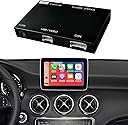
The Road Top Wireless CarPlay Interface Decoder is a premium retrofit solution designed exclusively for Mercedes-Benz NTG5.0/5.1/5.2 infotainment systems (2015-2018). It enables wireless CarPlay and Android Auto functionality without replacing your original screen, preserving full OEM controls including steering wheel buttons and voice assistants. Compatible with multiple Mercedes-Benz classes, it supports multimedia streaming, MirrorLink, and camera integration, delivering a seamless, modern driving experience with professional installation support.


| ASIN | B084LZBNJW |
| Audio Output Mode | Surround |
| Audio Output Type | HDMI |
| Best Sellers Rank | #72,431 in Electronics ( See Top 100 in Electronics ) #908 in Car Audio Receivers |
| Brand | Road Top |
| Compatible Devices | Smartphone |
| Connectivity Technology | Bluetooth |
| Connector Type | Optical |
| Control Method | App |
| Controller Type | Android |
| Customer Reviews | 3.7 out of 5 stars 105 Reviews |
| Format | 4K |
| Item Highlight | For B/C/E/G/S/V/GLC/CLA/GLA/GLE/GLS Class (2015-2018), Support Wireless Carplay, Android Auto, MirrorLink |
| Manufacturer | Road Top |
| Mfr Part Number | Carplay-mbntg5 |
| Model Number | 763684288699 |
| Number of Channels | 4 |
| Number of Items | 1 |
| Other Special Features of the Product | Built-In Bluetooth |
| Output Power | 50 watts |
| Output Wattage | 50 watts |
| Special Feature | Built-In Bluetooth |
| Supported Internet Services | Spotify, YouTube |
| Surround Sound Channel Configuration | 4 |
| UPC | 763684288699 |
| Video Encoding | MP4 |
| Wattage | 50 watts |
| Wireless Technology | AirPlay, Bluetooth |
J**J
Works great! Most of the time
This is a great solution to a problem that shouldn’t exist, but does. I opted to have it professionally installed since i really know nothing about wiring and electronics for cars. Cost me about $150 to do so which was worth it for the peace of mind that it was done properly. All in all then I’m in it for right around $500, which is probably what Mercedes would’ve charged if it was an option when it was new. The actual CarPlay works flawlessly, integrates the OEM control knobs and looks nice and crisp on the screen. Really impressive honestly, exceeded my expectations in that regard. The audio quality is the exact same as it would be through normal bluetooth with the upgraded stereo system. Sometimes when the car is on it boots up straight into CarPlay, which is nice, other times i have to hold down that star button and click on the button on the menu for the device itself. However, I’ve had a few instances where it simply refused to work, and I have no clue why. Straight up refuses to connect to my phone (iPhone 12 Pro) no matter what I do, wired or wireless, then after about 24 hrs it just magically starts working again. It is extremely frustrating at the time but I suppose if it keeps fixing itself then I can’t complain too much. I’ve had this unit installed for 3-4 months and it’s only happened to me twice, but the second time i just reset the bluetooth setting on the interface, set it up like new, and it was fine. The only other thing is that my phone randomly connects to CarPlay even when I’m inside the house with the car off and parked in the garage. Not sure what causes this but it’s very annoying as I have had calls randomly switch to the car without even realizing it. All in all, I would still absolutely recommend this unit as it’s by far the best one I’ve seen and tried. However just keep in mind that a solution like this (non-OEM) will never be completely perfect. But this is as close as you’re gonna get, and the CarPlay is immensely helpful in this car, super easy to use and navigate through the menus with the scroll wheel. Overall I’d give it a 8.5/10 just because of the random connection issues.
E**.
Computer box malfunction
Went through the installation process to then find out that all the sensors and errors were triggered by this product to the point my car wouldn’t let me started it. At first I thought it was the battery going bad, spend the time checking it and testing it. Battery checked to be find, and as soon as I unplug this box, the car function properly. I am not sure if it has to do with the unit being defective or maybe needs a software update to bypass all the MB systems. Anyways, sad to see this not working and I will process with a return.
G**7
It is THE carplay solution of MB cars
This little decoder works perfect on my 2015 C300. It keeps the original system and extends it by the carplay feature you like with an affordable cost. The box includes everything you need, and the whole thing is very easy to install (the only challenge would be disassemble your front panel, not too bad either. Find videos on Youtube). Instruction book is in great detail, where you can get your most of questions answered. Customer service responses quick, too. Let me share some experience: 1. Audio cable needs to be plugged back from box to outside USB aux in storage box. I once got the cable out from passenger side, but there is actually a small tunnel on the wall between the inside of panel and the storage box. Plug the cable there so it is not flied outside. I found it from a video of another brand though. 2. I do not have an original backview camera, and an after market which worked fine, but it does not have an active guide line. So be carefully that most camera does not have that, and don't expect this advanced feature from this little decoder also. 3. When it is working, bluetooth is connected with the carplay box by default. But I had to switch it to the one of the original MB system to make phone calls for unknown reasons, otherwise I did not hear the voice. Solved by upgrading iOS. 4. I got constantly crashes when carplay worked with map + music + vpn. Solved by upgrading my ip7 to 12 ;-) Basically it means most of time the crashes come from iOS, not the decoder. And even if you think carplay responses slow, it is the fault of your phone, not the decoder. I would recommend this product to every MB owner.
R**B
Works great. For a while at least.
Product is actually very easy to install. I would skip the USB connection as it is wholly unnecessary (connection quality is bad, and is not needed at all to function). The best install video shows unplugging all of the plugs from the back of the center console, but you can remove the whole console by unplugging the two white plugs inside the tunnel, and the two at the top of the console plus the cigarette lighter. Then you are not resting the console on wires and can just put it in the backseat. Fiber optic cables (thicker orange wires) unclip on the outside of the factory connector, and go in the same slot on the new connector (outside slot). For best audio, once everything is set up by connecting Wi-Fi and Bluetooth to the CarPlay******* connections, go into settings on the CarPlay interface and set the MB Bluetooth as default. Will automatically connect Wi-Fi to the CarPlay unit, and audio to the factory Bluetooth, so phone calls and audio work and sound like they should. Bypass USB connection and the CarPlay units Bluetooth, you will be unimpressed if you don’t. That said, we had to have the unit replaced once shortly after purchase, and now out of warranty, the unit is bad again, and is making a clicking noise. Audio works but video screen does not, and switches on console are also dead. Removing the unit brought everything back to life. Luckily we are trading the car in anyway.
L**B
Install is not an easy DIY if not mechanically inclined take to professional installer
Installed on my 2016 CLA250 Mercedes which was built in 2015 so was not able to use a "decoder / activator for Carplay. I also installed an aftermarket back-up camera - crazy that Mercedes did not include a backup camera stock in 2016. Instructions are better than expected - read multiple times and follow them very carefully. For the CLA 250 you will need a set of plastic trim removal tools and a special hook tool to remove the airvents. These are widely available and inexpensive on Amazon. I removed the left and right air vent to access the screws for the head unit and also pried apart and removed the center console inclduign climate controls, ashtray, and cupholder up to the storage box. If you pry along the edges with the plastic tool these just pop right off. You need to do this to run the wire to the USB - i used a rat tale file to make a channel at the top of the storage box so I did not drill any big holes. Once the climate control console is out, you will see that directly under the head unit there is a hole that passes to the space below the center console with the climate controls - There is a big piece of flexible foam at the back - I removed this and I installed the decoder box there and then ran the wires up to the back of the head unit. I put the wifi antenna to the right in a space near the glovebox with no metal or wires. Make sure dip switches are set correctly and make sure the two fiber optic cables are transferred to the new connector that connects directly to the back of the head unit. Trickiest part for me was putting the head unit back in and pulling down the rats next of cables and connectors enough so it would fit back in. Its also very important to ensure the two security cams are in the down position - even when "test fitting" the head unit these cams move and you need to clip back to the open position every time. Carplay works great, audio sounds good, phone works good and I was even able to play movies / you tube via the screen mirroring functions. Some posts complain about durability but time will tell - for now this transformed an older car to the conveniences of Carplay. Happy so far.
M**B
Works flawlessly IF...you install it correctly.
Functionality and execution are as advertised. Simply press and hold the ⭐ button next to rotary dial and you toggle between interfaces. Very straightforward. Pros - works flawlessly. Easy to toggle between interfaces. Product is well built. Support was responsive. Sound quality is good AND ADJUSTABLE (Volume/Bass/Mids/Highs). Cons...instructions are lacking. They are not lacking because of effort, they are lacking because there is a lot lost in translation from Chinese to English interpretation. However, it's not insurmountable. Tips.... 1. Pay attention to fiber optic plug. Removing it from stock plug is easy and just as easy to put into new plug (which is very well made). With that YOU MUST PAY ATTENTION TO ORIENTATION and make sure you plug it in correctly to new harness. Essentially there is a "top and bottom" and it matters. This is important because it will "fit" both ways but only work when properly oriented. 2. Although the " Y adapter" for the display from stock head unit will fit multiple ways, there is only 1 " right way". Basically the "leg of the Y" must plug into factory head unit. The "arms of Y" then only fit one way and are self explanatory. Plugging these in wrong or out of this order will result in an "SOS MALFUNCTION" warning on the dash. I learned this the hard way. 3. The GLC stock USB plugs in the console are poorly located. I recommend getting a 90 degree adaptor that makes for a cleaner install. I also added a mountable USB port for this install and mounted it in the console. Made for clean install and added less than 15 bucks to cost. Both available on AMZ. If you get weird errors on dash, they are almost ALWAYS related to dip switches set wrong OR the Y video cable outlined above . Hope this helps. Great product!
A**P
It works!!!
Let me start off by saying I’m not handy but I push through things until things work. This is not rocket science so there’s a solution for it. Find couple of YouTube videos on how to take out dashboard. Our Mercedes’ didn’t come with CarPlay from factory so we had to install this for it to work. When I plugged everything in I made sure to have the ground and audio ground cable connect (after stripping plastic) just to make sure to not have Audio problems. Well before I put dash back I turned on car and made sure it worked. Everything worked except for audio. Make sure to go to MEDIA and select aux (pic attached) and audio came on! If you ever have to disconnect aux cord from USB port to car, you have to reset the system by disconnecting CAN cable and connecting it back into system. If you don’t it will not come back on until you do so. Try to never disconnect it out of aux in port or you will have to open dashboard again it take out CAN port out and back in. We had to drill a hole so I can fit through the aux cord to usb car connection (attached). This already comes with wireless CarPlay so you don’t need extra part. You can do it and it is amazing to now have apple car play. The best part is that it already works with your existing mic in car. YouTube video showed that you need the part installed but not for this type of system.
D**S
DO NOT BUY
Like many others, everything went well for about 1 month. Then a flicker of the image, a drop in the audio. No problem. Just restart the car and it’s back to normal, right? No. One day the sound to my car’s audio system just stops. It won’t come back. Even after removing the entire product and reverting to stock, the sound system is completely dead. Tried reaching out to customer care. And they basically said it’s not their problem. And of course 1 month is the perfect timeframe to be outside Amazon’s return policy, so I’m stuck. DO. NOT. BUY.
M**A
Poor quality item
It’s glitchy skips songs at rdm stops randomly not happy with it at all
Trustpilot
2 days ago
5 days ago