Desertcart purchases this item on your behalf and handles shipping, customs, and support to South Korea.
๐ Power your hustle with sleek speed and all-day endurance!
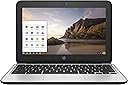
The HP Chromebook 11 G4 features a 2.16 GHz Intel Celeron dual-core processor, 2GB RAM, and 16GB SSD storage, optimized for Chrome OS. Its 11.6-inch HD anti-glare display and up to 11 hours of battery life make it an ideal lightweight laptop for professionals seeking reliable performance and portability.


| ASIN | B010C93ZZA |
| Audio Output Type | Headphone/Microphone Combo Jack |
| Audio features | HD audio |
| Automatic Backup Software Included | Webcam |
| Available M2 Slot Count | 1 |
| Battery Cell Type | Lithium Polymer |
| Battery Life | 11 hours |
| Best Sellers Rank | #142,704 in Computers & Accessories ( See Top 100 in Computers & Accessories ) #26,336 in Traditional Laptop Computers |
| Bluetooth Version | 4.2 |
| Brand | HP |
| Built-In Media | 3-cell battery, AC Adapter, Chromebook |
| CPU Model | Celeron |
| CPU Model Generation | 4th Gen |
| CPU Model Number | Celeron N2840 |
| CPU Model Speed Maximum | 2.58 GHz |
| Cache Memory Installed Size | 1 |
| Color | Black/grey |
| Compatible Devices | External displays, keyboards, mice, storage devices, printers via USB, HDMI, Bluetooth |
| Connectivity Technology | Bluetooth |
| Control Method | Touch |
| Customer Reviews | 4.1 out of 5 stars 417 Reviews |
| Display Maximum Resolution | 1366 x 768 |
| Display Resolution Maximum | 1366x768 pixels |
| Display Technology | LED |
| Display Type | LED |
| External Testing Certification | Energy Star |
| Form Factor | Other |
| Graphics Card Ram | 2 GB |
| Graphics Coprocessor | Intel HD Graphics |
| Graphics Description | Integrated |
| Graphics Ram Type | DDR4 SDRAM |
| Hard Disk Description | SSD |
| Hard Disk Interface | Unknown |
| Hard Disk Size | 16 GB |
| Hard-Drive Size | 16 GB |
| Hardware Interface | Bluetooth, HDMI, Headphone, USB |
| Human-Interface Input | Keyboard, Microphone, Touch Pad |
| Item Dimensions L x W x Thickness | 8.07"L x 11.26"W x 0.72"Th |
| Item Weight | 1280 g |
| Keyboard Description | Ergonomic |
| Keyboard Layout | QWERTY |
| Lithium-Battery Energy Content | 1 watt-hours |
| Manufacturer | Hewlett Packard Office |
| Memory Clock Speed | 1600 MHz |
| Memory Slots Available | 1 |
| Memory Speed | 1600 MHz |
| Memory Storage Capacity | 2 GB |
| Mfr Part Number | P0B79UT |
| Microphone Form Factor | Headphone-integrated or attachable |
| Model Name | Chromebook |
| Model Number | P0B79UT#ABA |
| Model Series | 11 G4 |
| Model Year | 2021 |
| Native Resolution | 1366 x 768 pixels |
| Notebook Pointing Device Description | Clickpad with image sensor,multi-touch gestures enabled. Taps enabled as default. |
| Number Of Cells | 3 |
| Number of Items | 1 |
| Number of Packs | 1 |
| Number of Ports | 2 |
| Operating System | Chrome OS |
| Operating System Family | ChromeOS, Windows |
| Optical Storage Device | No Optical Drive |
| Other Special Features of the Product | Anti Glare Coating |
| Power Device | 45-watt AC Adapter |
| Processor Brand | Intel |
| Processor Count | 2 |
| Processor Series | Celeron |
| Processor Speed | 2.16 GHz |
| RAM Memory Installed | 2 GB |
| RAM Memory Slot Total Count | 1 |
| RAM Memory Technology | DDR3L SDRAM |
| RAM Size | 2 GB |
| RAM Type | Unknown |
| Ram Memory Maximum Size | 4 GB |
| Resolution | 720p |
| Screen Finish | anti-glare |
| Screen Size | 11.6 inches |
| Speaker Description | Dual speakers |
| Specific Uses For Product | personal |
| Supported Monitor Maximum Quantity | 1 |
| Total Number of HDMI Ports | 1 |
| Total Thunderbolt Ports | 2 |
| Total Usb Ports | 2 |
| Touch Screen Type | capacitive |
| Touchpad Feature | clickpad;multi_touch |
| UPC | 889894141958 889894141941 |
| Unit Count | 1 Count |
| Video Output | HDMI |
| Video Processor | Intel |
| Voltage | 3.7 volts |
| Warranty Description | 1 |
| Warranty Type | Limited |
| Wireless Compability | 802.11bgn |
| Wireless Technology | Bluetooth, Wi-Fi |
W**E
Perfect for what it's intended for
So, I've seen a lot of reviews for Chromebooks, and it seems that there are two factors. First, there is Chrome OS. If you don't like Chrome OS, you probably shouldn't get a Chromebook at all. Next, if you do like Chrome OS, you'll need to decide if this is the Chromebook for you. CHROME OS --- (if you already know you want a Chromebook in general, skip to the next section) What you have to understand is that Chrome OS is a VERY minimalistic operating system. Essentially, it's the Chrome browser and any extensions that you put on it. If you're like me and can do everything through a web browser, Chrome OS is a godsend. You can access the whole Google ecosystem, as well as MS Office Online for your office needs, and Pixlr for light photo editing. The OS is well-designed around the browsing experience, with a choice between full-screen and windowed modes. You can also turn any webpage into an app with it's own window and place in the taskbar. You also get a completely new login for everyone who uses your computer, and can link the login to your Chrome browsers elsewhere. What can't you do? You basically can't install anything that isn't a Chrome extension (Android apps are coming, but only to certain machines, and I'm not sure how touchscreen apps will work on a device without one). This means no native Office, no PhotoShop, and no intense games. You CAN put Linux on your Chromebook, but you're probably better off spending extra money for a machine that can be more easily converted. The bottom line: if you need to mainly access the Internet, get a Chromebook. If you need to do more desktop stuff, go with another OS THIS PARTICULAR CHROMEBOOK So you want a Chromebook? This one is surprisingly adequate given its price and specs. The build quality is solid, although the touchpad feels a bit cheap. The keyboard, however, is one of the best laptop keyboards that I've had. The screen can get washed out at extreme angles, but it's no worse than any other cheap laptop. I've only tested the battery for a few hours, but it has never gotten near empty. Now the question on everyone's mind....how laggy is it? Surprisingly, despite the slow processor and 2GB of RAM, it does pretty well. The omnibox at the top of Chrome is a bit slow when trying to pull up big lists of search suggestions, but other than that, I've had 4-5 tabs open and running at any given time with no slowdown. I wouldnt' be surprised if you start having problems much past that, but for the light use that I'm using it for, I have no complaints. THE BOTTOM LINE: If you need a cheap computer for travel or simple internet browsing, you've found it. If you are looking for a performance machine, or need desktop apps, look elsewhere
C**T
The sound is excellent. I was able to get a version of ...
No problems with it. It does exactly what I need it to do, particularly for school. The sound is excellent. I was able to get a version of MS Word to use (I only need a basic Word program for typing papers anyway) online and store them on OneDrive so that I have access to my docs on another device if I don't have it saved on a flash drive. The startup time is almost immediate upon opening it, it doesn't get as hot as my Macbook Pro and doesn't need a cooling fan. Durable build, excellent keyboard, and a battery life over 10 hours from fully charged. If I want to make a movie on Netflix more "theatrical" then I use my bluetooth speaker that has much more bass and a full sound. While surfing, my brother clicked on a link that had a phone number attached. He thought it would redirect him to an app for him to use to make calls, but he clicked the number and it dialed right then, so he continued and finished the call from laptop. I guess this laptop also serves as a phone of sorts if you are connected to the internet. I love the fact that it doesn't sign me out of certain sites when I have multiple windows open while doing classwork or research. I can leave it on for about 5 hours powered on and the battery will drain about 3% or less. I turned this laptop on one morning and watched 3 movies on Netflix, my brother later watched 2, then my other brother started watching YouTube videos later that night. After an entire day it finally sent him a warning to connect to ac adapter. A full charge will keep you going for an entire day without having to connect to a power source. I had it once and signed in, but then I gave it to one brother who power washed it and gave it to my mom who then power washed it again before giving it to my sister. So if you want to wipe this computer out by signing a user off of it completely and restore it to factory settings you can do it in like 2 minutes each time, unlike Windows which takes hours of waiting, installing, and updating. At this point, we're all getting Chromebooks. There is ONE thing I could complain about though... the screen. The screen isn't always sharp unless you angle the screen back. This is a minor issue that you won't really pay attention to unless you're a heavy reader that has serious eye problems.
C**Y
Much greater/more functional than even I expected given the price.
I am really loving this! Would give it five stars but I'm still a tad bitter about the delay while I wait to send back the non-cloud ready printer I just bought and receive the cloud-ready printer I need to ever be able to print from this thing. But it is light, handy and just as good (for my purposes) as the heavy work laptop I've been lugging home. I actually prefer a system that forces me to be organized and keep my files in the cloud. For my home use there is just no reason to spend $1300+ to get some Windows based laptop. Thank goodness printer technology is keeping up with this or I'd have a far different reaction.
A**R
Very Happy with purchase for elderly parents.
We purchased this Chromebook for our elderly parents. I went through several different types and reviews and settled on the HP Chromebook 11 with an Intel Processor. CPU specs place the N2840 towards the top of the celeron processors and on chip graphics are more than adequate to power the HD display (Very nice display I might add). They typically use it to look up recipes and paying bills online...This is a perfect option for a casual computer user. They are able to operate with very little help from myself (They are ~80 years of age and this is their first computer). Initial set-up is quick and I was able to complete it in less than 10 minutes. Being a PC gamer and building my own PC's I have historically overlooked the Chromebook as an option for even our childrens PC's but I am really reconsidering purchasing another one for my daughter to use. HP Chromebook 11 G4 11.6 Inch Laptop (Intel N2840 Dual-Core, 2GB RAM, 16GB Flash SSD, Chrome OS), Black Specs Intel Celeron N2840 (2.16 GHz) 2 GB Memory 16GB Flash SSD 11.6" diagonal HD SVA WLED anti-glare (1366 x 768) 1 USB 3.0; 1 USB 2.0; 1 HDMI; 1 headphone/microphone combo jack; HD Webcam Intel Dual Band Wireless-AC 7260 802.11a/b/g/n/ac (2x2) WiFi and Bluetoothยฎ 4.0 Combo
M**L
Know what you are getting into here! UPDATE!
UPDATE 11/30/16 This sucker is going into the trash. Lesson learned. We get what we pay for. Trying (once again) to get my printer reconnected to this machine was an exercise in futility. The HP tech support person I had said that they would help me solve the problem, which from reading web posts seems to be a common occurrence seems to be a common problem with these machines, for $99.00. This on a machine under six months old. Of course I protested, but the tech support man responded that he wasn't going to argue with me, and that I shouldn't give him a hard time, as he was just a person with a wife, kids, and mortgage trying to make a living like anyone else, and either pay the fee or leave him alone. Also, starting yesterday, the apostrophe key is working only sporadically. My new Dell is scheduled to arrive later this week. **************************************************************************** I bought this Chromebook this past summer. I had used a Chromebook at work, and had no real problems. My home activities are basically browsing and e-mail. I didn't know at the time I bought it that I could not protect it with Norton, but my reading led me to believe that the virus, etc. protection was built in. So, I started having problems about a month ago. The computer would freeze, and there was nothing to do but hard shut down and restart. Annoying. But here is the surprise. My Brother printer, Cloud ready and installed, stopped working. It showed up as offline on my device list. Your first challenge in a situation is where to go for help. I performed a search "Chromebook Printer Offline" and discovered that this problem seems to be endemic with Chromebooks, and I found dozens of solutions online, none of which worked. One writer, in fact, describes it as "The dreaded Printer Offline message." I called HP, and they pretty much refused to help me, as I was using a Brother printer. However, my reading had led me to believe that this problem is based in the Chromebook, not the printer. But I called Brother, and they were extremely patient and helpful, but after almost an hour of un-registering and re-registering the computer, we met with no success. The Brother representative referred me back to HP who, again refused to help and blamed the problem on the Chromebook OS. I contacted Google for help. They did help me get the printer back up, but here was the surprise. According to the tech who helped me, the problem was due to a virus. He offered me an antivirus program that works only for the Chromebook for $149.99 for a year, $249.99 permanently. I only paid $165.00 for the computer! I refused and let the representative know that I would be on Google's doorstep (via phone) every time the problem reoccurs. As my beloved television judge says, "If it seems too good to be true..."
D**M
Fantastic little laptop for the average user
Fantastic little laptop for the average user, but I was definitely hoping to be able to do a bit more with ChromeOS with a dev environment. Couple of different parts of the review: first off, the hardware itself. The hardware is fantastic and well put together. It's definitely a bit heavier than expected, but not problematically so. The keyboard is incredibly nice to type on, and the battery life is unreal. I've been using it on and off for about 4 days now without charging it at all and have not shut it down in between. The only real complaint I have is that the 2GB model is *just* a bit too little memory. The 4GB would absolutely fly without hesitation, but 2GB definitely chokes on bigger sites like Facebook or anything with ELK stack or Grafana. Now it's time for the ChromeOS review. Recent versions of ChromeOS have removed native SSH support, so you *must* run an additional app or two to connect to multiple servers with SSH. I really liked being able to have more tabs for my SSH sessions, but it's surely not the end of the world. All in all, if you're getting this computer for a younger child or someone who is not as computer-savvy, this is an excellent choice. If it's for anyone computer-savvy or tech-dependent, I'd definitely opt for something else.
M**E
... months ago and I have to say that I love it. My only complaint is that they are ...
I ordered one these about five months ago and I have to say that I love it. My only complaint is that they are now $90 cheaper than what I paid for mine. If you look at the critical reviews, the common theme is that people don't know how to do stuff in Chrome and aren't smart enough to figure out how to do what they want by by using Google. This is not a Windows machine, it was never intended to be a Windows machine if you want a Windows machine then don't buy a Chromebook, pony up the price difference and buy a Windows machine. What this is, is a great, fast, compact, long-battery life having way to send email. watch Youtube or Netflix and "cruise" the internet. If you are a "serious" computer user then buy yourself a "serious" computer. If you just want to have some internet fun then buy one of these and you won't be disappointed.
D**H
No longevity
I bought this is 2016 and it died 2019 and I had to replace the battery or else keep her on the charger constantly Itโs not compatible with Microsoft applications making it hard to do school work The storage for making videos is horrid And itโs so slow I just bought a new laptop to replace her because sheโs just dead I just really loved this laptop I just wish it worked the way I needed it to
A**R
Great and Uncomplicated Device
I purchased this small lap-top for my husband as a Christmas present. He is not a social media buff and needed a new device to watch sport events, check e-mail and news. This is all he does on his lap-top and after a bit of research, I learned that a Chromebook might meet all his requirements, which it does and we are happy about it. The Chromebook is light, very easy to use, and fast. An excellent advantage is that apparently is not as virus succebtible therefore, no additional anti-virus sowftware is required - mening no additional checking delays for each action. The only minor inconvenience is the cover opening, somewhat not very well designed. The cover is a bit difficult to grasp for lifting - but hey, this is really not enough to spoil my appreciation of ths product.
R**O
Five Stars
I LOVE THIS ITEM AND USE IT CONSTANTLY !!!
E**S
Good value
It serves the purpose of my Grandson doing school work and basic things but unfortunately it doesn't run Android Apps or Google Play Store, which he really likes and wanted to use.
P**T
Very pleased
Would buy from this seller again, very satisfied
E**Z
Five Stars
Awesome how this two company linked together.
Trustpilot
3 weeks ago
1 day ago