


Buy anything from 5,000+ international stores. One checkout price. No surprise fees. Join 2M+ shoppers on Desertcart.
Desertcart purchases this item on your behalf and handles shipping, customs, and support to South Korea.
✍️ Elevate your iPad experience—write, draw, and create like never before!
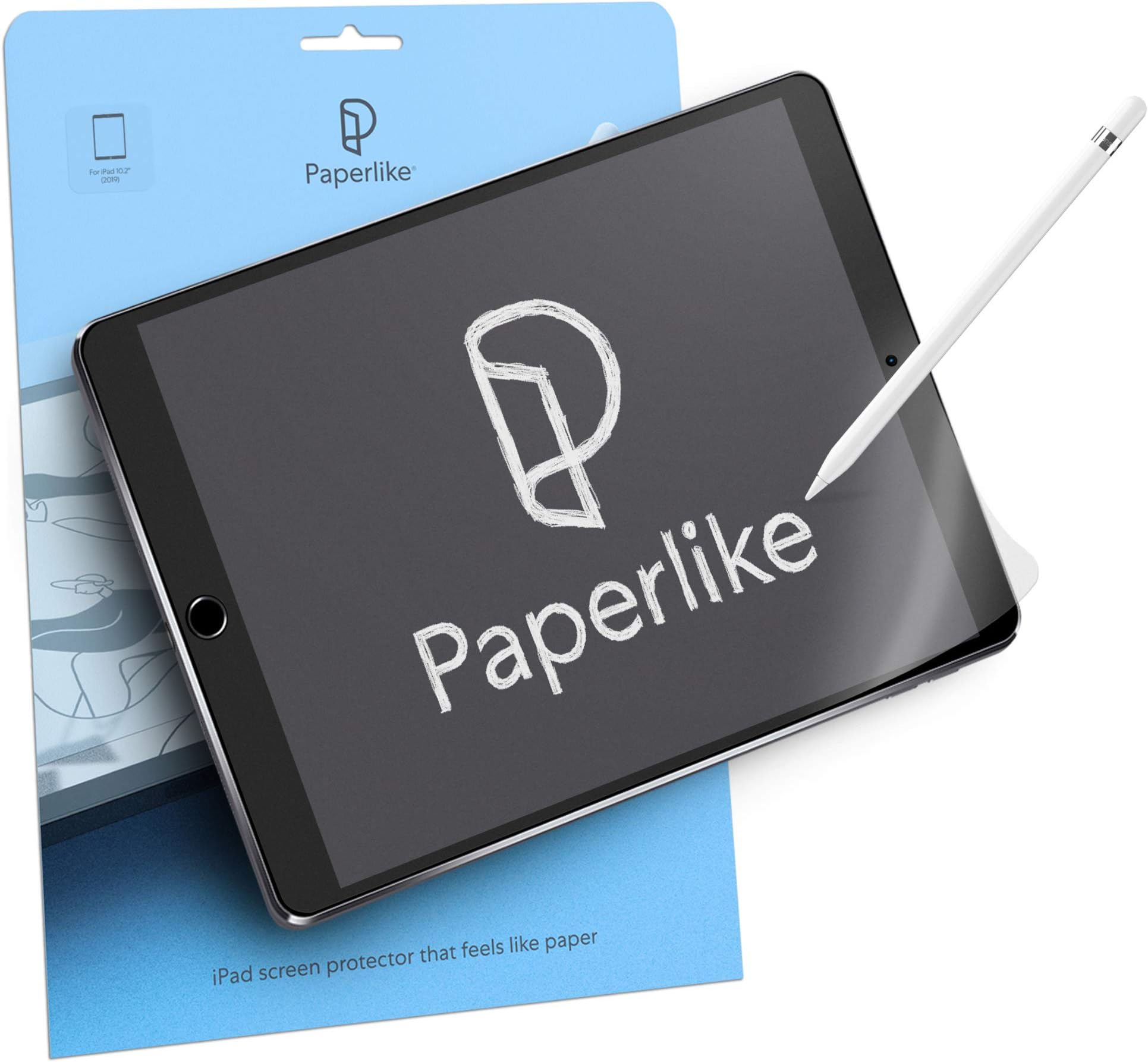
Paperlike 2.0 is a premium matte screen protector designed specifically for the iPad 10.2". Featuring advanced Nanodots technology, it delivers a natural paper-like texture that enhances drawing and writing precision. With 2H hardness, water repellency, anti-fingerprint, and anti-glare properties, it protects your screen while maintaining exceptional clarity and touch sensitivity. The package includes two protectors plus all necessary tools for a flawless, bubble-free installation.


| ASIN | B082477LSX |
| Best Sellers Rank | #242 in Tablet Screen Protectors |
| Brand | Paperlike |
| Brand Name | Paperlike |
| Clarity | 0.99 |
| Color | Paperlike 2.0 |
| Compatible Devices | Tablet |
| Compatible Phone Models | iPad 10.2" |
| Customer Package Type | Standard Packaging |
| Customer Reviews | 4.2 out of 5 stars 3,659 Reviews |
| Finish Type | Matte |
| Global Trade Identification Number | 04260470099126 |
| Included Components | Alignment tool. |
| Item Dimensions L x W | 3.69"L x 0.05"W |
| Item Hardness | 2H |
| Item Weight | 20 Grams |
| Manufacturer | Paperlike |
| Manufacturer Contact Information | Paperlike GmbH, Hamburg, Germany. |
| Material | Polyethylene Terephthalate |
| Model Name | Paperlike 2.0 |
| Model Number | Paperlike 2.0 |
| Number of Items | 2 |
| Part Number | PL2-10-19 |
| Screen Size | 10.9 Inches |
| Screen Surface Description | Smooth |
| Special Features | Anti Glare, Anti-Fingerprint, Scratch Resistant, Touch Sensitive |
| Unit Count | 2.0 Count |
| Water Resistance Level | Water Repellent |
A**R
Paperlike really improved Apple Pencil Experience!
I've started using my iPad for creation and ideation. Using the Apple Pencil to free hand concepts gives me a head start on approaches to solving novel problems and creative presentation tactics. The Paperlike changes the way the pencil feels (exactly as advertised) and restores the tactile feedback loop pencil and pen users are used to. It means, that writing and drawing on my iPad is exactly like writing and drawing on a pad of paper and I don't have to pay attention. Exactly what I need to let my mind wander and get creative. The clacking of pencil against glass and slippery surface are gone and that's fantastic. Installation is always trickier than desirable, but it went fine. I watched the installation video about three times and followed it carefully. The installation worked. The screen is as sensitive to my fingers as it used to be, as easy to see through and seems as easy to clean. I'm really happy with the Paperlike surface and won't be going to a different surface any time soon.
M**A
Great all around!
I heard about the paperlike screen protector from a few artist friends... so once i got my apple pencil a few weeks back, I decided to take the plunge. It came in this evening, and thus far no complaints! I put it on my ipad, while following along with the video on the paperlike webpage. I havent used it much yet, but I did manage to test it out while working on my twitch stream layout this evening. So far, so good! I absolutely love the feel of it, they definitely did a wonderful job emulating the texture of paper. If you're worried about making the investment, because lets face it... its not cheap, just do it. I've tried other "cheaper" options, but this one already feels like it going to be much better. Other ones feel like sandpaper and destroyed my apple pencil tips within a matter of days, but this one just feels like regular ol paper! I'll update later on, with how it treats my pencil tips... but real talk, I dont think it will damage my pencil tips at all! just get the damn thing guys! you wont regret it! :D
O**H
Decent
I bought this for my iPad 9th generation and it fits perfectly. I would have to say that the air bubble are hard to get rid of but I don't mind it. When I turn on my ipad it does show off rainbow static screen, which I also don't mind. But if you're someone who don't like air bubble or want a clear screen. this might not be for you and should consider purchasing somewhere else. It feel like I'm writing on paper, which is pleasant.
S**I
Reputable for a reason
While the installation process was stressful, I found that installing it in the bathroom that’s still humid after a shower to be the trick, as the moisture prevents dust from kicking into the air. It took a while to get accustomed to the way it feels, but it’s wonderful now! My sweaty hands no longer drag on the surface, which is a big plus.
O**R
Broken screen?
Anyone else quickly break their iPad screen after installing this? I don’t blame the film, I think I should have installed it over a glass protector : ( I cracked my previous protector but thought it was a fluke… I don’t drop my devices, I think pressure got put on the screen… so like I said, I don’t think it’s the fault of the film, I considered installing it over a glass protector & think I should have to get the slight shock absorption, I think I leaned onto the screen & that’s what did it and I think had I had an actual protector on it it would have just cracked that instead… So long story short, if you’re thinking of getting a glass protector as well, I say spend the extra $10 to get a cheap glass protector as I don’t think the film is enough, it protects against scratches obviously tho… As for the film itself, at first I didn’t think it was much like paper but it took a little while to get used to the pencil not sliding around like it does without one… after a couple days it was more like writing on paper & I like it much better Hope that was helpful 👍
R**G
Install without bubbles and dust was a nightmare
Its a good thing it came with two protectors as I will need to tear off the first one and try again. Unfortunately that makes it twice as expensive. I’m generally good at screen protectors, having done it with dozens of devices over the years. But this one was particularly difficult. Once I got the alignment labels right, that part was fine. However, keeping out the dust while peeling back the cover sheet was a nightmare. I could literally watch particles show up on the sticky side which immediately made it impossible to restart. It’s as if it had a static charge and was attracting dust and debris. Ended up with about a dozen dust particles large enough to see them. I’m trying the next one after a steamy shower per one of the tips. If this doesn’t work, this waste of time and money goes back. I will say the initial feel of the writing was good….until you run into a dust bubble. And no, I didn’t apply it in a wood shop. Extremely disappointing.
R**S
Application process is convoluted
I purchased an iPad for the first time specifically for handwriting notes when working with health coaching clients so I wanted a screen protector that would give a paper feel and protect the screen from heavy pencil use. I chose to buy the Paperlike protector as I’d read a lot of negatives about copy cat products. I’ve just installed it so all I can say for sure so far is that the installation of the protector is convoluted. Probably the most aggravating process I’ve been through for a screen protector application so far. I prefer ones that provide a tray that aligns with the device so all you have to do is press it on and push out any bubbles, they’re easy. But this one tells you to line up the protector and then apply 4 stickers to keep it in place. Except that the side of the protector that’s on the screen at this point is very slippery so it’s basically impossible to line it up properly. If you move a single muscle it gets out of line. A matte back or anti-slip type of lining could probably make a difference. Then you have to lift your hands to apply the stickers so it gets out of alignment. I recommend putting the stickers on before you even try to line it up. I spent a good 15+ minutes just trying to line it up properly and it still came out crooked. The other downside to the slippery backing is that it attracts dust like crazy so when you’re cleaning the screen be sure to clean the protector liners as well. I didn’t clean the outside of the protectors well enough and still got small pieces of dust under the protector that must have fallen on the screen as I removed the backing. I messed up a corner of the protector trying to lift it to clean up the dust. It’s still to be seen how well it holds up or works with the pencil but the application process was enough for me to hate it already.
K**T
This is a whole system kit.
you are not just paying for the film on top of the screen, it comes with all the “tools” you need to be successful. 👉watch the video that is listed in the instructions, it is crucial for success, memorize and follow the instructions step by step. As long as you pay attention to the small details, the installation will go flawlessly. I was a little lazy with the sticker to remove dust, which caused a small hiccup in laying film down and ended up with a tiny air bubble around a speck of dust…this then caused me more issues when trying to fix it. Ultimately I was able to lay it down smooth but could not remove that speck of dust. However, I can’t see it when I’m using the screen, it is miniscule. Take the time to work in a dust free space, so clean the area you are working in. All the stickers, wipe and cloth is included. Very well thought out. The film just feel so much nicer even when scrolling. Protects the screen from scratches too.
A**N
Game Changer
Excellent product - i use it on my 9th gen iPad. Especially good on note taking apps such as Goodnotes. However, does need some “break-in” time because right out of the box it is a bit too sticky
T**M
Super Folie zum mitschreiben auf dem iPad
Kommt in schlichtem Pappkarton, daher sehr minimalistisch verpackt. Ich habe diese Displayfolie auf meinem IPad Pro und einmal auf dem iPad meiner Mutter installiert, die Installation ist relativ einfach und gut beschrieben per Video Anleitung (jedoch nur auf Englisch) Das Schreibgefühl ist wirklich sehr gut, jedoch zerkratzt die Folie durch häufiges Schreiben relativ schnell, was wenn das Display eingeschaltet ist jedoch kaum auffällt. Das Bild wird durch die Nanodots etwas schlechter im vergleich zu einer glatten Folie aber auch Spiegelungen durch Lichteinstralung werden reduziert. Aus diesem Grund ziehe ich die Rauhe Folie vom Bild sogar einer glatten vor.
C**A
Totalmente lo que esperaba
El producto llegó en excelentes condiciones, la calidad es buena y brinda comodidad al escribir en el iPad.
R**Y
Worth it
Overall I like this screen protector. Seeing videos and reviews online I was hesitant but finally went for it and wouldn't change a thing. Feels very much like drawing on paper, both feeling as well as the sound. I do find it has scratched up very quick (may be from how hard I use the apple pencil) and does slightly affect the screen resolution/detail but if you're using an iPad for just sketching/procreate/digital art there is no problem. Will continue to buy again (you get 2 per package)
S**T
Must Have For Any Digital Artist
I use this product for my digital art, as a budding and still learning artist, the pencil to paper feeling is a must and this product greatly emulates this with top quality results. Yes the price may be steep but you get that back in quality. The process in which to apply the screen protector is simple and it comes with everything you need to apply it. Don't cheap out and buy a less than stellar screen protector. Get this one by paperlike.
Trustpilot
2 months ago
2 months ago