⌨️ Elevate your Galaxy Tab S7+ into a powerhouse laptop alternative—work smarter, anywhere!
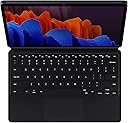
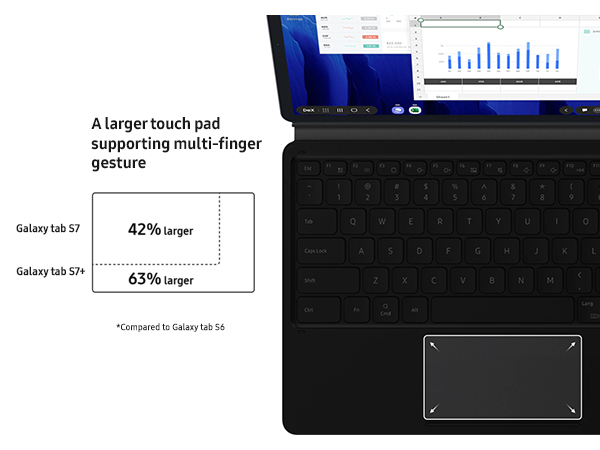
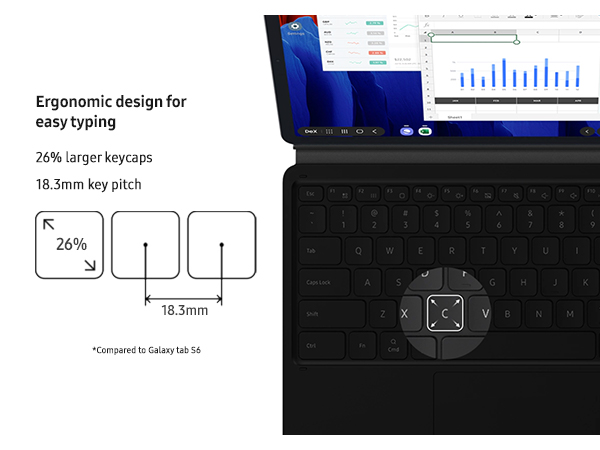
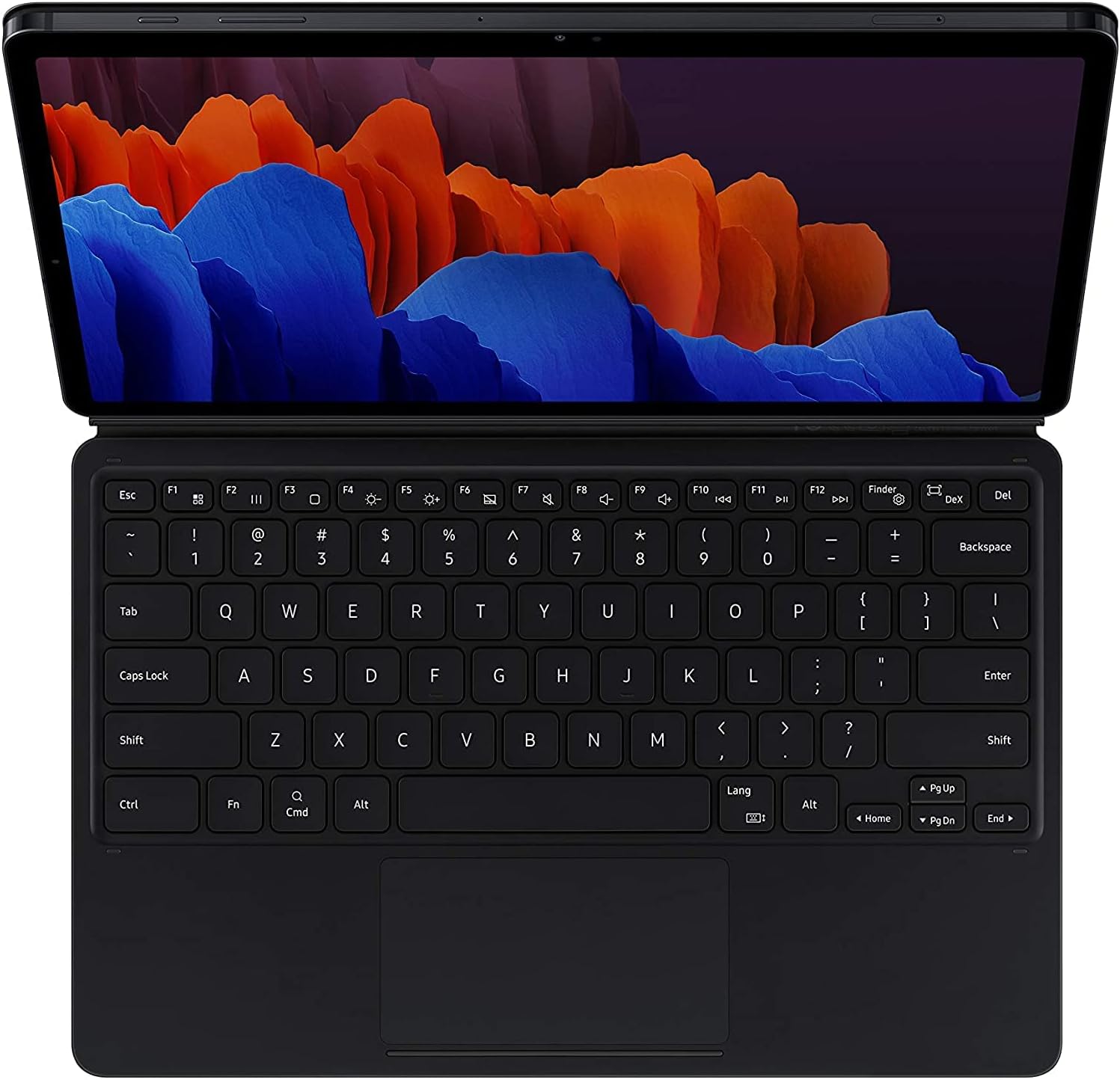
The Samsung Galaxy Tab S7+ Keyboard is a sleek, detachable Bluetooth keyboard with an expanded trackpad and larger keys designed to transform your tablet into a versatile laptop-like workstation. Featuring magnetic attachment for easy setup and S Pen charging, it offers customizable viewing angles and durable protection, making it the perfect productivity companion for professionals on the move.


| ASIN | B08FSSGYSF |
| Additional Features | Bluetooth |
| Antenna Location | Office |
| Best Sellers Rank | #426 in Tablet Keyboard Cases |
| Brand | Samsung |
| Built-In Media | Keyboard, Stand, QSG |
| Button Quantity | 78 |
| Color | Black |
| Compatible Devices | Samsung Tab S7+, Tab S8+ |
| Connectivity Technology | Bluetooth |
| Customer Reviews | 4.4 out of 5 stars 6,831 Reviews |
| Enclosure Material | Plastic |
| External Testing Certification | Não aplicável |
| Generation | 1st Generation |
| Hand Orientation | Ambidextrous |
| Item Dimensions L x W x H | 11.24"L x 7.54"W x 0.59"H |
| Item Height | 0.59 inches |
| Item Type Name | Bookcover Keyborad |
| Item Weight | 1.2 Pounds |
| Keyboard Description | Flexible |
| Keyboard Layout | QWERTY |
| Manufacturer | Samsung |
| Model Name | Book Cover Keyboard |
| Model Number | EF-DT970UBEGUJ |
| Number of Keys | 78 |
| Number of Sections | 1 |
| Power Source | Battery Powered |
| Processor Count | 8 |
| Recommended Uses For Product | Office |
| Special Feature | Bluetooth |
| Style Name | S7+ Keyboard |
| UPC | 887276443201 |
| Unit Count | 1.0 Count |
| Warranty Description | 1 year manufacturer |
A**Y
Great tablet & Portable laptop lite replacement
a bit of background, I am a technician where I need to have customers sign off on work orders, refer to diagrams or sheets for reference while doing some of the work I am assigned. it's great for my emailing, chatting on teams and holding conversations over bluetooth. I found that, for the screen size and the battery life, I can manage off of the tablet to do all of my major work without a full windows laptop. A few things, right off the bat, I love the magnetic keyboard cover. however, I cannot use the entire kit while sitting in my car without a 'stand' or a place to open the tablet and type comfortably. there are some USB C accessories which are nice. I can display out via USB C to HDMI, USB C to Console or USB C to Ethernet. most of my clients require a windows client to ssh into switches, firewalls or routers. I typically use the samsung notes for most of my dictation, notes and overall writing. I would love for their to be more sync between some apps i use for writing, but that's besides the point. portability, this is pretty high. out of the myriad of tablets i've owned, the 11inch screen is big enough to have comfortable viewing of movies, documents and youtube, but not too big where I cannot fit it in a small backpack, carry on luggage or fatigue holding it in my tool bag. the stylus is responsive and easy enough for me to notate pdf documents, scribble notes and high light in other apps. I found the keyboard is the most responsive over most bluetooth keyboards i've paired with 8inch tablets in the past. I did add additional memory from my note 10+, I typically haven't seen much of a need for the extra storage, the onboard has been enough. with streaming through spotify and netflix, the back up memory isn't necessary. I pair this to my gopro to sync some of my photos for some organization. some other things to consider, is this a reliable, dedicated replacement to a laptop? it depends. Are you using a laptop for browsing, email, streaming and school? Do you print regularly? do you have any applications besides office suite that require a laptop for collaboration in your work? Are you working remotely and often spend time on the road? the S7 might be a good in between device, something that is more robust, dedicated upgrade from a phone but meddles below a laptop. I found that, as a replacement to my laptop, I did not notice any loss of performance. I could collaborate, correspond and perform all of the necessary tasks while working comfortably almost anywhere. a few complaints, the samsung dex is nice, but i have not gotten around to using it to the fullest extent that I would like. the keyboard cover; i'd like to have a moldable or fixed viewing angles that allow me to sit it in my lap and work in my car. the accessories overall compared to the iPad Pro are lacking, a lot of third parties try but miss the mark of good cases that include the function of the keyboard and stylus that I am looking to replicate for a laptop. I'd recommend this over a chromebook or any netbook on a lite OS. it functions better and those familiar with android can pick it up and go rather quickly. if you aren't interested in a surface pro or iPad, i'd definitely recommend this tablet.
M**R
Great Keyboard!-Turns the Tablet into a Laptop -Not sure why people are complaining
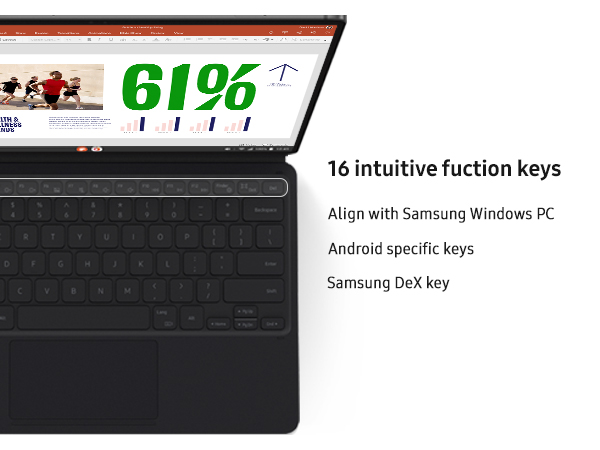
Bought the keyboard about a month ago. Works really well. No complaints. The keys are perfect and the special keys for the Tablet are a big help. The built in stand is great and folds open. I was concerned that with this only being magnet, that is, being held by magnets, that the case would come off easy. So far it has not. Seems to work great. As far as protection goes. I guess it depends on which way it falls. But it is sure a nicely designed case. Also keeps the Spen in the proper position for charging!!! Just open the S-pen slot and your pen is ready to go. Love that Larger S-pen. The Case was designed to hold it great. Really, if you want to use your tablet like laptop, this is the one. Also I would guess it saves battery life, as it uses no Bluetooth. Samsung products are expensive. I had to wait to purchase mine. But the quality is always there! Samsung is the "Apple" of the Android world. I prefer Android over Apple, but that is a personal choice. The touch-pad is really cool, I was looking for keys for right or left click, it is built into the touch-pad! To get the full use of the touch-pad, I suggest you google Samsung on this one. There are tips. Such as you basically just swipe the touch-pad, like you would the screen. All in all, a very good keyboard and case. If you want to go cheap, I suppose the next best, is to buy a cheap case and buy a cheap bluetooth keyboard and a bluetooth mouse. I had to do that, until I could buy this one. It is worth saving up for though, to get the Samsung Tab S7+ case. Finally, everyone forgets about Samsung "Dex" feature. Make sure you understand what it is. You swipe down from the top and turn on "Samsung Dex". Basically it mimics a Windows 10 experience. You can open multiple apps, like on Windows 10. You can tile them and many of the keyboard shortcuts work. This is the feature that makes your tablet with the Keyboard, like a True Laptop. Looks to me, that the specs of the Samsung are just as powerful or more powerful than many laptops. Samsung Dex, with the right HDMI adapter also lets you hook up the tablet to a full-sized screen . But this is a review about the keyboard. So, try out the Dex mode. For those apps that will not open full screen, there is a setting called "Samsung Labs" experimental. Which works just great. The only thing I had to do on some of them, is some apps do not want to rotate into landscape mode. But you can find apps to force that in the App store. Rotation control type apps. Anyway, I think the keyboard works great. Has a great feel to it. Get used to it, and I think you can leave your heavy laptop at home. With Word and Google Doc apps, I think the keyboard allows one to to do it all. But that is just me personally, I love the way it syncs with my Samsung S21 Ultra phone. This is the keyboard you need if you want the full experience.
A**R
Great product
Official book cover and met my expectations.
S**H
Great kickstand and keyboard option. Poor protection. Worth it if bought used too
I was debating on getting a third party keyboard for my galaxy tab but decided that I didn't want the hassle of charging a detachable keyboard. There have been many reviews praising the galaxy tab and Samsung keyboard combo, so I gave it a try. I bought this keyboard used for a small fraction of the price and I'm happy with the results. It was used but pretty much like new. The only visible use was seen in the torn up packaging, but everything works fine. Not much to complain about a tablet keyboard, its keypresses are adequate but the track pad is not the most responsive which is a small annoyance. The keyboard is easy to detach which is both a blessing and a curse because it makes it easy to convert back to a regular tablet and easy to hold but it can come off easily when in use, which sucks. The best part about this keyboard case is the back cover. The metal hinge is strong and durable and gives you so many viewing angles that stay stable the whole time. The worst part about this is the lack of protection around the edges. I like to protect my tablet that costs a couple hundred dollars, and this doesn't act as a protection at all. I'm buying a slim tpu case to at least cover the edges and will alter it to leave the side connecting to the keyboard free. We'll see if that works, but as a standalone keyboard and back cover this item is pretty good and performs well.
C**1
Excellent Addition To Galaxy Tab S8 Tablet
I recently got a Galaxy Tab S8 tablet and considered getting a ketyboard cover for it. My older Tab S6 came with a keyboard which was okay but Sansung was using adhesive strips to hold the back cover onto the tablet and whether it always stayed on was hit and miss. When I began to look for a keyboard cover for my new Tab S8, the less expensive one had no trackpad, making it a non-starter and the model with the trackpad was too expensive. I found this model here on Amazon, used, for $55, a tremendous bargain. Even though, techically, it was made for the tab S7, it works perfectly with the S8. Samsung has finally abandoned the adhesive strips on the back cover and now uses pretty strong magnets instead. I have yet to have the back cover come off. The keyboard itself is very good, even with some shortcomings compared to a PC's keyboard but, overall it beats using any of the onscreen keyboards that are available for Android tablets. One thing that I really like is being able to disconnect from the keyboard and use the S8 strictly as a tablet with the back cover on only. The magnets on the back hold so well that I can adjust the bottom flap to suit me without the cover coming off. It's much better than having a full normal cover on the tablet. The bottom line is that the keyboard is more than adequate and the price made it too good to pass up.
A**A
The Best. Worth the price.
Love it. It wouldn't work at first. Once I cleaned off the pin connectors on the tablet it worked right away. Pricey but better than any of the other keyboards I've tried; I have a pile of them.
T**I
Not worth the $$$$
I have already gone through 2 of these tablet covers. First one started to tear apart where it connects to the tablet and thus ceased to work. The 2nd one started to go crazy while typing with one keystroke producing multiple characters or the wrong character. Inspite of the spell check never working along with non functionaly F keys. The style was so comfortable with a slim profile that I found very portable and quick on set up. I did wish it had a more secure connection to the table, as it would come apart too easily at times. I want to say... I am done with these covers. Way over priced with options that do not work and longevity that leaves a lot to be desired.
T**U
Expensive but it's worth it
As expensive as this keyboard is, it is a genuine Samsung product which to me means that this product is supported by Samsung and I'm a big Samsung type of guy. Not like I have tried other keyboards but this one fits my S8+ and it was very hard to find a keyboard that I liked for it. A lot of the ones in the market right now seem to be... not as appealing as they seem pretty cheaply built. So far, I like the build, how you can store the pen while it gets charged, and the kick-up stand. Note that the keyboard part and the back cover are 2 separate parts so you can remove the keyboard so when you write on the tablet, it won't get in the way. The only downside is the pen compartment bulges out so when you write on the tablet vertically, it is lob-sided. Since I write from left to write, I just flip the upright tablet upside down so the compartment comes on the left side and I can write at ease. Not really a big enough con to dock a star though. Also, very last thing to take note of is, this keyboard cover definitely doesn't provide any drop protection, if anything, the keyboard will also break if you drop it so... If you tend to drop stuff a lot, this cover definitely is something you want to avoid.
Trustpilot
1 month ago
1 week ago