


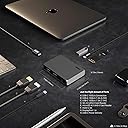


SOHO Dock
Product ID: 245233224
Details
- BrandCalDigit
- ColorSpace Gray
- Hardware InterfaceUSB
- Compatible DevicesDevices that
- Total USB Ports4
- Product Dimensions8.43"L x x
⚡10Gb/s USB-C
🎥4K 60Hz Output
📸312 MB/s SD Transfer
🔌 Dock Your Way to Productivity!
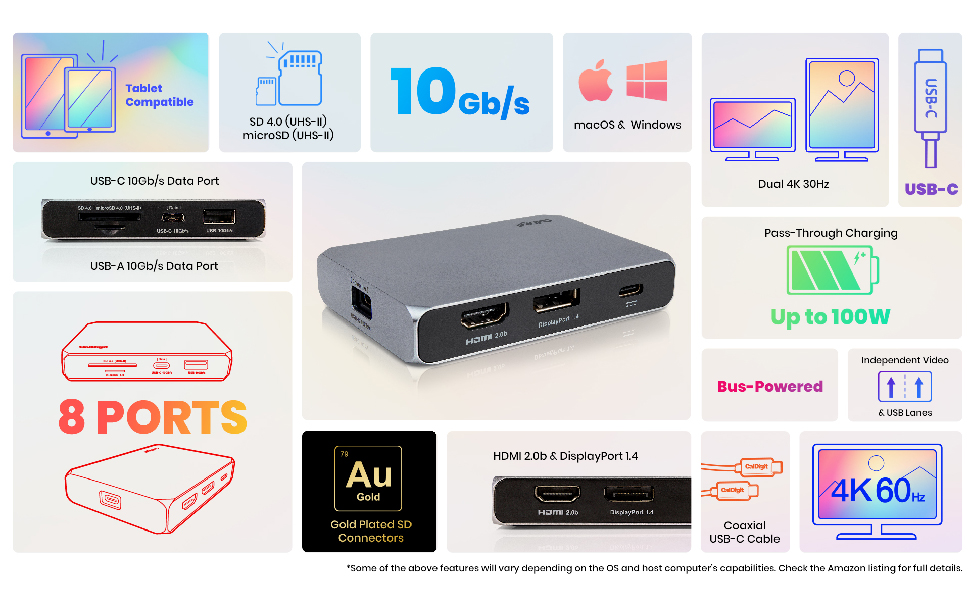
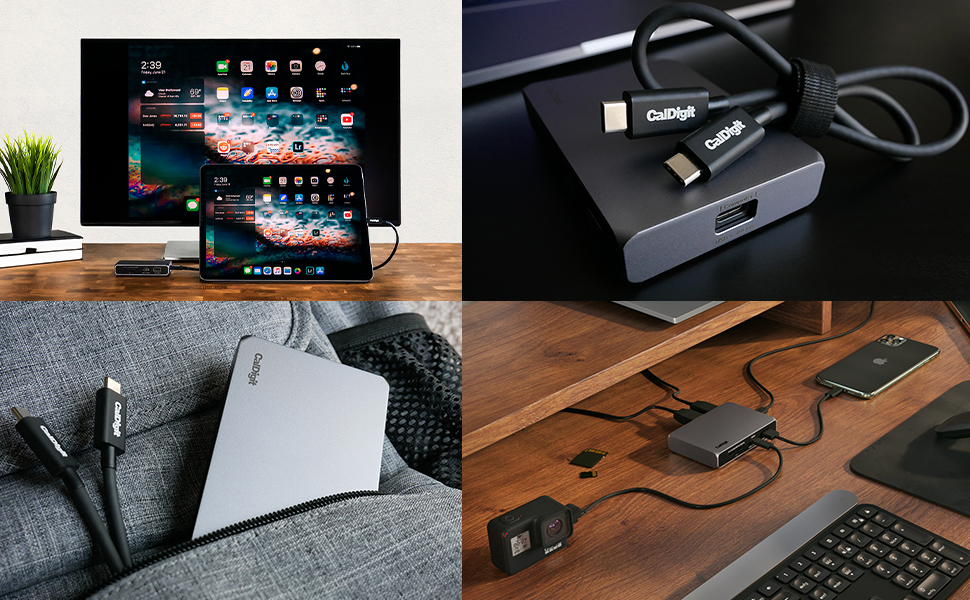
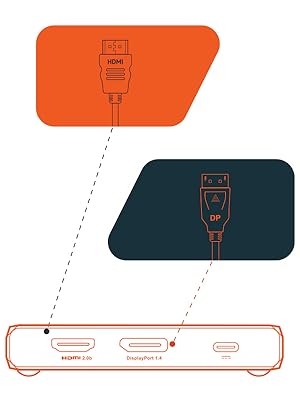
The CalDigit USB-C 10Gb/s SOHO Dock is a powerhouse of connectivity, featuring 8 ports including dual 4K display support, ultra-fast UHS-II SD card readers, and passthrough charging. Compatible with a wide range of devices, it’s designed for professionals who demand speed and versatility in their tech setup.





| ASIN | B08FF3BDW5 |
| Best Sellers Rank | #136,861 in Electronics ( See Top 100 in Electronics ) #1,273 in Laptop Docking Stations |
| Brand | CalDigit |
| Color | Space Gray |
| Compatible Devices | Devices that use Mac, Windows, iOS, iPad OS, Android, Linux, and SteamOS |
| Customer Reviews | 4.1 out of 5 stars 804 Reviews |
| Hardware Interface | USB |
| Item Dimensions L x W x H | 8.43"L x 3.15"W x 0.98"H |
| Manufacturer | CalDigit |
| Mfr Part Number | 500916 |
| Model Number | USBCSOHODock-US-AMZ |
| Number of Ports | 8 |
| Product Dimensions | 8.43"L x 3.15"W x 0.98"H |
| Total Number of HDMI Ports | 1 |
| Total USB Ports | 4 |
| Total Usb Ports | 4 |
| Wattage | 100 watts |
5**X
It works, and it works great.
The greatest selling point of this hub is that the primary connector isn't soldered to the hub, which means if the time comes the connecting cable breaks, you can always swap it out. Not having an ethernet port is a bit of a loss, though I find an ethernet to usb/c dongle works similarly with competitive gaming-level results. Also works great with a steam deck. I did notice that sometimes, the hdmi port wants to be plugged after the steam deck and the external power has been plugged into the hub before it starts working. Not a dealbreaker since it doesn't affect transfer speeds. The displayport never had this issue for me though. Item feels solid, the all-metal housing feels great to hold and very clearly dissipates heat well during usage. Despite getting warm, it never got painfully hot, even after 12 straight hours of use. I'd recommend it for people who want a hub with two good ports for display outputs, and the assurance of a long-term replaceable main cable for their USB hub. As someone who uses their steam Deck daily, this has been an absolute godsend. Can definitely recommend it. If I had to be nitpicky about it, I'd say the lack of an RJ45 port feels weird, but again, it's not a big deal.
M**A
Its my SOHO Dock Dead?! - Noup.. Windows Update mess it Up! Dock Works!
The Soho Dock Works perfectly. It output 2 display signas and the transfer speeds are really good. But sometimes the windows USB-C Drivers get mess up and the SOHO Dock May Stop Working. Beware of this issue with the drivers, it could let you think that de DOCK its dead but it isnt. It Happend to me. Worked for 30 Days... them one morning it died completly with out warning. Tried to update the firmware and changing the USB-C cables, and didnt work. The USB Dock isnt even recognice by the software updater. Its like its not there... it just simply died on me. Them i tried out my dock with an Macbook Air M1 and it worked perfectly... so it wasnt the Dock fault.. Windows update messed up the USB-C Drivers and literaly didnt recongnice it anymore. Had to contact my Laptop Manufacturer for the correct drivers, because windows keep installing faulty ones, even if I reinstalled windows or did the factory reset.... Now with the new drivers from the manufacturer, it work perfectly again... Can Power 2 Displays (QHD + FHD) with an external RAID Enclosure with no problems. The SOHO Docks works.... Windows Updater doesnt..
R**T
Works well so far, but don't depend on or even use the included CalDigit USB-C cable
This was expensive for what I got, but it's really difficult to find a reputable brand that matches my required criteria. Some of my criteria were having a detachable USB-C host cable, fairly high wattage Power Delivery (PD) pass-through charging, and having some 10 Gbps (10 Gb/s) USB 3.2 Gen 2 ports. I wish the dock came with one each additional USB-A and USB-C data ports. My trouble was that when I used it for the first time real-world use (I bought this many months ago but only tested it to see if it worked), I wanted to charge my Samsung Galaxy Tab S8 Ultra while having an HDMI cable connected to my 4K LG TV. The display worked fine other than the very top and bottom was chopped off. This wasn't much trouble with the tablet in Samsung DEX mode, but in non-DEX mode, the status bar wasn't visible at all, although I could still pull the notification shade down with my Bluetooth mouse. The trouble was in charging through the dock. I'm using an Anker 736 100W PD 3.0 charger, and I know that although the tablet handles up to 45W charging, a Samsung branded charger is required to handle that high wattage, but I knew that the standard PD 3.0 would still charge the tablet at about 35 watts, if I remember correctly. Using CalDigit's included ~1-foot cable between the Host connection on the dock and the tablet, and trying two different cables (one Anker and one JSAUX) between the Anker charger and the dock while displaying to the TV, the tablet was charging some, but still overall losing power faster than it was charging. Once I eliminated the CalDigit USB-C cable out of the equation, it charged perfectly fine. In this case, I tested with the "JSAUX USB C to USB C 3.1 Gen 2 10Gbps 100W Cable [3.3ft/1M], 4K@60Hz Monitor Video Cable Thunderbolt 3 Compatible with MacBook Pro, MacBook, MacBook Air, iPad Pro, Pixel and More Type-C Devices-Blue" between the dock Host connection and the tablet, and a "Anker Powerline+ II USB C Cable, USB C to USB C (6ft, 60W) USB-IF Certified Cable, Type C Charging Cable, Fast Charge for MacBook Air, iPad Pro, iPad Air 4, Galaxy, Pixel, and More(Red)" between the Anker 736 charger and the hub's USB-C power input. So I'll keep CalDigit's included USB-C cable, but only for USB 3.2 / Gen 2 / 10 Gbps data transfers, not for charging. I may contact the company directly, as it's odd that the cable doesn't even handle 35W when the dock is rated for 100W.
P**R
High performance, flexible connectivity
High performance and versatile. I’ve been using for 8 months with my MacBook Pro M3 Max to support two 27” 4k monitors through DVI connections plus an external a high performance SSD drive for Time Machine, plus a USB-C charger for pass through charging of my MBP. It goes in my bag whenever I travel to give me flexible access to external monitors when it requires more than HDMI or USB-C connectivity. Small foot print, high quality, lightweight, lots of connectivity options with no compatibility problems. Very easy to use and set up.
P**L
Good until it's not
I had this dock for about 9 months and it was a nice, cheaper alternative to a larger CalDigit dock. I was able to power my MacBook, run video over HDMI and connect a few accessories with one cable. Everything was great until the dock just stopped working. It doesn't pass power through to my laptop, USB accessories are off and no video passes through. I rebooted devices, tried unplugging and plugging them back in and nothing works... I guess I should have just spent more money to get a dock that would last...
B**N
Nice design but really unreliable
I have this connected to a 94W USB-C charger, an LG ultra-wide monitor (WQHD, 3440x1440) and a powered USB hub for an external keyboard, trackpad, webcam, phone, etc. Pros: - I really like that this dock doesn't have a short cable built in, like most of the docks in this price range. I keep the dock out of sight with a cable running to my laptop. - The video cuts out if you use 85Hz but works fine at 60Hz, as expected. - I know that I'm going to need a USB hub, so I like that this dock is compact and has so few ports. - The price is right for the features. Cons: - After a week or two, the video started getting a little glitchy over HDMI. A couple horizontal lines sometimes appear and reconnecting the dock fixes it. - It's completely unreliable using DisplayPort. Some times there's no video signal, some times it's really garbled, sometimes it works for a while then becomes garbled, etc. See my pictures. - The dock delivers just 64W (30W less than the charger) to my laptop. If I disconnect the *powered* USB hub from the dock, that goes up to 74W (still 20W less.) Based on the description, I expected less of a drop. - I sometimes have trouble waking my laptops. I have to open the lid, reconnect the hub, etc. This didn't happen when I was using a monitor with a USB-C input. - When I connect or wake a computer, it takes between 5 and 15 seconds for the monitor to turn on. - The metal case gets really hot to the touch! I measured 123° F with an infrared thermometer. Maybe their higher end models work better? But they are so expensive, I figured I was better off just upgrading to a bigger monitor with USB-C built in.
D**D
Solved problem with external monitor
I took a chance on this product. I have 2 other USB-c to HDMI devices. Those devices work with fine my Hp laptops, but when used with my MacBook Air with M1, the monitor goes black almost constantly. The screen image will show for about 2 seconds, then go black for 30 seconds, etc. I upgraded the Hdmi cable, did not solve the problem. Then I bought this device. Now the monitor works flawlessly. I’m not sure why the MacBook Air is so sensitive in this regard. But this device solved the problem. Hope this helps someone else.
A**B
Works, with some issues (HDR and stability)
First of all, the build quality is superb. Dock feels like a solidly thought out product, everything about it is high quality. Connects fine to my monitor, albeit with some glaring issues. This is why I'm rating it at 3 stars. I bought this dock because it is the only one that explicitly states HDR support, with HDMI 2.0b and DP 1.4. I'm using it with an M1 Macbook Air and an LG 32UL500-W. No matter what I tried, macOS refused to show an HDR option with the monitor connected via HDMI. Colors in SDR mode are accurate. Sound transmits as well, but occasionally will refuse to until the dock is reconnected. Over DisplayPort, colors are very very washed out, and again there is no option for HDR. I know HDR works on this monitor over DisplayPort and HDMI because I have tested both with my other PC, a custom built running Windows with a (quite old) AMD GPU. I will have to return this and buy something else unless CalDigit can fix the issue somehow through a driver or something. Edit: after further research, HDR should be usable via DisplayPort on any monitor with DP 1.4 on this dock. Mine is 1.2 with HDR extensions backported. HDR should also be usable over HDMI, but it seems almost all Macs fail to do HDMI HDR over USB C unless you use Apple's own adapter or the Apple-recommended Belkin one. I can confirm the Apple one works for me. If Apple could fix that issue this SOHO dock would be perfect for me.
R**G
Excellent dock
I was looking for a small portable dock that I can take with me when travelling and connect an iPad Pro, an external drive and digital camera to transfer photos and movies. I also use it at home to quickly connect my work MacBook to and external monitor. This works perfectly for me.
S**K
It doesn't support 4k monitor at 60hz as promised
Mine is MacBook Pro 2020 with 4 thunderbolts model, and no matter what I do there it only supports 30hz and can't get up to 60hz as promised. I have tried both HDMI and Displayport cables. Unfortunately, it doesn't work.
D**H
Doesn't work with m1 pro with dual displays
I primarily bought it for my M1 pro 16 inch MacBook but it doesn't work when two displays connected. It works flawlessly with chromebook though so giving 4 stars.
M**L
So far so good!
This little unit does exactly what it promised, in that it drives my 32” LG monitor at 4k60hz resolution & it’s data transfer speeds are excellent on both the USB-A and C ports. I tested my SanDisk extreme USB-C hard drive, first into the Thunderbolt/USB-C port on my new MacBook Air M1 and then into the USB-C port of the soho and transferred 70 gigabytes of photos and the transfer speed was identical.
A**R
HDMI has problem with 4k display
Overall good product, lightweight, good build quality, but the HDMI is not working properly with 4k display. I tried with 2 different monitors.
Trustpilot
2 months ago
2 days ago