🚀 Elevate your home network to pro-level speed and security — don’t get left buffering!
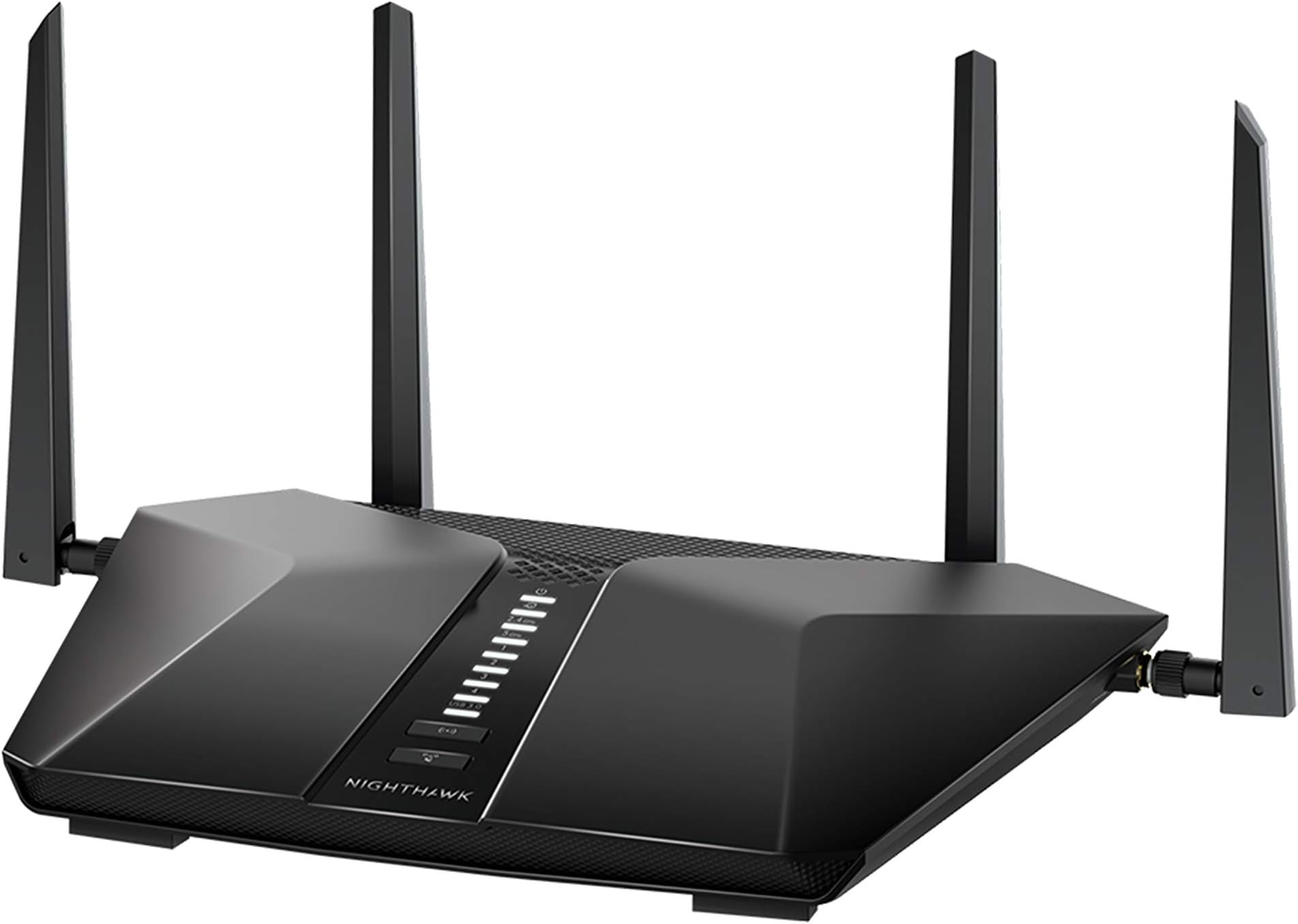
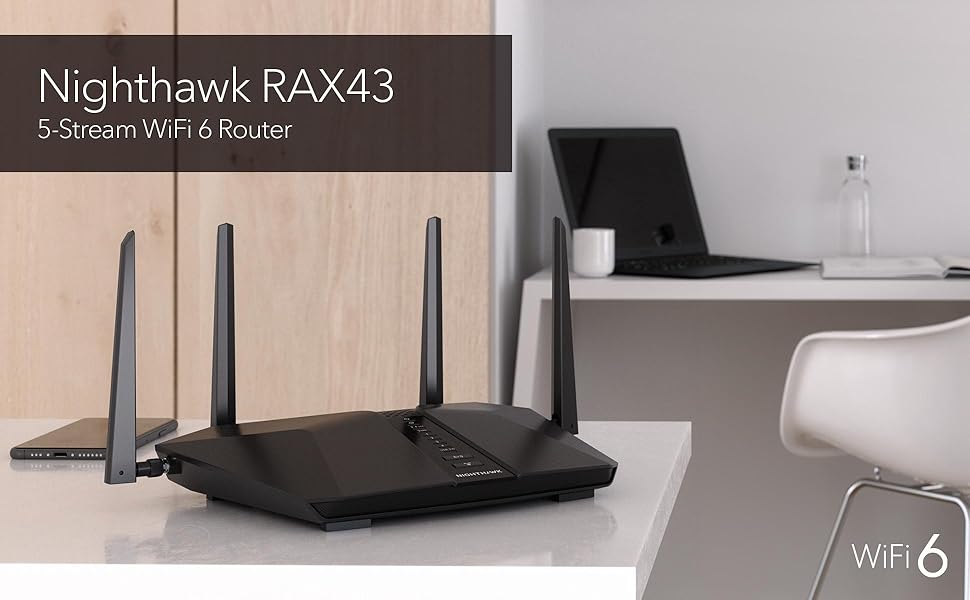
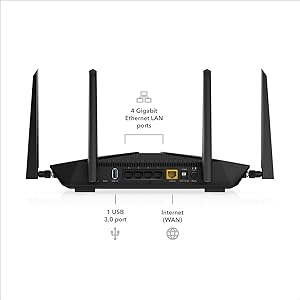
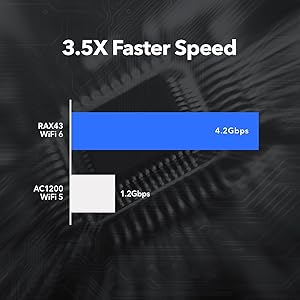
The NETGEAR Nighthawk RAX43 is a high-performance WiFi 6 router delivering AX4200 speeds up to 4.2 Gbps, covering up to 2,500 sq.ft. and supporting 25 devices simultaneously. Equipped with a powerful 1.5GHz triple-core processor and advanced OFDMA technology, it ensures efficient, lag-free connectivity for streaming, gaming, and remote work. Integrated NETGEAR Armor provides robust cybersecurity, while the Nighthawk app offers seamless network management. Compatible with all major ISPs, this router is designed for modern smart homes seeking reliable, fast, and secure internet.


| ASIN | B08JY6RMG9 |
| Batteries | 2 Lithium Ion batteries required. (included) |
| Best Sellers Rank | #34,813 in Electronics ( See Top 100 in Electronics ) #227 in Computer Routers |
| Customer Reviews | 4.4 4.4 out of 5 stars (1,716) |
| Date First Available | September 30, 2020 |
| Item Weight | 1.25 pounds |
| Item model number | RAX43-100NAS |
| Manufacturer | Netgear |
| Product Dimensions | 11.65 x 8.11 x 2.25 inches |
A**R
10/10
As someone who knows very little about routers this was the one everyone recommended to me. It was very easy to set up, great signal and covers our entire house. Have had for over a year now and never any issues! Highly recommend, glad we listened to everyone!
J**R
Be careful with add-on app Armor!
The modem itself was great. My problem was a 7 day trial of Armor turned into a nightmare! It is made by Bitdefender which I have their Total Security installed on all my devices. A great company. But, having Armor on my router felt very intrusive. Somehow, I either clicked where I shouldn’t have while trying to delete the darn thing or I didn’t click where I should to prevent auto acceptance. I do not know to this day how it came about. I found I did not like having notices from Armor pop up whenever a new person or device was registered as linking on. We are a 2 person household. I do not need to know if my husband opened his ipad. When my large family was visiting I thought the the router might have a spasm with my 11 grandkids ipad-ing and iphoning. I live in a rural area set way back from the road, few neighbors, on dead end street. Not much room for router lurkers to get near my router. I have internet security and did not see the need for Armor. I only called to cancel Armor. They opened a case file..big deal. They couldn’t or didn’t have the answer. I was connected to another group and a second case file was opened. After much back and forth, I asked a simple question..How do I get Armor off the router because I’m not paying $105 for it. I was directed to another group and assigned a third case file..At this point, I “lost it”! I cancelled cases, deleted my account, and returned the Netgear AX 4200 to Amazon. BTW, I’m still getting emails from the 3rd case file :) Please consider this caveat….the device is speedy and worked well for the two days I used it. I hated to give it a lower rating due to Netgear’s horrible tech support. So beware of Armor. It maybe helpful for those folks who live in highly populated areas; but for me, it was DOA
C**M
Works well, and (with one hiccup) the setup was fairly easy.
This thing is bloody fast! I had one snaffu while trying to set it up, however, as the Android app kept crashing on my phone. Once we switched to setting it up with my wife's iPhone, the setup became smooth as melted butter.
J**E
Not the most compatible with Verizon
The router performed great in the beginning, but once Verizon updated something on their side, we began having continual outages. When it does work, it’s fast and efficient, but the reliability hasn’t been the same.
B**K
Fantastic Router!
I am definitely a fan of this router. Setup is pretty easy, and the range is the best I’ve owned. I stay connected even outside of my home, at the end of my backyard, which is about half an acre. The speed is excellent, and even after a year of use, I still get my full mbps I pay for. It is still trucking along like a tank after a ton of use. Will purchase the same router when I need a replacement.
G**G
good range
This has a much better range than our previous one, covering both floors of a five-bedroom house, and even in the basement. Installation was simple. I like the fact that you can set it up entirely from your computer, without the use of a cell phone. We have six simultaneous users and no problem with the bandwidth.
R**Z
Shockingly Poor Security, Antique User Interface, Need to Pay with Auotrenew for More Security
I replaced a failed Netgear R6700 Wireless router with this RAX43 and run it for one month now. Unfortunately past the return date or else I would based on the scary poor security the router offers. Read on for our impression: EXTREMELY DISAPPOINTING SECURITY: There is not much to select in security and its below basic. For example there is no option to block an IP address or group of IP addresses. Shocking actually that was not there. The log shows its detected DoS attacks for example but does not say if blocked or if the sender is aware a connection was made. Scary actually how little insight the router provides. DID NOT DETECT TROJAN ACTIVITY: The router did not detect a trojan nor report the hacker traffic that was sourced from a device on my network. A security camera NVR on the system had the trojan. When using the netgear router this trojan was allowing a hacker to use up my bandwidth and drop my network every few minutes. Another brand router detected and reported the trojan allowing me to take action to physically locate the device. HAVE TO PAY FOR MORE SECURITY! ... I was going to subscribe to their Armor security after the trial stopped but then the only option is auto renewal which I though was very tacky, not giving you any other option. The only way to cancel is to let it charge you then cancel the service and who knows how difficult that would be, probably frustrating to cancel. So based on that single money grab characteristic I did not renew. For that very tacky and unsettling approach to business I remove stars. EASY SETUP: I followed none of the instructions nor used the built in install Wizard or phone app. Connecting the router directly to my PC I logged into it at the default IP address 192.168.1.1. From there I was able to enter all the same names and passwords for the 2.4 and 5GHz wireless and basically recreate all the same parameter that were on the original R6700 including lastly to set the LAN to my IP of 192.168.0.1. After resetting the router I then installed it into my network, connecting all LAN cables and the cable the cable modem (Netgear DM500). Power both the router and the cable modem up the router quickly booted and connected to ISP service as well as the rest of the wired and wireless devices. IT was all very seamless. GREAT RANGE: I have another R6700 that is used as an Access Point in the far opposite corner of the house from the main router as the original routers wireless level was too low there. The signals measured when using the RAX43 at that same far corner are excellent, easily picked up by other devices such as my smartphone. I measured about -70dBm at this location which is 75ft away, through 3 walls and 1 floor. Its strong enough that I may not need the Access Point any longer. A STEP BACKWARDS USER INTERFACE: I was hoping for a modernized interface but the RAX43 was actually a bit less than the original R6700 router. The R6700 used colors such as green to indicate good but the RAX43 is all gray scale with no color. Conclusion: I was shocked how little options are available to set up security features and how poorly it reported issues on my network traffic. For example there is no option to block an IP address...shocking actually. When I attempted to purchase the extra Armor security its states it will auto renew for $100. The security was bad enough to dump the router but when you add the tacky business practice of charging more for inadequate security, this router is going to hazardous waste.
J**L
Bought used
This is a great router for gig internet. Great range and great speed. It's not 2 gig capable. I bought used so it was registered to the previous owner and there was no Manuel on how to fix it. All I had to do was get a paper clip and do a factory reset and the night hawk app blasted through the setup in a couple minutes and put a new name and password. Save time and do a factory reset. Only downside to used is I didn't get the free trial of their VPN and security but you can get better vpns for cheaper. Careful with online searches for their customer support online there seems to be a bunch of "authorized companies" that are likely scams to download malware and steal your identity. Buying used was the way to go but if you do save your time and go straight to factory reset on the back don't even try with phone service.
G**O
Lo había comprado para mejorar la red de mi casa, actualmente tengo un TP-Link Ax1500; en relación a la entrega llegó en excelentes condiciones y antes de lo estipulado. En cuanto a la configuración, ahí fue el problema, pasé toda la mañana y parte de la noche tratando de configurarlo, una vez actualizado el firmware me marcaba error al iniciar mi sesión en mi cuenta de Netgear, la red WiFi presentaba intermitencias, la región para WiFi me aparecía predeterminada en Canadá (soy de México), el servicio de IPTv presentaba igual intermitencias, de repente se congelaba la imagen y nada. Configure las VLAN como venía en el manual, como encontré en foros, como estaban en mi ONT, asigné IP fija, active QoS, priorice tráfico, active el modo Bridge de VLAN, y nada, las intermitencias en IPTv nunca cesaron. He iniciado el proceso de devolución 🫠🥹
Trustpilot
1 month ago
2 weeks ago