Desertcart purchases this item on your behalf and handles shipping, customs, and support to South Korea.
🔥 Elevate your game with precision and style!
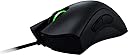
The Razer DeathAdder Chroma is a corded ergonomic gaming mouse featuring a 10,000 DPI optical sensor capable of ultra-fast and precise tracking, including Z-axis detection down to 1mm on various surfaces. It offers a comfortable grip designed for extended use and customizable RGB lighting with 16.8 million color options, making it a top choice for gamers and professionals seeking performance and personalization.


| Additional Features | Ergonomic Design |
| Antenna Location | Gaming |
| Are Batteries Included | No |
| Are Batteries Required | No |
| Asin | B00MYTSDU4 |
| Brand | Razer |
| Button Quantity | 5 |
| Color | Black |
| Compatible Devices | Personal Computer |
| Connectivity Technology | USB |
| Customer Reviews | 4.4 4.4 out of 5 stars (3,823) 4.4 out of 5 stars |
| Embellishment Feature | Logo |
| Enclosure Material | Rubber |
| Global Trade Identification Number | 08886419331766 |
| Hand Orientation | Right |
| Hardware Platform | PC |
| Included Components | Owner's Manual, Razer Deathadder Chroma Optical Gaming Mouse |
| Item Dimensions L X W | 12.8L x 7.3W centimeters |
| Item Weight | 104 g |
| Manufacturer | Razer Inc. |
| Mfr Part Number | RZ01-01210100-R3U1 |
| Model Name | RZ0101210100R3U1 |
| Model Number | RZ01-01210100-R3U1 |
| Movement Detection | Optical |
| Number Of Batteries | 1 AAA batteries required. |
| Operating System | PC; Mac |
| Power Source | Corded Electric |
| Range | feet |
| Style Name | Classic |
| Theme | Video Game |
| Unit Count | 1.0 Count |
| Upc | 712087020306 741098023259 739812298328 796594384359 804067309690 808112948490 797706740285 879862007386 804904113084 809394595006 801947292547 137202988031 739812298199 |
User
Good mouse and all decides to not work after 2 months
this mouse was great mouse, it fit my hand and was overall great but one problem and that is after 2 months of usage, the mouse wouldn't work all the time like while im using it, it just decides to die then all of a sudden its back.
User
It's Fake but a good imitation
It's fake, much lighter than the original and doesn't connect to razer synapse.Buy the mouse if you want to show-off but broke and as far as actual use goes it's like a regular mouse with RGB lightingand 2 extra buttons.
User
Its a really good mouse with good build quality(so far)
Man what to say, they are beast. This is my second gaming mouse after the Logitech G300s. Its a really good mouse with good build quality(so far). Its meant for people who play games in the palm grip style although its really subjective. I play palm so hey i love it. Once you hold it you will get this awesome sensation how it perfectly inserts into your palm and damn its worth the money. As a bonus feature it has a RGB lighting effects on the logo and the scroll wheel and it looks damn sexy. It can be customised through the software for both the logo and the scroll wheel. As for tracking its a really good sensor with no mouse acceleration and precise. But please do use a good mousepad or else you wont get the best out of it. As for dpi it has upto 10k which is a bit overkill but hey its there. Its been only 3 day now and will update it in future. Thanks for reading.As for value for money, wait for the prices to come down. I bought it for 4000 rupees and yes its a lot but its worth it bro.
User
Excelente mouse
Es el primer mouse para gamer que compro y aunque al principio cuesta acostumbrarse a las dimensiones, el peso y los botones (en especial si has usado mouse más pequeños), en realidad es un mouse muy comodo excelente hasta para uso diario. Esta versión chroma tiene luces que puedes configurar (yo no lo he hecho) que cambian de color por default, además en la pagina del fabricante puedes descargar software para configurar y personalizar los botones, las luces y hasta los DPI, aunque la configuración por default funciona para todo y maneja perfiles aunque se dice que si manejas perfiles prácticamente debes hacer uno por cada programa que uses pues no regresa al estado por default y las funciones del perfil asignado se usarían en todos los programas.Tengo 3 meses con este mouse y no he tenido problema alguno de funcionamiento, cuenta con conectores bañados en oro y cable revestido.Tiene 4 botones más la rueda del scroll que aporta un 5to botón y su sensor óptico 4G tiene 10,000 DPI de precisión que bastan y hasta sobran.
User
They might be fake, cheap knock offs
I received a fake one, the sticker on the bottom was miss cut and it showed up as a generic optical mouse. Apon disassemble of the mouse my suspicion was confirmed, the internals were not genuine Razer internal. I bought this mouse for parts to fix my limited edition version of the mouse Incase of it breaking.
User
My basic PC setup is as good as it gets
Don't wait to buy this mouse.I'm an avid Battlefield 3/4, DoTA2 and Starcraft 2 player.... if you know what those games are, you know that means I play competitively. Having a competitive edge, even a small one, makes a big difference. I'm ecstatic to say that I feel the DeathAdder has given me a big one.My basic PC setup is as good as it gets, but I've been using a default basic mouse and mousepad for the longest time. I heard talk in the gaming community about Razer devices, so I decided to look into it. Seeing the 2,000+ high ratings on the DeathAdder sealed the deal for me, so I gave it a go.After the mouse arrived, it took my hand a while to adjust. The mouse is very long and I'm a "claw" gripper, but after getting used to it, I can say this mouse is very comfortable and relaxing to use and I feel has helped me go beyond my limitations. I would say I have a normal sized hand. If you're not already aware, this mouse is used greatly be strategy gamers (DoTA2 and Starcraft 2 players), but I haven't heard much about it in the FPS realm. Well, this mouse is just as excellent in FPS games as it is in strategy games.To get extra-nerdy on you, I'm a rushing, bolt-action sniper in Battlefield, so making shots connect is important. I have a great deal of control when taking shots and I feel more accurate now. Controlling "weapon recoil" with fully-automatic weapons feels easier and more precise now too. I use 2400 DPI with 1 point of acceleration and very low sensitivity in-game (DPI is adjustable in the Razer Software). The general consensus among the FPS community is to use a low DPI (400) to be more accurate and turn on "raw input", in other words, turning mouse acceleration off. I can tell you this was a bust for me. Without trying to go too deep into it, lower DPI means (less points on the screen), and depending on your field-of-view and screen resolution, that can cause problems with a low DPI. I used acceleration before my Razer, and I use acceleration now, and I'm fine with it. This all depends on how you play. I'm a high sensitivity gamer, and I don't like moving my hand, arm and whatever else to my mouse around. I use gentle strokes and that's all I need. This might not make sense to someone who has never changed DPI settings before, but once you buy the mouse and tweak it, this review might come in handy. I'm sharing this for you.To sum up, I can't believe I didn't order this mouse ages ago. It really has been like a missing piece to my gaming puzzle and has made me better than I was before, albeit, doing it "comfortably". I have had no issues with drivers or the software, and the mouse feels of good quality. Highly recommend.Oh and btw, I bought this mouse in conjunction with a "Razer Goliathus Control" mousepad. And it works perfectly with the mouse. As a matter of fact, in the Razer Software you can calibrate your mouse to your mousepad, and if you have Razer mousepad, you can choose from a menu which one you are using. Turning the calibration on and off makes a noticeable difference. The calibration gives you more control.EDIT: A little over 1 year later, I've burned through one of these in about 6 months. The mouse truly is a delight to use AND has made me better, but the shelf-life is pretty low. I had a problem with "double clicking" when I would do a single click (something other reviews are keen to point out). The only choice was to either A) contact Razer and replace the mouse and return the old-one free of charge or B) fix it myself. After looking up videos online, I decided I didn't want to void the warranty by doing my own repair and making things worse, so I got a new one. Getting a new mouse was a relatively easy process since I RMA'ed through Amazon and used Amazon Prime to get a new one with free 2 day shipping.Would I continue using this mouse after my issue, even with it being a repeat issue for others? Yes. When it does work it is excellent to use and is very comfortable, and because Razer is willing to replace it when it malfunctions, it is a hassle I'm willing to deal with. 4.5/5 stars
User
Upgrade from Lachesis? YES!
This mouse is the most comfortable I've ever used, and of course is of great quality. My previous mouse was a nearly 10 year old Razer Lachesis 4000-dpi Laser Gaming Mouse (Banshee Blue) that I bought when that mouse model was originally released. I fully expect this DeathAdder to last me a decade of daily use, as well. It is extremely comfortable, fitting under my palm so perfectly it almost feels like it isn't there. Tracking on the screen is great, and I love the colours. The scroll wheel is clicky like the Lachesis was, which is a plus to me, and all the buttons are as well. I like that the side buttons are a bit larger than the Lachesis ones as I use them regularly. The only feature missing on this mouse that I had on my last one is the two buttons behind the scroll wheel - but I always hit those accidentally and changed the tracking speed of the cursor so this is a good thing!
Trustpilot
1 day ago
3 weeks ago