⌨️ Elevate your typing game—comfort and control that your wrists will thank you for!
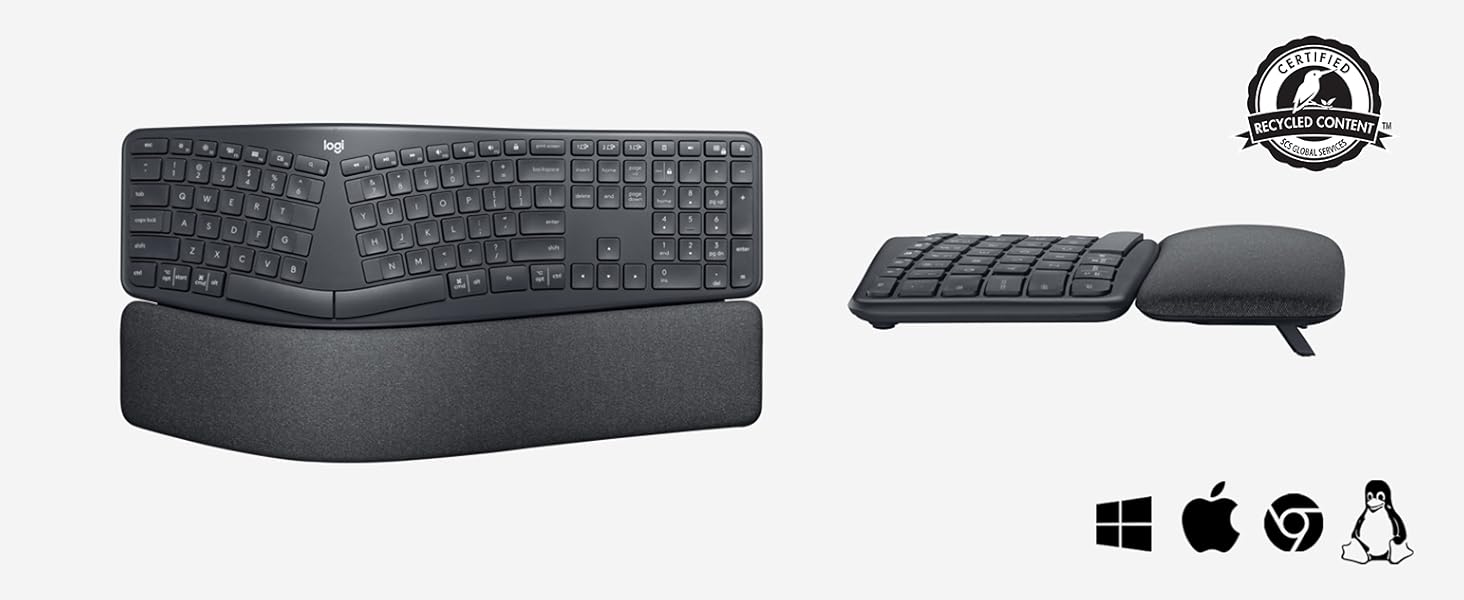
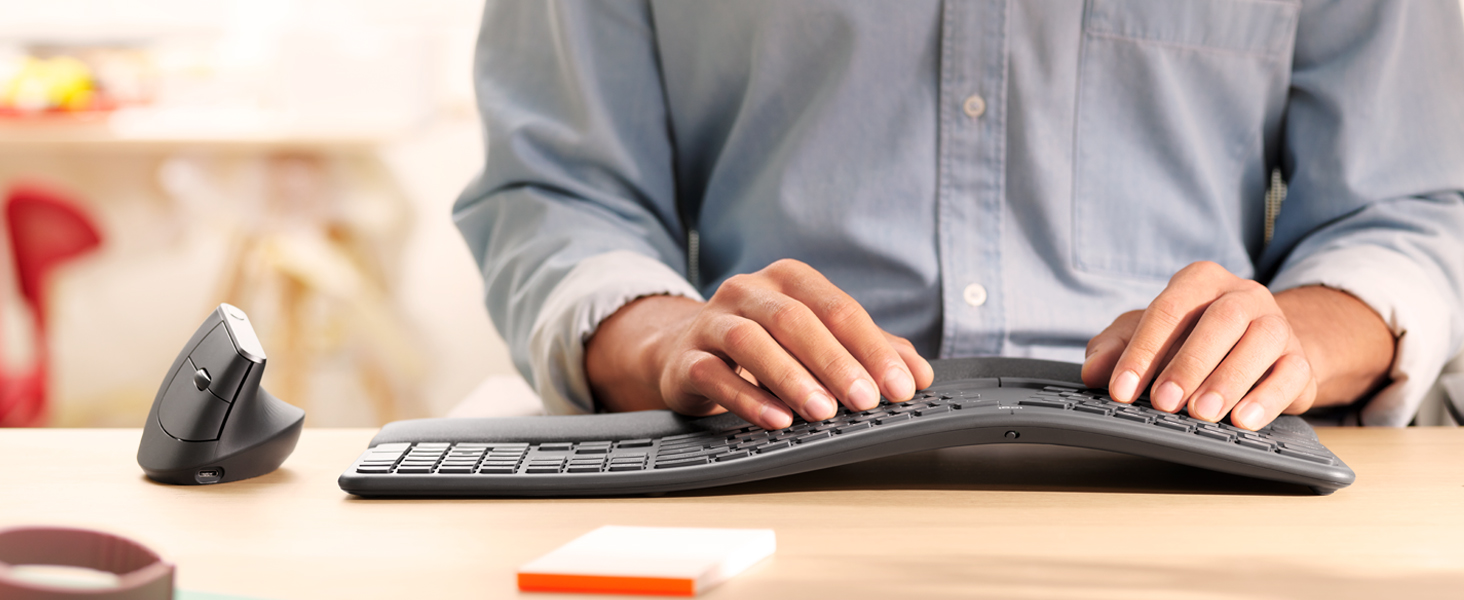
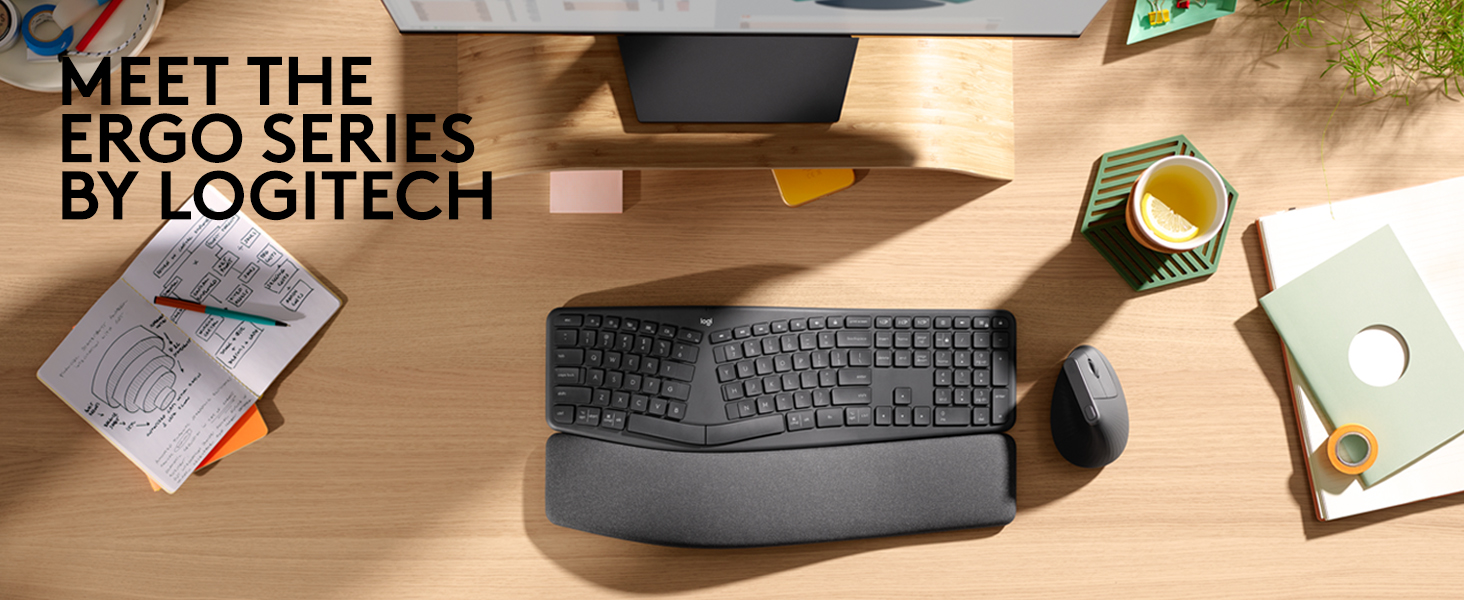
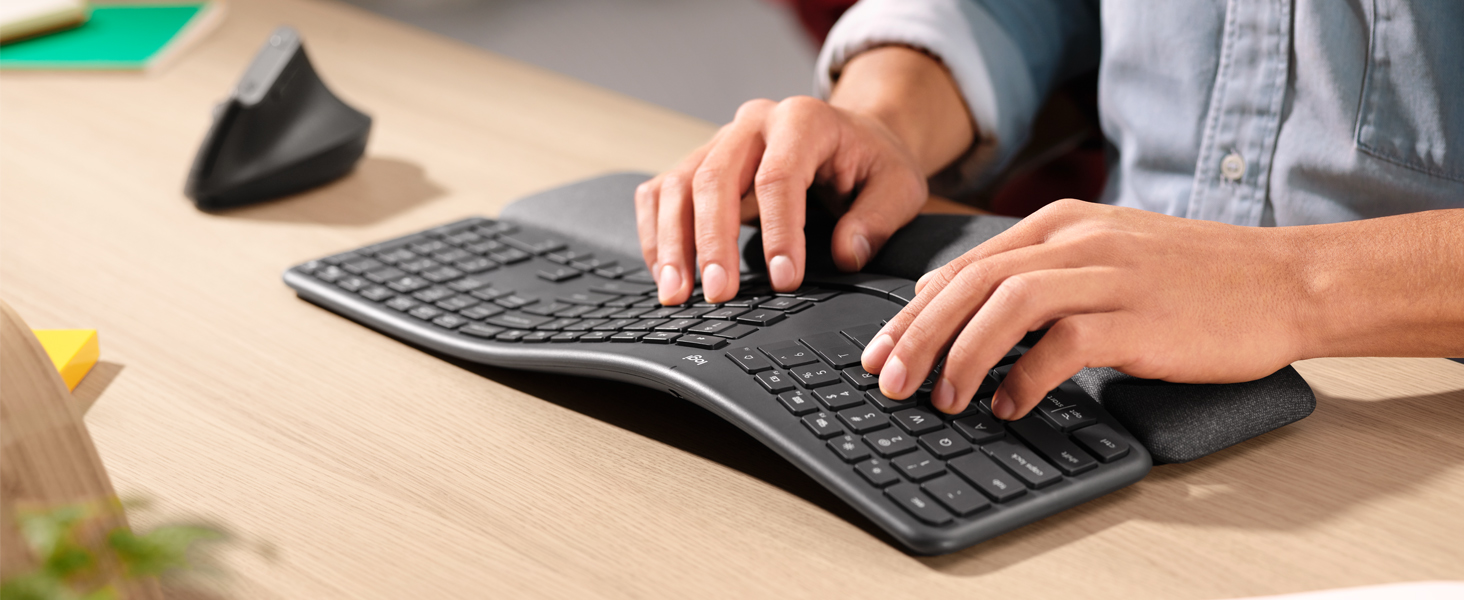
The Logitech ERGO K860 is a premium wireless ergonomic keyboard featuring a curved, split keyframe and a memory foam wrist rest that delivers 54% more wrist support. Designed to reduce muscle strain and improve typing posture, it offers adjustable tilt legs for personalized comfort. Connectivity is versatile with Bluetooth and USB options, supporting up to three devices with easy switching. Crafted with sustainability in mind, it uses 71% recycled plastic and stain-resistant fabric, making it a smart, stylish choice for professionals seeking comfort and productivity.


| ASIN | B07W6JLQCY |
| Antenna Location | Büro, Gaming |
| Best Sellers Rank | 3,654 in Computers & Accessories ( See Top 100 in Computers & Accessories ) 49 in Keyboards (Computers & Accessories) |
| Box Contents | USB Cable |
| Brand | Logitech |
| Brand Name | Logitech |
| Button Quantity | 87 |
| Colour | Grey |
| Compatible Devices | PC |
| Compatible devices | PC |
| Connectivity Technology | Bluetooth, USB |
| Connectivity technology | Bluetooth, USB |
| Country of Origin | China |
| Customer Reviews | 4.4 out of 5 stars 694 Reviews |
| Enclosure Material | Plastic |
| Hand Orientation | Ambidextrous |
| Item Dimensions L x W x H | 45.6L x 23.3W x 4.8H centimetres |
| Item Weight | 1160 Grams |
| Item height | 4.8 centimetres |
| Keyboard Backlighting Color Support | Single Color |
| Keyboard Description | Standalone |
| Keyboard Layout | AZERTY |
| Keyboard description | Standalone |
| Manufacturer | Logitech |
| Model Name | K835 Tkl |
| Model Number | 920-010107 |
| Number of Batteries | 2 |
| Number of Keys | 104 |
| Number of Sections | 1 |
| Power Source | Battery Powered |
| Product Features | Ergonomic, Split Keyset Design |
| Product Warranty | 2 year manufacturer |
| Recommended uses for product | Büro, Gaming |
| Series Number | 920010107 |
| Special feature | Ergonomic, Split Keyset Design |
| Style Name | ERGO K860 |
| Switch Type | Scissor mechanism |
| Theme | Ergonomics |
| Unit Count | 1.00 Count |
| Water Resistance Level | Not Water Resistant |
D**P
What a keyboard!!!
I never thought a keyboard could make such a difference in my daily life until I got my hands on the Logitech ERGO K860. As someone who spends countless hours typing, this ergonomic marvel has been a real game-changer for me. The first thing that struck me was its sleek, modern look. But don't let its good looks fool you – this keyboard means business when it comes to comfort. The split layout felt a bit weird at first, but after a day or two, I found myself typing more naturally than ever before. Let's talk about that wrist rest for a second. It's not just an afterthought – it's an integral part of the design that provides just the right amount of support. And get this: it's covered in a stain-resistant fabric. As someone who's guilty of the occasional coffee spill, this feature is a lifesaver. Now, onto the typing experience. Oh boy, it's smooth! The keys have this satisfying click to them that makes typing feel almost... fun? I know, I never thought I'd say that about a keyboard either. The curved design and adjustable tilt options let me find that perfect position where I can type for hours without feeling like I've run a marathon with my fingers. Connectivity is a breeze too. I've got it hooked up to my work laptop via USB and my personal tablet via Bluetooth. Switching between devices is so easy, I sometimes forget I'm using the same keyboard for both. And don't get me started on the battery life – I've had this thing for months and haven't had to charge it once! Is it perfect? Well, there was a bit of a learning curve at first. My typing speed took a hit for a few days while I got used to the split layout. But once I adapted, my speed was back up and my comfort levels were through the roof. Bottom line: if you're serious about your typing comfort and want a keyboard that looks as good as it feels, the Logitech ERGO K860 is worth every penny. It's not just a keyboard; it's an investment in your daily comfort and productivity. Trust me, your wrists will thank you!
B**S
Best keyboard I've ever had
TLDR: Superb keyboard, 6*. Get the BT receiver out of the packaging! In the last year, I've bought five keyboards. In my 48 years of playing with computers, I must have had dozens of different keyboards. This Logitech K860 is easily the best. Beautifully comfortable to use, the palm rest is really comfortable to use. In the pictures, it looks as if the palm rest can be separated from the keys - in fact, they are all one unit, joined underneath. The ergonomic layout really is natural to use - my son, who hasn't used an ergonomic keyboard before, just sat down and typed on it (winning an online typing-speed competition!). Importantly, Logitech has kept the standard layout of the Insert/Home/PageUp/Delete/End/PageDown keys, and the inverted-T shape of the arrow keys. If you're used to using these keys as a touch-typist - which many programmers will be - then you'll still find the keys in the right location. On many split-keyboard ergonomic layouts, the widened layout of the main keyboard means that the middle-set keys are rearranged. The Logitech designers have done a great job here; the numeric keypad is the same size as on normal keyboards, yet the overall keyboard size is the same as normal keyboards (it's 18" wide, and 91/4" deep, including the wrist-rest). Again unusally for ergonomic keyboards, the keyboard angle can be raised at the front so that it slopes away from you. This is the most natural position for your hands, yet so many keyboards only have raiser-feet at the back. There are in fact two levels of raising you can use - there are two diffent length feet you can choose to extend. The markings on the keys are very clear, seemingly cast into the actual key, and show the Windows and Mac differences. I recently bought a Logitech K850 keyboard (a 3-computer Bluetooth switcher) but the markings on this look like transfers that have been pasted on, and therefore might rub-off in the long-term). The keys have a good feel and distance of travel and are quiet to use. Don't just throw the packaging box away! The keyboard is Bluetooth, and is easy to link to three computers (I have two Windows and one dirty Mac), with three dedicated keys (with a nice LED indicator) to switch machines. But inside the box, stuck separately and easily missed, is a Bluetooth receiver that you can use too. I don't need to use it; there is a neat slot inside the battery compartment where you can store it. Logitech provide a download - "Logitech Options" - that allows you to configure the keyboard, and gives a guided tour. It's worth downloading this, and clicking around to explore. You can program the actions of the back-row keys - for example, set up keys for Cut/Copy/Paste, and you can make these key definitions specific to individual apps. Areas for improvement? There is an LED on the Caps Lock key to show when it's on; however, there isn't one on NumLock, which is a shame. Also, you can't download a PDF manual - you have to click around in the Options program, or hunt around on the web. These are produced to a good standard, but for all technology I still prefer to have PDF that you can scan, bookmark and annotate. In summary: it's expensive - but really outstanding. Worth every penny.
M**C
Great Keyboard, easy to adjust, slightly odd key layout.
Great keyboard, multiple tilt angles, good construction and the keys are nice and tactile. Connecting through the Uni receiver (included) is really nice as well. This was my first ergonomic keyboard, and I am not a strict touch typist (my fingers don't rest in the 'correct' places), but this was a very easy adjustment to make and I've really noticed the difference. Oh, and as I switch between Mac and Windows, the dual key markings are lovely! Not all is perfect though: things like the menu key, normally to the right of the spacebar somewhere is above the numpad.; I didn't find it for a week or so! Also, the split spacebar is a little strange. Biggest gripe, and what concerned me prior to purchase is the 10-Key numpad: I use it all the time, but didn't want it fixed as it makes the keyboard much wider and doesn't help with ergonomic positioning of a mouse. The Microsoft Ergo line has a separate numpad, but doesn't feel as nice as this (I returned it in favour of the K860). Finally, would be nice if it was rechargable/connectable via usb-c rather than just 2*AAA batteries and a wireless connection - not fussed about battery life if it can be charged, and without the backlight, it should be able to last a while with an internal battery! Some nice final touches though are the ability to toggle the Fn keys between Fn# and 'smart keys' (vol up/down, play/pause, etc.), and the easy switch between multiple computers. Over all, really good product that misses a few beats to make it great.
E**M
I love it
It's great! a game changer in my wrists pain. Keys responds alright and are not so noisy like mechanical keyboards. Very easy to use across devices and the Fn keys are great shortcuts. The quality is good, it's very light but solid.
A**E
Nice Ergo keyboard
I found it a bit awkward to use so returned it. But have never used a ergo keyboard. But if Ergo is your thing it is very well made and connects very well.
L**Y
Excellent Keyboard
I bought this, probably like many others, after suffering an onset of keyboard+mouse related RSI. As a tech worker I'm no stranger to RSI, in fact I use several techniques to avoid it, such as using an ambidextrous mouse and regularly switching hands. I was using a good quality mechanical keyboard (Ducky One Two) before I switched to this, so wasn't sure how good it would be in comparison. First impressions were good - the whole unit is nicely curved and solid, but not overly heavy. The fabric-like material on the wrist rest is comfortable and stays cool during long periods of use. It did take a small while for me to get used to the flatter keys after using the Ducky, but now that I am, I can type quickly and accurately on it. The wrist rest holds your wrists quite high, which can feel odd at first, but it quickly becomes comfortable. The angle it holds your wrists at is far better than standard straight keyboards. I'm writing this review on a laptop and can already feel my wrists missing the better position of the logitech. It stops the slight 'bending inwards' that your wrists do without realising, and lets your wrists, arms, and elbows relax more. It pairs quickly to the logtech receivers with an encrypted connection, and I can easily share it between 2 computers by tapping the '1' or '2' device keys to switch between them. The lack of wires means I can just lift it to my other desk and carry on typing. Overall, I'd highly recommend this even (especially!) if you aren't suffering from RSI right now. In my experience, RSI creeps up over weeks/months, and then takes weeks/months to go away. So taking steps to stop it early by investing in a keyboard like this can only be a good thing.
D**S
dongle was missing
great keyboard- I have 2, howver upon purchasing this one dongle was missing from the battery compartment rendering it useless until a replacement is bought. An additional 14.00 was spent to rectify the missing part
W**6
Really comfortable, responsive keyboard
I've been using this for a month and find it really easy to type on, the keys have minimal travel and the response is excellent. The wrist rest is comfortable and the angle is spot on, for me. The keyboard can be linked up to three different machines via Bluetooth, so you don't need to mess with multiple keyboards on your desktop or plugging wires into different USBs. The markings on the 'control' keys cover both PC and Mac so it can be used with either OS. My only criticism is that I have a tendency to hit the Print Screen key instead of Backspace, as they are close together but it's something I'll get used to in time, I guess.
Trustpilot
1 week ago
2 months ago