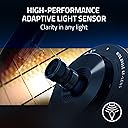
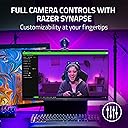
🚀 Elevate your stream game with pro-grade clarity and lighting mastery!
The Razer Kiyo Pro is a USB webcam designed for professional streaming and video conferencing, featuring a high-performance adaptive light sensor, uncompressed 1080p video at 60 FPS, HDR support, and a 103-degree wide-angle lens. Compatible with popular streaming software like OBS and XSplit, it delivers crisp, vibrant video in any lighting condition, making it a top choice for content creators and remote professionals.


| ASIN | B08PKBZ428 |
| Antenna Location | professional use of streaming, video conferencing and content creation |
| Are Batteries Included | No |
| Best Sellers Rank | #20,087 in Computers ( See Top 100 in Computers ) #114 in Webcams |
| Brand | Razer |
| Built-In Media | Razer Kiyo Pro |
| Camcorder Type | Webcam |
| Color | Black |
| Compatible Devices | Laptop, Personal Computer, Smartphone, Tablet |
| Connectivity Technology | USB |
| Customer Reviews | 4.2 out of 5 stars 2,471 Reviews |
| Digital Zoom | 7 x |
| Display Resolution Maximum | FHD |
| Effective Still Resolution | 2.1 MP |
| Effective Video Resolution | 1080 Pixels |
| Exposure Control Type | Automatic |
| Features | Lightweight |
| File Format | MP4 |
| Flash Memory Bus Interface Type | USB |
| Flash Memory Speed Class | C90 |
| Flash Memory Type | Internal flash memory |
| Flash Memory UHS Speed Class | U3 |
| Flash Memory Video Speed Class | V90 |
| Flash memory type | Internal flash memory |
| Focus Type | Auto Focus |
| Form Factor | Handheld |
| Global Trade Identification Number | 08886419377146 |
| Has Image Stabilization | No |
| Image Aspect Ratio | 16:9 |
| Image Capture Speed | 60 fps |
| Image stabilization | Dynamic |
| Item Dimensions D x W x H | 6D x 6W x 10H centimeters |
| Item Weight | 350 Grams |
| Lens Type | Wide Angle |
| Log Gamma Curve | Log Gamma Curve |
| Manufacturer | Razer |
| Maximum Aperture | 2 f |
| Maximum Focal Length | 1 |
| Maximum aperture | 2 f |
| Maximum focal length | 1 |
| Minimum Aperture | 1.7 f |
| Minimum Focal Length | 1 Millimeters |
| Model Name | RZ19-03640100-R3M1 |
| Model Number | RZ19-03640100-R3M1 |
| Number of Batteries | 1 A batteries required. |
| Operating System | Windows |
| Optical Zoom | 1 x |
| Photo Sensor Size | 1/2.8-inch |
| Photo sensor technology | CMOS |
| Screen Size | 2.2 Inches |
| Sensor Type | CMOS |
| Shooting Modes | Auto, Manual, HDR, Full HD 1080p at 60 FPS, Fixed Focal Length |
| Style Name | Kiyo Pro |
| Supported Audio Format | 16 Bit, 48 kHz |
| Supported Image Format | JPEG |
| Unit Count | 1 Count |
| Video Capture Format | MP4 |
| Video Resolution | 1080p |
| Video capture resolution | 1080p |
| Viewing Angle | 103 Degrees |
| Warranty Description | 1 year manufacturer |
| Water Resistance Level | Not Water Resistant |
| White Balance Settings | Auto |
| Wireless Compability | Bluetooth |
| Zoom | Digital |
S**M
Just Wow!
Previously had the Razer Kiyo (non PRO version) and I must say that this big brother is a beast. The actual look is just so amazing and the performance was a total upgrade from the previous gen. I definitely recommend this product.
A**Y
low quality
They sent me a non-working camera.
R**N
Disconnects after 20 mins
Check out the forums and threads with thousands complaining about the disconnection issue. The cam is extraordinary but the disconnection is a pain. I have tried updating it to the latest firmware, connecting it to different ports and even trying different systems but the issue is still the same. Razer, please fix this.
D**.
Ottima, specialmente in condizioni di bassa luminosità, ideale per head ed eye tracking
Come da titolo, una delle caratteristiche che differenzia la Kiyo Pro dalla versione "normale" è il sensore di luminosità adattivo, che insieme alle restanti caratteristiche della webcam, permettono ottime prestazioni anche in condizioni di scarsa luminosità. Nel mio caso, cercavo prima di tutto una webcam di qualità, ma anche un prodotto che quando non usato per il suo scopo principale, potesse funzionare bene anche per head ed eye tracking in giochi e simulatori. Una cosa che almeno sulla carta si può fare con qualsiasi webcam quantomeno decente, ma che diventa più difficile se lo si vuole fare con poca luce (condizione abituale di molte postazioni PC e in cui l'head tracking con sistemi IR resta il favorito). Non a caso, con una diversa webcam il tutto funzionava, ma solo a luci accese. I miei requisiti erano quindi di avere un prodotto che tanto per video quanto per tracking funzionasse bene con poca luce nella stanza e che allo stesso tempo mi permettesse di fare il tracking senza dover indossare clip/ricevitori e affini (come nei sistemi IR) e senza spendere i soldi di un Tobii (che costa ma probabilmente rimane il top a oggi). Posso dire tranquillamente che la Kiyo Pro ha soddisfatto tutti i miei requisiti: posso fare filmati e tracking senza dover accendere la luce della stanza e senza avere luci/lampade puntate in faccia. Ovviamente tutto il resto va di conseguenza, la webcam lavora a un massimo di 1080p @60 frame per secondo, si fissa bene sul bordo superiore del monitor (anche di quelli curvi) ha un led che indica quando viene utilizzata ma in dotazione viene dato anche un tappo per avere garanzia di privacy, ha 3 possibili settaggi per il FOV e tante altre cose interessanti. Queste però sono tutte cose che si trovano nella scheda tecnica, motivo per cui ho preferito basare la recensione su elementi più "pratici". p.s. il prezzo al momento dell'acquisto e della recensione (per prodotto venduto da Amazon) si aggira intorno ai 130€, che non è niente male considerando che di listino costerebbe 209,99 (idem se acquistata su shop ufficiale Razer).
R**S
Taylor Swift / 20
Logiciel facile à prendre en main, hyper quali, rapport qualité prix le meilleur du marché (j'en ai test des cams a 400 balles qui arrive pas a la cheville de celle la). Honnetement je pense ne pas avoir besoin de faire sa pub vu les gens qui m'en ont parlé, je ne regrette pas mon achat du tout c'est simple j'ai rien a dire de mal dessus (je suis pas parisien mais c'est rare que je rale pas sur qqch). Même sans eclairage on me voit j'ai l'impression d'etre une star Hollywoodienne en vacances a Dunkerque.
K**L
Good camera but use a different USB cable.
It' has good video quality and I'm glad I got it but the stiffness of the cable that comes with it means it can be a pain to manoeuvre into place and adjust the angle. Its a nice USB cable that came with it but I'd recommend swapping it out for something not stiff. I like the cover it comes with for privacy and it sits comfortably on my ultrawide Alienware monitor with its fold out stand although it's not a small webcam so bare that in mind. It can be adjusted side to side and up and down (subject to the cable issue). I've used it for Teams, Zoom, Skype, all seemed to work ok. I've not really used the microphone much but it seems ok for what it is, I prefer a headset.
S**N
Proffsig webbkamera
Proffsig webbkamera, rätt stor så inget att flytta mellan olika ställen. Men fantastisk skärpa och ljus. Bra med lock.
Trustpilot
1 month ago
4 days ago