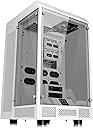
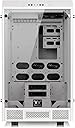
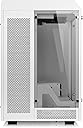
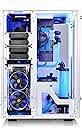
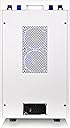
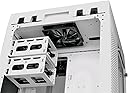
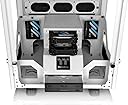
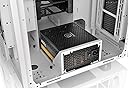
❄️ Elevate Your Esports Rig with Thermaltake’s Tower 900 – Where Innovation Meets Ice-Cold Performance!
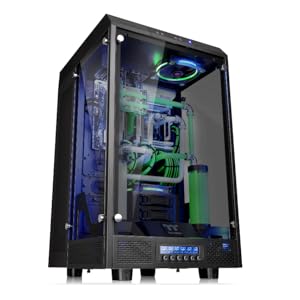
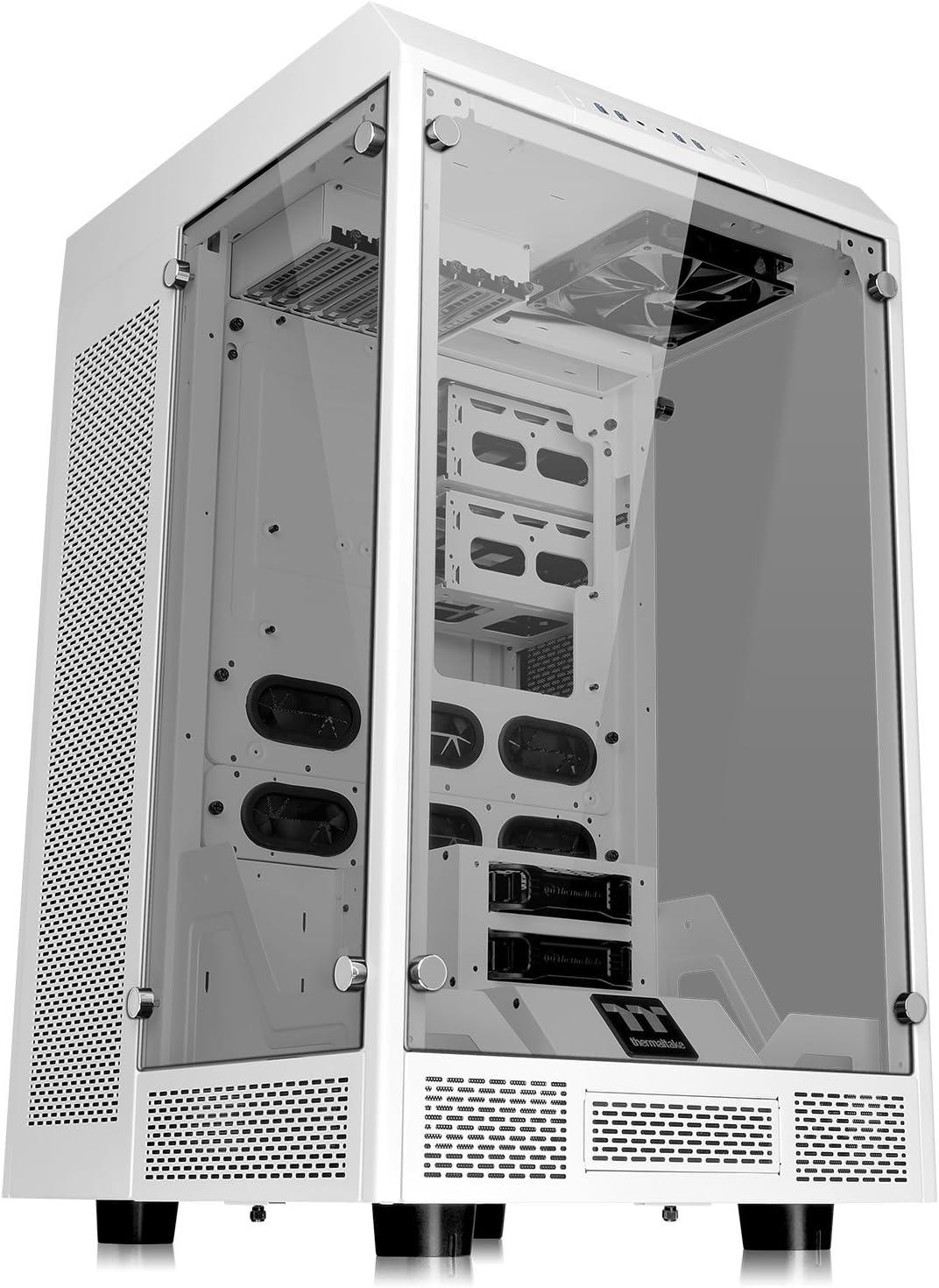
The Thermaltake Tower 900 Snow Edition is a fully modular, E-ATX vertical super tower chassis designed for enthusiasts and esports pros. Featuring three 5mm thick tempered glass panels, vertical GPU mounting to prevent sag, and support for dual 560mm radiators, it offers unparalleled cooling and display capabilities. Its spacious interior and premium build quality make it ideal for massive custom water cooling loops and high-end hardware setups, backed by a 3-year warranty and excellence in technical support.


| ASIN | B01MTOVX8D |
| Antenna Location | Hogar / Oficina |
| Best Sellers Rank | #71 in Computer Cases |
| Brand | Thermaltake |
| Built-In Media | computer case, parts, tempered glass |
| Case Type | Full Tower |
| Color | Snow |
| Compatible Devices | Personal Computer, cpu, motherboard |
| Cooling Method | Water |
| Customer Reviews | 4.6 out of 5 stars 951 Reviews |
| Enclosure Material | Tempered Glass |
| Fan Size | 120 Millimeters |
| Global Trade Identification Number | 00841163065839, 04717964406026 |
| Hard Disk Form Factor | 3.5 Inches |
| Internal Bays Quantity | 6 |
| Item Dimensions D x W x H | 21.7"D x 32"W x 20"H |
| Item Type Name | TOWER 900 Snow Edition Tempered Glass Fully Modular E-ATX Full Tower Super Gaming Computer Case |
| Item Weight | 54 Pounds |
| Manufacturer | Thermaltake USA Direct |
| Material | Tempered Glass |
| Mfr Part Number | CA-1H1-00F6WN-00 |
| Model Name | The Tower 900 Snow Edition |
| Model Number | CA-1H1-00F6WN-00 |
| Motherboard Compatability | Extended ATX |
| Number of Fans | 16 |
| Other Special Features of the Product | LED Indicators |
| Power Supply Maximum Output | 1000 Watts |
| Power Supply Mounting Type | Bottom Mount |
| Recommended Uses For Product | Hogar / Oficina |
| Supported Motherboard | Extended ATX |
| Total Expansion Slots Quantity | 7 |
| Total USB 2.0 Ports | 2 |
| Total USB 3.0 Ports | 2 |
| Total Usb Ports | 4 |
| UPC | 841163065839 |
| Unit Count | 1.0 Count |
| Warranty Description | 3 years |
S**E
An amazing case for the right person
The Tower 900 is a very unique case that is really not designed for everyone. If you are not planning a water-cooling setup (best with a dual loop configuration), do not bother. Its air cooling is not bad, but there are other cases that will do that much better. If you are considering a single loop and do not require many physical drives, I would suggest the Thermaltake Core P5; another stunning case designed for a showcase system. The Core P5 and Tower 900 are display cases. Keep that in mind. Cons: I’ll start here as most people want to know the headaches. There are very few. • They ship directly from Thermaltake with no outer box, save the display packing. Mine had obvious damage to the box, including a big hole where something definitely went through it. Carefully, inspect the box before you accept it. That being said, to spite the box damage, the case was not damaged, packed between 2 large styrofoam protectors and weighed about 61 lbs. • The case screws should be better machined. I found that their thumb-screws required a screwdriver and I was under a constant concern of cross-threading them. Also, not all of the thumb-screws are the same; but similar enough to confuse them at a glance. • I really do not like the top cover. It is plastic, where the rest of the system is metal. It uses force-fit pegs to hold in place; I wish it had a catch mechanism instead. It is difficult to remove and replace. • You will, most likely, need longer cables for your peripherals, inside and out. Think ahead of where you will display your case and realize that all of the inputs are on the top. I needed about $70 of new cabling for the outside (my 3rd monitor is a very long run). I need to redo my inner works because the standard cables are stretched to their limits. Thermaktake included 2 short USB extension cables, I think about 1 foot long, which they describe are for your mouse and keyboard. • It’s HUGE(and I love that!)! It took me a while to find a pedestal to display it on. Its dimensions are 17x19; however, the feet are set in a bit and it could sit on a smaller platform if you don’t mind the overhang • I had a minor/insignificant defect in that one of the glass retaining screws, which as a result, goes in at an angle. Because this would require a new case to fix and is hardly noticeable, I can forgive this; however, for a $250 case, they should have inspected this more closely. • The back panel screws are short and very stiff. They are retained in the panel when you remove them (I like that). You must unplug the power to remove it. Again, I wish this had a spring loaded catch, like the side panels do. I think the screws will wear out rather quickly. That is it. I have a few wishes; but these are not complaints. I wish the doors were also articulated, another external drive bay would have been nice. Perhaps some fan mounts on the bottom to increase intake. It comes with only 2x140mm fans (installed in the top). I wish it included another hard drive bay and the other 2 SSD trays (Yeah, I’m a data hoarder) Pros: • This is huge and everything comes apart. This is the first case where I had no issues squeezing my huge hands (XXXL) into the case. Wiring was a dream. If I felt cramped, I simply, disassembled the area of the case I was working on (easy because of the thumb-screws) and did what I needed. It is very modular. I am hoping to score an extra drive cage and 2 more SSD mounts. I’ll try to update this review with a report on how easily this was achieved. • This is a big case (am I saying that enough?). You can cram a lot into it and still look spacious; which is different from the P5 and why I chose this. I am not custom water-cooled yet, so I have 2 huge holes in my setup. But at a glance, it is clear that there is significantly more space in the cooling reservoir areas than is needed. This means loads of space for weird cool moding ideas. Currently, I’ve had to slim down my storage to 6x3.5 hard drives (internal: 4 in the back and 2 in the front), 1x3.5 Blu-Ray (yeah, I still use one a lot... there were 2 in my last build), and 2x 2.5 SSD. Stock, I can see mountings for 2 more 2.5 drives. Eventually, I’ll put the 2 Blu-Ray and hot-swappable drive bay in an external ESATA tower near my chair. • It is important to mention that factory sealed water-coolers may have fit issues. I fit my Corsair H80i without an issue; however, larger ones will (like the H100) not fit. It comes assembled, with various extra parts and all screws needed for a complete install. All extra parts are bagged separately (4 bags: the manuals, general hardware, extra case items and standoffs, and Zip-ties and USB Extension Cables) and stuffed into the drive bays. The 3.5 drive bays are fitted with tool-less drive caddies that work rather well (the side tabs pull off and snap back in to retain the drive). It also has an additional radiator cage, if you want to remove the drive bay and use 2x480 radiators. It comes with 2x2.5 drive trays that mount in the front of the case, either on the back wall, or the sides of the center consol. There are tons of pre-drilled holes for reconfiguring the case to your needs. All of the metal is painted with a durable paint (mine is black, the faster color), and has finished edges; so no cut fingers on raw sheet metal. This case is beautiful! Pictures and videos cannot show you how nice this looks. The tinting is very dark. With no lights on, I can barely see my components. When I start illuminating, the tinting helps keep the bland areas of the case shaded, while the lighted components seem to pop out. This is literally a showcase for your gear. I consider this as a wonderful canvas for a functional piece of art, rather than a box to contain My Precious. I think this is an amazing case that I would only recommend to people that love their computer enough to spend un-Godly amounts money on it and want a case that can show off their cherished baby (yes you can fit a few babies into this... probably about 8). Its aesthetics will really show off your gear without dominating the system’s look. I’ve seen some mods where the case is so outrageous that the system was superfluous; not true here. Its beauty is only dwarfed by its functionality. This is not just a pretty box; its design had function in mind.
I**R
A very large case with lots of space for a custom water loop and many drives
I bought this case to use with the Asus ROG Maximus Extreme motherboard, an I9-13900K processor, and a 3090TI GPU. I got an ASUS ROG Strix LC II 360 ARGB AIO for the CPU cooler, and have an additional 7 RGB fans in the case. So far, I have only put two HDD’s, although the case will fit many more, possibly while using less fans. The case is quite large, and is way bigger than most will need for a system that does not have a custom cooling loop. I wanted to have the option to add on in the future; hence my purchase. The airflow is good, with a vent on the bottom under the PS, and two smaller vents in the front, one smaller one on each side. This is in addition to the large ones in the back part of each side, and a large vent in the back. I replaced the top two included fans with fans that match the RGB TT fans that I used on the back of the side panels. I believe that there are sufficient fan locations to move a lot of air in this case. I have not had any heat issues; however, I do not tax this machine much as of yet. The case comes with a lot of hardware to put multiple drives in the back of the side panels, as well as the two slots above the PS. There is a quite large compartment in the back of the case for all of the wires for routing. I wish that there were more tie off points, as those seemed somewhat lacking. The case is somewhat unusual as, due to the design, the external connections to the motherboard are all on the top of the case. These are then routed to the back of the top of the case, and are covered by a plastic cover. It makes things neat, and necessitates a vertical GPU mount. There is plenty of clearance for the cables, and I like the overall design. This design may cause some cable routing issues in the case, and could cause some of the graphics on the motherboard to not be in the proper orientation. The case is well built, and solid with thick tempered glass front and side pieces. It is quite heavy. The panels can mostly be removed without tools, and are well thought out. The front interface panel is nice and well situated. Overall, this is a great case, heavy, well built, roomy, and looks great. It would mainly be used by someone who wants a lot of room inside for whatever reason. If you have the room, need space for a lot of drives, and do not need portability, then this case will work for you also.
K**.
AWESOME BEAT!!!! and BIG!!!! (I mean big. If you don't want a giant case ... don't buy)
This computer case is absolutely the beast of all beasts!!!! It is BIG though. When I say big, you could buy two of these suckers and use them as stands for your desk. They are that tall and rugged. There is almost nothing to not love about this case. It has plenty of breathing room. You can make it a water cooled case or fan cooled case. You just have to know how your fans works and create a vacuum effect for max cooling. I have man fan cooled at the moment but will eventually turn it into water cooled. I have 14 fans installed all RGB color coded. You can customize it so much. I made it so I was able to install fans right beneath the motherboard shooting up from the bottom to the top of the case. My two fans at the top push the air up and out. I have perfected a loop of air to maximize flow. This case is so tall I have fit a 420 AIO coolor for my CPU vertical. :) The motherboard sits vertical as well allowing no GPU sag!!! FTW!!! :) :) :) I have 12 Hard drives installed too and still room for expansion. I love the openness of the case and the customizable parts of it. Plenty of extra accessories to build the inside of the case as you want. The glass and case are solid and very high quality. One of the coolest parts of this case is the whole top easily pops off giving excess to the motherboard. There you can install of your USB cables, etc, and send them out the back of the case. The lid then snaps into place hiding all the cables. If you have the room and an awesome case that will last a lifetime and that you can customize and change up the look over the years. This is it!!!!
G**2
It huge and heavy so get ready
This case is huge and when I say huge I think that's an understatement, I mean my wife woke me up out of my sleep and said "baby your going to have to come get your big box out the driveway" I thought she was playing but when I got outside this thing was so massive! Go to down to pick it up and whoa they say it's like 50 pounds..... This thing feels like 70 pounds with nothing in it! Over all the case it nice, I did my own custom water looping for the first time ever and streamed it on twitch.tv/geefamous92. I love how much room you have in this case to do anything you like. So here's my pros and cons about the case that I've seen. Pros: It's huge! Lots of space for anything you may need to put in it Lots of spots for fans Has tampered glass Magnetized dust covers Can remove the topgood air flow Has 4 USB 3.0 at top (but has 2 connectors and my Mobo only has one so only 2 works) Feels good qulltiy Cons: Not enough thing in the back to cable management That thing I said with the 4 USB 3.0 has 2 connectors that goes to your mobo Fans are cheap Really no other place to mount HDD Have to take all sides off just to take top off Back has fans so if you have short cables it's going to be a pain go take off Buttons feels cheap at front The weight. I have nothing really bad to say about the case other then that stuff, like I said if your going to buy the case make sure you have some room for it. It take up a lot of room and the night is about 30 inchs give or take. I do have that it doesn't come with wheels so you can roll it around instead of having to pick it up. It is what it is (say if with me) well that's about it, I'll give some pictures and videos to look at.
W**U
Amazing case for water cooling, but mixed build quality and so-so functionality of some components
This case is has amazing open view space that is bigger than most small refrigerators. It won’t fit under fit under most desks. It has an incredible amount of space to allow you to over design and go overboard with many things. E-ATX motherboard? check. Two quad radiators? Check. where is loses a star, however, is a couple of areas. As other reviewers have noted, the build quality is mixed, and as others have noted, in particular, the screw hole threads are not well machinesI and it always seems like the screws don’t go in or out right of many holes correctly. I also put a Thermaltake F6 fan commander into the front exposed bay, but it won’t sit flush because the front lower fascia isn’t completely flat. Although this case has a ton of magnetic filters built into it, there are still some large openings in the floor of the case that will likely serve as the de facto intakes of air into the case, completely bypassing all of the built-in filters. There’s also two large side brackets in the front compartment that partially obstruct the otherwise clean view from the sides of the case. They are removable, but doing so leaves a large bottom opening between the front and back channels. It would have been better to include more removable plates with bulkhead openings, instead of the useless side brackets. Despite these issues, the case still still great, just not a 5 star case. Someone with some with more critical design and user experience skills could have made this into a 5 star case, but maybe they are among that for then 2nd generation of the case.
C**J
Well built case for custom loops
This is a very large computer case. It is about the size of my 2.7 cubic feet mini fridge. If you are planning on using strictly air cooling, find a different case. This is not meant for strict air cooling, as it only has room for 2 fans in the front compartment of the case. The case itself is well built, with no sharp edges to cut you like you can find on cheap cases. The tempered glass is thick and well made, with a slight tint on it. If you want to be able to see your build in the dark, you will definitely need some LEDs inside the case (but it's 2017 so you should already have RGB) I love the way the case is split into 2 sections, one for the build and then another for cooling and wiring. I had no problem installing 2 480mm rads into the back of the case, and still had room for a 240 on the back panel itself. If you are building with hardline tubing, I recommend using adapters to change to soft tubing for the back section for a couple reasons. One, you might have a hard time finding tubing long enough to go from one part to the back. Two, It would be difficult to bend the tube without putting it through one of the gromets in the case. I wish the left and right side of the case where the motherboard sits had more holes for cable management. There are only one on each side, and it makes the cables look a little awkward when they have to angle themselves towards one of the holes. This is easily fixable with a dremel, but slightly annoying that this wasn't thought of beforehand. One thing you have to think of is that all of your connections will be at the top middle of the case. You will need long cables or extensions if you want to hide your cables and do a good job of cable management. The cables for the front panel connectors (namely the usb 3.0 header) are just barely long enough to reach the connector on my motherboard (x99 sabertooth). All in all this is an excellent case, and if you plan on doing custom water-cooling and have the physical room for it, this should be on your short-list of options.
F**N
You need something to match those racks AND has room to breath ?
This case is an overkill for most people but it does fit right in if you have server rack enclosures with glass doors. It does have upgrade options/space even if you don't want to go down the water cooling path. I do not regret buying it at all, I just hated paying for it, but I'd do it again if I needed another large case I do it again. YOU DO get your money's worth and mine has ZERO ISSUES in quality design (**less the seemingly out of place plastic top/cover). Case has lots of room, easy to fit things in, is easily accessible front sides and rear. Take your time with the cable management and do it properly it WILL look awesome. I'm not one for many circus / carnival lights, I like LCDs and status lights with purpose more than light shows but this case does and will showcase a graphics card/items and chipset lighting. I really didn't pay attention to or see much of it my other cases. The tempered glass is beautiful and it arrived in shockingly pristine condition. Glass feels like quality glass and is rounded, the retainers knobs are made really well and have rubber bushings to protect glass. ** HAND TIGHTEN ONLY enough to secure the glass and you will have long lasting bushings and never have to worry about cracking your glass due to overzealous tightening I'm getting away from mechanical drives bit by bit as I can afford it but there is lots of space for 3.5 drives / caddies. Even with a video card and a Ryzen 5800 with big honking heat pipe and fan case dampens sound quite well making it quieter than my Cisco 48 port switch. If you need to stuff some card supports in there for these RTX 3/4/7/8 series bricks you have room to work with so it won't rip your PCIE slots out when using those cards (IF ONE CAN AFFORD THEM ,wait for the extortionists to exit the scalping play ground, especially when the cards cost more than or come close to an entire build. ) Cable management is very gracious and easy to manage, if you go overboard you have places you can either zip-tie or bread-wrapper wire twist things down My only cons: ** I don't like the fact that the top cover is plastic. You have to watch your wiring routing and anchorage locations else you may have some pinch point in your cabling, especially routing it out the back/rear of the case, don't let the "handle well" deceive you into thinking it's and open path/exit for wires. Take care to watch what you are doing, you'll get long lasting case and wires if you respect it and know about that point, I caught it before real damage happened. - I want to save overs a potential worse experience bu calling that out. The pegs on the top /lid are plastic too, make sure not to block paths and holes with your wires you'll be lined up for wire retention peg/cover damage without immediate realization - I got lucky. I'm not a fan of angled USB connectors on front, would like something more recessed or flush, while convenient , I've seen too many disasters with snapped-off USB A ports. I'm cautious making sure it has good clearance and away from things. Side perk / tip - go do recommendation :) ► For tile / hardwood flooring.... An addition that I did fairly quickly was adding casters to the case. I sized the holes and depth in case went to Lowe's and bought casters to make moving the large beast around for work or relocation with ease. Casters only raised top of case to about 34", 4 inches higher than desk so it makes excellent left-side table of a sort for documents I'm working with. - Don't stack anything more than a few pounds on top of case, heat rises and the case does breath nicely but also remember it's plastic and subject to warping with heat and pressure even with the good construction molded frame on it. ☼ For carpet floors vs casters - think 4" carpet slider triangles for carpet use , they will move big furniture ♦ House keeping after thoughts.... I'd be proactive and get a nice computer keyboard duster and start work every now and dusting the top of the case so you won't have to work hard later and get into the tiny 1/4" vents in top.
S**E
Big Black and Beautiful Super Case.
It is big so it helps keep the computer cool. I love the glass case with all my aura lights on the computer parts. It is too big to carry somewhere normally like to the car but it is big enough to keep it cool. I like the fan design because it makes most of the fan noise go out the back so it is not so loud in the front so it is quieter. I like the pop out fan covers that filter the air well. I had my ASUS computer built Dec. 2020. Right out of the box it scored 8835 on the stress test while set on auto AI overclocking. The AI overclocking sets the CPU at 4.8 gigs but I like it faster. Right now my computer clocks at up to 5.223 gigs on the Intel 10 core cpu and 2080 mhz on the 1660 SO video card with the ASUS INTEL Extreme Tuning Utility and ASUS Tweak3. I could unlock the CPU and go higher than 5.2 gigs or more if I wanted to. I like my computer set with the CPU at 5.023 gigs and the video card set at 1904 mhz. The AI cranks the video card automatically up to 1980mhz or 2020 mhz typically. The higher the cpu setting the higher the AI overclocks the video card. I get 125 fps to 250 fps typically on max settings playing Star Craft2 at 1600 pixels in 3D. That is really good for a computer with only a 850 power supply and an ASUS Super Overclock GTX 1660 video card. My computer parts are as follows. 850 watt gold power supply Thermaltake Tower 900 Black Edition Tempered Glass Fully Modular E-ATX Vertical Super Tower Computer Chassis ASUS ROG Maximus XII Hero Z490 (WiFi 6) LGA 1200 (Intel 10th Gen) ATX Gaming Motherboard, 14+2 Power Stages, DDR4 4800+, 5Gbps LAN, Intel LAN Intel Core i9-10850K Desktop Processor 10 Cores up to 5.2 GHz Unlocked LGA1200 (Intel 400 Series chipset) 125W. ROG Strix LC 360 RGB all-in-one liquid CPU cooler with Aura Sync, and triple ROG 120mm addressable RGB radiator fans. ASUS ROG Strix GeForce GTX 1660 Super Advanced 6GB Edition GDDR6 HDMI 2.0 DP 1.4 Gaming Graphics Card Corsair VENGEANCE RGB PRO 64GB (4x16GB) DDR4 3600 Western Digital 4TB WD Black Performance Internal Hard Drive HDD - 7200 RPM, SATA 6 Gb/s, 256 MB Cache, 3.5" - WD4005FZBX Sabrent 1TB TLC Gen. 4 NVMe SSD CORSAIR K70 LUX RGB RAPIDFIRE Mechanical Gaming Keyboard Logitech G403 Hero 25K Gaming Mouse, Lightsync RGB Logitech G440 Hard Gaming Mouse Pad for High DPI Gaming Dell U3011 30 inch 1600 pixel monitor. Logitech Z-2300 THX-Certified 2.1 Speaker System with Subwoofer Logitech Z906 5.1 surround sound. Oppo 203 bluray player/hdmi upconverter and processor. Onkyo TXRZ-820 reciever. Bic Acoustec 5.1 surround sound speakers. 6 BIG Delta fans: Delta Electronics AFB1212GHE-CF00 120x120x 38mm Cooling Fan, 240.96 CFM, 5200 RPM, 62 dBA, 2.45A (max 3.24A), 27.48 air pre., 3+4-pin power & TAC connector Lamptron FC2 Fan Speed Controller 45W x 6 Channel Black SilverStone Technology SST-FF143B-3Pk 140mm Ultra Fine Fan Filter with Magnet Cooling, Compatible with Most 140mm Fans or Vents Noctua NA-SAVP1 chromax.Black, Anti-Vibration Pads for 120/140mm Noctua Fans (16-Pack, Black 6 pack of 120mm black finger grills with 24 fan screws ThreeBulls 5 Pack 4-Pin PWM Fan Splitter Cable, Sleeved Braided Adapter Computer PC Fan Power Extension Cable Converter for Computer ATX Case 4-Pin/3-Pin Cooling Fan Cable (10.6") 16 NA-AV3 silicone anti-vibration mounts for up to 4 fans HyperX Wrist Rest 8K HDMI 2.1 Cable 15Ft,Ultra High Speed 48Gbps 8K@60Hz Cat 8 Ethernet Cable 15 ft, 26AWG Nylon Braided High Speed Heavy Duty Cat8 Network LAN Patch Cord, 40Gbps 2000Mhz SFTP RJ45 Flat Cable Shielded I had my ASUS computer built Dec. 2020. Right out of the box it scored 8835 on the stress test while set on auto AI overclocking. The AI overclocking sets the CPU at 4.8 gigs but I like it faster. Right now my computer clocks at up to 5.223 gigs on the Intel 10 core cpu and 2080 mhz on the 1660 SO video card with the ASUS INTEL Extreme Tuning Utility and ASUS Tweak3. I could unlock the CPU and go higher than 5.2 gigs or more if I wanted to. I like my computer set with the CPU at 5.023 gigs and the video card set at 1904 mhz. The AI cranks the video card automatically up to 1980mhz or 2020 mhz typically. The higher the cpu setting the higher the AI overclocks the video card. I get 125 fps to 250 fps typically on max settings playing Star Craft2 at 1600 pixels in 3D. That is really good for a computer with only a 850 power supply and an ASUS Super Overclock GTX 1660 video card. My computer parts are as follows. 850 watt gold power supply Thermaltake Tower 900 Black Edition Tempered Glass Fully Modular E-ATX Vertical Super Tower Computer Chassis ASUS ROG Maximus XII Hero Z490 (WiFi 6) LGA 1200 (Intel 10th Gen) ATX Gaming Motherboard, 14+2 Power Stages, DDR4 4800+, 5Gbps LAN, Intel LAN Intel Core i9-10850K Desktop Processor 10 Cores up to 5.2 GHz Unlocked LGA1200 (Intel 400 Series chipset) 125W. ROG Strix LC 360 RGB all-in-one liquid CPU cooler with Aura Sync, and triple ROG 120mm addressable RGB radiator fans. ASUS ROG Strix GeForce GTX 1660 Super Advanced 6GB Edition GDDR6 HDMI 2.0 DP 1.4 Gaming Graphics Card Corsair VENGEANCE RGB PRO 64GB (4x16GB) DDR4 3600 Western Digital 4TB WD Black Performance Internal Hard Drive HDD - 7200 RPM, SATA 6 Gb/s, 256 MB Cache, 3.5" - WD4005FZBX Sabrent 1TB TLC Gen. 4 NVMe SSD CORSAIR K70 LUX RGB RAPIDFIRE Mechanical Gaming Keyboard Logitech G403 Hero 25K Gaming Mouse, Lightsync RGB Logitech G440 Hard Gaming Mouse Pad for High DPI Gaming Dell U3011 30 inch 1600 pixel monitor. Logitech Z-2300 THX-Certified 2.1 Speaker System with Subwoofer 6 BIG Delta fans: Delta Electronics AFB1212GHE-CF00 120x120x 38mm Cooling Fan, 240.96 CFM, 5200 RPM, 62 dBA, 2.45A (max 3.24A), 27.48 air pre., 3+4-pin power & TAC connector Lamptron FC2 Fan Speed Controller 45W x 6 Channel Black SilverStone Technology SST-FF143B-3Pk 140mm Ultra Fine Fan Filter with Magnet Cooling, Compatible with Most 140mm Fans or Vents Noctua NA-SAVP1 chromax.Black, Anti-Vibration Pads for 120/140mm Noctua Fans (16-Pack, Black 6 pack of 120mm black finger grills with 24 fan screws ThreeBulls 5 Pack 4-Pin PWM Fan Splitter Cable, Sleeved Braided Adapter Computer PC Fan Power Extension Cable Converter for Computer ATX Case 4-Pin/3-Pin Cooling Fan Cable (10.6") 16 NA-AV3 silicone anti-vibration mounts for up to 4 fans HyperX Wrist Rest 8K HDMI 2.1 Cable 15Ft,Ultra High Speed 48Gbps 8K@60Hz Cat 8 Ethernet Cable 15 ft, 26AWG Nylon Braided High Speed Heavy Duty Cat8 Network LAN Patch Cord, 40Gbps 2000Mhz SFTP RJ45 Flat Cable Shielded I had my ASUS computer built Dec. 2020. Right out of the box it scored 8835 on the stress test while set on auto AI overclocking. The AI overclocking sets the CPU at 4.8 gigs but I like it faster. Right now my computer clocks at up to 5.223 gigs on the Intel 10 core cpu and 2080 mhz on the GTX Asus ROG STRIX 1660 SO video card with the ASUS INTEL Extreme Tuning Utility and ASUS Tweak3. I could unlock the CPU and go higher than 5.2 gigs or more if I wanted to. I like my computer set with the CPU at 5.023 gigs and the video card set at 1904 mhz. The AI cranks the video card automatically up to 1980mhz or 2020 mhz typically. The higher the cpu setting the higher the AI overclocks the video card. I get 125 fps to 250 fps typically on max settings playing Star Craft2 at 1600 pixels in 3D. That is really good for a computer with only a 850 power supply and an ASUS Super Overclock GTX 1660 video card. My computer parts are as follows. 850 watt gold power supply Thermaltake Tower 900 Black Edition Tempered Glass Fully Modular E-ATX Vertical Super Tower Computer Chassis ASUS ROG Maximus XII Hero Z490 (WiFi 6) LGA 1200 (Intel 10th Gen) ATX Gaming Motherboard, 14+2 Power Stages, DDR4 4800+, 5Gbps LAN, Intel LAN Intel Core i9-10850K Desktop Processor 10 Cores up to 5.2 GHz Unlocked LGA1200 (Intel 400 Series chipset) 125W. ROG Strix LC 360 RGB all-in-one liquid CPU cooler with Aura Sync, and triple ROG 120mm addressable RGB radiator fans. ASUS ROG Strix GeForce GTX 1660 Super Advanced 6GB Edition GDDR6 HDMI 2.0 DP 1.4 Gaming Graphics Card Corsair VENGEANCE RGB PRO 64GB (4x16GB) DDR4 3600 Western Digital 4TB WD Black Performance Internal Hard Drive HDD - 7200 RPM, SATA 6 Gb/s, 256 MB Cache, 3.5" - WD4005FZBX Sabrent 1TB TLC Gen. 4 NVMe SSD CORSAIR K70 LUX RGB RAPIDFIRE Mechanical Gaming Keyboard Logitech G403 Hero 25K Gaming Mouse, Lightsync RGB Logitech G440 Hard Gaming Mouse Pad for High DPI Gaming Dell U3011 30 inch 1600 pixel monitor. Logitech Z-2300 THX-Certified 2.1 Speaker System with Subwoofer 6 BIG Delta fans: Delta Electronics AFB1212GHE-CF00 120x120x 38mm Cooling Fan, 240.96 CFM, 5200 RPM, 62 dBA, 2.45A (max 3.24A), 27.48 air pre., 3+4-pin power & TAC connector Lamptron FC2 Fan Speed Controller 45W x 6 Channel Black SilverStone Technology SST-FF143B-3Pk 140mm Ultra Fine Fan Filter with Magnet Cooling, Compatible with Most 140mm Fans or Vents Noctua NA-SAVP1 chromax.Black, Anti-Vibration Pads for 120/140mm Noctua Fans (16-Pack, Black 6 pack of 120mm black finger grills with 24 fan screws ThreeBulls 5 Pack 4-Pin PWM Fan Splitter Cable, Sleeved Braided Adapter Computer PC Fan Power Extension Cable Converter for Computer ATX Case 4-Pin/3-Pin Cooling Fan Cable (10.6") 16 NA-AV3 silicone anti-vibration mounts for up to 4 fans HyperX Wrist Rest 8K HDMI 2.1 Cable 15Ft,Ultra High Speed 48Gbps 8K@60Hz Cat 8 Ethernet Cable 15 ft, 26AWG Nylon Braided High Speed Heavy Duty Cat8 Network LAN Patch Cord, 40Gbps 2000Mhz SFTP RJ45 Flat Cable Shielded
J**A
Good Manufacturing
Large tower with plenty of capacity, perfect for custom constructions. Manufacturing is good and assembly is intuitive, perfect for PC enthusiasts.
E**R
Llegan rotos
Pedi 1 y llego con vidrios rotos pedi reembolso y pedi otro y llego completamente destrozado, mucho peor que el primero. Imposible comprar. Pedi reembolso de nuevo.
A**L
Echt top
Ein echter big Tower so wie man es sich wünscht. alles gut verpackt und sauber angekommen. Gehäuse ist sehr vielfältig für den Einbau von Peripherie gemacht. Super für casemodder geeignet. Gute Luftführung möglich. Alles dabei was man für den Start braucht. Klare Kaufempfehlung!!!!
L**O
Aussi pratique qu'élégant !
Personnellement, je suis toujours super ravie de ce boîtier acheté en début d'année 2020. Les + : - Boitier pratique & élégant : En blanc et avec ses panneaux en verre, il a de l'allure et permet d'accéder aisément partout sans le moindre tournevis. L'alimentation et les câbles sont cachés à l'arrière. Pour le montage et pour ranger proprement les fils, il est extrêment pratique ! - Entretien facile : Ses grilles magnétiques stoppent bien la poussière et sont aussi faciles que rapides à nettoyer. Les trois panneaux en verre se retirent vite (avec des vis à main), ce qui simplifie les opérations de maintenance et de nettoyage. - Qualité : Tout est toujours impeccable après quasi 3 ans d'utilisation. Le matériel est solide et de qualité. Depuis le début, j'ai eu à remplacer qu'une pièce : un des ventilateurs. Celui-ci devait avoir un léger défaut de soudure et le nettoyage sans souffleur a fini de l'endommager. Les - : - Sa taille et son poids : Pour l'entretien, je vous conseille vivement de remplacer ses 4 pieds plastiques par 4 roulettes. Je regrette toutefois que les roulettes ne soient pas dans le modèle de base (ou au moins proposées en option) car c'est un peu galère de trouver les bonnes références et tellement plus pratique avec des roulettes ! - Les branchements (ports USB, vidéos, audio etc...) sont en haut et non sur le côté. Ils prennent donc davantage la poussière. Je vous recommande donc des caches anti-poussière ou un souffleur. - Son prix : il était moins cher en 2020 qu'aujourd'hui, en novembre 2022...
A**S
Bello e impossibile
Thermaltake deludente rispetto ai primi anni. Manco 30 minuti di run e una delle ventole di sopra fa un rumore che non ci si crede. Inoltre una volta i case Thermaltake erano facilissimi da usarsi, pieni di accessori, viti, blle istruzioni, qui tutto è al risparmio, le istruzioni del tutto inutili. Grande è grande, bello è bello, essere quello che cercavo è essere quello che cercavo. Qualità Thermaltake che ricordavo.... invece.... ma neanche per scherzo, molto deluso. Molto!
Trustpilot
3 weeks ago
1 month ago