Buy anything from 5,000+ international stores. One checkout price. No surprise fees. Join 2M+ shoppers on Desertcart.
Desertcart purchases this item on your behalf and handles shipping, customs, and support to South Korea.
🚀 Decode Like a Pro, Stream Like a Boss
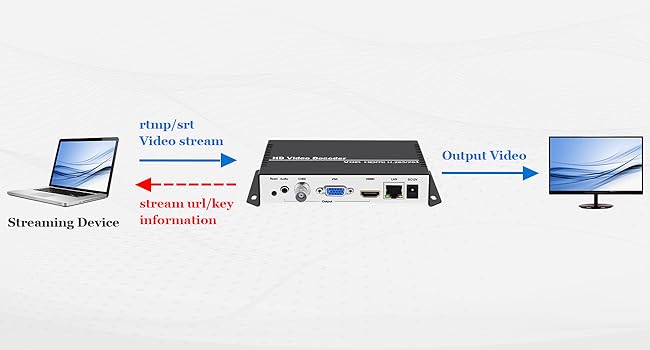
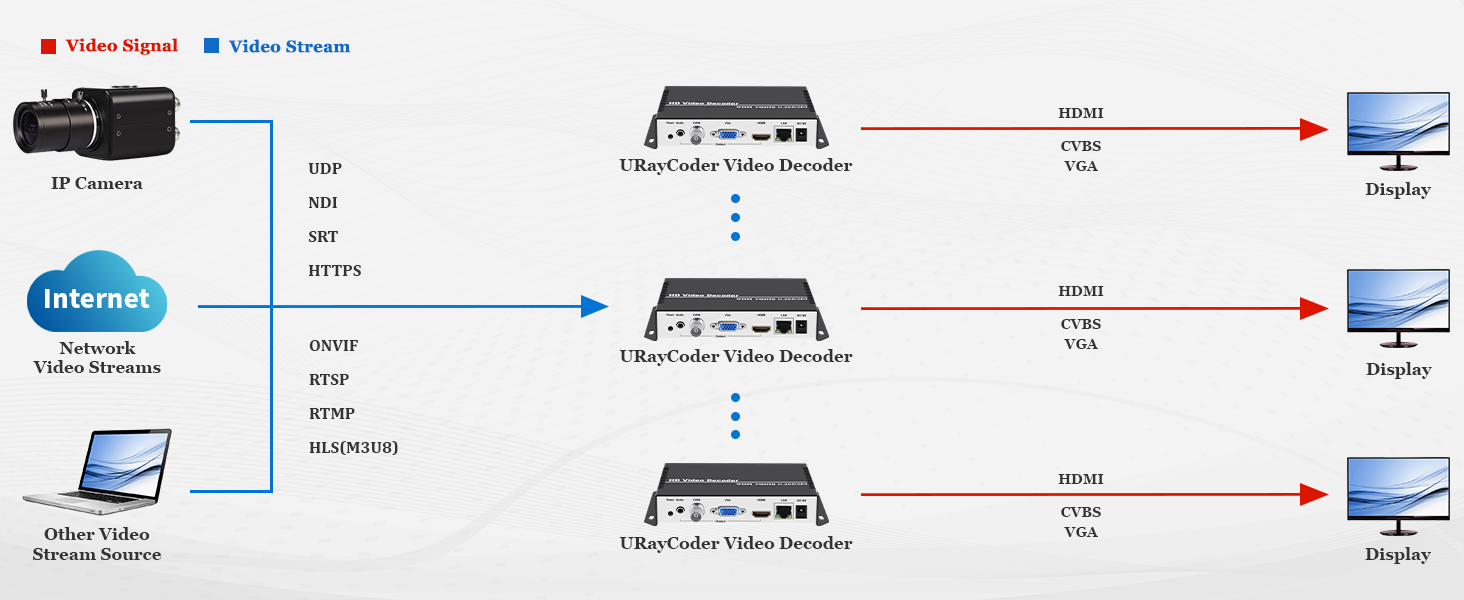
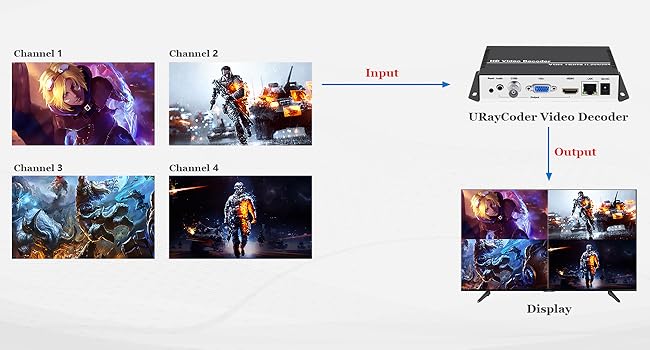
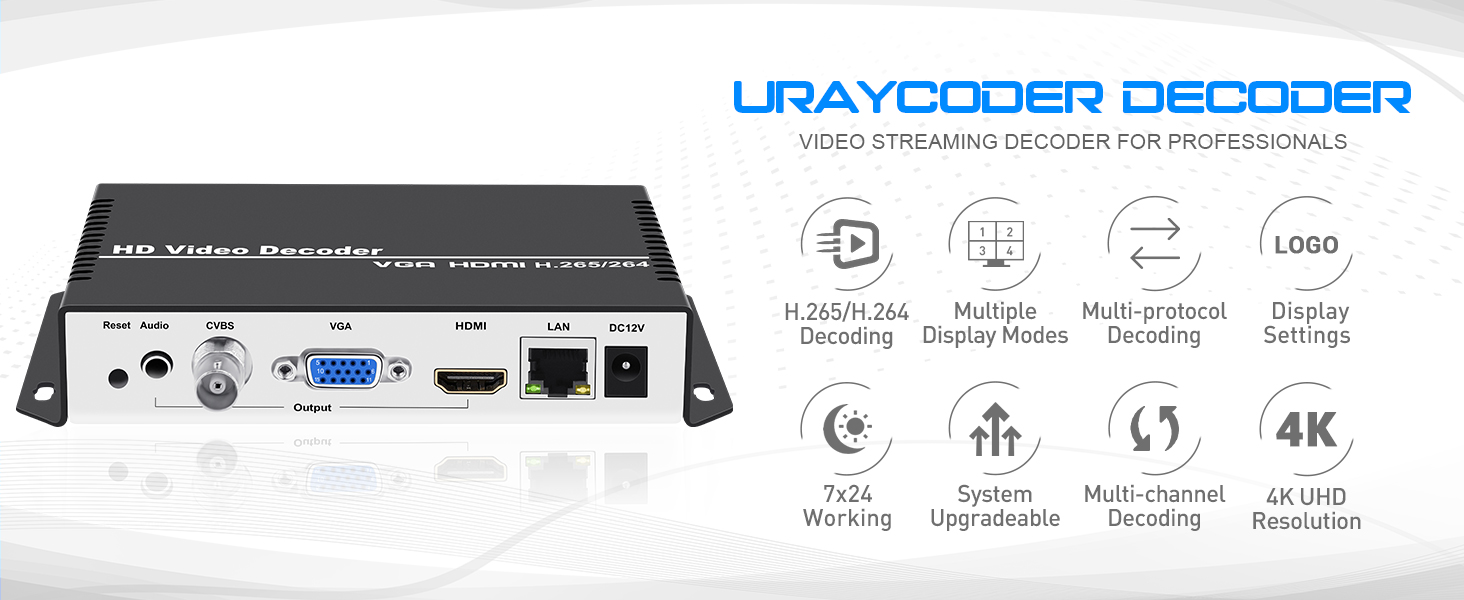
The URayCoder IP Video Decoder is a professional-grade streaming powerhouse supporting 4K UHD resolution and multi-channel decoding. Compatible with a wide range of streaming protocols including RTMP, RTSP, SRT, and HLS, it effortlessly integrates with multi-brand encoders and IP cameras. Designed for tech-savvy users, it offers flexible configuration via URL input and a durable metal build with wall-mount capability, making it the go-to solution for high-quality, reliable video decoding in demanding environments.


| ASIN | B07P6JFTVB |
| Brand Name | URayCoder |
| Customer Reviews | 4.4 4.4 out of 5 stars (58) |
| Interface | HDMI |
| Manufacturer | URayCoder |
| Material Type | Metal |
| Mounting Type | Wall Mount |
| Number of Channels | 4 |
| Number of Pins | 36 |
| UPC | 722367078057 755326318185 |
| Unit Count | 1.0 Count |
7**2
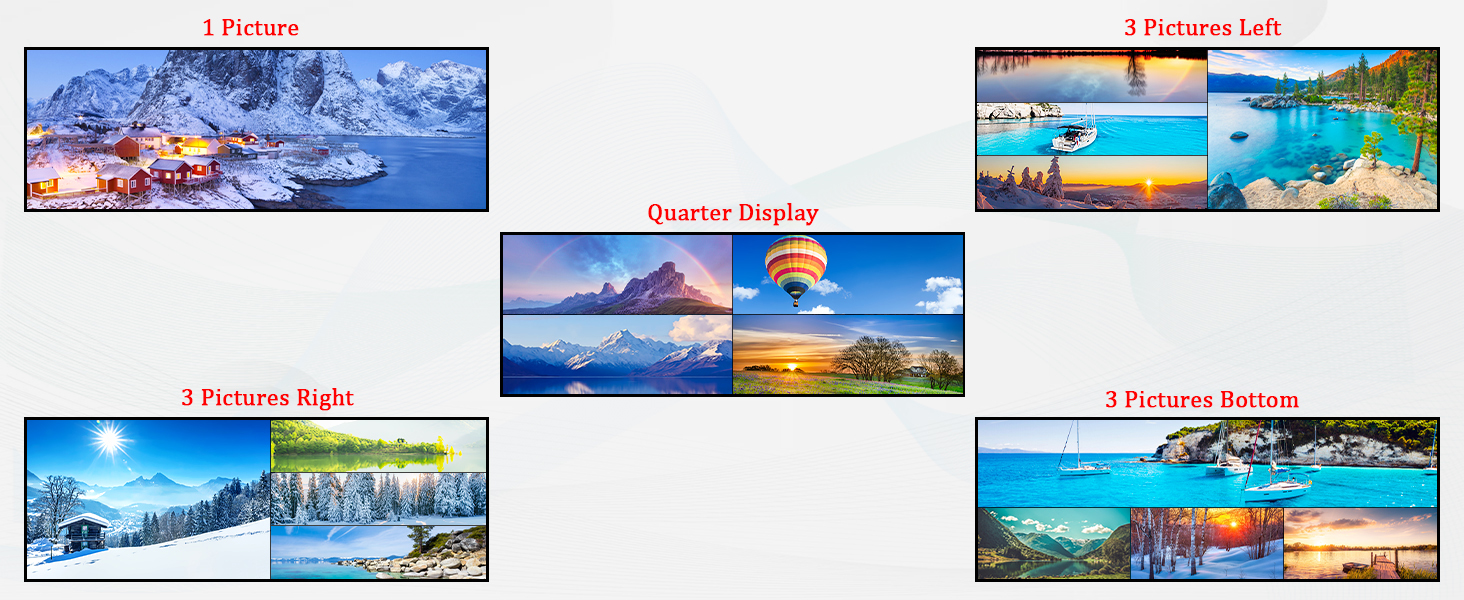
First, let me say this: the decoder does exactly what it claims and performs flawlessly once set up correctly. This review is geared toward those who, like me, are technically inclined and understand a bit about networking and cameras but may need guidance to unlock the full potential of this unit. I’m using Amcrest cameras with this decoder. Does it display 4K? Yes—but only one 4K camera feed can display live at a time. This limitation caught me off guard at first. Plug-and-play? Not quite. You need to know how to set up RTSP URLs. The instructions and setup menu did not provide guidance for Amcrest cameras. There is a place in the address setting tab to "get RTSP URL". The software did see all of my ONVIF compliant cameras on the network, but no matter how many times I tried to have the software generate the RTSP URL, it kept giving me an error message. With a bit of research, I found that the general RTSP URL for Amcrest is: rtsp://username:password@<IPaddress>:554/cam/realmonitor?channel=1&subtype=0 Username → Camera username (not necessarily the NVR credentials) Password → Camera password (not necessarily the NVR credentials) <IPaddress> → Camera’s specific IP address If you aren’t familiar with this info or cannot access it, this decoder may not be the right choice without specialist help. Once I entered the correct RTSP URL, my 4K dual-lens camera appeared. I repeated the process for cameras 2, 3, and 4. Interestingly, I didn’t change channel=1 in the RTSP URL for each additional camera, and it still worked—so that’s something to try if you run into issues. Multi-View Limitation With all four cameras set up in quad mode, I could only see 3 of 4 channels. Channel 1 appeared black, even though it worked fine individually. I discovered that for multi-view, any streams above roughly 1080p cannot be displayed together. And truthfully, you do not need to view anything above 1080p. If you need to review footage, it will be stored on the NVR at full resolution. My setup: Channel 1: 4K Channel 2: 1080p Channel 3: 1080p Channel 4: 1080p Main Stream vs. Sub Stream Each camera has two streams: Main stream → Best for NVR recording Sub stream → Best for live viewing on the decoder Changing subtype=0 to subtype=1 in the RTSP URL switches to the sub stream. My 4K camera sub stream was slightly above 1080p and displayed perfectly. Sub stream URL: rtsp://username:password@<IPaddress>:554/cam/realmonitor?channel=1&subtype=1 Most camera's sub streams should be around 1080p or lower. If not, you will need to access your camera directly and change this resolution setting. Now all four cameras display correctly, and I can use different layouts. My favorite is Layout 3: one large view across the screen with three smaller views at the bottom—perfect for 180° cameras. Additional features: Add logos over camera feeds Add text over feeds, including scrolling text If you encounter setup issues or can’t view certain cameras, it’s likely due to improper configuration—not a fault of the decoder. Bottom line: This is a solid decoder that works well once configured properly. I highly recommend it and will purchase again for future decoding needs. Update 9/3/2025. We've had power go out 4 times due to major construction on the road and 1 time due to a huge arc fire. Every time we've regained power. We go back to the HDMI input on the monitor and the decoder continues to display as if power was never lost.
T**H
I had an issue with the box that was my own fault, I contacted support and they were right on top of it. Problem solved.
A**C
NON Utilizzato , da rendere
ま**る
エンコーダーとの組み合わせで使用していますが安定していて助かります。
J**A
Boa relação preço qualidade
Trustpilot
2 weeks ago
4 days ago