Buy anything from 5,000+ international stores. One checkout price. No surprise fees. Join 2M+ shoppers on Desertcart.
Desertcart purchases this item on your behalf and handles shipping, customs, and support to South Korea.
✈️ Elevate your cockpit game — fly like a pro, land like a legend!
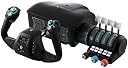
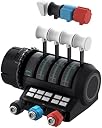
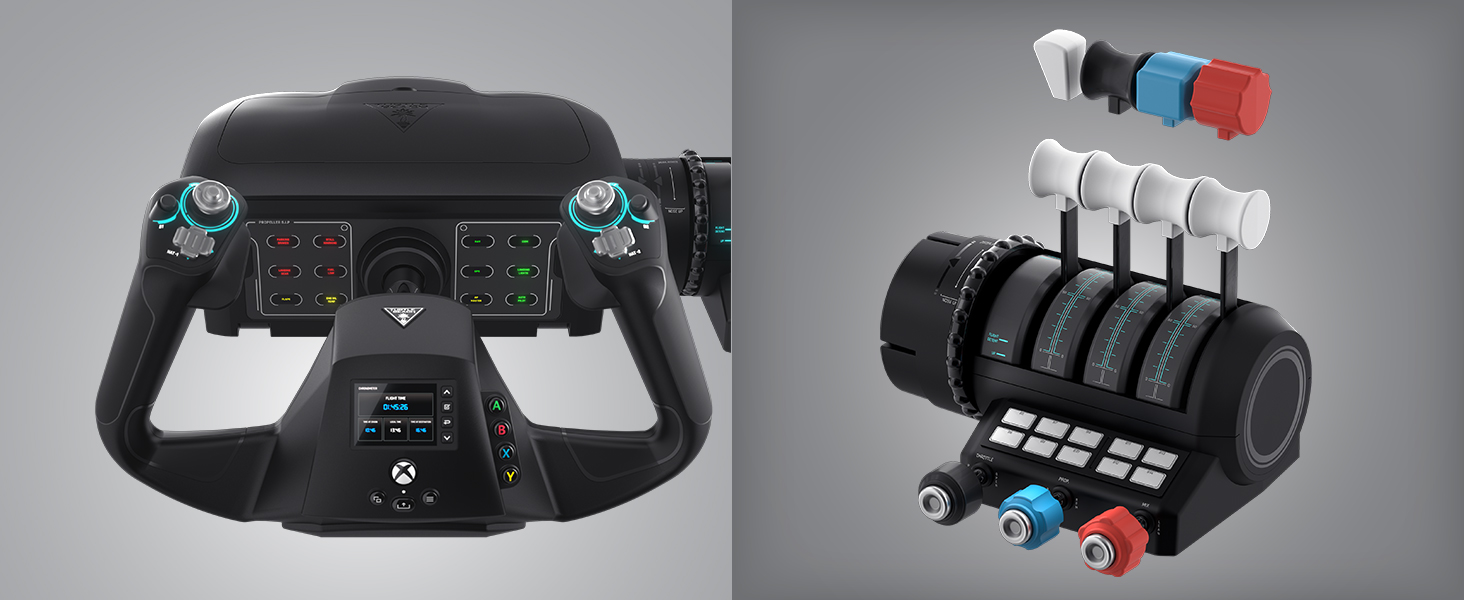
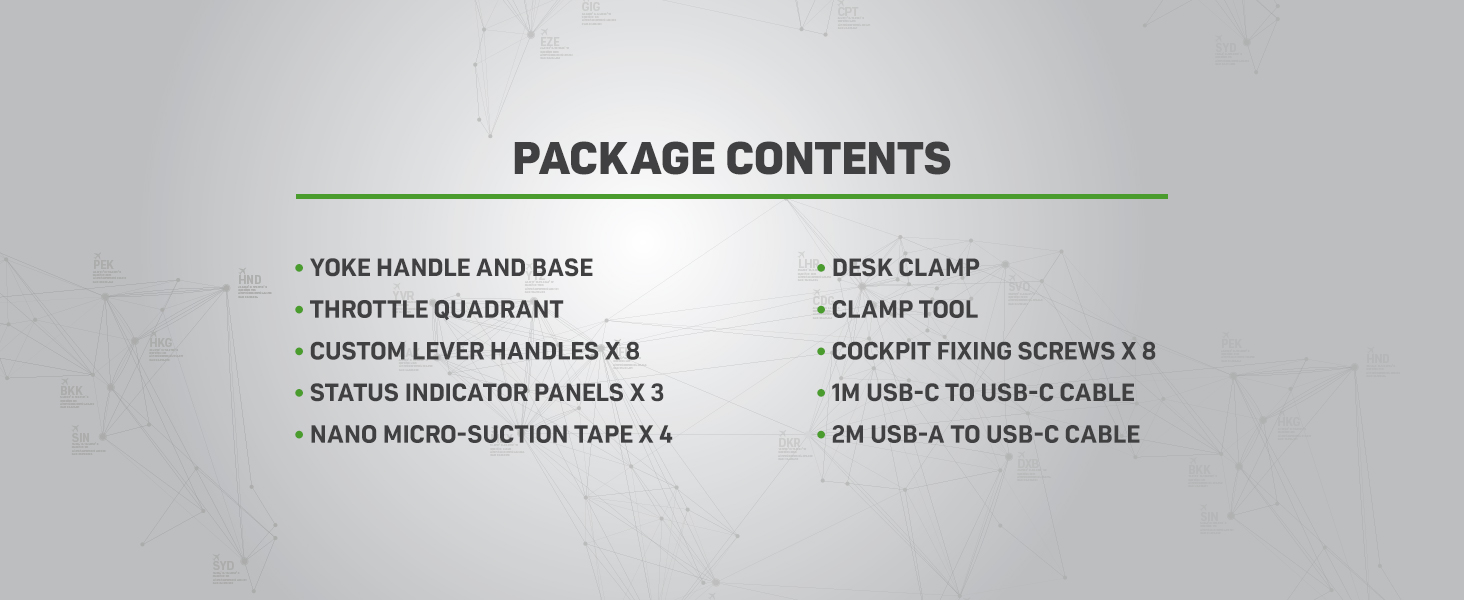
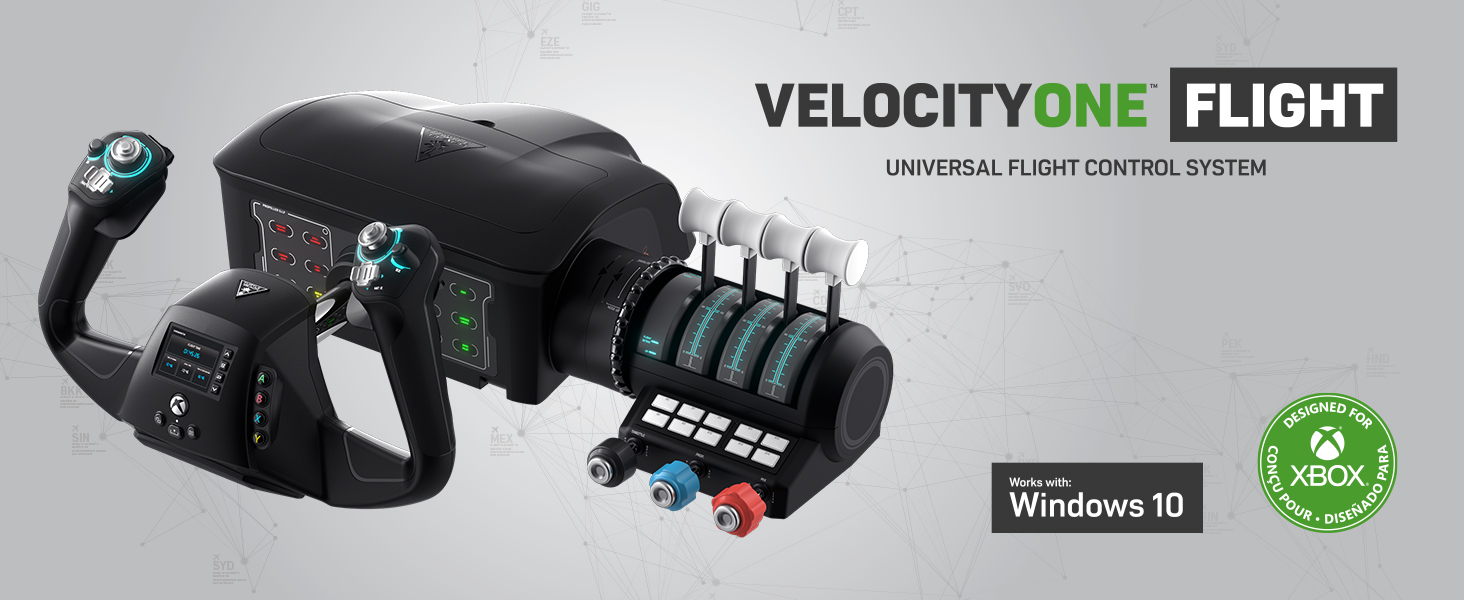
The Turtle Beach VelocityOne Flight Universal Control System is a premium, all-in-one flight sim controller designed for Xbox Series X|S, Xbox One, and Windows 10/11 PCs. Featuring a realistic 180° yoke with hall effect sensors, modular throttle quadrant with customizable levers, integrated rudder and brake controls, and a full-color flight management display, it delivers an authentic and immersive flying experience. With 26 programmable buttons, 12 analog axes, and a secure clamping system, it’s engineered for both casual simmers and aspiring pilots seeking precision and customization.


| ASIN | B09JM8SX8G |
| Additional Features | Ergonomic |
| Best Sellers Rank | #1,137 in Video Games ( See Top 100 in Video Games ) #8 in PC Game Flight Controls |
| Brand Name | Turtle Beach |
| Button Quantity | 26 |
| Color | Black, Red |
| Compatible Devices | PC |
| Compatible Video Game Console Models | Microsoft Xbox One, Microsoft Xbox One S, Microsoft Xbox One X, Microsoft Xbox SERIES S, Microsoft Xbox SERIES X |
| Connectivity Technology | USB |
| Controller Type | Yoke |
| Customer Reviews | 4.0 4.0 out of 5 stars (2,404) |
| External Testing Certification | Não aplicável |
| Global Trade Identification Number | 00731855007165 |
| Hardware Platform | xbox_series_x |
| Included Components | Item |
| Item Dimensions | 19.01 x 7.2 x 19.5 inches |
| Item Dimensions D x W x H | 9.8"D x 6.46"W x 19"H |
| Item Weight | 10 Pounds |
| Manufacturer | Turtle Beach |
| Manufacturer Part Number | TBS-0715-02 |
| Model Name | VelocityOne Flight (TBS-0715-02) |
| Model Number | TBS-0715-02 |
| Package Quantity | 1 |
| Power Source | Corded Electric |
| UPC | 731855007165 |
J**N
Turtle Beach Customer care is Number 1
I spent a long time researching what controller I wanted to use for my MSFS2020 I am a student pilot, and I wanted something that felt like I was actually in the seat of a Cessna 172. I heard hundreds of people talk about the Turtle Beach Flight Yoke and controllers. Let's first say my wife thought I was losing my mind spending that much money on a controller, but I was always raised and taught you get what you pay for. So, with that being said this is a long review but worth the read. My first week of having the Turtle Beach controller it sat on my desk still wrapped up I was spending as much time as possible reading up on it and watching video after video. I will say this once you get everything dialed in correct it honestly feels like you're in the seat of a plane and you are ready to fly. So, the unthinkable happens after only using it 3 weeks it breaks, I was practicing my takeoff and landings and was noticing the yoke wasn't reacting to what I wanted it to do. Turns out a small piece inside the system broke off and this prevented me from landing the plane. At this point I was through the roof mad that how could something as good as Turtle Beach Yoke system go bad in a month. I contacted Turtle Beach Customer Service and spoke with Viele Grüße Sascha very helpful. Customer Support Agent Outstanding service they listened to my concerns and within days had a shipping label made for me to send the controller back and as that one was on its way back a new one was sitting at my front door. This is Truley what great Customer service is all about. So, with that being said, Turtle beach flight yoke system is the closest thing you will get to the real feeling flying a plane. and you always got top notch Customer support behind you making sure you are being taking care of.
A**R
Well made and well played
I use this device for Microsoft Flight Simulator. I will give a heads up that the initial setup for the prop and fuel mixture controls will take some figuring out, but right out of the box I was able to fly, steer, and use a lot of controls on the yoke and side programmable buttons. It feels sturdy and there are additional options for mounting. You can clamp mount (which I do) or you can use the included gel pads that help keep it from moving around while in use. The clamp mounting is great with a top drawer access on the yoke assembly to get to the hex tool and bolts. Very very simply to use and get going. The gel pads definitely work because it took a bit of paint off of my desk, so keep that in mind if you plan to use them. Overall I have and will continue to recommend this item.
B**E
Terrible Quality Save Your Money!
First off the device does what is intended and is a yoke and throttle quadrant but that's about where it ends. The device was well packaged and was shipped inside of two boxes. Not needed and wasteful but ok it works. When I first pulled the Yoke out of the box and inspected it when I flipped it over internal parts started moving around like something is broken inside. Sounds like a screw with how loud it is. I thought great going to need to return it. But the Yoke still works. The springs are jerky and not really smooth at this time. This makes fine adjustments a complete pain in MSFS. To top it off I take this thing off my desk whenever I am done flying and put it back in the box. While putting it back in the box for the very first time I noticed a POV hat had come off while removing it from my desk. I thought interesting it must just pop off like normal ones no biggie. But the actual part it connects to is broken! Not even 8 hours old and a POV hat is broken. For the price this thing should be far better than it is. This is a $199 setup at best! The ONLY saving grace for this pile of crap is the throttles. Its the only one that has the same throttle found on most trainers. The big down side to them is you HAVE to use them with the YOKE so I cant buy a better yoke and use the throttles. Had I not just spent a bunch of money on my ground school and PPL training I would be returning this and buying the honeycomb stuff. Stay clear of this device if you are at all serious about GA sims or actual flight training. It will leave you disappointed and it will break at the slightest touch. Pure garbage.
D**N
Works great, looks cool.
I was trying to decide between this and the Boeing controller and my thought was that the Boeing controller looked cooler but this was more practical because it has controls that mimic the type of aircraft that I might one day learn to fly. And in that respect I couldn't be happier, the pull out throttle and mix controls do work just like the matching controls in a Cessna 172. What I didn't expect was how cool this thing does look. I thought the LED stuff was a gimmick that I wouldn't care about but it really does look pretty awesome. And the controller feels great as well, I really enjoy flying with it as opposed to a flight stick.
T**W
Pretty Solid, Overall
After about 20 hours in MSFS on the Xbox Series X - here are my impressions: It connected up easily and MSFS knew what it was right away and largely mapped all the buttons etc. correctly out of the box. You can customize your setup, but you aren't having to map everything manually. The little screen on the yoke is not a gimmick, it is incredibly handy for setup, changing the settings depending on the airplane type and helping you to learn the assignment of all the buttons and switches. And I love that everything is lit because I tend to fly in a darkened room. Overall, I think the design and build quality is about what you expect for the price point. It feels like something that if you take reasonable care of it, it should hold up fairly well, although time will tell. I think the yoke mechanics are pretty good and reasonably responsive/accurate in all 3 axis. It never feels like hand flying is not happening the way you intend because your inputs aren't going into the sim the way you intend them to be registered. Same with the power push/pull knobs. So the result is pretty immersive and realistic. I am not a real pilot so I can't say how closely this tracks flying an actual Cessna 172 etc. but it seems realistic enough to enjoy the sim. Yes, it is not perfect, and you kind of wish it was at this price point. Here are the downsides that matter to varying degrees: (1) There are no real rudder pedals and so you have to use pressure sensitive trigger buttons on the back of the yoke to substitute for your rudder input. Is this the end of the world? No. You kind of adapt to it, but I would definitely buy a set of rudder pedals to go with this thing if they were offered, and it is a bummer that you can't get them as a stand-alone product for the xbox currently. Hopefully Turtle Beach (or someone else) will come out with a set of dedicated rudder pedals for the xbox eventually. (2) the gorgeous trim wheel that looks just like what you would have in a real plane turns out to be incredibly aggravating to use in the sim because it is tuned to be way, way too sensitive. You just barely touch it and it shifts the airplane pitch 1,000 feet per minute in one direction or the other which makes properly trimming the plane very hard and twitchy. Even when you try to turn the sensitivity down in the program, it doesn't seem to help. Hopefully this will get fixed with a firmware update. So you tend to just hand fly or use the auto pilot on longer trips. (3) So far, the little indicator lights behind the yoke are for decoration only if you have it plugged into an xbox. Supposedly an update will fix this eventually, but for now they are merely for ambience. Do I think this is a huge deal that detracts enormously from the value of the thing? Not really. It will be nice when you can see the light change when the parking brake goes off or a light confirming your landing gear is down, but you are buying this for the yoke and the throttles, buttons, etc. That is kind of an extra bonus. (4) It is a wired peripheral and because of all the lights and such that are powered through the USB port there are limitations on how long the USB-C cord can be. The manual says 3 meters or a little over 9 feet is the longest USB-C cable you can use. So if you are hooking this up to an xbox and your TV, you may need to move the xbox closer to the couch and run a longer HDMI cable to the TV. So this won't work with every possible living room/xbox configuration. Bottom line: If you want the most immersive flight sim experience for the least amount of money, getting an xbox and this thing is pretty clearly the best way to go at the moment. Just a few years ago, it was multiple thousands of dollars to get something which was not even remotely close to what you can now get for under $1,000 all in. Maybe at some point somebody will put out something better, but for now this is very clearly the ticket you want.
B**R
It’s good! But I returned it.
Summary: If you already have flight controls, you probably won’t be happy with this. If you have cheap stuff or nothing, you will probably love it! I wouldn’t say I’m a sim snob, but I’ve got quite a few hours under my belt. Have been using the fancy Logitech H.O.T.A.S for several years and decided to switch to a yoke. I was stuck between this and the expensive Honey Combe gear, but landed on this one due to the sale price. Observations: It is somewhere below premium, but not cheap feeling. 3/5 The pull throttle, prop, and mix controls are the best part. 5/5 The 4 levers are ok, very light on the push, but they do have a reverse detent. 3/5 Never used the trim wheel. It freaks the plane out when you use the yoke buttons then the wheel. 1/5 The button on the throttle are handy but a little small. 3/5 The indicator panel is finicky at best with PC. 1/5 The yoke feels fine to me, however I’ve flown stick my entire sim career. 4/5 Rudder on the yoke is very nice if you don’t have pedals. 5/5 The default button mapping is good, but a little crowded on the yoke. 4/5 And my biggest grip and what led to my return. The flight screen… 1/5 Very frustrating to navigate, but hey it’s a little screen… the real problem is they include flight profiles, but I could tell the did anything on PC! This would be a great thing, if it actually disable the sticks, or pull throttle. I couldn’t tell what it was doing and there is no customization that I found to it. All that being said; if you have nothing, this will be great. Perfect first controller, or upgrade from cheaper options. If you already have something nice, you will probably be a little disappointed. I really did consider keeping it and just working through the issues, but I would rather take the money spent on this and get a true premium option, especially if the amount of set up is the same.
R**.
Better than expected
This yoke and throttle quadrant by Turtle Beach has turned out to be better that I expected. I previously used a yoke by CH Products, which was almost useless due to its poor design and quality. The VelocityOne Flight yoke system is much better. I had read that there was a 'stickiness' problem with the yoke shaft causing problems in pitch control. Mine unit has none of that. It works smoothly. When I first received the unit, my computer (and MS Flight Simulator) only recognized the throttle quadrant and did not detect the yoke at all. I thought the unit was defective, but then I suspected that the problem was with the drivers in Windows 10. I updated the drivers that showed up in the Device Manager for VelocityOne but that made no difference. It was only when I updated the two drivers listed under "xBox controller", which only appear when the unit is plugged in, that the yoke was recognized and it then worked exactly as it should. I highly recommend this system for use with Flight Simulator.
F**.
Great Sim Controller!
I wanted to wait and use it for a bit before reviewing. The gripes are real with the yoke sticking a bit at first and there being some play in the yoke. The stickiness dies off over time but the play is there to stay. It doesnt affect flights though. Other than that, its SO easy to setup, configure and use. This thing makes your experience completely mouse and controller free when setup right. You definitely need this if you fly alot. Edit: just posted a video after owning this for a few more months. I love it even more honestly.
H**D
Unconditional support from Amazon
I purchased same unit last year June for my Son but he didn't open it for several months and then after opening we found some software issue and tried to sort it by myself and manufacturer support team but didn’t work, I inform the issue to Amazon (seller was Amazon) for the first time after 14 months of purchase and they accept to replace it with a new one 😍 which working perfectly now. Thank you so much Amazon team, you guys are amazing.
Y**Y
firmwareバージョンUP
FlightSimulator2020用に購入しました。今どきのジョイスティックはfirmwareを持っていて多機能ですね。まさに多機能な操作が必要なFlightSimulatorのジョイスティックにはうってつけです。物が到着してすぐにアップデートしました。ms storeから専用のturtle beach control centerアプリをダウンロードして、本体中央のスクリーン横のボタンでアップデートモードにしてからアップデーターアプリを起動して対象の本体を選ぶと、自動的に1.4にアップデートされました。 ただFlightSimulatorのジョイスティック設定画面のデバイス欄が空欄なのでギョッとします。ちゃんと動作はしてます。本体の問題なのか、FlightSimulatorの問題なのかよくわかりませんがそのうちアップデートなどで改善すると思います。
K**A
completo
muy completo pero el yoke se siente de calidad pobre, tengan cuidado con los cursores en forma de cruz, se rompen al uso si los aprietas mal
D**L
Very good product!
Likes: Trim wheel, throttle quadrant, ability to simulate small prop plane and large commercial aircraft, almost plug & play. Dislikes: Confusion, erroneous, inconsistent instructions. Overall, I found the product to be very good for use as a training tool to keep up with the flying skills, or to learn new piloting skills.
M**R
Le meilleur yoke ainsi que le système le plus complet sur Xbox
Le titre est moins grandiloquent qu'il n'en a l'air, étant donné qu'il s'agit du seul yoke compatible xbox actuellement, mais vous n'y méprenez pas, il n'en reste pas moins excellent et propose un package particulièrement complet, qui intéressera les utilisateurs Xbox comme PC ! Mon ressenti en 10 points : Les + : - Propose un ensemble complet et versatile, qui se suffit à lui même lors des vols. Nul besoin d'acheter d'autres produits afin d'avoir un rendu immersif, même sans palonnier les gâchettes permettent un contrôle relativement convaincant (un palonnier Turtle Beach arrive cependant bientôt sur le marché). Le fait d'avoir le manche, les commandes de gaz, de volets, ainsi que des boutons personnalisables, tous inclus dans un seul et unique package est très agréable à l'utilisation. - Le V1F n'est pas avare de commandes personnalisables : que ce soit sur le manche directement ou près des commandes de gaz, il y en a une flopée. Cela permet de limiter au maximum le recours à la manette ou au clavier/souris pour effectuer certaines actions, on peut réserver ces derniers à des action très spécifiques avec des boutons assignés. - Les boutons "hatswitch" sont très pratiques, ils permettent un maniement facile de la caméra et donc une meilleure immersion. En assignant correctement ces boutons, on peut vraiment arriver à se sentir libre dans le cockpit. - La roue de trim est absolument fantastique, je n'avais encore jamais vu ça sur un système comme celui-ci, et c'est très réussis au niveau du ressenti : un ajout très appréciable étant donné la forte utilisation qu'on fait de celle-ci dans le cockpit. - La présence de commande de gaz façon aviation générale, un ajout génial. Cela ne rend pas les commandes du dessus inutiles pour autant lorsque l'on pilote un avion type Cessna 152, on peut facilement les configurer pour autre chose (par exemple la commande des volets). Les - : - Les configurations de base sont utilisables dès la première connexion, mais trop générales. Il reste pleins de boutons non attribués. Vous devez donc prendre le temps de configurer différents profils en fonction des types d'avions que vous souhaitez utiliser. Pas de panique, il existe plein de ressources sur Youtube pour vous accompagner dans la configuration. J'ai personnellement utilisé une video de SimHanger Flight Simulation, et cela fonctionne à merveille. - Le panneau d'affichage SID fonctionne sur PC mais pas encore sur Xbox. Cela arrivera très certainement, mais impossible de savoir quand exactement. - Au début, le manche fait preuve d'une certaine friction dans l'axe avant/arrière (profondeur), cependant cela s'estompe avec le temps. Pour accélérer ce processus, vous pouvez bouger le manche d'avant en arrière pendant les temps de chargement. - Les manettes de gaz du dessus n'ont pas beaucoup de friction. Ce n'est pas dérangeant dans l'absolu étant donné qu'une fois positionnées elles ne bougent pas, mais c'est moins immersif. - L'écran sur le manche n'est pas très utile en pratique, il permet simplement de naviguer dans les paramètres et pourquoi pas mettre un chronomètre. J'ai essayé de trouver autant de points négatifs que de points positifs, mais il est clair que les moins sont minimes par rapport à tout le positif. Pour la plupart ils sont seulement temporaire, et n'entacheront pas votre expérience sur le long terme. Je ne peux que vous le conseiller, d'autant plus que le support est très réactif et à l'écoute, avec notamment un serveur discord dédié. Les FAQ sont aussi bien fournies. Ce n'est pas donné, mais avec d'autres marques cela reviendrait plus cher d'acheter séparément les modules afin de constituer un ensemble avec les mêmes fonctionnalités que le V1F.
Trustpilot
1 week ago
2 weeks ago