Desertcart purchases this item on your behalf and handles shipping, customs, and support to South Korea.
🚀 Fake it till you make it: Virtual displays that keep your workflow unstoppable!
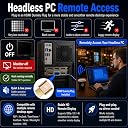
The FUERAN HDMI Dummy Plug is a compact, plug-and-play virtual monitor emulator supporting 4K HDR at 60Hz and refresh rates up to 144Hz. Designed for headless PCs, servers, and remote workflows, it ensures stable display recognition without a physical monitor. Compatible with multiple operating systems and ideal for gaming, streaming, virtualization, and IT setups, it features a durable aluminum shell and LED status indicator for reliable performance.


| ASIN | B06XSZR7CG |
| Best Sellers Rank | #228 in Audio & Video Connectors & Adapters |
| Brand | FUERAN |
| Color | Golden 1 |
| Compatible Devices | PC, Server |
| Connector Type | HDMI |
| Customer Reviews | 4.3 out of 5 stars 852 Reviews |
| Finish | Hdmi |
| Item Dimensions | 0.39 x 0.39 x 0.39 inches |
| Item Weight | 1 g |
| Item dimensions L x W x H | 0.39 x 0.39 x 0.39 inches |
| Manufacturer | FUERAN |
| Mfr Part Number | FUERAN-004 |
| Model Number | FUERAN-010 |
| Number of Items | 1 |
| Number of Ports | 2 |
| Package Quantity | 1 |
| Power Plug Type | Type A - 2 pin (North American) |
| Specific Uses For Product | Game AFK/Server/Mining, Gaming Streaming, Remote Work |
| UPC | 738920714133 |
| Unit Count | 1 Count |
| Warranty Description | 12 |
| Warranty Type | Limited |
T**L
Just what I needed
Cheap and easy to use. This is what I was looking for when building my server.
B**K
Works great for faking a monitor attached
Works like a charm. I needed something to fool my remote desktop software into thinking there was a monitor attached, and this worked. Been working all afternoon and no issues so far.
B**S
This works to make AppleTV A1842 headless
I purchased this to run AppleTV headless. The product works well and as expected but to access AppleTV over the local network requires specific certain steps. My Configuration: HDMI dummy plug purchased on Amazon: FUERAN 4K-1080@60-3840x2160@60 HDR Apple TV model: 4K 32GB A1842 AppleTV selected as HomeKit preferred Home Hub in Home app , normally runs with wired ethernet connection. Steps to access AppleTV from Macbook when headless: 1. With AppleTV connected to a TV, configure AppleTV settings to use your WiFi and confirm wireless network connection. 2. Insert HDMI dummy plug into AppleTV HDMI port (instead of HDMI cable going to TV). 3. Unplug ethernet cable from Apple TV, which will then force it to join your WiFi. Leaving ethernet cable plugged in will not allow this to work via a Macbook laptop (surprising and don’t know why this is the case). 4. Make sure Macbook laptop is connected to the same WiFi network as AppleTV. 5. Wake up AppleTV by pressing home button on AppleTV remote. 6. Start Quicktime on laptop, cancel file open dialog box, then from the menu select "File / New Movie". 7. In QuickTime at bottom of screen select "Screen" as “Apple TV”. 8. Use AppleTV remote to navigate while viewing laptop screen. 9. If no AppleTV screen appears in QuickTime, try rebooting Apple TV by unplugging power. 10. When finished using AppleTV via Macbook, plug ethernet cable back in to AppleTV.
R**R
Dummy plug works smart and allows 4k headless server with backup plugs if necessary
While I only needed one dummy plug for a headless Linux server, I purchased this three pack due to its value. After extended use I have not had any issues with the one I have installed tricking the server into thinking an 4k monitor is attached and if I do I have two more as backup.
B**Y
Did not work for my motherboard
I just built a server on an ASUS Prime H670-PLUS D4 motherboard to run a headless Unraid server. This motherboard is really picky and won't boot even boot without a motherboard plugged in. These did not work with this motherboard. It would not boot, as if nothing was plugged in. I ended up trying a different DisplayPort dongle which did the trick. The build quality seemed fine and these will probably work for lots of other boards.
J**S
Remote Desktop Without a monitor
Sometimes you just need a GUI on a headless server. This lets me use remote desktop programs to interface with my remote server.
P**N
Doesn't work with SuperDisplay app
Doesn't seen to enable a display using SuperDisplay app. Very disappointed. waste of money
E**R
Custom EDID
Worked perfectly! Contains a flashable EEPROM. I was able to generate a custom EDID with timings/resolution for my ipad screen and flash it back to the dongle. Now I can use it an additional monitor with the native resolution.
O**I
Macht was er soll
Emuliert einen 4k Monitor. Falls er eingesteckt wurde bevor der PC gestartet worden ist, im Betrieb nochmal raus und rein.
O**O
Recomendo
Funcionando perfeitamente.
D**F
Parfaitement fonctionnel
Parfaitement fonctionnel. Utilisé sur un mini PC pour prise de main à distance depuis une station à 2 écrans
F**R
Tut was es soll
Bin zufrieden damit, mach seinen Job, nicht mehr und nicht weniger. Kann ich für alle empfehlen, die viel unterwegs sind und auf ihren Computer zuhause mit Desktop zugreifen wollen. Shout out an alle Linux-mit-Wayland-Benutzer.
A**O
4k nativo
4k nativo, funziona bene da mesi su un server
Trustpilot
1 week ago
2 weeks ago