Desertcart purchases this item on your behalf and handles shipping, customs, and support to South Korea.
๐ Print like a pro, save like a boss!
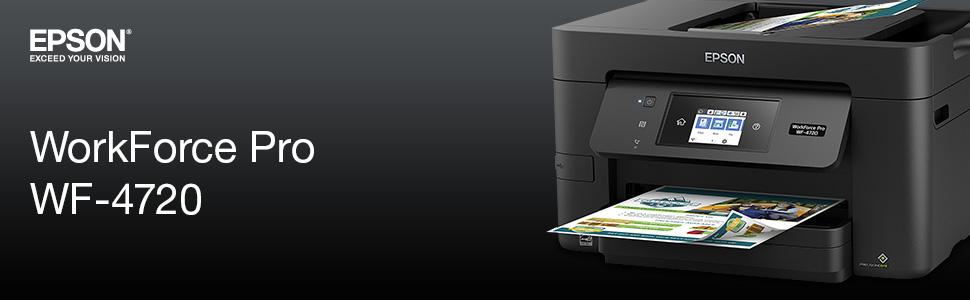
The Epson WorkForce Pro WF-4720 is a compact, wireless all-in-one inkjet printer designed for professionals who demand speed, quality, and cost-efficiency. Delivering up to 20 ppm in both color and black, it features a large 250-sheet capacity, automatic duplex printing, and a 35-page auto document feeder. With genuine Epson cartridges and smart connectivity options including Wi-Fi Direct and Amazon Dash Replenishment, it ensures seamless, budget-friendly printing for busy offices and home workspaces alike.


| ASIN | B01MT8VSLU |
| Additional Printer Functions | All In One, Copy, Fax, Scan |
| B&W Pages per Minute | 1 pages_per_minute |
| Best Sellers Rank | #247,197 in Office Products ( See Top 100 in Office Products ) #176 in Ink Tank Printers |
| Brand | Epson |
| Built-In Media | 4x DURABrite Ultra Ink cartridges (1x Black ink cartridge and 3x color ink cartridges: 1x Cyan, 1x Magenta, 1x Yellow), CD-ROM with drivers, Power Cord, WorkForce Pro WF-4720 printer, instruction booklet |
| Color | Black |
| Color Depth | 24 bits_per_pixel |
| Color Pages per Minute | 1 pages_per_minute |
| Compatible Devices | Laptops, PC |
| Connectivity Technology | USB |
| Control Method | Voice |
| Controller Type | Amazon Alexa, Vera |
| Customer Reviews | 3.9 out of 5 stars 478 Reviews |
| Display Type | LCD |
| Duplex | Automatic |
| Global Trade Identification Number | 00010343931022 |
| Hardware Interface | USB 2.0 |
| Ink Color | Black |
| Item Dimensions D x W x H | 14.5"D x 18.7"W x 5.71"H |
| Item Type Name | Inkjet Printer |
| Item Weight | 20.1 pounds |
| Manufacturer | Epson |
| Maximum Copy Resolution Black and White | 4800 x 1200 dpi |
| Maximum Copy Resolution Color | 4800 x 1200 dots_per_inch |
| Maximum Copy Speed Black and White | 20 pages_per_minute |
| Maximum Media Size | 13 x 19 inch |
| Maximum Sheet Capacity | 250 |
| Model Name | Epson |
| Model Number | C11CF74201 |
| Model Series | WorkForce Pro |
| Number of Drivers | 1 |
| Number of Trays | 1 |
| Paper Size | 3.5" x 5", 4" x 6", 5" x 7", 8" x 10", Letter, Legal, A4, A6, Half Letter, Executive, User-definable (3.5" โ 47.2" in length) |
| Power Consumption | 15 watts |
| Print media | Paper (plain) |
| Printer Connectivity Type | USB |
| Printer Output | Color |
| Printer Output Type | Color |
| Printer Type | Inkjet |
| Printing Technology | Inkjet |
| Resolution | 4800 x 1200 |
| Scanner Type | Photo |
| Specific Uses For Product | Office |
| Total Usb Ports | 1 |
| UPC | 010343931022 |
| Unit Count | 2.3 Ounce |
| Warranty Description | 1-year limited warranty in the U.S. and Canada |
| Warranty Type | Limited Warranty |
| Wattage | 15 watts |
M**C
Perfect for home/office
Superb Multi-Function printer. Only option I wish it had was two-sided copy. First time in 6 years I had a problem. The black ink was clogged/jammed. Whatever, would not print, copy, etc....Ran a nozzle check and realized black did not print so had to clean nozzle before everything started working again. PROBLEM: The printer did not give me any error messages letting me know there was an issue. It keeps track of how much ink is left, you think it would know if a print job requiring the ink was not dispensing...maybe its just me. Anyway, if you have a no copy, print issue, make sure all the ink nozzles are dispersing ink. Like I said, first time in 6 years I had a problem. Hopefully, I will get a few more years out of it.
C**Y
Great All in One WF-4720
This review is for the Epson Work Force Pro WF-4720 wireless all in one ink jet printer. This is my second Epson printer I've owned. It was purchased for my son to use at school. The quality and ease of use that I had grown use to in my first Epson printer (WF3520) was also found in this 4720. The shipping packaging was excellent. The printer was easy to set up and get working in no time. I love the touchscreen control panel that swivels to your comfort level and easy to navigate menu that allows you to find information such as ink levels and number of pages printed since your last ink cartridge change. You can copy, fax, scan, and print very quickly with this device. I love being able to print from my apple devices too. The printer can be plugged into a computer or used wirelessly.(you will have to purchase a printer cable if you plan on attaching this printer directly to a computer.) The print cartridges included with the printer can print 500 pages in black or 450 in color which is awesome. The paper cartridge holds 250 sheets of paper. The software that comes with the printer works great and has options built in to let you know when the ink is low as well as the option to purchase new ink. (some reviews says it doesn't warn you when your ink is low. They are wrong.) For $100 the print quality and functionality of this printer is excellent!
D**S
Obscenely expensive ink
This has been one of the worst items I've ever purchased. I did a huge amount of research prior to purchasing this one. I settled on it because it offered (on paper) the best combination of functions, connectivity, and cost per page. I have found it nothing but a money pit. The cartridges it came with ran out in less than a hundred pages. I then bought replacement cartridges for it at more than the cost of the printer (I think it was like 120 dollars), rationalizing it because they were supposed to print several thousand pages of both color and black and white. However, after printing 2 color pages and perhaps 100 pages of black and white over the course of a couple months, one of the colors had been emptied and another was nearly empty. Moreover, despite the fact that I still had almost the entire black cartridge left, it won't let me print any black and white pages until I replace the empty color cartridge. Like that makes any sense. As if that weren't bad enough, the connectivity I had hoped would be so easy has been a nightmare. I can't review the wired connections, but the WiFi Direct is awfully unreliable. Sometimes it works smoothly, but just as often it won't connect, or will connect and remain unavailable to print until I restart the printer, restart the computer, turn the wifi of and back on, or something else. Every time it requires a different combination of fixes to get it to work. Additionally, though there is theoretically a way to send scanned files wirelessly, I fought with it for several hours, scouring relevant help forums, downloading driver after driver and software package after software package to no avail. It's not my computer, because my computer is a top of the line Dell XPS 13. My roommate's computer faces the same connectivity issues. This could be such a good printer, but Epson pulls all the same scams that other printer companies do to drain ink cartridges needlessly in the name of "cleaning" or whatever. Don't buy it. Stay away. It will turn your bank account into a sieve.
J**.
Great for what I need!
This works great for basic printing, scanning and copying! This is not for printing on photo paper, but does print out on paper (not great quality though). I don't use my printer for that purpose though. I've never had to contact technical support. The paper cartridge is somewhat finicky if paper is not put in absolutely perfect. Selections for thicker paper is kind of lost through the settings in the touchscreen, but you eventually find it. The refill ink is ridiculously expensive, even now after it's a couple years old. I just buy Initial Ink on eBay, it's much cheaper.
H**Y
Great printer
Printer is well made and easy to use. Printing is very fast, and print is very sharp. Printer set-up was easy and quick. Printer functions smoothly for printing, scanning and copying. Printing is almost as fast as a laser printer. Photos are very good. I have not connected the fax. Biggest issue with this printer is the print heads. I have had a WF-4720 for the past 3 years and I loved it, but recently the quality of blue print became unacceptable. No amount of print head cleaning or attempts to clean the blue print head with Windex resolved the problem. I did use generic ink, perhaps that is the problem. I had similar problems (but worse) with all the print heads of a previous model of this printer (WF-3640) a few years ago and Epson finally replaced it with the refurbished WF-4720 that I am now replacing with this new printer. I have purchased a new WF-4720 because I really like the printer compared to the HP and Canon inkjets. I will use Epson inks and hope that the print heads will stay clean. I believe the WF-4720 has been discontinued and replaced with a cheaper model.
W**Y
The Epson WF-4720 Does the Job
I wanted a replacement for a Canon all-in-one that we used for household printing in color (we have an old Brother laser printer for black-and-white documents). The Canon was fine for a few years, but eventually the printheads clogged to the point where they wouldn't clean. The startup time to print on the Canon was also painfully slow. The Epson WF-4720 time to print the first page is amazing - click print to printed paper in like 5 seconds, even if I haven't used the printer in a few days. It's much faster getting the first page out than the laser printer, and continues to spit pages out at a remarkable rate. The scanning operation with the document feeder is really nice; quick, and it's obvious where the scanned document file went (not so much with the Canon). It also scans direct to pdf format, which is quite convenient. Color printing is not quite up to the Canon, which had six color inks, but it's more than good enough for document printing. I haven't tried printing on photo paper yet; I'm sure it would be much better, but we don't seem to print photos that much any more. The copier functionality is also excellent. All in all, a really nice printer at a great price (I got it on sale for $100).
S**L
I like the printer for the most part--quiet
I like the printer for the most part--quiet, quick, but unlike my prior epson workforce (3000 series); this one does not copy or scan double sided. It does print double sided, which is good; but my old workforce copied double sided (or make double sided to one sided) and scanned double sided. It has asked to update the firmware at least 2 times in a few weeks...hoping it won't continue all the time with updates every two weeks. After less than 2 years, the automatic feeder does not work properly--it's a real pain to scan individual sheets for a multi-page document! The feeder gears are not pulling properly. sometimes it works, sometimes it doesn't--so exasperating. My old one Epson gave me no problems. I may be headed back to HP for my next printer!
J**L
Great Home-Office printer especially for small jobs
My first Epson WorkForce Pro was shorted out when lightning hit our house. This printer as the last one have served me well. Ink Cartridges are easy to replace and fits well on the corner of my desk. Scanner works great with many options for printout. Wifi also is a great feature for you can send documents to the printer from a cell phone.
R**A
Professional quality print copy at a good price
Excellent colour print. Business features. WiFi and USB inputs and fax. Front accessible USB stick jack. Easy to set up on my Mac. Two sided page printing. Con - The iInk jet cartridges cost more than the printer.
C**S
BROKE after 8 months - extremely expensive ink & low print quality
Update: The printer broke after 8 months. If you read the reviews you will see that this seems to happen very often. Stay away from this. It's not worth the trouble! I am very disappointed by this printer and would never buy it again. While the printing speed is indeed super fast, the print quality is acceptable for text only but less than mediocre for any images. Even at the highest quality settings and on premium paper including photo paper the images look heavily granular. The ink does not last long. I purchased the original Epson high capacity ink for almost CAD 200 and after not even 300 pages (of mainly text!!) the cartridges are running low again. The scanner works well and the auto document feeder is very convenient and works quite well. That said, the scanner software has not evolved much since the 90s when I had my first Epson scanner. This printer only works with original Epson ink cartridges. While I always buy original ones, it might be worth considering. And while you are considering, consider going for a Canon printer... As stated above, the printer broke after 8 months and after I had printed maybe about 600 pages.
J**N
This all-in-one scans fast
When you buy an economy printer you're not getting a high-end laser printer. But my last Epson all-in-one scanned at the speed of silt. This one gets it done quickly, and frankly I use it for scanning much more than for printing.
W**T
Meets my expectations
Easy to use, although I still cannot work my scan WiFi connection.
D**Y
Great value and quality for the money!
This printer scanner was exactly what I was looking for and once I got setting it up all figured out it has worked perfectly.
Trustpilot
2 days ago
1 week ago