Desertcart purchases this item on your behalf and handles shipping, customs, and support to South Korea.
⚡ Elevate your desk game with power, speed, and ultimate connectivity!
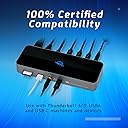
The OWC 11-Port Thunderbolt Dock is a premium docking station designed for professionals who demand high-speed data transfer, robust 96W power delivery, and multi-display support up to 8K/5K. Featuring three Thunderbolt 4 ports, multiple USB ports, Gigabit Ethernet, and an SD card reader, it offers comprehensive connectivity for Mac, PC, and USB-C devices. Its compact design and cross-platform compatibility make it an essential hub for maximizing productivity and maintaining a clutter-free workspace.


| ASIN | B097TVLB4F |
| Best Sellers Rank | #571 in Computers & Accessories ( See Top 100 in Computers & Accessories ) #59 in Laptop Docking Stations |
| Brand | OWC |
| Built-In Media | Item |
| Color | Black, Grey |
| Compatible Devices | Chromebooks, Laptop/Personal Computer, Tablets |
| Customer Reviews | 4.1 out of 5 stars 711 Reviews |
| Hardware Interface | Ethernet, Thunderbolt 4 , USB, USB 2.0, USB 3.0, USB Type C |
| Item Dimensions L x W x H | 2.87"L x 7.8"W x 1.02"H |
| Item Weight | 400 g |
| Manufacturer | Other World Computing |
| Mfr Part Number | OWCTB4DOCK |
| Minimum Required Operating System Version | Mac OS 11 Big Sur, Windows 10 |
| Model Number | OWCTB4DOCK |
| Number of Ports | 11 |
| Product Dimensions | 2.87"L x 7.8"W x 1.02"H |
| Total Number of HDMI Ports | 11 |
| Total USB Ports | 4 |
| Total Usb Ports | 4 |
| UPC | 810586036078 |
| Unit Count | 1 Count |
| Wattage | 96 |
J**S
Reliable, Fast, and Feature-Packed—A Must-Have for Power Users
The OWC 11-Port Thunderbolt Dock is a game-changer for anyone juggling multiple devices. From the moment I connected it, the performance was impressive—drives mounted within seconds, and data transfers were swift and seamless. The inclusion of three Thunderbolt 4 ports, four USB ports, Gigabit Ethernet, an SD card reader, and a 3.5mm audio jack provides all the connectivity options I need One of the standout features is the 96W power delivery, which efficiently charges my laptop while powering connected peripherals. The build quality is solid, and the dock feels durable and reliable. The OWC 11-Port Thunderbolt Dock is an essential companion for anyone dealing with multiple devices. Right from the moment I connected it, I was struck by its impressive performance—drives mounted in an instant, and data transfers were remarkably fast and seamless. With three Thunderbolt 4 ports, four USB ports, Gigabit Ethernet, an SD card reader, and a 3.5mm audio jack, it effortlessly covers all my connectivity needs. One of its standout features is the 96W power delivery, which charges my laptop efficiently and powers all my connected peripherals. The build quality is exceptional; it feels solid and reliable, providing peace of mind for everyday use. I have a minor quibble about placing the main Thunderbolt cable port on the front of the dock. While this setup might appeal to some users, I would prefer it positioned at the back to maintain a cleaner workspace. This is just a personal preference and does not take away from the dock's impressive functionality. The pricing is reasonable, given its strong performance and extensive array of ports. My trust in OWC products has only grown, and this dock reinforces that faith. It's a high-performing hub that checks all the boxes for connectivity. If you need a reliable and effective docking solution, look no further than the OWC 11-Port Thunderbolt Dock. It excels in every regard and is an invaluable investment for professionals and tech enthusiasts. My only minor gripe is the central Thunderbolt cable port placement on the front of the device. While this might be convenient for some, I preferred it on the back to keep my workspace tidier. However, this personal preference doesn't detract from the dock's overall functionality. The price point is reasonable, considering its robust performance and the array of ports. I've always trusted OWC products, and this dock reinforces that trust. It's a reliable, high-performing hub that meets all my connectivity needs. **Final Verdict:** If you're looking for a dependable and efficient docking solution, the OWC 11-Port Thunderbolt Dock is an excellent choice. It delivers on all fronts and is a worthy investment for professionals and tech enthusiasts alike.
T**Y
Expensive, but gives you a lot more than 'competing' units for the same price.
These hubs are, of course, pricey. It would be nice if Apple actually provided more connectivity on their computers to begin with, but they don't. I've used other units at this price point and this one gives me all I need with both my MacBook Air and my 2019 Mac Mini. I'm not looking for a lot of monitor connectivity but this unit will certainly give you that via the T/bolt 4 connectors if you need it. I can charge my MacBook Air, use its other built in USB C/Thunderbolt out AND connect 3 more USB-C / T/bolt devices at 40Gb/s AND connect 3 USB 3.2 devices at 10Gb/s! (AND my mouse dongle in the USB 2 port). PLUS headphones, Ethernet and an SD card slot! The T/bolt 4's will also send video to a monitor or monitors (using either a USB-C to HDMI or USB-C to display port cable... which of course you would have to purchase separately). The number of external monitors and resolution available will be dependent upon your computer and its operating system. I did a speed test with a Samsung T7 drive and it was reading and writing close to 1,000MB/s when connected to this devices T/bolt 4 connectors (using the 2019 Mac Mini). I'm guessing that the T9 would run at close to 2,000. PS. The MacBook Air M1 WILL NOT give you these speeds... it's a know limitation built into the MB Air laptop... thanks Apple for dumbing down the external drive speed capability. They may have fixed this with the M2's but I don't know. If you download the OWC app. the unit will supply high power for charging you phone and or tablet etc. quickly. With this app. you can also eject all of the drives connected to it right from an icon on the task bar. I can't find another dock at this price that gives you so many connections! I probably need to order a second one.
K**H
Good dock, but has a rare issue with external Monitors
This dock allows me to connect devices to my Macbook Air M1 without issues most of the time. The dock features enough ports to connect a keyboard, mouse, external monitor, and even has an Ethernet port. Since it is has its own power supply, it can actually charge my Macbook properly. The dock comes with a single Thunderbolt cable to connect to a laptop. Strange issue with fullscreen video playback on 1440p Monitor There is a specific issue with this dock (and perhaps others) that happens when I watch a movie or stream video on my Macbook Air M1 (with MacOS Ventura 3.3) If I have a video set to fullscreen on my external monitor (1440p); and have that video paused; and then allow the laptop to sleep - it will sometimes cause the Macbook to CRASH when the sleep cycle initiates. I changed cables, and used different ports and the crash still happens, though not consistently. (Actually I’ve had other docs and hubs that have problems with external monitors as well, but they never have caused a crash.) To avoid this issue altogether, I usually just minimize the window that the video is playing on before I step away from the Macbook, and the crash doesn’t happen. I dont necessarily blame OCW for this issue, since it seems to be tied to MacOC itself (or so I've heard.) But it is an issue nonetheless. Connecting any laptop or computer to the dock must be done through the port on its front. I happen to like this a lot since it works for my desktop set-up. However, some may prefer the connection to be on the back of the unit instead - so please be aware.
G**D
A Game-Changer for My Desk Setup!
I recently purchased this docking station for my MacBook Pro M1 Pro, and it has truly been a game-changer for my workspace. Let me share my experience and insights for those who might be in a similar situation. Firstly, I had been struggling to find accurate information about DisplayLink and whether it was necessary for my MacBook Pro M1 Pro. It can be quite confusing, especially with various models available. To clarify, if you have the base M1 or M2 models, you'll need a docking station with DisplayLink and have to install the drivers to connect to just one monitor. However, if you own an M1 or M2 Pro/Max model, you won't need DisplayLink as these models naturally support at least two monitors. This docking station handles my M1 Pro scenario seamlessly. One of the standout features of this product is how it simplifies desk organization. I was able to connect my two monitors effortlessly using USB-C to DisplayPort cables, and the result is a clean and clutter-free workspace. No more tangled wires or hassle when switching between work and personal tasks. Another huge advantage is the convenience of charging both my MacBook and work laptop without needing extra chargers. As someone who works from home, this feature has been a lifesaver. It ensures that my devices are always ready to go, and I don't have to fumble around for different chargers. In summary, this docking station has exceeded my expectations. It's compatible with various MacBook models, offers fantastic wire management, and provides a charging solution for multiple devices. I have no complaints, and I look forward to enjoying the benefits of this high-quality product for a long time. If you're in need of a reliable docking station, this one is definitely worth considering.
D**N
Out of warranty - suddenly defective. Go figure...
Unit took a dive recently after a few years of use, PSU started making a horrible chirping electrical noise. Contacted them directly for options, zero options given to me to replace or repair. So I now have a $250+ paperweight. They did offer me 4% off a new purchase which was very nice of them (sarcasm). Needless to say, besides the obvious safety issue of a unit that makes an electrical short noise, I probably won't be buying from them again. Also note: I did a deep dive on forums and this is a common issue and NOT related to the power supply. Don't be duped into buying a replacement/similar Power supply - it's an issue with the dock itself. Very disappointed, this was a great dock.
P**O
Cleaned Up My Setup Instantly
This dock just works. I’m running dual monitors, ethernet, multiple USB drives, and charging everything through one Thunderbolt cable. No lag, no dropouts, no BS. Build quality is top-tier, and the ports are well placed—not crammed together. SD card slot is fast, audio jack is clear, and I haven’t had to unplug/replug once since I set it up. If you’re serious about a tidy desk and reliable performance, this is the one to get. OWC nailed it.
J**H
Quality worth the price
I’ve used this for school and work for 3 years to hook my Mac Pro to two monitors and multiple other attachments. It’s absolutely worth the price to have something that reliably works every single day. I’d buy this again in a heartbeat.
J**H
Perfect fit.
Excellent high quality product. Fits most all needs for connecting everthi
S**D
Well built and reliable.
B**F
Very useful docking station for my MacBook Pro 2019.
Only one cable needed to the docking station for powering the MacBook and the docking station connected my two UHD monitors, my SD cards and UTP cable. Worked out of the box, really well Highly recommended
F**Z
Fantastisch - endlich ein bezahlbares Dock, das mit all meinen Rechnern funktioniert
Nach Versuchen mit verschiedenen Lenovo (USB-C) und CalDigit (USB-C) Docks, die alle irgendwelche Macken oder Eigenarten hatten, bin ich endlich bei OWC fündig geworden. Erst habe ich ein OWC Thunderbolt 3 Pro dock erworben, damit ich mein 2015er Macbook Air ins 10 GbE Netzwerk einbinden konnte (geht prima, dazu kommt eine separate Rezension). Davon war ich so beeindruckt, dass ich nun auch fuer meinen Zweitarbeitsplatz ein OWC Dock angeschafft habe, und zwar dieses OWC Thunderbolt 3 Dock. Dort liegt kein 10 GbE an, also war das "Pro" Modell auch nicht notwendig. Schnittstellen: Ausreichend fuer mich, und hier bei Amazon gut genug beschrieben, die Wiederholung spare ich mir. Gut fuer mich ist, dass es einen SD Karten-Slot gibt (das Pro Dock kann stattdessen CFExpress). Ich bin auch mit der einzigen Anschlussmöglichkeit für Monitore, nämlich per USB-C zufrieden, da meine neueren Monitore das können und ich für die älteren allerlei Adapter rumliegen habe. Wenn man allerdings Displayport (DP oder miniDP), HDMI oder gar DVI braucht, dann wird es ohne Adapter nicht gehen, bzw. dann hat OWC besser passende Docks im Angebot (wie das Pro oder das Go). Das Dock funktioniert fantastisch mit allem, was ich bisher so angeschlossen habe: Lenovo X1 Carbon Gen9 (direkt mit Thunderbolt 3), MacBook Air 2014, 2015, 2017 (alle über Apple Thunderbolt 2 ->3 Adapter) und ein 12-Zoll Macbook 2015, das nur USB-C kann. Anstecken und fertig: Es wird mit 96 W geladen, Peripherie (Funkmaus, Telefonspinne, Lautsprecher, Mikrofon, Scanner, ...) und Netzwerk (1 GbE) funktionieren einfach. Das Bild auf einem per Thunderbolt 4 ( USB-C) verbundenen 2560x1440er Monitor ist stabil und schnell, als wäre er direkt angeschlossen, zusätzlich werden auch die USB-A und -C Ports des Monitors noch transparent mit eingebunden. Die Ports am Dock sind schneller als meine USB-Sticks und Platte, bremsen auch eine NVMe Platte nicht aus. Also wunderbar. Spulenpiepen höre ich nicht, meine Familie (da hören beneidens- oder bedauernswerter Weise einige noch bis fast 20kHz!) auch nicht. Zu guter Letzt - mir gefällt das blaue LED Logo aber (auch fuer den Kunden Kevin, dem es zu hell war): Direkt über dem gedruckten weissen Logo auf der Vorderseite ist ein kleines Lock, dort soll man laut Anleitung per Büroklammer die Helligkeit des Logos von hell bis ganz aus einstellen können :) Also - für alle üblichen Büroanwendungen, Entwicklung, Bildbearbeitung etc. einfach nur fantastisch. Das Ding läuft seit fast zwei Monaten am Stück mit verschiedensten Rechnern, keine Aussetzer, keine übermäßige Wärmeentwicklung. Wer einen Montior hat, der mit USB-C angeschlossen werden kann, der kann hier nichts verkehrt machen. Ich wurde es sofort wieder kaufen (erst Recht fuer 280 EUR), und es gibt Grund zur Annahme, daß meine Frau das für ihr Macbook sogar von mir erwartet ... Falls diese Rezension hilfreich war, freue ich mich über einen Druck auf den "Hilfreich" Knopf, damit ich sehe, ob die Zeit gut investiert ist. Update 11/2023: MacBook Air 2014, 2015, 2017 (alle über Apple Thunderbolt 2 ->3 Adapter) klappt doch nicht so richtig, das habe ich mit dem Pro Dock verwechselt, wo es prima geht. An diesem jedoch geht es nicht - hier kann man die älteren Thunderbolt-2 Geräte nur per USB Uplink an das Dock anschliessen, aber dann geht Grafikausgabe und natürlich Thunderbolt leider nicht, man muss den Bildschirm separat über Minidisplayport ans Macbook anschließen und das Ganze ist eher ein teures USB Dock. Update 2/2024: Mein Dock läuft nach wie vor prima und wird mit Intel-basierten Thinkpads und Macbooks genutzt. Im Juli hatte ich dann ein zweites für meine Frau erworben, das lief ab September mit einem Intel-basierten HP laptop und ab Oktober oder so auch noch gelegentlich mit einem 2022er Apple Macbook Air mit M2 Prozessor. Und an diesem hatte es Anfang Februar denselben Ausfall wie bei Kunde sebastian vor einem Monat: Ein leichtes "peng" im Dock, das Logo ging aus, die angeschlossene Peripherie ging aus. Ende. Am Netzteil lag es nicht - das ging mit meinem Dock noch problemlos. Der Intel-Laptop kann nicht über USB-C geladen werden und hing deshalb immer am eigenen Netzeil, aber das MBA zieht auch eher wenig Strom (ca. 30 Watt), da sollte das Dock nicht an die Grenzen kommen. Offenbar ein Problem mit der Dimensionierung oder dem Qualitätsmanagement. Rückabwicklung über Amazon war erfreulich schnell erledigt und nun hängen die Rechner meiner Frau an einem OWC Thunderbolt 3 Dock, das hoffentlich länger hält.
A**N
Dock TB4 compatibile TB3 e USB C
Avevo necessità di una dock con doppia compatibilità e questa soddisfa questa esigenza. E collegabile quindi anche su porte USB C, senza obbligatoriamente avere una porta TB3 o 4. Le performance si adegueranno alla velocità della porta collegata, come del resto dichiarato nella descrizione del prodotto. Soddisfatto dell'acquisto!
P**E
Proffs klass
Jätte bra produkt
Trustpilot
3 weeks ago
2 months ago