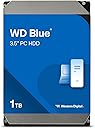
Desertcart purchases this item on your behalf and handles shipping, customs, and support to South Korea.
💙 WD Blue: The smart storage upgrade your workflow deserves.
The Western Digital 1TB WD Blue internal hard drive combines a fast 7200 RPM spindle speed with a SATA 6 Gb/s interface and 64 MB cache, delivering reliable, high-performance storage ideal for professional desktops and office applications. Its 3.5-inch form factor and included cloning software make it a versatile, cost-effective solution for expanding your digital workspace with confidence.


| ASIN | B0088PUEPK |
| Additional Features | Data Recovery Service |
| Best Sellers Rank | #4 in Internal Hard Drives |
| Brand | Western Digital |
| Built-In Media | 1 hard drive |
| Cache Memory Installed Size | 64 |
| Color | blue |
| Compatible Devices | Desktop |
| Connectivity Technology | SATA |
| Customer Reviews | 4.6 out of 5 stars 57,670 Reviews |
| Data Transfer Rate | 6 gigabits_per_second |
| Digital Storage Capacity | 1 TB |
| Enclosure Material | Aluminum |
| Form Factor | 3.5-inch |
| Global Trade Identification Number | 00102930720819 |
| Hard Disk Average Latency | 2.22 milliseconds |
| Hard Disk Description | Hybrid Drive |
| Hard Disk Form Factor | 3.5 inches |
| Hard Disk Interface | Serial ATA-600 |
| Hard Disk Rotational Speed | 7200 rpm |
| Hard-Drive Size | 1 TB |
| Hardware Connectivity | SATA 6.0 Gb/s |
| Hardware Platform | PC |
| Installation Type | Internal Hard Drive |
| Item Dimensions L x W x Thickness | 5.8"L x 4"W x 1"Th |
| Item Part Number | WD10EZEX |
| Item Type Name | WD10EZEX |
| Item Weight | 440 g |
| Manufacturer | Western Digital |
| Media Speed | 6 TB |
| Mfr Part Number | WD10EZEX-60WN4A0 |
| Model Name | Blue |
| Model Number | WD10EZEX |
| Number of Items | 1 |
| Read Speed | 100 megabytes_per_second |
| Special Feature | Data Recovery Service |
| Specific Uses For Product | Personal |
| UPC | 718037779911 |
| Unit Count | 1 Count |
| Warranty Description | Western Digital ("WD") values your business and always attempts to provide you the very best of service. No limited warranty is provided by WD unless your WD Product ("Product") was purchased from an authorized distributor or authorized reseller. Distributors may sell Products to resellers who then sell Products to end users. Please see below for warranty information or obtaining service. No warra… |
M**2
Good, practical desktop drive
I gave this drive to someone as a gift, and they've been using it for backups for 10 months without issue. My review is based on another unit of this drive which I bought for myself some months later. I've been using it as my primary desktop OS/programs drive since 5/29/2014, so it's about 5 months now. There have been no problems thus far. It's really quite a bargain for desktop use if 1TB is all you need. The actual capacity of this drive is 931.5GB. That's an old marketing trick which can be blamed for the pointless redefinition of all our real, long established data measurements with those silly "i" characters. I won't dwell on it any further, but 931GB is the true capacity when measured in base 2, as all data is correctly measured. This 1TB Blue drive uses a single 1TB platter spinning at 7200rpm. There are 2 heads (each side is 500GB). A single platter design is usually better for reliability than having multiple smaller platters, because there are fewer points of failure, the assembly is lighter, the motor doesn't have to work as hard, and less heat is generated. Single platter drives will also tend to be quieter, but due to my configuration I can't judge the noise level. There has been much discussion and testing among users in online forums, including WD's forum, which repeatedly show that the 1TB Blue and 1TB Black perform the same. It appears the only benefit of the 1TB Black is a longer warranty. Some Blacks are faster than this drive, but the 1TB model is not. Compared to a Green, the Blue is faster owing to it's faster rotation speed. The Green drives also have an "intellipark" feature which causes them to keep parking the heads after a few seconds of inactivity. This can cause laggy response and extra wear. I dislike that design - I believe power management functions should be left under the control of the operating system, which can account for user preferences and what is happening in the rest of the system. Hardcoding this behavior into the drive is ridiculous, in my opinion. The Blue behaves the way I prefer - it does not use "intellipark", it stays ready to roll until directed otherwise through power management commands from the OS. I wish they were making the Blue series in larger sizes - it seems this 1TB is the end of the line. I don't care for the Greens and the Blacks are more expensive. Partition/Sector Alignment -------------------------------- Please be aware that like most modern drives, this drive uses 4KB sectors (also known as "advanced format"). If you are using Windows 2003, Windows XP or older, as I am, don't let Windows handle the partitioning of this drive. This is even an issue on unpatched versions of Vista and Windows 7. These older versions of Windows will believe that the physical sectors are 512 bytes, when in reality they are 4KB. As a result, the partition(s) will not be aligned with the physical sectors. It will still work, but performance will be reduced. Windows Server 2003 and Windows XP and older do not have any update to fix this, but it's not a problem as long as you do the partitioning with a suitable 3rd party utility. I think Western Digital offers a tool for this, but I've never tried it. Once the partitions are set, it's fine to let Windows format them. For my Windows XP install, I used a recent version of GParted to partition the drive. GParted can be downloaded and burned to a bootable CD, or installed to a USB flash drive. Just use the option to align your partition(s) on 1MB boundaries. This is the easy way to ensure they are aligned correctly for the best performance. Then boot your WinXP install disc and let it format the partition that you already created. It sounds harder than it is, it's a minor hassle but it's simple. If you ever change the partitions, once again use GParted or a similar utility that handles alignment for modern hard disks. Don't use the built-in XP partitioning. But again, once the partitions are created, it's fine to let Windows format them. The built-in partitioning is fixed in Windows 8. According to Microsoft, it is fixed in Windows 7 after installing Service Pack 1 - you would need to have that service pack before partitioning the drive, not after. Again according to Microsoft, it is also fixed in Windows Vista *after* installing update MS KB 2553708 - I assume this is automatically installed for people who use automatic updates, but I don't know that for a fact. This won't do you any good if you're doing a fresh install and your install disc predates the required update. The partition alignment detail I've described above is an issue you will encounter with any recent hard drive, it's not unique to this model. If you ignore it, performance will be affected but it will still work. You may see Seagate drives implying that they are immune from this, but in reality, they are not. All modern "advanced format" drives, of any brand, will perform better if sectors are properly aligned. But it's not a big deal - just use a modern partitioning utility and then you're set. ---------------------- I just tested this drive using "Roadkil's Disk Speed" on Windows XP 32-bit. I'll cut out all the variables and just give the linear transfer results with large block sizes. My drive has a few partitions and there are lots of files on it, so this might affect results. First partition (first 20GB): 170-178MB/sec linear read 3rd partition (physical location range is from 28-628GB): 153-177MB/sec linear read Last 300GB is unpartitioned so I can't test that range. I don't think the random access test is useful, because my partitioning greatly influences the result. There's a test mode for the whole physical disk, but it's results are too inconsistent. This drive is a great bargain if you just need a simple, inexpensive, well performing 7200rpm hard disk. I was tempted to try a Seagate SSHD, but I couldn't justify the cost compared to this. If I was shopping today, I'd look carefully at the HGST and Toshiba offerings as well, but from the WD side this is my pick for a general purpose 1TB desktop drive. Update: It is now 11/2015. This drive is in my desktop PC, used daily, and still works fine. Some months ago I ran a benchmark on this drive using the linux utility "gnome-disks". The random access performance measured out to a 15.7ms average. This is mediocre, but expected from a quiet drive. Screenshot is attached. It also shows the transfer rate across the disk (read test only, I didn't test writes).
J**.
A Simple Upgrade That Gave Me Tons of Space for og xbox
Huge Storage Upgrade Over Stock Coming from the tiny original Xbox drive, jumping to 2TB felt massive. I finally had room for everything without constantly worrying about space. Worked Well with the Xbox Mod Setup After setting everything up (adapter, formatting, etc.), the drive worked reliably. No weird behavior, no random issues—it just ran. That’s exactly what I wanted for a console mod like this. Good Balance of Speed and Reliability At 7200 RPM with a decent cache, it’s not cutting-edge by modern SSD standards, but for what I’m using it for, it’s more than fast enough. Load times felt solid, and data transfers didn’t feel sluggish. Quiet and Cool Enough for Long Use One thing I paid attention to was heat inside the Xbox. This drive runs reasonably cool and quiet, which matters in a closed console environment. Also Great Outside of Console Mods Even beyond the Xbox, this type of drive works well for: General desktop storage Media libraries Backup drives Homelab setups
S**S
Still working after a few years.
Bought this a few years ago and its still going, so the reliability is great, Boot speed is a bit lack luster and connectivity is ok. This is your standard size HDD so its not small. If you are looking for something basic with a bit of space this is a good drive and will get the job done with little issue.
A**R
Got it, sealed new and safe
They were sealed in their package and new. Being WD I'm sure they'll be great otherwise. These are for replacement system drives as I always keep the operating system on one drive and have a seperate storage drive for everything we want to keep long term. That helps protect important data better. If a drive is going to go down, most usually it is the one that is working all the time....the system drive. If you just back that up every so often and don't store important stuff there, it's a hassle but not a total catastrophe. I just had to hijack a spare out of my system for my son's computer as his system drive finally went south. So now I have these as the ones we are working on now have alot of age on them- and when they throw a snit fit...no problem...we'll just throw the backups on these and we'll be back running again. I always implicity trust Western Digital for solid, durable hard drives....all the time. All my really important drives here are, in fact, WD drives. Stability and quality matters when you're talking about info you want to keep a lifetime.
A**E
A good choice for an external USB-3 storage drive
[ SEE UPDATE BELOW ] SUMMARY: (i) good performance as an external USB drive; (ii) internal temperature reaches the 95-105F range after several hours of use. REVIEW There are more than enough reviews of this disk as an internal drive. My interest, however, was to use it as an _external USB drive_, and that is what this review focuses on. The 3.5" WD Blue 1TB hard disk drive (WDC WD10EZEX-08WN4A0), has attractive properties for storage purposes: a formatted capacity of ~954 GiB out of its nominal 976 GiB --usually described by manufacturers as 1000 GB--, a 7200 rpm rotation rate, a 64 MB cache, a SATA III interface with a 6GB/s speed, and S.M.A.R.T. monitoring. It is not the top of the line of Western Digital SATAs, at least in terms of the length of their limited warranty (3 years for the WD Blue versus 5 years for the Black, although there are claims of not too different benchmarks), but because of its relatively low price it has a 'drive value' index similar to the top non-SSDs. This makes the WD Blue 1TB a good choice as an external USB drive for the storage of media or data, in particular incremental backups (especially when disk writes caching is enabled), since top performance values are unrealistic for serving as a guide for external USB devices, where performance is primarily dictated by the USB specs and manufacturing compliance. The figure below shows results of a free benchmark app in wide use, Crystal DiskMark, for the Blue 1TB used as an external USB-3 storage drive (left table) and --to provide some perspective to these values-- for an internal SSD with a good performance as a system drive (right table) -- the latter, which was partitioned into two logical drives, has a capacity of 512 GB, and both devices are quite comparable in the fraction of used capacity, ca. 40%, which is important since performance declines as a drive gets full. The first line in both tables are the averages of sequential 5 reads and 5 writes with multiple queues and threads for a relatively large data block; this measures how quickly large files (e.g., backups or multimedia) can be read from or written to the drive. The second line are the averages of random 5 reads and 5 writes with multiple queues and threads for a small block; this measures how quickly many small files (e.g., when copying large app folders or loading programs during operating system startup) can be read from or written to the drive. The third and fourth lines mirror the above two but using only a single queue and thread. The lower performance of the Blue 1TB is only due in part to USB transfer issues; published data indicate that, if used as an internal drive, the values in the left table would have increased by less than two fold. Nevertheless, its performance is quite appropriate for external storage. I mounted the WD Blue 1TB vertically in a dual-bay USB3 docking station, and it is typically quiet but for some clicks when it starts spinning. A negative finding is its temperature after many hours of use: compared with a 2.5" WD Blue 500GB disk that warms up to about 24C (75F) in the second bay of the open docking station, the Blue 1TB gets hotter in the range of 35-40C. Temperature is often claimed to affect drive reliability (but see "Failure Trends in a Large Disk Drive Population" by Pinheiro and co-workers, 2007), so I put close to the station a small USB fan with an adjustable speed set to a low value to keep it quiet, which brings the Blue 1TB temperature back to the below-30C range. UPDATE June 2017 Used in a new Lenovo E560 has worked extremely well over the last 6 months. The only issue has been that Windows (7SP1 Pro 64x) failed to recognized the drive as ready in 2 or 3 occasions only, and offered to format it; so far, this has been solved simply by rebooting the laptop. (This is a known but rare quirk of the OS, usually --but not always-- fixed by running the command sfc/scannow as an administrator in the DOS box.)
C**D
Reliable Quality
Drive works fine as expected from WD.
D**Y
Great value
I bought a new computer. As a photographer, I have several terabytes of images. The computer had an SSD but that would not hold the images. My old computer had the photos spread over several drives. This allows me to consolidate the photos on a single drive.
R**Y
As described and fully functional.
Item exactly as described. Received in perfect condition.
I**G
Falla antes del año
antes de cumplir el añó comenzo con ruido de daño fisico.13 meses despues de la compra lo dejò de reconocer sin haber sido movido jamas. Ahora estoy batallando para rescatar mi informacion
F**Y
Reliable drive
Drive is good, proved to be fail-safe and efficient. Mine arrived from third-party seller not being entirely new (it was removed from server/nas/etc) and repacked. 1TB version is definitely more reliable. Though I can't recommend Amazon delivery as they surely throw it dozen times on the floor and it will be packed into cheap cardboard and a plastic bag, which definitely doesn't increase drive lifespan.
J**N
parfait
super et bien protéger j'ai recommander un autre du meme gabarit que j ai reçu et celui la au premier essai super il a fonctionner de la meme façon que j'avais fait pour l'autre merci a western union et a Amazon
D**E
Good
Good
R**A
Rafael S
Muito bom, funcionou perfeitamente.
Trustpilot
2 months ago
3 weeks ago