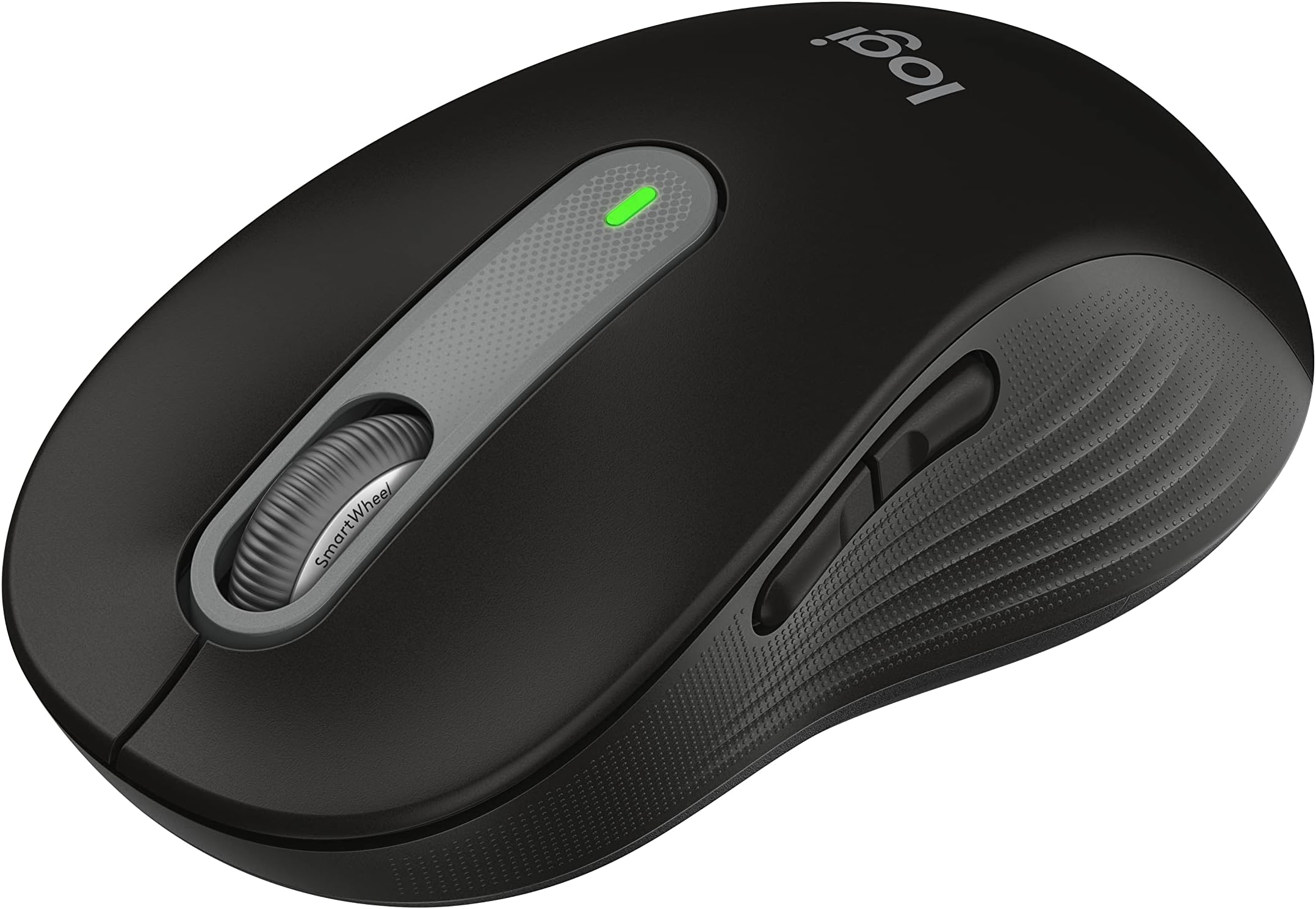
𝐓𝐋;𝐃𝐑 In my no non-sense pursuit of the perfect productivity/office mouse at ANY price point, the Logitech M650 is my top pick, especially compared to highest-end model in the market, the Logitech MX Master 3S. Despite, the fact that this is a mid-tier or budget pick according the same manufacturer. The M650 is a reliable productivity mouse, especially for users who prefer a palm grip. It offers a comfortable side-scroll feature, long-lasting battery life, and quiet, tactile clicks. While the Bluetooth connectivity is limited (only one device at a time), and the Logitech software can be bloated, it is a reliable piece of tech with stellar value, that is nearly approaching perfection. 𝐂𝐎𝐌𝐏𝐀𝐑𝐄𝐃 𝐓𝐎 "𝐓𝐇𝐄 𝐁𝐄𝐒𝐓" This is my favourite mouse in the whole productivity category, and I have tried many, here is how it compares with my previous mouse, the very reputable MX Master 3S. It is better than the MX Master 3S in my opinion, despite this being the budget option and the MX Master 3S being the premium pick, that is because I find that the MX Master 3S has a weird "ergonomic" angle, placing the hands like a handshake, and I could not get used to it. It seems that I prefer a symmetrical or ambidextrous mouse. The MX Master 3S is considerably heavier, more than ideal for a mouse, with a wide base that generates a lot of friction, plus it has a slow side scroll with an unreasonably high resistance. 𝐒𝐈𝐃𝐄 𝐒𝐂𝐑𝐎𝐋𝐋 (𝐭𝐡𝐞 𝐛𝐞𝐬𝐭) Speaking of side scroll, did you know that you can hold either of the two side buttons on the M650 and scroll up or down and it will horizontally scroll on your screen!! This is a major huge big deal!! That makes it better side scroll mechanism than a dedicated side scroll, since thumbs do not easily reach up over the hand compared to pinching in under the palm, making side scroll more comfortable and actually quicker, you will find yourself using it more, especially in spreadsheets. Any mouse that has a dedicated side scroll is now simply irrelevant due to this genius design. The MX Master 3S has a nice fidget scroll wheel that is made of a chunk of metal and has several seconds of momentum. But, while this one is not as quick, it’s still super quick in its own right, I like to think that it is more precise and sensible at all scrolling speeds. 𝐒𝐈𝐋𝐄𝐍𝐓 𝐂𝐋𝐈𝐂𝐊 Both have a quite innovative, very silent and tactile click that I found to be very reliable or durable since the click feel did not change overtime between the left and right click. Definitely, another major plus for Logitech quality control. 𝐁𝐀𝐓𝐓𝐄𝐑𝐘 The battery is very long lasting, and replacing it every few years makes it practically better than charging every few months. Don’t get it wrong charging is a downgrade compared to AA batteries that lasts years. 𝐂𝐎𝐍𝐍𝐄𝐂𝐓𝐈𝐕𝐈𝐓𝐘 I wish it could connect to more than one Bluetooth device at a time. but I bought one for each location because it was that good, and affordable. Note, that you cannot pair to a Bluetooth device and the USB receiver. It’s almost as if the USB receiver is also a Bluetooth device and the mouse can only pair to one (USB or device) and it will forget the other. So, expect one mode of communication, otherwise you will need to pair again every time you switch to and from. I found the connection to be reliable and a non-issue. 𝐓𝐇𝐄 𝐌𝟕𝟓𝟎 𝐎𝐏𝐓𝐈𝐎𝐍 I later learned at the end of 2024 that there is a new mouse called the M750 that has multi device connectivity and a DPI setting (have not purchased), but I also noticed that Logitech has realized that they have built a really good mouse and they are raising their prices. Honestly, I will begrudgingly say that this is fair. In terms of perfection, the M750 with the DPI button and multi device connectivity, addresses all the problems I can think of with a productivity mouse. 𝐂𝐎𝐋𝐎𝐑 I found the black one to only be available here on amazon (in Canada), not even on Logitech's own website. And it is real deep Black not grey-like as the Graphite. 𝐒𝐈𝐙𝐈𝐍𝐆 The mouse has two sizes, the large one is really large and the small one is really small. Don’t let a single centimeter difference fool you, the large size is wider at the palms and wider at the fingertips and is also higher into the palms, so in terms of volume it will feel much larger or smaller. If you are a lady with average hands, I very strongly recommend only going with the smaller size, and entirely avoiding the larger model. 𝐆𝐑𝐈𝐏 𝐒𝐓𝐘𝐋𝐄 In terms of grip style, I find the M650 is best for a 'palm grip', since it has a bulbous shape and a high peak at the rear third of its length, that reaches the palms even at any other grip style, and just offers to rest your wrist and palms on it. 𝐂𝐎𝐍𝐒𝐓𝐑𝐔𝐂𝐓𝐈𝐎𝐍 𝐀𝐍𝐃 𝐃𝐄𝐓𝐄𝐑𝐈𝐎𝐑𝐀𝐓𝐈𝐎𝐍 𝐎𝐕𝐄𝐑𝐓𝐈𝐌𝐄 The plastic does indeed shine a lot, especially at the fingertips, just like the MX Master 3S. Quite noticeable on the black models. The mouse does not feel cheap at all, in fact with the rubber sides and tight construction, this mouse feels simply premium. 𝐁𝐋𝐎𝐀𝐓𝐄𝐃 𝐋𝐎𝐆𝐈𝐓𝐄𝐂𝐇 𝐒𝐎𝐅𝐓𝐖𝐀𝐑𝐄 I do not like the Logitech software at all, although it is simple, beautiful, and very feature rich, and that is because it is also heavy on the PC. You can use the software to remap the side buttons to virtually anything, really powerful. It will also install an excel add-in without permission that will make opening excel a bit slower every time. Fortunately, you do not need to download the app if you do not need the features. I hope Logitech and other brands start keeping those utility apps in the browser that way they can easily improve on it, and we don't have to install anything on Windows (the worst OS that we are forced to use). 𝐁𝐄𝐒𝐓 𝐃𝐄𝐂𝐈𝐒𝐈𝐎𝐍 𝐅𝐎𝐑 𝐈𝐓 𝐀𝐃𝐌𝐈𝐍𝐒 This mouse is not flashy or groundbreaking, but it absolutely nails the fundamentals, with great value for mass deployment to your PC fleet, if you are an IT admin. 𝐂𝐎𝐍𝐂𝐋𝐔𝐒𝐈𝐎𝐍 I very highly recommend this mouse for productivity, it is a boring reliable machine of near perfection, just be absolutely sure that you are content with the shape and size. I purchased a Black M650L at 39 CAD pre tax on April 20th 2024.