Desertcart purchases this item on your behalf and handles shipping, customs, and support to South Korea.
🖨️ Flex, Magnetize, Print: Elevate Your Resin Game with KOYOFEI!
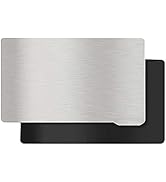
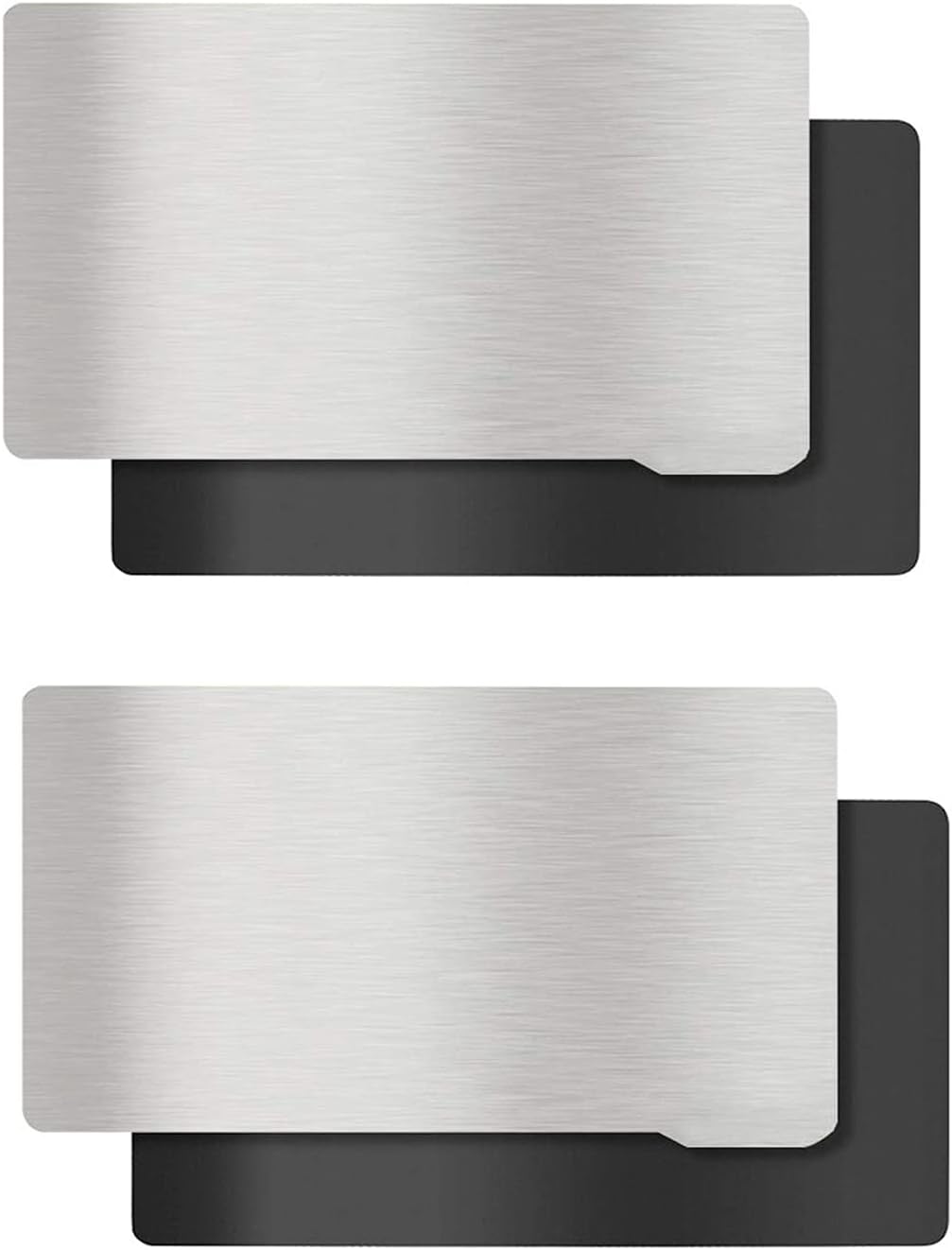
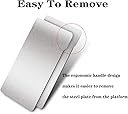
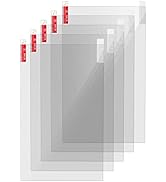
The KOYOFEI 2PCS Resin 3D Printer Flex Build Plate set is engineered for Anycubic Photon Mono 2 users seeking precision and durability. Featuring a 160x95mm CNC-machined spring steel plate with a robust magnetic base, it offers superior adhesion and effortless model removal. The 2.7mm thickness requires a spacer and re-leveling for perfect prints. Designed with a convenient handle and crafted from high-quality stainless steel, this build plate combo ensures long-lasting performance and professional-grade results.






| Brand | KOYOFEI |
| Color | Silver |
| Compatible Devices | Laptop, Personal Computer, Smartphone |
| Compatible Material | Resin |
| Customer Reviews | 4.0 out of 5 stars 43 Reviews |
| Material | Stainless Steel |
| Supported File Format | STL,OBJ,GCODE |
S**C
Great product
Exactly what I needed & works as described. No surprises, ease of set up, fit, size & price was great
K**S
It works.
I ended up buying these because I waited too long to gey a second official Photon Mono 2 print bed and the only third party one still available let's just say has very iffy manufacturing quality. Anyways Pros; it fits, magnet seems pretty strong(as in, I end up using my scraper to leverage the plate off the magnet), I had no issue with adhesion on smaller prints, the adhesive on the magnet has held up so far. Cons; as other reviews have stated, this thing could really use something to make sure the plate goes on straight beyond just eyeballing it. I think I'm gonna buy some thin playwood and try and cobble together a jig for it because it's very fiddley putting it on by hand, I've had adhesion problems with larger print (I ended up hitting one of the plates with 150 grit sandpaper in an up and down, then side to side pattern and that seems to have fixed that issue) ???; some of the magnetism seems to be working it's way into the upper half of the build plate structure, making it feel a little "sticky" when sliding it back onto the armature. I just added a tiny amount if light machine oil to the armature to fix that.
C**Z
Misleading
Warning! This product is much smaller than the build plate for the photon mono 2 it claims to be for.
D**N
Needs instructions and spacer
An instruction manual and spacer would make it actually worthwhile instead of having to figure that stuff out on your own.
D**.
Would not recommend
I purchased the "Mono 2" variety for my mono 4 as they practically have the same size build plate. 1. This was the correct size for the Mono 4. 2. I did need to extend my z-axis home flag to accommodate the thickness. 3. Did the rehoming procedure. Five failed prints in a row. 1st time, the plate shifted on the magnet (nothing to key it into place) 2nd time, the plate would flex ever so slightly when fighting with the fep sheet (slowed down the lift speeds as well as increase the off-time to 30 seconds, still would fail) 4th time supports would seperate from the model, unsure, probably still flex. 5th time, I got random layer seperation halfway through the print, likely due to the plate lifting from the magnet and not full seperation from the fep sheet. The only pro: not a single print separated from the flex sheet itself. Would not recommend.
G**R
Hällt was es verspricht
Wie beschrieben, dachte allerdings nicht wenn es schon für den beschriebenen Drucker ist das die Druckfläche kleiner ist als die vom Drucker
K**R
Sand it and it works
Needs a rub down with some sandpaper to get prints to stick, but after that works fine.
E**E
Eine wahre Erleichterung.
Mein Mars 2 Mono-SLA habe ich zwar erst seit Ostern aber ich finde es doch recht umständlich, den Gelenkkopf samt Druckerplatte zu entfernen, damit ich das gedruckte Objekt von der Druckplatte ablösen kann. Zudem level ich die Druckplatte danach auch immer wieder neu. Ich weiß aber nicht, ob das Leveln auch wirklich notwendig wäre. Sicher ist sicher. Mit den Druckplatten von KOYOFEI entfällt das Leveln nach jedem Druck. Die Druckplatte kann nach dem Druck einfach entfernt und später nach der Reinigung wieder dank Magneten angeheftet werden. Die Magnetplatte hält sehr gut dank Klebefilm und das nun seit mehr als drei Wochen. Damit die Drucke besser auf der Druckplatte haften, habe ich diese mit Schleifpapier etwas angeraut, da sich "großflächigere" Drucke; wenn man das beim SLA Drucker überhaupt sagen kann; etwas gelöst hatten. Nun hält alles super. Perfekt ich bin sehr zufrieden und es geht nun auch ohne Inbusschlüssel erheblich schneller und einfacher.
A**H
Good
Work for intended purpose
F**.
Tolle Idee, Qualität mittelmäßig
Das Preis-Leistungsverhältnis ist natürlich top, deshalb kann man 3 Sterne noch so stehen lassen. Wichtig ist, dass der Druck deutlich schlechter haftet als auf dem normalen Elegoo-Druckbett, dem lässt sich jedoch mit passenden Druckereinstellungen entgegenwirken. (Experimentierfreude ist hier fast schon ein Muss, ebenso wie starke Nerven xD) Was wirklich schlecht ist, ist die Haftung der magnetischen Oberfläche auf dem Druckbett. Der Klebstoff hier wirkt zwar auf den ersten Blick sehr stark, macht man jedoch beim Leveling einen Fehler und der Druck bleibt am Resintank-Film haften, löst sich das ganze neu aufgeklebte Druckbett vom Alten. Verwenden lässt sich das dann auch nichtmehr und auch Festkleben mit normalem Bastelkleber hilft nicht mehr. Wichtig ist auch noch, dass man beim Anbringen drauf achten sollte, dass das Elegoo-Druckbett komplett frei von Resin und absolut trocken ist, sonst haftet der Kleber nicht richtig.
Trustpilot
2 weeks ago
2 weeks ago