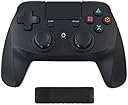
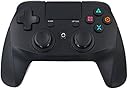
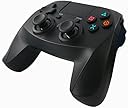
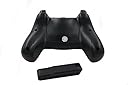
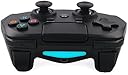
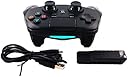
TENNIO Wireless GAME Controller for PS4 Gamepad Joystick Vibration feedback Touchpad Compatible with PS4 PRO and Windows PC
Product ID: 46673188
Desertcart purchases this item on your behalf and handles shipping, customs, and support to South Korea.
Product InformationThank you for purchasing this wireless controller,for intended to use with PS4TM.Please read carefully the instructions and keep them at hand for future reference .Product Operation 1、turn on your console (using the home button on the controller will not turn on the console)2、Plug the USB Bluetooth Dongle into a spare USB port on the front of the PS4TM console.3、Turn on the controller by pressing the Home Button.4、The indicator light on the USB Dongle will flash which means it is trying to synch to the controller.5、When the controller and the USB Dongle are synched ,the light will stay on permantly.6、If the synch is unsuccessful, press and hold the synch button on the Dongle for 5 seconds to retry the process.Safety PrecautionsDo not expose the product to hot or cold temperature or close to any source such as elements,ovens or direct sunlight, high humidity.Do not use in areas of high humidity or if wet from water or other liquids.Do not open,bend,service else trying to modify the product in any way,as this can cause electrical shocks,fires or damage.Only clean with a soft,dry cloth,not using any type of solvents or chemicals.Health precautionsIf you experience any discomfort from the use of the product, stop using it and seek medical help.If it caused by the vibration function of the product,switch this function of in your console setting,if it is caused by strong lights,stop playing and turn off the console and seek medical help. Don't forget to take breaks when playing for a long time.
Trustpilot
2 months ago
2 weeks ago