Buy anything from 5,000+ international stores. One checkout price. No surprise fees. Join 2M+ shoppers on Desertcart.
Desertcart purchases this item on your behalf and handles shipping, customs, and support to South Korea.
🖨️ Elevate your home office with smart, stylish, and wireless printing!
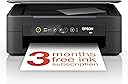
The Epson Expression Home XP-2200 is a compact, affordable 3-in-1 inkjet printer offering print, scan, and copy functions with crisp 1440 dpi resolution. Featuring Wi-Fi and Wi-Fi Direct, it enables wireless printing from smartphones and tablets via Epson’s Smart Panel app. Its cost-efficient 4-color ink system delivers vibrant prints, making it ideal for home and small office use.


| ASIN | B0BB2TV7TB |
| Additional Printer Functions | All In One |
| B&W Pages per Minute | 8 |
| Best Sellers Rank | 381 in Computers & Accessories ( See Top 100 in Computers & Accessories ) 6 in All-In-One Printers |
| Box Contents | Epson Expression Home XP-2200 |
| Brand | Epson |
| Brand Name | Epson |
| Color Depth | 24 bpp |
| Color Pages per Minute | 4 ppm |
| Colour | Black |
| Compatible Devices | Smartphones |
| Connectivity technology | Wi-Fi |
| Control Method | Touch |
| Controller Type | Android |
| Country of Origin | China |
| Customer Reviews | 3.8 out of 5 stars 3,571 Reviews |
| Dual-sided printing | Yes |
| Duplex | Manual |
| Global Trade Identification Number | 08715946702766 |
| Hardware Interface | USB |
| Ink Colour | Color |
| Is Electric | Yes |
| Item Dimensions D x W x H | 30D x 39W x 14.6H centimetres |
| Item Type Name | Colour Laser Printer |
| Item Weight | 4 Kilograms |
| Manufacturer | Epson |
| Maximum Copy Resolution Black and White | 1440 dpi |
| Maximum Copy Resolution Color | 2880 x 720 dpi |
| Maximum Copy Speed Black and White | 8 ppm |
| Maximum Print Resolution Black and White | [EO] 2880 x 720 dpi (Estimated Order of Magnitude) |
| Maximum Sheet Capacity | 150 |
| Maximum Supported Paper Size | Legal (8.5 x 14 inches or 21.6 x 35.6 cm) |
| Maximum print Resolution Color | 1440 dpi |
| Model Name | XP-2200 |
| Model Number | C11CK67401 |
| Model Series | XP |
| Model name | XP-2200 |
| Network Connectivity Technology | Wi-Fi |
| Number of Trays | 1 |
| Other Special Features of the Product | Borderless Printing, Compact |
| Output sheet capacity | 150 |
| Paper Size | 9x13 / 10x15 / 13x18 / 20x25 |
| Power Consumption Size | 12 Watts |
| Print media | Card stock, Glossy photo paper |
| Printer Output Type | Colour |
| Printer Resolution Vertical Max in Color | 29.7 Centimeters |
| Printer Type | Inkjet |
| Printing technology | Inkjet |
| Product Warranty | 28 Days DOA -12 Months |
| Resolution | 5760 x 1440 |
| Scanner Type | Photo |
| Special feature | Borderless Printing , Compact |
| Specific Uses For Product | Home/Office Document Printing |
| Total USB Ports | 1 |
| Warranty Type | limited |
M**Y
Quality at a budget price
very early days, but set up was pretty easy, password hide in machine guys. Printer speed is very fast compared to one it replaces, HP DeskJet 1512 what I swear just got turn off at HP end. Prints test pages perfect but will not print other stuff. Anyway back to this if works as long as the HP I will be well happy reason for buying, Epson over another Hp Ink can work out a lot cheaper
C**A
Terrible to set up - gave up in the end and returned
Looked like a nice printer for my mum who is in her 80s. She just wanted something to be able to print bills etc. I spent hours trying to set it up. Used the QR code on the box, downloaded various drivers having to reset and start over each time. Needless to say it’s being returned
J**N
A really good 3-in-1 (print, copy, scan) for small jobs
Summary The Epson XP-2200 is an affordable, easy-to-use, inkjet printer, that is suitable for users who print small volumes of regular items, such as; documents; travel data; online orders and similar. Photo quality is acceptable and can be rated "good" at this price-point. Text printing (black on white) is better than expected with sharp, well-defined characters. Presentation The printer is well-packaged in a strong box with plenty of foam formers to protect while in transit. What's in the box The following items are in the box.... 1. Printer 2. A set of 4 start-up inks (Black, Cyan, Magenta, Yellow) 3. Unpacking and start-up instructions 4. Mains electricity cable Note : Epson provide a very detailed User Guide online. It is a good idea to download and read this User Guide before unpacking and setting up the printer. There are a number of very important instructions that should be followed before starting the setup procedure. Installation As with all inkjet printers, unpacking and the initial setup procedure is critical to the operation of the printer. Epson have produced a very good animated video showing the exact procedure that must be followed to setup the printer. It is imperative that this video be followed step-by-step to ensure that the unpacking and setup is carried out in accordance with Epson's instructions. Failure to do this could result in a damaged or non-functional printer. There are 4 ways in which the printer can be used... 1. As a stand-alone machine, including all functions – Print, Copy, Scan 2. Connected to a computer via a USB cable (not supplied) 3. Connected to a computer or other device via direct Wi-Fi 4. Connected to a network via a Router and Wi-Fi Notes : 1. When connecting via direct Wi-Fi a Router and network are not required. The connected device (PC, Laptop, Phone), must have a Wi-Fi Adaptor. The printer and the device can then communicate directly without the need of a network. 2. The printer does not have an Ethernet port, therefore connection to a network Router can only be achieved via a Wi-Fi link. 3. Recommend that you download (from Epson) and read the detailed User Guide before starting the installation. Practical use 1. Stand-alone. If the machine is going to be used as a stand-alone device then there is no need to download or install any software. However, control over functionality will be very limited. 2. Connected to a device. If the machine is going to be used together with a PC, Laptop or Phone, then the Epson software for this printer must be downloaded and installed. Once the software has been installed printing, copying and scanning are relatively simple tasks. For printing tasks, simply select Print in the document that you want to print and the Epson utility will activate. In the utility you can make all the normal printing function adjustments. For copying and scanning tasks, open the Epson Scan Utility and follow the simple onscreen prompts. This is a very easy-to-use printer and is suitable for even the most non-technical person.
D**S
The inks are reasonably priced via Epson
The printer works well and is easy to set up the printer inks are very reasonable priced via Epson.
S**N
Easier than Hp
I plugged it in. It printed stuff. Take note HP ...no messing about!
V**K
Epson xp 2200 printer...does it print?
Does the job but as usual "Epsom" all sorts of simple problems stops it working Eg. Is the power on ? Or can't find the printer....beam me up Which is time consuming looking how to fix then a delay before anything happens Really soul destroying Printers years ago were better and more robust
R**K
It's a good printer.
I'm really happy with this printer and scanner for the price. I use it over WiFi using the Epson app and I haven't had any issues with it at all. It's been reliable, the prints are of a reasonably high quality (I use it largely for return labels and paperwork so mostly black and white with a little colour for logos and headers when needed) with sharp text and no inkbleed. The scanner is of very high quality I find and it works very well at capturing the colour, detail and material of whatever documents I'm scanning (though it can have a tendency to cut off the edges if I'm not very careful) the app is feature rich too, with great level of customisability for prints, scans and so forth. You can select your size, level of detail, how it's arranged on a page, the file format, if you want to convert to black and white and much more. You're also able to troubleshoot and check your ink levels from within the app and there is no forced account or subscription like some of the competition in this price range. The supplied ink appears to be in good volume and quite affordable to replace and third party ink is available with no DRM present that I'm aware of though it may be of inferior quality so your milage may vary. Overall I'm very satisfied with this purchase at the price paid. I acquired it during Epson's cashback event and paid approximately 40GBP followed by rebate.
W**E
Returned - could not solve poor print quality. WiFi difficult to set up. Odd cable required
Unfortunately this printer had to be returned. I have conveyed to Epson support the issues I had. The set up instructions regarding the connection with my home WiFi were not clear and missed a vital point about where to find the device's Password. The labelling was not as shown in the set up and I had to find it through printing out the machine's details. Epson support said that this would have been advised on-line at a certain web address. This was not given in any of the instructions supplied. I ordered this printer because I wanted to use both WiFi and Cable to connect. Unfortunately, it did not come with a cable, the connection of which was a USB to an old fashioned jack that I have not seen in twenty years. I did not even bother seeing where I could buy one and if so how much it would cost. Eventually I set up the WiFi connection and started installing the inks. It does say in the instructions that in setting up it may use a lot of the inks in the cartridges that come with the machine. Unfortunately, there were faults with the colours and the black - they were not giving full coverage. I followed the instructions and had to go through the head cleaning and then the power clean process several times, including a 12 hour wait. The black was cured but it did not solve the patchiness of the colours. By this time the black was out and the colour cartridges virtually empty. I checked Amazon and found that a replacement set of inks was going to be £58.00. This was the final straw. I was going to have to pay £100.00 for the printer and inks before I had the possibility of printing a first page. I could have spent a little more and bought a colour laser printer as I already have a working scanner. Therefore, I applied to Amazon for a return saying that the printer was not functioning with poor quality print and short life inks. Credit to Amazon for accepting the request and providing a free returns ticket. Thank you. Back to HP for me and their expensive multi-colour inks. At least they work!
R**K
Aggravating junk
I rarely use a printer these days so just wanted it for use 2 to 3 times per month. I have wasted so much time trying to get it to print after adding a new cartridge --and it still won't work. (I have been using home printers for over 35 years --all worked better than this.). I used it about 5 times and will likely need to throw it away. ---As a note, Epson's free months of cartridge subscription were not available in my area (Ireland - Mullingar), and they keep sending me emails to complete my enrollment after their system told me that my area was not available. I do NOT recommend.
C**E
Impeccable
C est le même modèle que mon ancienne imprimante en plus jolie
S**O
سيء جداً
بطيء جداً وصعبه الاستخدام واصدارها قديم
F**3
Stampante multifunzione ottima
E la seconda volta che acquisto una stampante su Amazon e sono rimasto soddisfatto come La volta precedente. La stampante è facile da utilizzare e a cartucce che costano molto meno rispetto ad altri prodotti e sono facilmente reperibili su Amazon. la qualità della stampa è alta e in più si possono effettuare fotocopie di documenti sia in bianco e nero che a colori
S**O
Al massimo 15 pagine col nero, ritornata al mittente
Stampa solo poche pagine
Trustpilot
1 month ago
1 month ago