


Desertcart purchases this item on your behalf and handles shipping, customs, and support to South Korea.
🎮 Lightweight power, wired for victory.
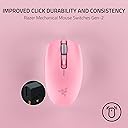
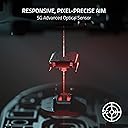
The Razer Orochi V2 is a compact, ambidextrous wireless gaming mouse weighing only 60g (excluding battery), featuring dual wireless modes (Bluetooth and HyperSpeed Wireless) for versatile use. It boasts an industry-leading battery life of up to 950 hours on Bluetooth, an advanced 18K DPI 5G optical sensor for precise tracking, and durable 2nd Gen mechanical switches rated for 60 million clicks. Designed for professionals and gamers alike, it supports AA or AAA batteries and offers a perfect balance of portability, performance, and longevity.






| ASIN | B0BFJSFS7V |
| Additional Features | 5G Advanced 18K DPI Optical Sensor, Lightweight, Mechanical Mouse Switches, Up to 950 Hr Battery Life, Wireless |
| Antenna Location | Gaming |
| Battery Average Life | 425 hours |
| Best Sellers Rank | #113 in Video Games ( See Top 100 in Video Games ) #10 in PC Gaming Mice |
| Brand | Razer |
| Button Quantity | 8 |
| Color | Quartz Pink |
| Compatible Devices | Mac, Personal Computer |
| Connectivity Technology | Bluetooth, USB |
| Customer Reviews | 4.4 out of 5 stars 5,610 Reviews |
| Enclosure Material | Quartz |
| Hand Orientation | Ambidextrous |
| Hardware Platform | Mac, PC |
| Included Components | Gaming Mice |
| Item Dimensions L x W | 2.46"L x 4.25"W |
| Item Type Name | Gaming Mice |
| Item Weight | 2.88 ounces |
| Manufacturer | Razer |
| Mfr Part Number | RZ01-03731200-R3U1 |
| Minimum Required Operating System Version | Windows 10 |
| Model Name | Orochi V2 |
| Model Number | RZ01-03731200-R3U1 |
| Mouse Maximum Sensitivity | 18000 dots_per_inch |
| Movement Detection | Optical |
| Movement Detection Technology | Optical |
| Number of Batteries | 1 Lithium Metal batteries required. |
| Number of Buttons | 8 |
| Operating System | Windows, macOS |
| Power Source | Battery Powered |
| Range | 10.0 meters |
| Special Feature | 5G Advanced 18K DPI Optical Sensor, Lightweight, Mechanical Mouse Switches, Up to 950 Hr Battery Life, Wireless Special Feature 5G Advanced 18K DPI Optical Sensor, Lightweight, Mechanical Mouse Switches, Up to 950 Hr Battery Life, Wireless See more |
| Style Name | Modern |
| UPC | 840272904596 |
| Unit Count | 1 Count |
| Warranty Description | 2 year manufacturer |
A**Y
my new favorite mouse after years with the g305 (˶˃ ᵕ ˂˶) .ᐟ.ᐟ
i used the logitech g305 for years and loved it, but it started slowing down on me so i decided to try the orochi v2 while it was on sale. i'm honestly obsessed!! it feels so much faster, the different dpi settings are super nice to have, and it's been perfect for both work and gaming. i work from home during the day and play games with my boyfriend at night, so i needed something that could do both really well. i also have pretty small hands and the size is perfect for me!! my boyfriend even tried it and loved it too... and his hands are literally twice the size of mine LOL. ⋆ lightweight and super responsive ⋆ multiple dpi settings that are easy to switch between ⋆ perfect size for smaller hands (but comfy for bigger hands too!!) ⋆ looks sooo good with a white desk setup if you're looking for a solid wireless mouse that won't break the bank, i'd recommend this in a heartbeat. whether you're gaming, working, or just want something that feels really nice to use every day, i don't think you can go wrong with this one!!
E**G
Best mouse I've had in a long time!
I am on my computer often (hours a day for work and play). I gamed for decades and always had the best mice. But, the last year few years I haven't gamed much and had been using something not so great. I play a game here or there again and decided I wanted something great again. I want a mouse that will last many years (something that you have to put batteries into / not rechargeable), that is fairly small and light (which I've always preferred), has no fancy lights, long battery life, responsive & accurate, and good quality / feel. This clicks all the boxes! It allows you to use a AA or a AAA; only one at a time, do not insert both. The AAA option is for the lightest weight. I admit I haven't used that option. I want the longevity of the AA over the AAA (usually rechargeable AAA's are under 1000mah, and AA's are over 2000mah - so you get 2 to 3 times more battery life with the AA). I use rechargeable batteries in everything; however, the first battery I used in this mouse is an Energizer lithium. I want to see how long it lasts with a normal high quality battery (so far, 30 days with ~7 hours of computer use a day. I never turn the mouse off, it is always switched to 2.4 and turned on when I am away from computer). With the AA the feel and balance is great. One of best feeling mice I have used. Has plenty of buttons for my uses. Extreme gamers may want more. I barely use the few extra it has. The buttons all feel good and sturdy. They should last, I hope. It looks classy, I have the white color. I like that is has both bluetooth and 2.4 modes. The 2.4 mode will give you the best performance. However, it will also cut the battery life! The bluetooth mode will give you a ton more battery life; however, you will lack some performance. I have not tested bluetooth mode at all yet, I wanted to test the mouse fully with this first battery before doing that. In the future, I may switch between bluetooth mode and 2.4 mode when I switch from normal computing to gaming. I only game say, 1 out of 7 hours I am on the computer. So, that is a potential benefit. I also like it has the bluetooth in case I want to take it anywhere for work computing, with a laptop or tablet. Then, I can leave the 2.4 usb card in my desktop at home, and still have a great mouse for on the go. When I bring it home, it's all ready again. Overall I am very happy with it after having it for a month now and using it daily. I hope it lasts for years. *Update. My mouse battery finally died for the first time on March 27, 2022. It was working perfect, then suddenly the cursor stopped moving. It lasted about 2.5 months with an Energizer Lithium (2.4ghz whole time, mouse never turned off). Not bad! I assume a good rechargeable (Eneloop) will give me at least 2 months (and with rechargeable batteries, I will just replace every 2 months (maybe even every month), just so I know my mouse will never stop working when I need it)).
B**.
Amazing more comfortable G305 replacement, and actually GREAT for large hands if used in right grip
Backstory: I have been using a G305 for probably close to a decade. I love everything about that mouse, and I have since day one. Unfortunately, my hand started to not love that mouse as I've begun to develop pain in my right pinky from tucking it in under the G305. That's what lead me to searching for a replacement. I tried and returned at least 4 other options before finally landing here. Nothing in the <$50'ish range worked as well for fingertip grip as my beloved G305 until I tried this. This is a strange little mouse, and I absolutely love it. It is short enough that it can not be palm gripped by adults. This is exclusively a fingertip/claw grip mouse. Despite being so short though, it is NOT ultra narrow! I think it lands right in the middle of the pack for width. It looks similarly sized to the G305. However, the sides of the mouse do not taper basically at all. This means that despite having the same profile width looking from above, the actual distance between your thumb and pinky is greater because they aren't "scooping" underneath the mouse at all. And because it's so much shorter, I can now alternate between 1/3/1 grip and 1/2/2 since moving my ring finger to right click no longer puts that finger's first knuckle in contact with the back hump of mouse. This makes the grip width even more comfortable. Weight: it's also only 64.3 grams with a lithium AAA! Compare that to the 85g of the G305 with lithiumAAA(+adapter) Or 78g if you use the lithiumAAA *and* leave the back cover off completely (which is an option for fingertip grip, but not as nice). Performance: great. I've thrown mice in the actual trash after feeling jitter, which is obviously not a problem here. Software: OpenRazer + RazerGenie do DPI programming on Linux, and Input Remapper handles the button config. A little disjointed, but lightweight and very configurable. I think I've found my next ten-year device.
N**N
Lightweight Fingertip Grip, But Double Click Issues
First some context for how I use this mouse. I do about an hour of aim training every day, and then anywhere from 0-8 hours of FPS gaming per day. Average of probably 2 hours of gaming per day. I have a relaxed fingertip grip, my fingertips usually rest about 1/3 of the way down from the tip of the mouse. This means I usually end up clicking near the back part of the mouse buttons. I also have pretty small hands for my height. The first thing I noticed about this mouse is how dang light it is. It comes with a 15gram AA battery to use with it. There is also a slot for a AAA battery if you want, however that slot is farther back and makes the mouse feel less centered. You can buy adaptors (usually about 3 grams) to fit a AAA lithium battery (usually about 7 grams) into the AA slot if you want, and this would shave about 5 grams off of the weight while still keeping it feeling balanced. I hadn't bought a new mouse for about 5 years, so my old G403 felt like a sack of potatoes compared to using this thing. The mouse skates are also great, nice and wide and completely pure white teflon. The second thing I noticed was the shape. It's obviously a small mouse, and I'm fine with that, but I found that I really disliked the taper on the back of the mouse. Since I have a gripstyle that sits pretty far back on the mouse, I really noticed the lack of control that my pinky now had - I had to curl my pinky in a bit. On my G403, there is a small hump back there that really helped my pinky contribute to my aim. Similarly, it felt like my thumb was contributing slightly less to my aim, although not quite to the same effect as my pinky. Everything mechanically felt great, clicks feel good and the thumb buttons feel good as well. I like the size of the thumb buttons, I wish more people made them "thin" like they are on the Orochi. I barely use the scroll wheel due to the nature of the games I play, so I can't speak to that part of the mouse. In my aim training, I noticed some immediate differences. Tracking was SOOOO much easier. My tracking scores in Kovaak's literally immediately jumped up. This isn't too surprising considering that the Orochi is about 50 grams lighter than my previous mouse was (G403). However, I also had an immediate dip in my static scores. There simply is no stopping power in this mouse, and I had grown used to my G403 having a bit of friction due to weight. This is something that I adapted to over time, and I eventually ended up beating my static high scores with the Orochi after a few weeks. The coating is not great. Or really just the lack of a coating. It's like a textured ABS plastic or something, it's certainly not the most slippery thing in the world, but I would often have to re-adjust my grip after about 15 seconds of very fast tracking that covers large swaths of area. There are grip pads you can use to help with this, but personally I'd rather deal with a mild amount of slipperiness than to put a stick-on grip pad onto my mouse. I found that my grip actually ended up changing mildly because of this, my ring finger ended up resting on the right "edge" of the mouse between the top and the side. This allowed it to have a "hard" edge to grab onto. The DPI button is nicely recessed, so I never had any issues with accidentally clicking it like I've had on other mice. It's still usable if you wanted to do a DPI shift mid game for certain games where that can be advantageous. Never had a single issue with connectivity, but I also keep my mouse dongle in a spot where it should have a great connection to the mouse. The battery life is kind of insane, after 3 months of almost constant use, it still has a nearly full battery. I never really used the mouse in Bluetooth mode, so I can't speak to how that functions. Now with all of the bases covered, time for the biggest issue I had with this mouse: double clicking. My index finger rests to the far right of the left click, almost touching the scroll wheel. After about 3 months of use, I noticed that while holding down left click during tracking scenarios, I would occasionally miss a "beat" of the left click being held down. I thought it was user error, but it kept happening once in a blue moon. The click would be held down, and there would be no mechanical feedback of the click being let go or "reclicked", but it would still blip out for a bit. Then, after a little bit of this, I started to have a much larger issue - I was getting the occasional double click. Again, I thought this might be user error, but there were a couple of situations that made it extremely obvious to me. One such scenario was in Overwatch, where I shot someone as Cassidy and then instantly started channeling my ultimate, but the ultimate instantly got "used" despite me not clicking again. I also noticed it while playing Bloons TD6, where I accidentally bought two upgrades instead of a single one for one of my towers. I started looking into it and used a "double click test" that I found online that shows the latency between clicks, and I found that I could somewhat consistently (about once every 10 tries) replicate the double click situation. You can see this in the picture that I have attached, where I am clicking about every 0.8 seconds, but once there is a second click at about .28 seconds. It seems to be something with the release of the click, like if I click but *EXTREMELY SLIGHTLY* ease the pressure mid-click, the click is still being held down mechanically, but the mouse almost seems to interpret that the click was quickly let go and then re-clicked. I haven't had any issues with the right click. I also didn't have the double-click issue for several months, or if I did it was rare enough that I never noticed it. TLDR: The mouse is extremely light, feels good, slightly awkward shape, is a little slippery, insane battery life, and works well, except mine had a double click issue. If yours doesn't have the same issue, then I would recommend it for fingertip or claw grip.
G**A
A Hassle-Free Jump to Wireless Mice
I was so deathly afraid of wireless mice for the longest of times. My thoughts were "I'd have to charge this every other day, it's going to be finnicky with latency, it won't even be good for on the go." The Razer Orochi V2 definitely threw all of those away. My basic requirements for a wireless mouse was a solid battery life, and the choice between Bluetooth and a 2.4hz dongle. The Orochi also throws in a nice shape with a smaller size that feels great in the hand, nice base colors with custom shells you can buy, and a really nice build quality. The battery life of the Orochi is great, but it's even cooler that they actively let you check it through Razer Synapse. You can also adjust when it enters Sleep mode, and when it enters Low Power Mode to prolong it until you can replace the battery. (Admittedly I hate Synapse but it's nice to have. It helps that the most recent update made it so that it opens on the first try. It's insane that for years Synapse just didn't want to open even after clicking the icon a million times. Like my frustration is genuinely boundless but I can let it go now) The sensitivity of this mouse is definitely higher. If you're like me, this is amazing. I was honestly at the end of my ropes with my Basilisk v3. It felt pretty sluggish on my optimal DPI settings. The Orochi is very smooth and fast, which is so amazing when you don't have a wire. It made me realize how much basic mouse movement is hindered by the drag of its cable. It's also a very function forward mouse, it has no LED lights for presumably better battery life (and a less tacky look) and the connection is very quick. You can switch it from off to on, throw it on your desk, and not feel like it's finnicky. It's also pretty fast waking up from Sleep mode. Both are fast enough to not feel frustrated at the delay, it's functionally instant. Now the use case that makes this a 5/5 for me is portability. I hate using a track pad when I'm out and about, and the Orochi being so small is so easy to throw into a bag and have whenever I need it. I was actually pretty annoyed throwing my Basilisk v3 into a bag and pulling out a bunch of cables that I'd wrestle the mouse out of. This removes all friction.
T**R
Finally found my endgame mouse
Finally found my endgame mouse — perfect for lightweight lovers and RTS gamers. I've gone through a lot of mice over the years — office mice, productivity mice, various gaming mice — and I kept running into the same problem: they were either too heavy or too bulky for my taste. The Orochi V2 is the first mouse where I thought, "this is it." The weight and size are just right if you prefer a light, nimble feel in your hand. It doesn't fatigue your wrist over long sessions, and the compact form factor gives you great control without feeling like you're pushing a brick around your desk. If you play StarCraft 1 or other real-time strategy games that demand fast, precise movements, I genuinely think this is one of the best options you can find on Amazon. The responsiveness and accuracy make a noticeable difference when every click counts. Battery life is also excellent for a wireless mouse, and switching between Bluetooth and the 2.4GHz dongle is seamless. Overall, this is the mouse I keep coming back to — and I don't see myself switching anytime soon.
A**R
Very glitchy mouse won't accept clicks, made me reinstall windows
TLDR: Ask ChatGPT about this mouse and it'll tell you that other users have reported issues with this mouse not clicking properly. It will tell you that this is a known issue with this mouse. So I'm an IT expert (programmer, been using PC's since Windows 3.1). And I could not get this mouse to work right. The mouse doesn't work right when the computer goes to sleep, and then wakes from sleep. This problem occurs on Windows 11 pro. When the mouse is connected in Bluetooth mode: First problem is, the mouse will NOT reconnect to the PC when the PC wakes from sleep, unless you have "Show notifications to connect using Swift Pair" disabled in windows Bluetooth settings. But setting is on by default. Second problem is, even with this setting disabled, and even if the mouse successfully reconnects when the computer wakes up, the computer will NOT accept clicks when it wakes up. This mouse apparently drops a phantom click that it never releases. The only way I could find to get rid of that phantom click is by pressing CTRL+ALT+DEL every time the computer wakes. This resets the phantom click and the mouse would function normally. But it's super annoying to have to press CTRL+ALT+DEL every time the PC wakes, especially since this mouse is supposed to be a gift to my little girl, I don't want her to have to deal with it not working perfectly. Also the mouse would sometimes stop accepting clicks even in the middle of playing games, but this only happened rarely in Bluetooth mode. On the wireless USB mode: The mouse cursor is NOT visible when windows first boots. You can't use the mouse to get to the box to type your PIN number to unlock the computer. You must use the keyword to get into windows, and then the cursor appears. This problem doesn't happen when using the mouse in Bluetooth mode, only in the wireless USB mode. And then the phantom click issue is MUCH more frequent in the wireless USB mode, and doesn't require the computer to wake from sleep, but happens randomly even in the middle of playing games... suddenly you can't click anything. And when waking from sleep, or when the mouse "goes to sleep", when it wakes up there's issues with clicks... and sometimes the cursor isn't even visible. Connecting a second mouse: When the computer stops accepting clicks, then even the second mouse would not be able to click. All connected mouses would stop being able to click. But this problem of not being able to click, would ONLY occur if the Razor Orochi V2 mouse was connected to the computer either via Bluetooth or wireless USB. If I disconnected the Orochi V2 mouse, then the problem never happens. So it's definitely this mouses's fault. But initially I didn't realize this mouse was the culprit. Because it affected all connected mice. So I thought, at first, that it was a windows issue... maybe a bad driver I had installed in the past. So I ended up reinstalling windows, trying to fix any potential driver issues. It wasn't until after that, when I discovered that the problem was this mouse all along. I was super upset to have reinstalled windows, and lost all my software and settings, only to then discover that the problem was still there and it was this mouse all along. As for getting my money back, amazon did not offer me an option to return the mouse and get a replacement. It only lets me send it back for a full refund. No option for replacement. So I think I bought this mouse when it was on sale. So it seems like they are expecting me to send it back, and then repurchase it at the new higher price, if I want to try it again. It's possible mine was simply defective. I did every imaginable thing to try to get this mouse to work. The mouse I had was brand new from Razor, but it was running an old firmware. I did a firmware update to version 1.03.00 (it was running version 1.02.00 when it arrived). I can confirm that firmware update did NOT fix the problem with the phantom clicks. I also set all the related devices in my device manager to not go to sleep, including the USB slots. That did NOT fix the problem with the phantom clicks. I also, at the advice of chatGPT, did a bunch of registry edits, none of which fixed the problem. I also, at the advice of chatGPT, wrote my own c# application, which attempted in various ways to force the mouse to release the phantom click, at least when the computer would wake up. I was trying to mimic the behavior of pressing CTRL+ALT+DEL. After many hours of coding, I was unable to programmatically correct the problems with this mouse. I really wanted this mouse to work because it's wireless, and its small, so it fits my daughter's hand. I'm now having to return this mouse at my time and expense, no option for replacement, lost whatever discount I got from the previous sale, and I lost days of my life trying to fix this mouse, and I lost some of my software and settings from the reinstallation of windows, so I have work to do just to get my daughter's computer back to normal again. Terrible experience. Conclusion: Ask ChatGPT about this mouse and it'll tell you that other users have reported issues with this mouse not clicking properly. It will tell you that this is a known issue with this mouse.
I**E
All Around Great Mouse
Lightweight, durable, comfortable, and easily matches whichever setup I use it for! This is my go-to mouse for on the go. It doesn’t take up much space and having Bluetooth and 2.4 options makes connectivity a breeze. It’s nice that you can adjust DPI settings as well. Haven’t used the Razer software because I haven’t had the need to.
A**Z
2 años funcionando sin fallas
Es un excelente mouse, se pueden ajustar parámetros con la app de Razer, la sensibilidad es muy buena, se puede conectar por Bluetooth o con su adaptador, la ventaja es que puedes usar una pila AAA ó AA, ya que tiene ranura para cualquiera de las dos, eso si, no debes ponerle dos usas una u otra, pero fácilmente te dura más de seis meses.
M**D
Buen precio para la marca, se configura muy fácil, diseño ergonómico
Buen diseño, bastante cómodo y configuración inmediata con el software de Razer, windows lo detectó de inmediato y se instaló el programa de forma automática. El mouse es bastante cómodo y ligero. Se siente ergonómico y tiene una especie de relieve para que no se resbale después de varias horas de juego. Lo recomiendo.
R**C
Nice response and ergonomics, build quality meh
This is a nice mouse but build wise it is very simple. Yes it works great but I will not buy this if it was not on sale. Very light, very smooth sliding, clicky responsive buttons. And the size is perfect for me. I initially thought it was too small but it has really good ergonomics so getting used to it is very easy.
H**T
Super lightweight and comfortable
Lightweight and comfortable mouse.
K**A
Es precioso me encanta
Lo compré hace ya tiempo, es demasiado lindo me encanta porque tiene dos compartimentos para pilas una doble a y otra triple a, ojo solo puedes meter una a la vez
Trustpilot
1 month ago
2 days ago