


🔌 Connect smarter, not harder — the cable that adapts to your hustle.
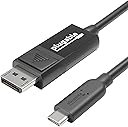
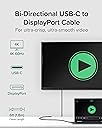
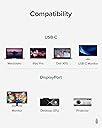
The Plugable USB C to DisplayPort Bi-Directional Cable delivers versatile, high-performance video connectivity with support for 4K resolution at 60Hz. Its bi-directional design enables seamless USB-C to DisplayPort or DisplayPort to USB-C connections without drivers, compatible across major operating systems and a wide range of devices. Ideal for professionals seeking reliable, plug-and-play solutions for hybrid work, gaming, and creative workflows, it comes with lifetime support ensuring long-term peace of mind.



| ASIN | B01EXKDRAC |
| Best Sellers Rank | 161,678 in Computers & Accessories ( See Top 100 in Computers & Accessories ) 505 in DVI to HDMI Adapters 2,735 in HDMI Cables |
| Brand | Plugable |
| Cable Type | USB |
| Cable type | USB |
| Colour | Multicolour |
| Compatible Devices | Laptop, Monitor, PC, Tablet |
| Compatible Phone Models | iPhone 15, iPhone 16, iPhone 15 Pro, iPhone 16 Pro |
| Compatible devices | Laptop, Monitor, PC, Tablet |
| Compatible phone models | iPhone 15, iPhone 16, iPhone 15 Pro, iPhone 16 Pro |
| Connector Gender | Male-to-Male |
| Connector Type | USB Type C |
| Connector type | USB Type C |
| Customer Package Type | Standard Packaging |
| Customer Reviews | 4.5 out of 5 stars 901 Reviews |
| Frequency | 60 Hz |
| Global Trade Identification Number | 00819927011040 |
| Item Length | 1.8 Metres |
| Item Weight | 68.04 Grams |
| Manufacturer | Plugable |
| Manufacturer Part Number | USBC-DP |
| Model Name | USBC-DP |
| Model Number | USBC-DP |
| Number of Items | 1 |
| Number of Pins | 24 |
| Other Special Features of the Product | Bi-Directional |
| Product Warranty | 1 Year Manufacturer |
| Recommended Uses For Product | Connecting monitors or docking setups, productivity, streaming, and gaming |
| Special feature | Bi-Directional |
| UPC | 819927011040 |
| Unit Count | 1.0 count |
M**K
Perfect product...Perfect customer service...So far!
I have just installed the product and it works perfectly. I highly recommend this brand. The level of customer service I received from Plugable prior to my purchase was impressive. We exchanged few emails and they were trying to help me figure out the best solution to suit my case. They were very patient and informative in their replies. Something I hoped Apple or Dell would have been able to provide, instead of their usual "I'm sorry, but we can't make recommendations on any products manufactured by a third party"...
S**V
What a find! MacBook Pro 13' with touch-bar (2018 updated model) LG Thunderbolt Ultrawide screen
I bought the new MacBook Pro 13' with touch-bar (2018 updated model) and I have a LG Ultra-wide Thunderbolt screen which is Thunderbolt 2. The options I had were the £49 apple adapter that has terrible reviews and to be honest its just a criminal price. This cable works perfectly. Benefits: 1. Softer smaller cable than the old Thunderbolt cable 2. USB-C actually sits more securely so bumping the laptop does not cause connection to be lost. 3. It runs at 60hz 4. It detects the when the MacBook is activated and if I close the screen on the Mac it re-arranges on the big screen. The same happens if I turn the large screen off it seamlessly re-arranges on the smaller screen. Overall its been a great find at £18 its a bargain compared to the alternative solutions
H**G
The only usb-c to displayport cable which worked for me.
Connecting my new imac 2019 to an old but excellent Asus ProArt monitor. I tried several other brands, including Rankie, with no luck. Sooner or later they all failed - until I tried the plugable. A problem arose, but this was sorted with efficiency and great attention to customer satisfaction. Have had it now for a further 6 months without a problem. A great company to do business with, and a solid, reliable product. Buy it!
M**S
Works great for MacBook Pro + Dell Monitor
Works fine connecting my 13-inch, 2017, Two Thunderbolt 3 ports MacBook Pro to my Dell U2415 and similar 27". The only thing I miss is the clip-in monitor connection, but it seems to stay put (after 6 months).
P**R
Perfect for Macbook Pro 15 2018
I have an old(ish) Dell monitor, alas the HDMI wont support large resolutions, but the DVI and DisplayPort do. There are several cheap cables available that claim to be Thunderbolt 3 (USB-C) to DisplayPort but was reluctant due to the massive compatibility issues. This cable is spot on, no additional software or hardware required, simply plugin and play. It is expensive, but you do get what you pay for, and with such a huge variance in hardware, socket and cable support I wanted to be sure I got a cable that just worked. Great resolution support. Perfect for my MacBook Pro 2018
L**S
Works well after trying cheaper options
I originally brought a Benfei USB 3.1 (USB-C) to DP Display Port Adapter Male to Male Gold-Plated Cord. I tried to go cheap but this was a complete failure so I returned it and ordered this which worked straight off. Connecting an ASUS 4K display to my new 27 inch 2017 iMac running macOS 10.13.6 High Sierra.
M**P
Another cable for the collection......
Now that serial ports are pretty much gone, many screens can have a good. or limited, selection of ports to allow extended display of my laptop. This cable allows me to connect my laptop to screens that do not have HDMI. It is not a heavy or thick cable and is "travel friendly" and fits easily in my laptop bag.
K**N
A true 4K@60Hz adapter/cable for use with the new MacBook Pro and external 4K monitors
I am so pleased that I have eventually found this adapter/cable for my 13inch MacBook Pro with touch bar and my 4K Samsung monitor. I have had the MBP and monitor for over six months now, but struggling to find the adapter/cable which can display 4K @ 60Hz refresh rate. The apple adapter with HDMI 4.1 cable could only produce 30Hz, I then bought a 4k@60Hz adapter to work with the HDMI4.1 cable and it certainly got better however, still not quite @60Hz. However, this one is perfect (you can easily tell this from the smoothness of the mouse cursor movement). Plugable USB-C to DisplayPort Adapter Cable (6'/1.8m) for 2016 MacBook Pro, MacBook Retina 2015 / 2016, Chromebook Pixel 2015, Thunderbolt 3 & More (Supports 4K / UHD Displays up to 3840x2160@60Hz)
ゆ**み
MacBook Pro 2016 でフルHD@144hzや4K@60hzで動作させることができるケーブル
MacBook Pro 2016 にて使用。MacBook Pro 2016 のHDMI接続ではフルHD@144Hzモニターや、4K@60Hzモニターではスペック通りに動かすことはできなかったのですが、こちらの製品による DisplayPort 接続であれば本来の性能で動かすことができることを確認しました。 1年ほど前に探した時はこのようなケーブルが無く、USB-C - DisplayPort の変換アダプタで安くても5000円はしていたのに、大変コスパの良い製品が出るようになったと実感していてます。変換アダプタのようにかさばらず、見た目もスマートで最高です。
S**A
Compatibile con vecchi Eizo
Sono riuscita a far comunicare un vecchio monitor EIZO e un Macbook Pro con USB-C, che hanno problemi con molti altri cavi.
J**3
GENIAL
Produit parfait pour brancher un PC portable vers un écran équipé Display Port. Donc ça marche pour un Dell XPS 13, 9350 vers un écran Iiyama ProLite 82783QSU (sous Ubuntu, bien entendu) C'est pratique, parce que... - prend le ports USB-C du laptop (donc il reste les 2 autres ports USB 3.0 de dispo) Pas la peine d'acheter à prix d'or les autres boîtiers auxquels il faudra ajouter un drivers... si-si c'est là que réside l'astuce de la solution. Ca fonctionne sans drivers !!! - c'est compatible avec toutes les résolutions actuelles (chez moi c'est 3200x1800) - ça laisse passer le son (comme HDMI), donc j'utilise les modestes enceintes de l’écran - euh, c'est portable et léger (l'essence même d'un laptopn, non ? ) ;)
A**R
Conecta un nuevo MacBook Pro a una pantalla con entrada Display Port
Comprar el último Apple MacBook Pro ha sido un suplicio por las tomas USB-C que tiene. Ninguno de los cables que me proponía la tienda de Apple servían para conectar el monitor NEC PA 241 W que utilizo para revelar mis fotos. Finalmente, buscando en Amazon, vi referencias sobre estos cables como la única manera de conectar una pantalla con entrada Display Port a un ordenador con salidas USB-C. Compré dos (tengo dos pantallas) y así ha sido. A la primera, y sin ningún problema, mis pantallas han vuelto a funcionar. Bendito cable!
M**Z
Worked like a CHARM!
I’m thrilled to have found what I was searching for. I have a Lenovo M15 portable monitor with a USB-C Thunderbolt port, and a HP EliteDesk G6 mini PC that lacks a Thunderbolt port. I tried various docking stations, hub stations, and different cables claiming to work, but none of them did. I was about to give up when I realized there had to be a device that would work. And guess what? This one did! Here’s how it works: plug the M15 into a separate power source, connect the USB-C end to the other USB-C port on the M15, and plug the DP end into the PC. And voila! It worked flawlessly!
Trustpilot
2 weeks ago
3 weeks ago