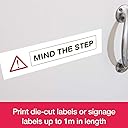
🏷️ Print Bold, Connect Smart — Label Like a Pro!
The Brother QL-820NWB is a versatile desktop label printer designed for the modern workspace, offering wireless, USB, network, and Bluetooth connectivity. It supports custom label lengths up to 1 meter and features standalone printing with a backlit LCD for easy operation. Dual-color red and black printing enhances label visibility, while comprehensive software and app integration empower seamless label design and workflow automation.


| ASIN | B01MSA1JE6 |
| Additional Printer Functions | Print Only |
| Best Sellers Rank | 42,072 in Business, Industry & Science ( See Top 100 in Business, Industry & Science ) 226 in Label Makers 424 in Labels & Labelling Equipment |
| Box Contents | Power Cord |
| Brand | Brother |
| Brand Name | Brother |
| Color Depth | 1 bpp |
| Colour | "red , Red & Black Print" |
| Compatible Devices | PC, Smartphones |
| Connectivity technology | USB, LAN |
| Control Method | App |
| Controller Type | Android, iOS |
| Customer Reviews | 4.2 out of 5 stars 295 Reviews |
| Display Type | Graphic Backlit LCD Screen |
| Dual-sided printing | Yes |
| Duplex | Simplex |
| Global Trade Identification Number | 04977766769228, 04977766771429, 30012502646342 |
| Hardware Interface | USB |
| Ink Colour | Black, Red |
| Item Dimensions D x W x H | 4.9D x 9.2W x 5.7H centimetres |
| Item Type Name | Label Printer |
| Item Weight | 1.16 Kilograms |
| Manufacturer | Brother |
| Maximum Copy Resolution Black and White | 203 dpi |
| Maximum Copy Resolution Color | 300 x 300 dpi (standard), 300 x 600 dpi (high resolution mode) |
| Maximum Print Resolution Black and White | 203 dpi |
| Maximum Sheet Capacity | 100 |
| Maximum Supported Paper Size | 110mm x 30m |
| Maximum print Resolution Color | 300 x 300 dpi (standard), 300 x 600 dpi (high resolution mode) |
| Model Name | QL-820NWB |
| Model Number | QL-820NWB |
| Model Series | QL-820 |
| Model name | QL-820NWB |
| Network Connectivity Technology | USB, LAN |
| Other Special Features of the Product | Red & Black Print |
| Output sheet capacity | 100 |
| Paper Size | 62 millimeters |
| Print media | Labels |
| Printer Output Type | Colour |
| Printer Type | Thermal |
| Printing technology | Thermal |
| Product Warranty | 3 year manufacturer |
| Resolution | 203 x 203 dpi |
| Scanner Type | Sheetfed |
| Special feature | Red & Black Print |
| Specific Uses For Product | Use in office, retail, food industry, building management and other business activities |
| Total USB 2.0 Ports | 1 |
| Total USB Ports | 1 |
| Warranty Type | limited warranty |
N**E
A great product
A great printer with lots of different label rolls available also prints in two colours.
S**S
Doesn’t work with Royal Mail click and send
Only complaint is, I bought it to print royal Mail postage labels and I have as yet not found a way for it to communicate with the online app or to print the labels in the right dimensions even though it is apparently capable of doing so
P**.
Piece of expensive junk
Really disappointed in this bought it as i thought it would be excellent to print labels signs, but mainly print labels to go to clients, from the ptouch address book, i send laptops etc out so i could also have a battery postage warning on the same label But NO. the black red rolls allow me to print both colours, but the p-touch address book will not support any red, only black. So not only can i not print out the red warnings on the same label.. the address book wont work at all as it detects the black red roll and just throws errors and wont even print an address label .... I apparently now have to order black rolls, then keep swapping them in and out if i want an address label or a sign in red.. Not sure how this is worth the money really
D**N
Great
High quality
K**S
Thermal label printer
This was too difficult for a non techy person such as me to set up so I asked a friend to help. He soon got to grips with it and has created the perfect labels for us with it. The print is lovely and clear. I’m very pleased with this printer.
I**H
The quickest printer ever! Perfect for sellers too
Easy to set up in minutes! Perfect too if you want to automate a few of your selling processes, it comes with a software kit online which is great for FBA
R**N
Brother
Nice bit of kit works fine no problems setting up
I**N
too much faffing
you have really got to need one of these if you are going to order it. It is far too much of a faff to set up and use for a once in a while thing. Even working in a school where I can use it solidly twice a year might not be enough.
G**S
eccellente prodotto, supera pienamente le mie aspettative
Venendo da una leitz icon che dopo poco più di un anno inspiegabilmente si rifiutava di connettersi in wifi, ho deciso di sostituirla con questo modello. Premesso che ne faccio un uso saltuario, anche se a distanza di qualche mese un paio di cartucce bicolore (rosso/nero) le ho usate, posso tranquillamente affermare che il prodotto si è dimostrato davvero eccellente sotto ogni punto di vista. Certo le cartucce non costano poco ma la differenza dalle compatibili si vede davvero. Installazione del prodotto molto semplice, manuali e sw (pc e cell) in italiano, quest'ultimo decisamente versatile e completo. Per quanto mi riguarda promossa a pieni voti. NB: cercando i ricambi non è passata inosservata la vers. completamente a colori, ovvero Brother VC-500W che mi arriverà venerdì. Quest'ultima sarà destinata per un etichettatura più professionale dato che la pellicola è lucida e a colori, ma anche più parsimoniosa dal momento che la lunghezza della cartuccia è la metà di questo modello: 5mt contro i 10mt e naturalmente decisamente più costosa. Tuttavia insieme ritengo siano complementari. In ogni caso scriverò una recensione più approfondita nella pagina del prodotto appena mi arriverà.
S**D
Überzeugendes Gerät
Habe mir den QL-820NWB vor etlichen Wochen gekauft. Ich nutze ihn im Netzwerk (Kabel). Gedruckt werden Beschriftungen für Schubfächer, Aufbewahrungsboxen, Anschlussbezeichnungen technischer Geräte, Ordnerrücken, Service- und Wartungsaufkleber oder auch Briefmarken. Kurzes Résumé: Mit diesem Label-Drucker bin ich absolut zufrieden. Konfiguration: Bereits vor der Installation kann der Webserver des Druckers über die IP-Adresse aufgerufen und der Drucker vorab konfiguriert werden. Die Konfiguration von Sprache, Beleuchtung, Schnitt, statische IP-Adresse, Kennwort und viele weitere Einstellungen sind somit (unabhängig von irgend einer Software) möglich. Ebenso kann über dieses Web-Interface die aktuelle Firmware geladen und installiert werden. Software: Der P-Touch Editor erfordert etwas Einarbeitungszeit. Hat man sich mit den Funktionen vertraut gemacht, erfüllt er aber quasi alle professionellen Ansprüche. Die Anbindung an eine Access-Adressdatenbank (7500 Adressen) ist problemlos, ebenso werden Inhalte verknüpfter Tabellen korrekt verarbeitet. Zur korrekten Darstellung von Adress-Datensätzen können z.B. Titel, Anrede, Vorname, Name oder Firmenname in der Breite flexibel angepasste werden, so dass auch bei unterschiedlichen Längen immer eine korrekte Darstellung erfolgt. Nicht selbsterklärend ist die Möglichkeit die unterschiedlichen Zellen einer Tabelle für Dateninhalte (aus einer Datenbank) festlegen zu können. Das erleichtert das Design von Vorlagen enorm und sollte in der Bedienungsanleitung deutlicher zum Ausdruck kommen. Vorlagen: Vorkonfigurierte Etikette, die des Öfteren benötigt werden, können als Vorlagen direkt im Drucker abgespeichert werden. Die dort gespeicherten Vorlagen können somit direkt aus dem Drucker (ohne jegliche Software) ausgedruckt werden. Aktualisierungs-Felder werden korrekt verarbeitet, ein Etikett mit Aufschrift „Wartung am [Datumsfeld] durchgeführt“ zeigt somit immer das Datum am Tag des Ausdrucks an. Absolut interessant empfinde ich die Möglichkeit, selbst Informationen einer Datenbank als Vorlage abspeichern zu können. Beispiel: Die Familie besteht aus 5 Personen, das jeweilige Absender-Adressetikett unterscheidet sich somit nur im Vornamen. Die Feldinhalte können in einer Excel-Tabelle abgelegt und mit dem dazugehörenden Etikett als Vorlage im Drucker gespeichert werden. Diese Vorlage kann dann im Drucker selbst z.B. unter "Absender" aufgerufen werden, die jeweiligen Vornamen können nun aus der Gruppe "Absender" im Bildschirm des Druckers gewählt und (ohne Zuhilfenahme eines PC's oder einer Software) ausgedruckt werden. Etiketten: Das Einlegen ist einfach, der Schnitt erfolgt exakt so, wie es im P-Touch Editor eingestellt wird. Nachdem man die Etiketten sowohl vertikal als auch horizontal beschriften kann, kommt bei mir in der Hauptsache das Endlospapier mit 62mm Breite zur Anwendung. Das Schriftbild im Standard-Druck ist gut und kann, falls erforderlich, in der Druckqualität mit den Stufen "Druckqualität Vorrang geben" und "Hohe Auflösung" an die eigenen Bedürfnisse angepasst werden. Beim Briefmarkendruck ist darauf zu achten, dass man vor der Erstellung des PDF-Dokuments (Deutsche Post - Internetmarke) diesen Drucker in den Voreinstellungen festlegt. Mich hat der "QL-820NWB" mit seinen professionellen Möglichkeiten überzeugt. Wer diese nicht benötigt oder sich nicht etwas intensiver einarbeiten möchte, wird mit einem simpleren Label-Drucker der Konkurrenz (z.B. einem Dymo 450 – besitze ich ebenfalls) vielleicht glücklicher. Allerdings ist dessen Funktionsumfang deutlich geringer, so dass beide Geräte in einer unterschiedlichen Liga spielen. Für den, der fortgeschrittenere Funktionen benötigt und ein paar Stunden Einarbeitungszeit nicht scheut, dürfte es zum "QL-820NWB" aber wenig Alternativen geben.
M**.
Impresora
Me ha gustado mucho
F**D
Fred
Very pleased with quality & price. Works well
M**R
Didn't come with battery and not printing in Red ?! Only black
Despite product description, the item Didn't come with supposedly included lithiurm battery and not printing in Red ?! Only black. Otherwise great product t
Trustpilot
3 weeks ago
3 days ago