Desertcart purchases this item on your behalf and handles shipping, customs, and support to South Korea.
๐๏ธ Transform your iPad into a creative powerhouse with Paperlike 2.1 โ feel the difference, see the brilliance!
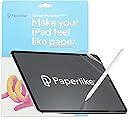
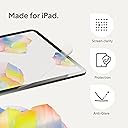
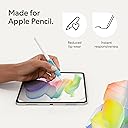
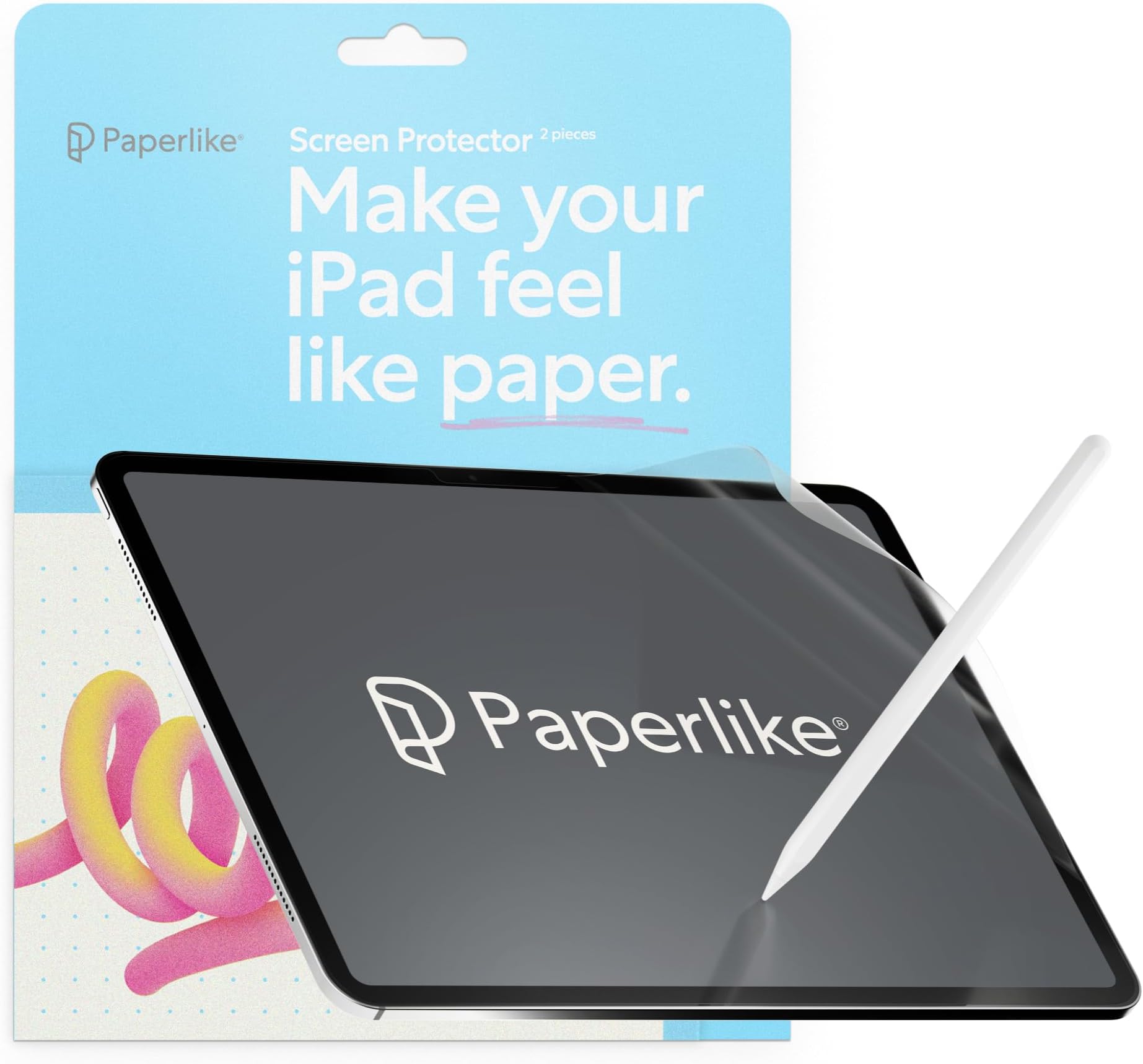
Paperlike 2.1 is a premium matte screen protector designed for iPad (A16) & 10th generation models, featuring advanced Nanodots technology for a realistic paper-like writing experience. It offers 9H hardness scratch resistance, 99% screen clarity retention, and ultra-thin 0.095mm thickness optimized for Apple Pencil responsiveness. The package includes two protectors and a bubble-free installation kit, ensuring durable protection and enhanced creative precision without sacrificing vibrant display quality.


| ASIN | B0BJS86VV9 |
| Best Sellers Rank | 7,594 in Computers & Accessories ( See Top 100 in Computers & Accessories ) 125 in Tablet Screen Protectors |
| Brand | Paperlike |
| Brand Name | Paperlike |
| Clarity | 99 |
| Colour | Transparent |
| Compatible Devices | iPad (A16) & iPad (10th generation) |
| Compatible Phone Models | iPad 10.9" 10th Generation (2022) |
| Compatible devices | iPad (A16) & iPad (10th generation) |
| Compatible phone models | iPad 10.9" 10th Generation (2022) |
| Country of Origin | China |
| Customer Package Type | FFP |
| Customer Reviews | 3.9 out of 5 stars 8,164 Reviews |
| Finish Type | Matte |
| Global Trade Identification Number | 04260470099966 |
| Included Components | Screen Protector |
| Item Dimensions L x W | 24.4L x 17.5W centimetres |
| Item Hardness | 9H |
| Item Weight | 10 Grams |
| Item hardness | 9H |
| Manufacturer | Paperlike |
| Manufacturer Contact Information | Paperlike GmbH, Hermannstr. 13, 20095 Hamburg, Germany. |
| Material | Polyethylene Terephthalate |
| Model Name | Paperlike |
| Model Number | PL2A-10-22-2 |
| Number of Items | 2 |
| Part Number | Screen Protector |
| Product Warranty | Legal warranty |
| Product dimensions | 24.4L x 17.5W centimetres |
| Screen Size | 10.9 Inches |
| Screen Surface Description | Matte |
| Special Features | High Definition Clarity |
| Unit Count | 2.0 count |
| Water Resistance Level | Water Repellent |
N**Y
Amazing
I wasn't sure about this at first as it is a bit pricey for a screen protecter, but I knew that I would be writing a lot with my pencil so wanted to get a screen protecter for that specific purpose. This works really well, it feels great, was really easy to apply, and protects my screen really well (I've dropped my iPad multiple times so I have thoroughly tested the screen protector). I really love it and recommend it.
M**R
Greatly improved product
Very happy with the new Paperlike 2.1. I had given up with earlier versions and makes because of the loss of screen clarity, but these give reduce reflections and don't significantly degrade the image. They feel silky rather than like paper, but are a much better drawing experience than glass. Requires care to apply, but not impossible, so expect to waste one before achieving success! There are two in the pack.
R**H
Poor Quality
So disappointed with this, installation is a nightmare seem low quality compared to others I have used. Ruined both of them look elsewhere as these really affect the quality of the display Update - all credit to paperlike customer service is great thanks
M**N
Avoid. Total waste of money. Very disappointed
Iโm very disappointed with this product having seen it on Mark Ellisโ YouTube channel where he praised it a great deal. ยฃ35 and a total waste of money. I have spent 45 mins trying to apply the screen protector (it comes with two and I have tried with both). It is simply impossible to make it apply effectively even when watching the online tutorial and following it step by step and being very patient. Bubbles everywhere that will not come out and the edge is not fully stuck down. Both screen protectors are now unusable. I am returning it in the hope I get a refund for what is, in my view, a faulty and unusable product. Avoid. ps I have only ever left a very small number of reviews for other products on Amazon and all other reviews have been five stars. Iโm not someone who gives bad reviews routinely.
L**N
1 star reviews are not fair at all
If you follow the official help video on youtube you will not fail to apply the screen protector to the ipad, there will be no bubbles and the screen will be applied evenly on all sides. Also you have to do it in a daylight with minimum dust in the air, and closed windows if it's windy. I managed to do it dust and bubble free in my bedroom. If you have bad eyesight I assume you have glasses so you should put them on. Face the screen to the window as the dust speckles are visible in the reflection of the daylight. Watch the official tutorial video and follow it step by step. Ignore the negative feedback. I cannot review the longevity yet and the price is substantial, ยฃ17 per one film makes it most expensive, so for now I'm giving it five stars and time will tell.
M**S
Great writing feel, but scratches far too easily
**Title:** Great writing feel, but scratches far too easily I used the Paperlike screen protector for around two years on an iPad Air with an Apple Pencil 2. Its biggest advantage is the writing experience. Compared with writing directly on the glass screen, it feels much more tactile, controlled and natural. The slight resistance makes handwriting and drawing feel closer to using a pencil on paper, and the subtle scratching sound is actually quite satisfying. The screen remained fully responsive throughout. Touches, gestures and Apple Pencil strokes always registered properly, and it fitted perfectly alongside my iPad case. It also reduced glare and reflections very effectively, which made the iPad easier to use in brighter environments. Installation was relatively straightforward, and the pack included wipes, stickers and most of the items needed. I had some bubbles during my first installation, although the second application was much smoother once I was familiar with the process. A proper alignment tool would have made installation easier. My main disappointment is how easily the protector scratches and marks. Over time, the texture wore down, and outlines of previously written sentences became visible when the screen was switched off. Some marks seemed ingrained into the protector and remained even after cleaning. This eventually affected how clearly the screen could be viewed and meant the protector needed replacing more often than I expected. As with most matte protectors, it also slightly reduces the screenโs brightness, sharpness and clarity. However, I did not notice any significant wear to the Apple Pencil tip, and it did not collect many fingerprints or dust. You receive two protectors in the pack, and the writing experience is better than many cheaper matte alternatives. I would recommend it to anyone who regularly takes handwritten notes or draws on their iPad. However, considering the price, I expected the surface to be more resistant to scratching and long-term wear.
N**T
Finally I am using my Apple Pencil as it was intended
I have had three different Apple Pencils as the iPad has evolved but never used them to the full extent. I really wanted to use my iPads for note taking but did not get on with the feel of the pencil on either native glass or a laminated screen protector. I considered paying out for a Remarkable device but decided to give the iPad one more chance. I have an iPad Mini so decided to bite the bullet and try a Paperlike screen protector with it, mindful of the issues people have raised. In short, it worked and I liked it, used in conjunction with a Logitech crayon. More recently I decided to do the same with my iPad Pro and so far, I am very pleased. It gets used for recording random ideas and I find this much more intuitive than many of the typed notes and mind map apps that are available; I am using Goodnotes for the most part and doodling is a significant element of note taking. I do not find the textured surface to be detrimental to video playback or graphics apps, I have not noticed any significant reduction in quality, in fact it could be the poor manโs nanotextured display with the advantage that you can replace it - I understand that a Paperlike protector should last around 18 months. I have noticed that the screen is less reflective in direct light so from that point of view it is more friendly on the eye. The only thing I feel I need to do now is find the optimum tip for the Apple Pencil. Regarding issues with applicationโฆ I have been fitting screen protectors of all types for over twenty years, even soโฆ ****ENSURE THAT YOU WATCH THE INSTRUCTIONAL VIDEO**** and follow it to the letter. Otherwise, so far so good.
B**O
Paperlike
Excellent
H**O
Excelente producto
Excelente producto, una experiencia de escritura genial
L**Y
Simply the Best!! A DREAM for writers
Hey Jan! I love your paperlike 2.0! My only disappointment is : In myself! For not purchasing it sooner! It's an absolute dream to write on The nanodot technology is incredible! -- color retention โ real! -- Apple Pencil Pro response โ real!! HUGE difference between this and other paperfeel protectors. I was a fan of Paperlike since 2015 when a had an iPad Air 2 - it was an absolute dream to write on, I never experienced anything like it. I used it exclusively for years. Then, as visuals on the iPad were getting better - with the older version - of course there was more "rainbowing" & such. When I bought a very simple iPad 10 just for writing, a friend gifted me Astropad Rock, Paper, Pencil V2 -> liked the nano-cling technology it is really cool. Being able to take it off for everything else but writing was a huge plus at the time because there was nothing like this out there Long story short โ I needed pencil grips to prevent my fingers from cramping โ paperlike pencil grips are incredible! *** if you are a writer, you need these! My fingers no longer cramp and in my research these are the only ones that charge and have the squeeze and double tap work perfectly. These grips reminded me of paperlike's dedication to making quality products - I read about the paperlike 2.0 - nano dot technology- it was a no-brainer for me and Iโm so grateful that I came back to this because once I read about the 93% color retention, I thought cool!!! ๏ฟผ I like not having to remove it because I use my iPad for drawing and writing more than anything else. The installation to me is genius. Itโs brilliant and Iโm not quite sure why people have trouble with it. I think if you just watch the video first without even opening it. Yes, it's different. People are intimidated by different - they assume the worst before even trying it, setting themselves up for failure. If we are honest with ourselves , we know as humans me all have a tendency to do this from time to time. THANK YOU JAN!! I LOVE ALL OF YOU PRODUCTS!! Leah Ayelet. - Paperlike super fan๐
R**9
Installation is a bliss (when you order from paperlike)
I was really looking forward to writing on my iPad and feeling like I was writing on paper. The reviews, for those few, who can get it on,are great, so I took the bullet. I wasted 40$ and 2 paperlike protectors. First steps of the installation are easy enough, like any other protector. But once you go to remove "2" aka "paperlike side" you are done, the whole thing comes off, paperlike and "foil" I took my time, was not in a rush, watched the video 3x before attempting it on my own. The paperlike came off both times. It's not worth it if you can't get it installed. You waste money, energy and end up with the same glass screen to started with. I wish I could have gotten it on, but the other reviews are right. Installation is hard, and may be 1/3 of them work out for a great experience. So disappointed UPDATE: I updated from 1 star to 5 stars. This is why... 1. Customer service is amazing, they contacted me after my initial review and sent me a replacement for free. It arrived in 2-3 days, so fast and efficient at no extra cost. 2. I realized it's not paperlike's fault. It comes down to storage/Amazon/heat. I believe the first one I got from Amazon wasn't stored properly and the two films were practically melted together, so they came off together. The paperlike I got from the company itself was a bliss of an installation. I followed the same steps as before, but ran into absolutely zero issues. 3. It really feels like you are writing on paper! And also like you are flipping real pages in a way? It has a different feel when scrolling through pages (left/right) that's similar to paper ..you just have to try it, hard to explain lol Only con is the slight opacity it brings to the screen. About 5-10% opacity, but Ill get used to it cause the trade off it's absolutely worth it. Biggest lesson here, order directly from paperlike, follow the video and you'll have no issues ...and if you do, they got your back ;)
L**Z
Works a treat.
Love it, easy to follow instructions and was a breeze to put on my iPad. Feels far more like paper and I now use my iPad for writing a lot more than I previously did. Well worth it, highly recommend if you want a more matte/paper like feel for your screen.
T**T
Bubbles bubbles and more bubbles!
Expensive product impossible to test properly because you cannot get rid of the bubbles during application. Frustrating and a waste of money!
Trustpilot
1 month ago
2 weeks ago