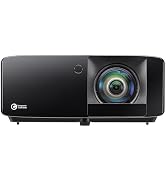
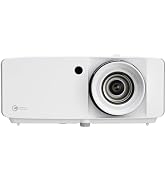
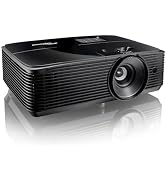
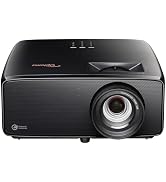
🎥 Elevate your game and binge in breathtaking 4K brilliance — don’t just watch, experience!
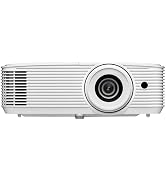
The Optoma UHD38X is a portable 4K UHD projector boasting 4000 lumens brightness, ultra-low 4.2ms input lag, and a 240Hz refresh rate, optimized for both immersive home theater viewing and competitive gaming. With native HDR and HLG compatibility, it delivers vibrant colors and sharp contrast on screens up to 300 inches, making it a versatile choice for millennial professionals seeking premium visual performance and sleek portability.


| ASIN | B0BGVGDB72 |
| Additional Features | Portable |
| Antenna Location | Gaming |
| Best Sellers Rank | #527 in Video Projectors |
| Brand | Optoma |
| Brightness | 4000 lumen |
| Built-In Media | User Manual |
| Color | White |
| Compatible Devices | Gaming Console |
| Connectivity Technology | RCA |
| Contrast Ratio | 1000000:1 |
| Control Method | Remote |
| Controller Type | Button Control |
| Customer Reviews | 3.8 out of 5 stars 350 Reviews |
| Display Resolution Maximum | 4K Ultra HD Pixels |
| Display Type | Projector |
| Display resolution | 3840 x 2160 |
| Form Factor | Portable |
| Hardware Connectivity | USB |
| Item Dimensions L x W x H | 10.6"L x 12.4"W x 4.6"H |
| Item Weight | 10.1 Pounds |
| Lamp Wattage | 240 Watts |
| Light Source Operating Life | 10000 Hours |
| Manufacturer | Optoma Technology Inc |
| Maximum Image Size | 300 Inches |
| Maximum Throw Distance | 32 Feet |
| Minimum Image Size | 33 Inches |
| Minimum Throw Distance | 4 Feet |
| Model Name | UHD38x |
| Model Number | UHD38X |
| Mounting Type | Ceiling Mount |
| Native Resolution | 3840 x 2160 |
| Picture Quality Enhancement Technology | UltraDetail technology |
| Recommended Uses For Product | Gaming |
| Special Feature | Portable |
| UPC | 796435814502 |
| Vertical Keystone Correction | 2.25 Inches |
| Video Encoding | H.264 or H.265 (HEVC) |
| Voltage | 240 Volts |
| Warranty Description | 1 Year limited parts and labor warranty on the projector, 90 days lamp warranty |
| Wattage | 10 watts |
M**R
Perfect for Dedicated Home Theater But...(Update)
Update: I left my original review below for Optoma fans to read. As for me, I had a problem almost the same day that I wrote the review. The projector started flickering in monochrome colors and did not respond to the remote to turn it off. It turned off on its own after about a minute. Then the blue & red LEDs for status began blinking together to form "purple". I had to disconnect the power cord after letting the lamp cool to get the unit to restart and it did. I looked to see if others had a similar problem on forums. A few people did and one guy suggested blowing out the lamp compartment with compressed air. That did NOT sound like a good idea so I contacted Optoma. The tech was very brief and curt in his reply. He told me to press "sync" if it happened again. I looked that up since I recalled "sync" only helping with 3D issues and this had nothing to do with a 3D Blu-ray disc. This happened again several times and after an additional attempt at getting a reply from Optoma support I finally decided to return the unit. I had been reluctant to switch from LCD to DLP technology originally but reviews seemed enticing. Wish my experience had been better. Maybe this was just a bad unit as noted in at least one other review but the support was so poor I did not want to continue down that path. My previous experience with a SONY and an EPSON projector did not involve service issues of ANY kind for more than 8 years for either unit. Note that this unit is only about one month old as I write this update. Hope someone at Optoma learns from this review. If you need a short throw projector or want to move the projector often keep looking. My review will only cover this projector in a dedicated home theater with no windows and a 120 inch fixed screen with plenty of length and height for projector and screen placement. This is my third projector with the first being a 1999 model Sony 720p unit that cost $6,000. The second was the much-lauded Epson 8350 3-LCD and 1080p projector that cost about $1000. (This unit is about the same price corrected for inflation.) The built-in speaker is about what you would expect but why would someone create a dedicated home theater and not include at least a decent 5.1 surround system? Here is why I bought this projector after considering about 20 from four manufacturers. The picture is sharp, crisp and has much more color saturation than my previous projector. I have native HDR without settling for 1080p resolution units that are "compatible" and able to process HDR input. The HDR is manipulated to make it specifically function with this unit according to reviews and the results seem good as you will see from my sample snapshots taken with a Motorola Moto G Power phone that has a good but not great camera. The picture mode is set to Cinema as recommended in reviews and brightness is Eco and that works well in a dark room. Any additional brightness would cause eye strain in my opinion. Color saturation seems very good in this mode to me and is miles ahead of my previous projector. The images are free of rainbow effect that some people associated with DLP. There are no screen hot spots unlike what I encountered in some bright scenes with the Epson. So far, all action shots seem very smooth but I have not watched football as of yet. Where I always noticed jutter with the Epson when the credits roll there is a slight hint still there but I have to look for it. Credits with small print are much more readable. I did increase brightness and contrast AFTER taking the shots above but only by a couple of points and far from a major increase. This was as a matter of curiosity almost as much as any perceived necessity. The first picture, from TAXI, is from an old 4:3 DVD that is not Blu-ray and it was upscaled dramatically. The DVD player is a SONY UBP-X700 connected over a good HDMI cable 30 feet in length. The rest of the pictures are from Life in Color (4k & HDR) and played through a Roku 4k/HDR 8310X stick since I don't have my 18Gbps cables for input from my DVD yet. My screen, for now, is an off-brand, inexpensive-but-surprisingly-good outdoor unit mounted in front of my $1100 21-year-old Da-Lite fixed screen that has seen better days. It supposedly has a 1:1 gain so consider the image quality with the projector settings + the screen properties. The center of my lens is within 1/2 inch of the 13 ft - 10 in calculation that leaves the lens adjustment centered between left and right adjustments. Also, the lens center should be 3" above the top of your screen's final white edge for ceiling mount and 3 inches below for an upright mount at floor level. I spent less than 10 seconds focusing the lens with text on the screen and I am pleased with the results. Note that the Optoma calculator yields the shortest throw for a given image size and then shows the total amount back from there that will work for the lens. That means you need to divide that max offset by 2 and add the result to the dimension shown to get the ideal location. Don't forget to also add the offset between front of projector and mounting screws for your ceiling mount. I used the back 2 screws and that added another 8.5 inches as I recall to that 13-10 dimension. I took time to calculate all this because the most technical reviews said that using keystone and offset corrections results in small-but-measurable picture distortions. My images seem clear to my eyes over all the way to the corners of the screen. In summary, it took me several days to come up with my choice but once I put my must-haves at the top of the list and checked again in my mind how important those were, I came up with this choice. Btw, I did consider another 1080p projector based upon some discussions but decided this was the way to go and I am very glad I did. Keep in mind that I cannot comment on reliability or Optoma support since I have had this unit less than a week.
C**K
Could be better
Overall, this Optoma projector delivers a pretty good picture, but there are a few things worth noting. The image quality is solid and sharp enough for movies and sports, although I do wish it had a sharper image. The remote feels cheap and doesn’t match the quality you expect at this price point. It works, but the buttons feel flimsy. The menus are also not user-friendly, and simple adjustments take more clicks than they should. Navigating between picture modes or settings is more frustrating than it needs to be. It’s a decent projector overall, just not without some design flaws that take away from the experience.
L**Y
Repeated hardware failure after multiple manufacturer repairs
I purchased the Optoma UHD38x in July 2023. Picture quality was excellent initially, but reliability has been extremely poor. Within the first year, the projector developed a DMD dead pixel issue and was repaired by Optoma under warranty. Roughly a year later, the same dead pixel issue occurred again. Although the warranty had expired, Optoma made a goodwill exception and repaired it a second time. Less than six months after that second factory repair, the projector developed the same DMD pixel failure for a third time, and the issue continues to worsen. Optoma has stated that repeated DMD failures are typically caused by either external laser exposure or poor heat dissipation. This projector has only ever been used in a standard home environment with no external lighting, which strongly suggests an internal thermal or design issue rather than user misuse. At this point, after three identical failures—including two after manufacturer repairs—I can’t consider this model reliable. Optoma has declined further assistance, citing warranty expiration, despite the repeated nature of the defect. This review isn’t about warranty fine print—it’s about long-term reliability. Buyers should be aware that while the image quality is great, the risk of repeated DMD failure appears to be very real with this model.
T**D
WOW-Awesome projector
I was replacing an Infocus SP7205 projector (720P picture quality) from 2004. Wow, what a difference. I was saving up to actually purchase an Ultra Short Throw Optima projector but the one I had planned on purchasing was discontinued. I already had some wiring from the old projeector in place but had to run a high-speed HDMI cable to the projector location to get the best quality. Man, and this projector projects picture quality. I went back and forth as to which model to purchase because my old projector was 13 feet from the screen in my home-theater. Most projectors have a shorter throw so I wasn't sure if I could use this. My basement has about a 3 foot bulkhead just behind the seats and the old project was at the back of te bulkhead plus it had more of a zoom to set the size to the screen. So I wasn't sure about the distance. Figured I would get this, try it, and if it didn't work, I could return it. Plus this projector was less expensive that the Ultra Short Throw. So I received the projector and couldn't wait to hook it up and see the quality. Picture was perfect. I was able to attache a ceiling mount (not included) to this unit and mount it upside-down on the ceiling. Had to adjust for keystone and I was just amazed. I've had it for a couple of months now and still, every time I turn it on I think to myself, "AMAZING". Brightness is great even with ambient light. Plenty of adjustments for whatever you need. Just make sure to get a high-quality cable. I needed a 25 foot cable and wanted to make sure the signals were strong enough when they got to the projector. True 4K. The only thing that I wish was a little better is that the remote needs to be pointing directly towards the projector. Te senso on the projector requires that the remote be pointing directly at it. This is a tiny issue since you only need the remote to turn it on/off (after initial setup). I couldn't be more pleased with this purchase and I think anyone who purchases this will undoubtedly be happy with the results. Way to go Optoma.
O**E
Very good projector!
There weren't very many reviews on this particular projector. We were looking to upgrade to 4K, but didn't want a super big price tag. This was decent priced for what we were looking for. I compared the UHD38 and UHD50X to this projector. The only thing that I noticed a big difference was the lumens and the price. This was only 400 lumens less than the UHD38...and everything else they had the same exact features on it. The UHD50X difference is it's easier to fine tune the image alignment with 5-15 % vertical lens shift and wider 1.3x zoom. I pretty much had my previous projector set (1080p HD projector) and it was easy to set this projector up. I didn't need to adjust much at all. The UHD35 is a bit cheaper than the UHD38 and it probably because of the lumens difference. I purchased the 2021 model. I have a screen made to work well with ambient light, so we don't have lighting issues...picture is phenomenal as it is very crisp and clear even during the day. You will not be disappointed....we definitely are very pleased! I didn't have the issues that some reviewers said that they had. It was very easy to set up and we are very pleased with our purchase. 11/24/21 - I wanted to give my experience with this projector after having it for some time. Still amazed by the beautiful picture it produces. The details and color when we watch movies are fantastic. My kids have their Nintendo Switch connected and they love having their friends over to play on the big screen (we have a 120" screen). Again, picture is great in daylight and shades are down, but light coming in doesn't affect the picture. The only thing is this does not have blue tooth connection for a speaker so we purchased a device we connected to the speaker jack that lets us connect a blue tooth / wireless speaker to it...works great!
O**O
The pictures are vibrant.
Excellent product I recommend
B**N
My Thoughts After Upgrading from HD146X
Since I don’t review projectors daily, my perspective is based on comparing this new 4K projector to my previous Optoma HD146X. I decided to upgrade from the HD146X that was included as an add-on from my home builder. The first noticeable difference was the weight. This new projector is significantly heavier than the Optoma HD146X, which I see as a positive sign of better build quality. The HD146X felt a bit light and flimsy in comparison. Installation was straightforward since I used the same mounting equipment from my previous setup. The standout feature during post-installation was the 4-corner adjustment option. This allows you to move each corner of the screen to achieve a perfect rectangle. Combined with the standard horizontal and vertical keystone adjustments, the 4-corner adjustment made setup incredibly simple. One of the biggest improvements is the noise level. Despite being more powerful, this new projector is much quieter than the Optoma HD146X, which was a pleasant surprise. The picture quality is where this projector truly shines. The 4K image is a significant upgrade, with drastically improved contrast. In a moderately-lit room, the HD146X image was barely visible, but this new projector delivers a clear, high-contrast image even in well-lit conditions, and performs excellently in Eco mode. This projector has exceeded all my expectations. I also tested the 3D mode with my Sony UBP-X800M2 Blu-ray player, which passes through a STR-DH590 Sony A/V receiver, and it worked flawlessly, as expected from a DLP projector. My only complaint is that enabling "Game Mode" removes any geo-image adjustments (like 4-corner or keystone adjustments). This isn't entirely unexpected since Game Mode aims to minimize image processing for faster response times, but it could result in a distorted image if your projector setup requires significant adjustment and if you intend to use this feature. Another potential issue for some users is the limited 1.1x zoom factor, which isn't much. While this can be partially compensated with 4-corner adjustments, it's not ideal since significant adjustments can reduce image resolution. Overall, this projector offers excellent quality for its price. Based on previous interactions, Optoma’s customer service is responsive, which is reassuring. I recommend purchasing extended coverage for peace of mind, especially since my HD146X started showing white dot artifacts after a few years. In summary, this 4K projector has far exceeded my expectations and is a worthy upgrade from the Optoma HD146X.
J**.
It would be good, but… QA & Cust Service sucks
The overall projector is actually great. It’s much quieter than older models & has a great picture. However, it doesn’t work w/ universal ceiling mounts & whatever chip they’re using for the DLP technology is not good. I bought this projector in April 2024 & already have 3 glaring white dead pixels in my picture. It really screws up dark scenes & from what I’ve read, this requires an RMA w/ Optoma since it doesn’t happen until after the 30 return policy for Amazon & replacing the color wheel &/or bulb will not resolve this issue. I’m really not happy w/ this experience & likely will not invest in Optoma again if they’re cheaping out this bad. If Optoma successfully RMAs my projector w/ working parts, I’d be willing to change this review. Edit: I have 4x dead pixels now. Haven't heard anything back from Optoma, so at this point, I will not be getting another Optoma projector. They're making their products too cheaply & Customer Service hasn't been good either. I'd rather go invest in a company that has at least better Customer Service.
Trustpilot
2 weeks ago
1 month ago