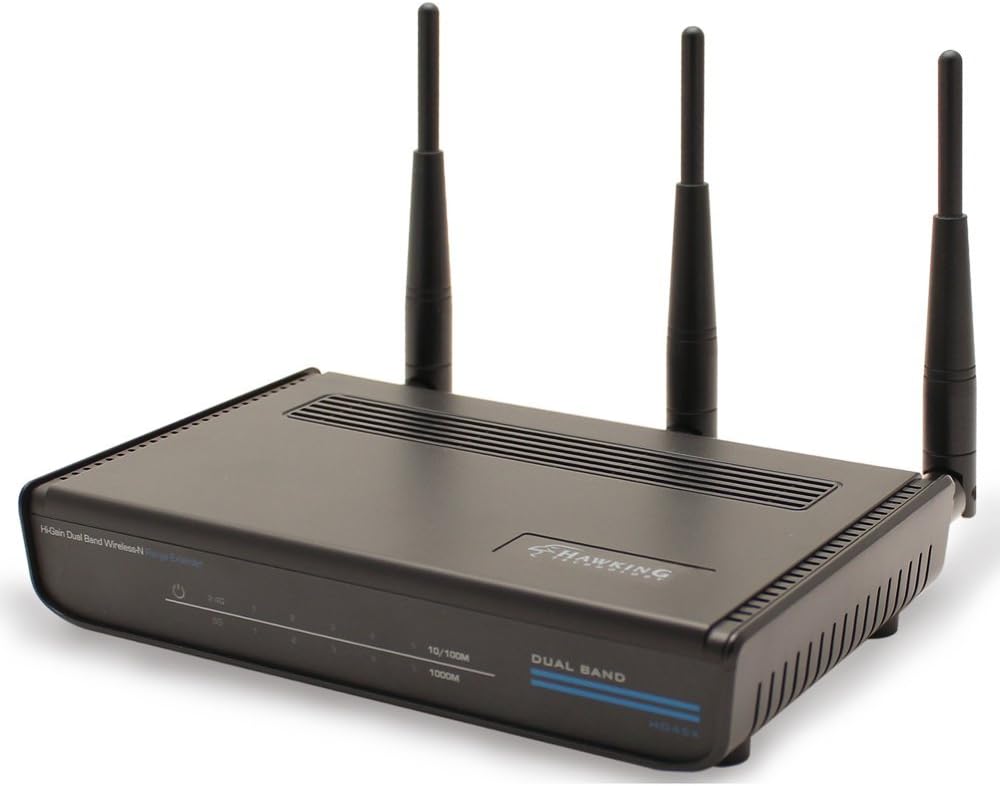

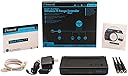

Hi-Gain Dual Band Wireless-N Range Extender (HD45X)
Product ID: 5000827
⚡450 Mbps speed
📶Dual-band support
🔗IEEE 802.11n standard
🚀 Elevate Your Wi-Fi Game!
The Hawking Technology Hi-Gain Dual Band Wireless-N Range Extender (HD45X) enhances your wireless network by extending coverage and boosting speeds up to 450 Mbps, ensuring a reliable connection throughout your home or office.
| ASIN | B007B5PRA0 |
| Brand | Hawking Technology |
| Compatible Devices | Laptop |
| Connector Type | RJ45 |
| Customer Reviews | 3.5 out of 5 stars 21 Reviews |
| Data Transfer Rate | 750 Megabits Per Second |
| Frequency | 2.4 GHz |
| Frequency Band Class | Dual-Band |
| Frequency Bands Supported | Dual-Band |
| Global Trade Identification Number | 00603992507016 |
| Item Weight | 1.9 Pounds |
| Manufacturer | Hawking Technology |
| Mfr Part Number | HD45X |
| Model Number | HD45X |
| UPC | 132017826363 191120045443 088020610478 030453809745 603992507016 264046490137 151903069059 |
| Wireless Communication Standard | 2.4 GHz Radio Frequency |
| Wireless Compability | 2.4 GHz Radio Frequency |
T**.
You Must Upgrade This Extender ASPS!!!!
This is a great extender; however if you what to get best performance out of it in terms of range, speed, stability and Wi-Fi networking response time on both frequency radios, I highly recommend purchasing the Undercurrent Energy (UCE) Custom Modified Design Setup Kit which allows you to have the HD45X extender outdoors. The part numbers are as follows Part# UCE-HO45XRA-24 and Part# UCE-HO45XRA-36. I was able to reach my 2.4GHz/5GHz 802.11ac networking hotspot over 3km away. I believe max distance using the HD45X extender with their custom modified designed kit is around 12.1km. You must also purchase either 24" or 36" Parabolic Dish Reflector and Hawking technologies HOD12DP Dual-Band Directional Antenna Kit which I consider currently as the greatest high performance directional dual-band microstrip antenna ever produced. It currently is no longer being produced and prices dropped but you can still acquire them in the after-market. So get those while you can before they disappear. You can purchase both part numbers at the following URL Links below but would recommend you purchasing them directly at UCE's Ecrater store as the price is slightly cheaper. Website 1: http://undercurrentsenergy.ecrater.com/ Website 2: http://www.ebay.com/itm/Wi-Fi-Dual-Band-2-4GHz-5-8GHz-Long-Range-Parabolic-Dish-Microstrip-Antenna-Kit-/191636752754?pt=LH_DefaultDomain_0&hash=item2c9e70c972 And last here is UCE's Brochure for more details: http://extrazoom.com/image-38893.html?s=uln1600x1600
J**R
Should be better for this price.
The problem is that I didn't return this item at the first sign of trouble! During the initial installation, the extender could not see my 5.0 gHz wireless band. It saw the 2.4 band just fine. I know that the 5.0 was being broadcast because my 55" Vizio was seeing and using the 5.0 just fine. But since I was only extending the 2.4 band and it showed up just fine, I foolishly went ahead. The extender worked fine for all of 3 months, then, poof!! Nothing. I can't ping it, browse to it or use their software to get to it. Nothing sees it. So I know I am going to have to return it. But trying to return it using their web site is a joke. No matter what you do, you have to call their technical support line to get a case number or you can't return it. So I called. You know you are in trouble when the recorded voice for the automated phone system can't be understood because it is a heavy accent from India. Oh crap, here we go. Sure enough, when I got a human on the line, I knew immediately that English was not her first language. She was nice enough, but forced me to go through their silly rote procedure to really determine that the router was dead (with numerous request to repeat the question). "How long did you hold the reset button in?" I replied, "About 45 seconds." "You have to hold it in for a minute to make sure it resets." Really? That 15 seconds is going to make the difference. It didn't. After about 5 more procedures that I had already tried, I got my case number. Filled in their online pdf version for an RMA, which had to be printed out, then printed out a copy of the original order, scanned them both to a file to email to their support department. Then they sent the actual RMA number which I wrote on the original pdf I had printed out earlier and included that along with a copy of the original invoice in the package that I have to mail to them. Tech support said they would send me the same model that had been tested. Sounds like factory refurb to me. Waiting for them to ship me a new one. *** UPDATE 3/15/2013 **** Got the new one. It sees the all the 2.4 gHz band in the neighborhood except MINE! On top of that, the middle antenna is cannot tightened down. It just spins. What a piece of crap.
A**E
Excellent Coverage and Solid Performance. Easy to setup. Antennas are upgradable!
Hawking's done it again!! I bought an HWREN1 from them a few years ago. It did a great job improving my wifi range, once you got past the device setup. That is, until my dog tore the device apart. I was reluctant to buy the HD45X since I couldn't find any reviews online, but I took my chances. Surprisingly, this device was easy to set up from my iPad, no less. So far the coverage is AMAZING! Let me tell you, Bobby Flay and I just grilled up a mean steak a la foodnetwork.com on the BBQ outside. NO LAG FOR THIS GAL! Next, I'm also going to try to extend signal to our guest house. Techsupport recommended an outdoor antenna upgrade. I find it refreshing that for once, a company didn't force me to buy a brand new unit because of my high expectations. More updates on the duo-band antenna, once it arrives and my husband sets it up. Pros: Excellent Range & Speed. Solid connection. No lag. Easy to set up. Upgradable antennas. Cons: outsourced tech support but, overall James was very helpful. I was able to figure out what I needed.
P**N
Potentially good but poor firmware
The first of these didn't see the higher 5GHz channels. The second one will find them if the SSID is manually entered. It does not correctly resolve SSIDs in the 5GHz range. The firmware is very poor.It does not allow setting with a fixed IP so each time it is rebooted it finds itself a new IP and it is necessary to run the supplied IP finder to locate it. If the software issues are sorted out it could be very good but at the moment it is just too much trouble. I plan to return it for a refund.
B**N
Three Stars
Ordered wrong item.
J**M
A bear to set up, but then.....
Wow, took me 2 hours and multiple tries at getting settings just right, but then...definitely an upgrade over my TrendNet bridge. My advice: Upgrade firmware. Reset as often as needed, but hold the button down for 45 sec to ensure reset. And what I think is best: connect to your network (using the Setup Wizard under Quick Setup) AFTER you have made all other settings. Still can't get mine to stick to a static IP address, but I guess I can live with that, the enclosed software allows you to determine the correct address. I even tried to assign it via my router, but it keeps picking what it wants. The MAC address my router sees and what the device reports are different. I've tried both addresses, but neither stays put at the assigned IP address. Oh well. I get 55Mbps on a desktop far away from my router, which is about the same as a laptop in the same room, so I'm happy. As long as it does not lose connection, like the TrendNet I was using. It would drop if the bandwidth was too much (as others here have reported). I might just buy one to use as a true repeater to extend my network to the other end of the house, which is now spotty though mostly okay.
E**R
I love it.
I love it....but the directions suck......I am an 20 year Technologist. Everyone, when you use this device during setup, do not name this device SSID the same as your current SSID. With Verizon FIOS, I have to rename this AP with a .1 or _1....if you don't, it will not let you lock it down (AES encryption). This was discovered after troubleshooting it for 2 hours....
S**0
Worth the money
It is worth the money if you have dual band devices and/or hosts that are dual band or 5 Ghz. If you have just 2.4 Ghz devices that you really don't need to buy this unless in the future you will be migrating to 5 Ghz devices if not there are cheaper 2.4 Ghz wireless N bridge.
Trustpilot
1 month ago
2 weeks ago