Desertcart purchases this item on your behalf and handles shipping, customs, and support to South Korea.
🚗 Navigate smarter, arrive cooler — Garmin Drive™ 53 keeps your road trips legendary!
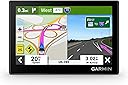
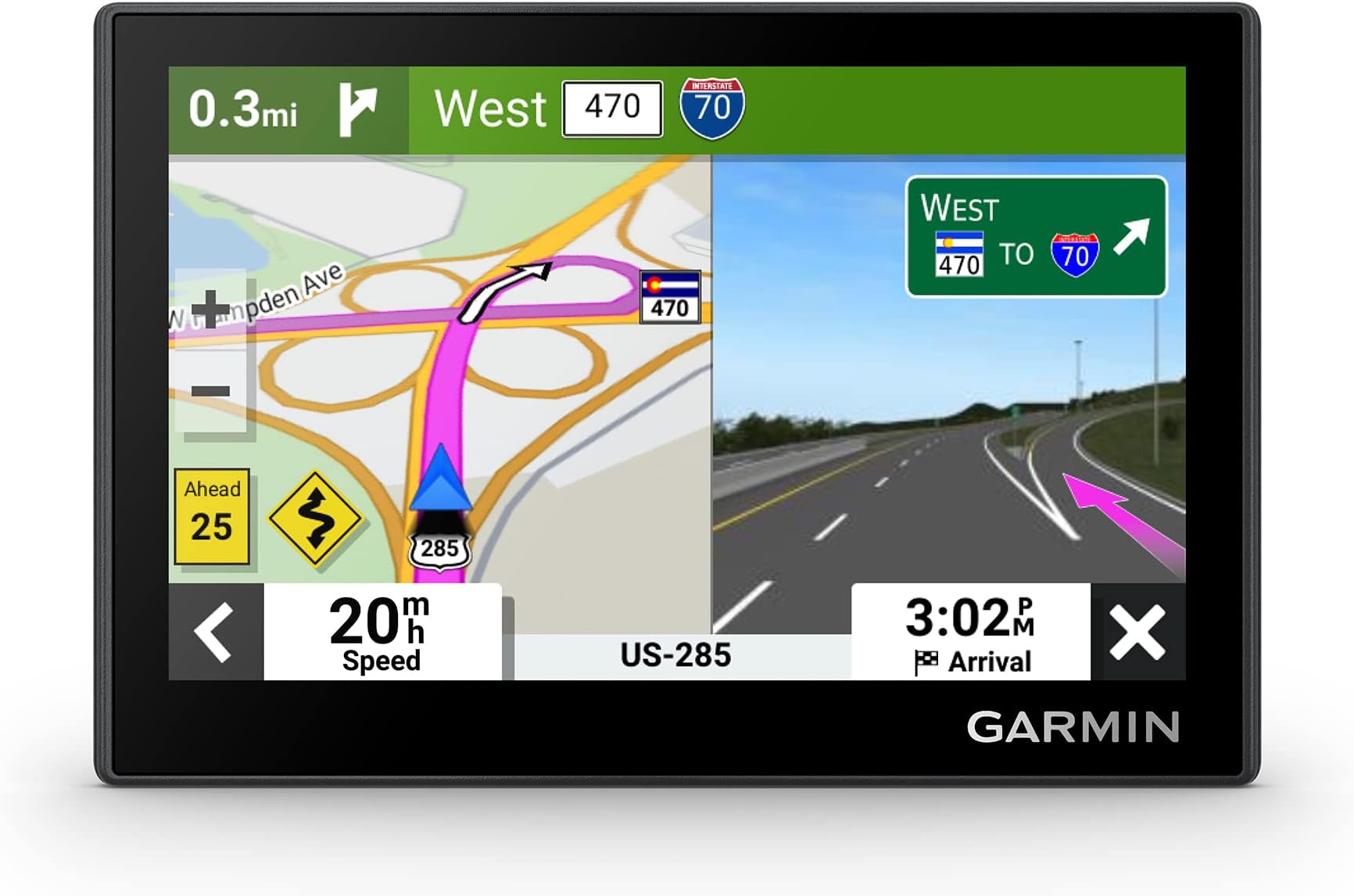
The Garmin Drive™ 53 is a sleek 5-inch GPS navigator featuring a capacitive touchscreen, 16 GB of detailed North America maps, and real-time driver alerts. It enhances your journey with Tripadvisor ratings, a national parks directory, and spoken turn-by-turn directions using Garmin Real Directions. Compatible with Android and iPhone, it offers easy updates via USB and Bluetooth connectivity, making it the ultimate companion for safe, informed, and enjoyable driving.


| ASIN | B0BSVQ37CB |
| Additional Features | Touchscreen |
| Audio Output Mode | Stereo |
| Battery Average Life | 1 hours |
| Best Sellers Rank | #1,325 in Electronics ( See Top 100 in Electronics ) #3 in GPS Units #11 in Electronics & Gadgets |
| Brand | Garmin |
| Built-In Media | Garmin Drive 53, vehicle suction cup, vehicle power cable, USB cable and documentation |
| Compatible Devices | Android, iPhone |
| Compatible with Vehicle Type | Car |
| Connectivity Protocol | Bluetooth |
| Connectivity Technology | USB |
| Control Method | Touch |
| Customer Reviews | 4.2 out of 5 stars 2,073 Reviews |
| Display Type | touch screen, glass |
| EU Spare Part Availability Duration | 5 years |
| Human-Interface Input | Touchscreen |
| Item Dimensions L x W x H | 4.97"L x 3.33"W x 0.67"H |
| Item Type Name | Vehicle GPS |
| Item Weight | 2.43 ounces |
| Manufacturer | Garmin |
| Map Types | North America |
| Memory Storage Capacity | 16 GB |
| Mfr Part Number | 010-02858-00 |
| Model Name | Garmin Drive™ 53 |
| Model Number | 010-02858-00 |
| Model Year | 2023 |
| Mounting Type | Dashboard Mount, Windshield Mount, found in image |
| Number of Items | 1 |
| Operating System | Proprietary (Garmin) |
| Resolution | 480 x 272 |
| Screen Size | 4.97 inches |
| Special Feature | Touchscreen |
| Supported Satellite Navigation System | GPS |
| Touch Screen Type | Capacitive |
| UPC | 753759313555 753759281205 |
| Unit Count | 1 Count |
| Vehicle Service Type | Car |
| Warranty Description | 1 year limited warranty |
S**N
Easy to use, effective travel guidance at a reasonable price.
Lives up to Garmin's reputation for safe reliable product design. Still features the verbal directions, with other improvements over the early versions. Excessive speed warnings, symbols to indicating road hazards ahead such as winding roads, etc. Settings feature is easy to use, with the familiar navigation options to choose from such as avoiding toll roads and bridges. All in all a good way, at a reasonable price, to travel to unfamiliar places with good guidance, with the additional benefit of the option to find national parks, restaurants, gas stations and places of interest. Recommended.
C**3
User friendly
I like this gps. It was not difficult to operate. It was user friendly. And it was accurate and never got us lost. As soon as I received it, I unpackaged it and updated it using my laptop like the instructional videos recommended. But later found out that my brother who has the same gps, unpackaged it and immediately started using it.
S**S
GARMIN IS STILL THE BEST GPS
Garmin is just as wonderful as ever. I had one for about 20 years and when it finally died a few years ago I though I would just use the navigation system in my car or on my phone. The system in my cars is awkward to use and can be programmed only while sitting in my car. I prefer sitting in the house, entering addresses for my whole trip before I hit the road. I also found that it frequently took me off track, telling me to meander down back roads when the interstate was right there in front of me. Next, I tried my phone. Much more convenient, but not all of them speak which I prefer, and the ones that do are data hogs. On a two-week summer trip, I had to buy more data twice for over $100 in order to use GPS. So here I am, getting ready to hit the road again with a brand-new Garmin that will get me where I'm going easily and reliably without have to buy additional data.
K**N
Great little nav that actually /is/ compatible with traffic
I want to start out this review by talking about traffic capability... this Garmin Drive 53 model may be advertised as not having traffic, but it actually is compatible with Garmin Traffic; it just doesn't come bundled with a traffic cable. I bought a GTM-36 traffic cable secondhand (as the cable alone is no longer available new from Garmin) after reading online that it is compatible with this particular GPS, and sure enough, it works! Onto the rest of my review... I really love this device! The 5" screen is the perfect size for sitting on my Rav4 dashboard; I could not imagine using a larger unit in my car. The screen itself is crisp and looks pretty good imo. The screen is capacitive like contemporary smartphones; I have no issues with navigating this unit's UX. One thing that's small and silly that I really love is how you can customize the arrow/car icon on the map. I like how it has a speedometer and shows the current speed limit, and gives you the option to have it ding when the speed limit lowers. Navigation itself is pretty good and you are able to (but don't have to) select your route before beginning navigation. Map updates are free, and so is Garmin Traffic. One thing I will note is that this device does not have wifi or Bluetooth, which is a perk for me but might be a downside for others. And in order to update maps, you must plug the GPS into a Windows or Mac computer and run Garmin's software, Garmin Express. This device also has a mini-USB (!!!) port, which is kind of crazy and inconvenient in the age of USB-C, but oh well, you can't win them all. Overall, I recommend the Garmin Drive 53 to those who want a simple and compact nav, and I urge anyone who wants "smart" features to consider Garmin's larger automotive GPS offerings. EDIT: I wanted to add that when I am using directions and am on the freeway, and exit the freeway before the exit that my Garmin wants me to, it will still think that I am on the freeway when I am actually on the feeder/frontage road, reflecting the incorrect, much higher speed limit of the freeway and not recalculating. I will say that frontage road design varies depending on location, so this probably would not be an issue everywhere. Another thing that I have noticed is that speed limits are not always correct. For example, when I drive in some school zones, even outside of school zone hours (could be the middle of the night), it will reflect the lower active school zone limit at all times. For these issues, I am taking a star off my review. I still recommend this satnav, but not for everybody. As someone who uses a feature phone (non-smartphone), I still feel much more secure with it than without.
C**N
Poor route editing and inaccurate trip data capture
This thing was an exercise in frustration. I bought it because I needed simple capture of time/distance/average speed, which Garmin documentation says it does. It “tracks” those data points, but not in a USABLE manner, because the function to simply and accurately control start/stop tracking doesn’t exist. Without a set, entered route, the “go” button to start tracking is not available. The device just starts tracking as soon as it powers on. And, without a set, entered route, the “stop” button is greyed out, so it requires hunting through other menus to find the alternative “stop” option to get it to stop tracking. THEN, even after "stop" and clearing the current data, the overall time immediately starts running again, as long as the device has power. Ugh. I also tried it for trip routing, thinking that if I could get at least some value out of it, I would keep it. NOPE. It chooses the most obvious/fastest route. Supposedly that route can be edited, but when I tried to do that (because I avoid all major highways when traveling) the “shaping point” feature returned an error of “can’t calculate route” and several times the road I wanted to travel (paved, official state and county highways) didn’t even appear on the map as an option. This was after installing the “latest” updates directly from Garmin. AND – this device has very little stored energy. It must be plugged in to a power source to work when traveling. I’m on a motorcycle, so that’s another major fail. I suppose if you travel on freeways all the time between major points, it could be okay. For secondary roads or any kind off accurate data capture, it’s not. Completely unusable for me. Returning.
G**E
Buy the names you trust!
Like most electronics, GPS units eventually wear out, especially when they're exposed to the harsh environment inside a vehicle. That was the case with my Garmin DriveSmart 55. It began acting erratically and became unusually hot to the touch. I even tried replacing the battery, but that didn't solve the problem, so it was finally time for a replacement. I've always used Garmin GPS units, and I saw no reason to switch brands now. My DriveSmart 55 lasted through several vehicles, which says a lot about its durability. In fact, I own five other Garmin units, and aside from replacing their batteries every few years, they've all been exceptionally reliable. The Garmin DriveSmart 53 seemed like the perfect replacement. As far as I can tell, the only significant difference between it and the 55 is that the 53 doesn't support a backup camera. Since my car already has a factory-installed backup camera, that wasn't a concern for me. Setup was quick and straightforward. Right out of the box, I connected the unit to my computer, updated the software and maps, transferred all of my saved data from the old GPS, and installed it in my car. Everything worked exactly as expected. Based on my long experience with Garmin products, I expect this DriveSmart 53 to provide the same dependable performance and long service life that I've come to appreciate from the brand.
A**O
Great Product
Great product. Price is affordable, user friendly, screen size is perfect, navigation system is accurate, best part - usage without wifi. Recommendation Garmin Drive 53 GPS Navigation to all drivers.
J**E
Decent, could be better, could be much worse.
Decent if you want to get where you’re going but by far not amazing. Keep reading for in depth review I wanted to wait till I had done a few trips to give this an accurate/fair review. The last gps system I used was a 20 year old garmin that still works to this day. I typically drive with the gps on any time the truck is on as I like seeing all the hidden map details around me. I also recently went on a trip from the states to Canada and back with the gps. Below are my pros and cons Pros I find it is a very easy system to use right out of the box. The UI (user interface) if fairly stray forward to use after about 10mins of playing with it. Setting a destination is fairly easy. When you are driving a planned route it will show you nearest amenities (hotel, fuel, food) off to the side with a distance tracker. The touch screen is very responsive and has a good brightness for sunny days. It has an on board battery, but I have mine set to turn on and off with my truck. It also automatically converts mph-kph speed limits when planning routes into different countries it will display mph adjusted for kph or covers as well. 98% it will show where you are with accuracy. You can change how much information is displayed on the map view. Cons Consistently 70-80% of the time my speed is off based on the gps. Typically it will say I am going 10mph fast than my actual speed I have never seen it say less than the actual speed. It often not display many side streets or will not say the names of side streets you are passing. I have found it will display the wrong speed limit for an area. Many roads by me it will always say are 30mph when they are 55mph and never said a different limit in their history. In conclusion. It seems like a decent system but it has some minor flaws. This would be a good system if you wanted directions but you have to still me mindful of the road around you.
A**R
Ease of use
Touch screen is sensitive and device is easy to use
M**O
É um ótimo produto, uso como backup do 5G
Bom equipamento. Comprei como backup para viagem internacional, em caso de dificuldade com 5G no celular.
P**E
Explication de mon renvoi
Ce produit est certainement excellent, sauf qu'il ne correspond absolument pas à une clientèle française, qui attend de tout GPS une cartographie de la France, alors que votre produit ne contient qu'une cartographie américaine, sans aucune spécification claire de cette particularité. Quoiqu'il en soit, je vous remercie du remboursement de ma commande : vous êtes une entreprise sérieuse : ma clientèle vous est acquise !
A**R
Make sure you get what you want.
Be very careful and check your purchase within return time as the unit we received was for USA only. It cost a further £80.00 to buy a Europe SD card. Then the sat nav worked correctly in UK! We have had Garmin equipment previously and as with this one we were very pleased with its operation. I don’t know who was at fault here but it left a bad taste!!! Check quickly on receipt!
C**L
Gps navigator
Thank you absolutely love this no wifi or data needed
Trustpilot
2 weeks ago
5 days ago