

Buy anything from 5,000+ international stores. One checkout price. No surprise fees. Join 2M+ shoppers on Desertcart.
Desertcart purchases this item on your behalf and handles shipping, customs, and support to South Korea.
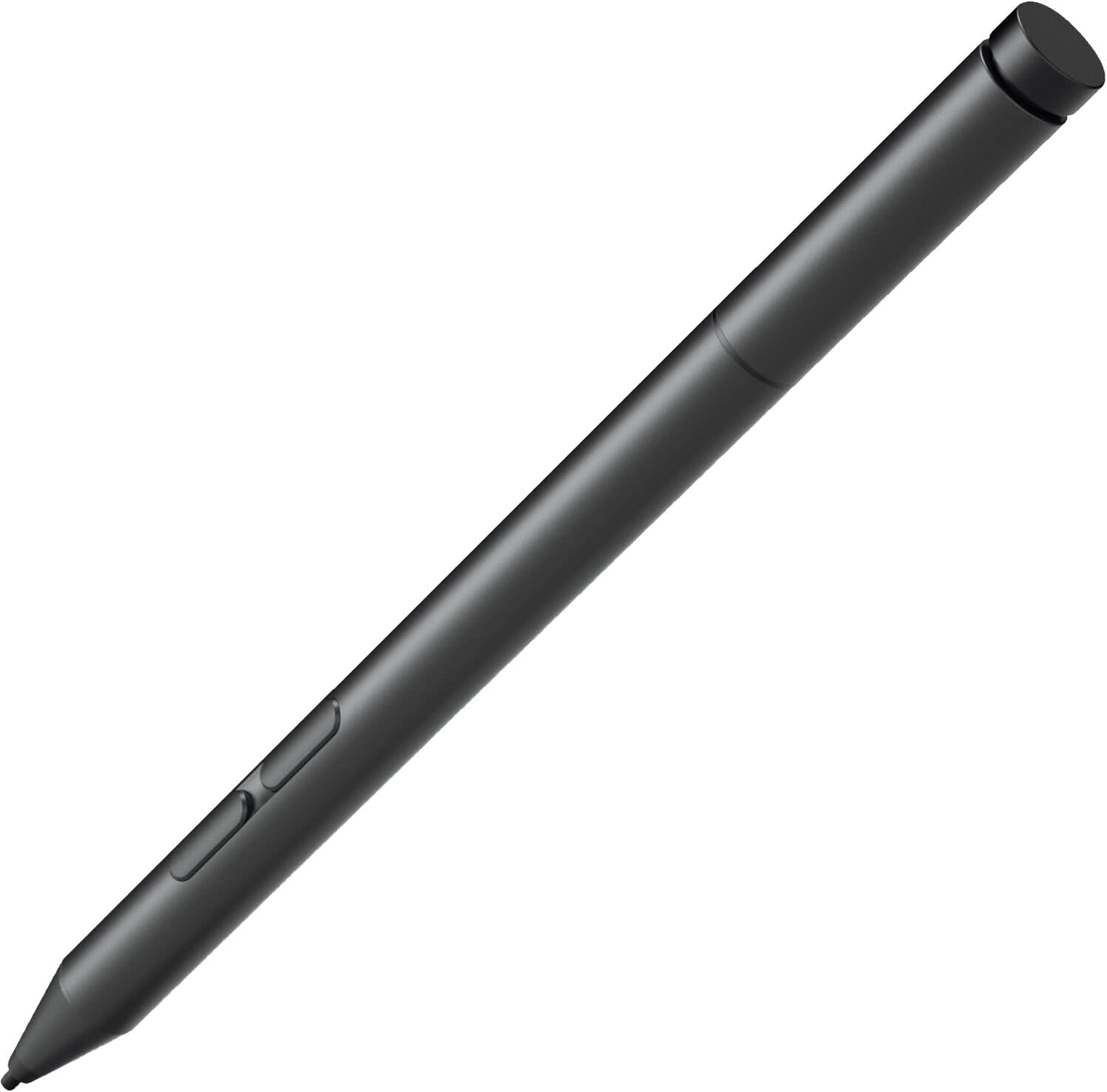
Product description Compatible Models for Lenovo Yoga C930-13IKB, for Lenovo Yoga 520-14IKBR 520-14IKB 520-15IKB for Lenovo Yoga 530-14ARP 530-14IKB, for Lenovo Yoga 920-13IKB, for Lenovo Yoga 720-12IKB 720-13IKBR 720-13IKB 720-15IKB, for Lenovo Yoga 730-13IWL 730-13IKB 730-15IWL 730-15IKB for Lenovo Ideapad MIIX 510-12ISK 510-12IKB MIIX 720-12IKB, for Lenovo ThinkPad L380, for Lenovo ThinkPad X series Gen 2, X1 Yoga Gen 3, for Lenovo ThinkPad X1 Tablet, ThinkPad X1 Tablet Gen 3 Compare the Lenovo Active Pen 1 and Lenovo Active Pen 2 The Lenovo Active Pen 2 stylus The Lenovo Active Pen 2 stylus is highly compatible and can be connected to a variety of Lenovo laptops and tablets. This pen is powered by Wacomโs advanced drawing technology and is ideal for digital artists and remote learning tutors. Pressure sensitivity 4,096* levels of pressure sensitivity to provide a natural pen and paper experience when you sketch and jot down notes. Customizable buttons Customizable buttons to seamlessly switch between functions and easily access the eraser. Palm Rejection Upgraded stylus pen enables you rest your palm on the screen while drawing without glove, more comfortable & real than capacitive styluses pen. Power Paper Like Writing The battery, pen pressure and overall note-taking or writing experience is significantly improved on the Active pen 2 vs the active pen. However, if you are not focused on the advanced Lenovo pen 2 pen pressure and how hard or light you press creating different strokes, then the Lenovo active pen 1 may be your ideal pen choice, especially if you are the type that values an inexpensive alternative. Design and Size Streamlined metal body design, Metallic & Diamond Cutting. Review: Not Working - The pen does come with battery, but when you press the top button it's keeps flashing red and not picked up by Bluetooth detector while supposed to flashing white to enter Bluetooth mode, I bought a brand new AAAA Battery and I changed the battery still the same issue, It's not working. I'm gonna return this item since it's not working obviously!!! Update : my device is not compatible So I didn't had the chance to test it, it might work with somebody else. So I will change the rating from 1 star to 5 star, thanks. Review: Breaks easily - Pen works. But it breaks so easily. The back part which unscrews the battery compartment is very thin and brittle. If it get dropped it cracks and no longer stays tight and makes the pen fall apart. Thereโs a secondary battery compartment with two micro flat batteries that are impossible to put back in, they keep flipping over the wrong way. The nib is too soft and sticky and makes marks all over the screen that are hard to clean off. The end eraser cap button came off of one, and it never did anything to indicate of the pen was on or not. Iโve bought this twice and am looking for a better replacement. I canโt find another compatible solution?


| ASIN | B0BQG9MWN3 |
| Are Batteries Included | No |
| Are Batteries Required | Yes |
| Battery Average Life Standby | 2000 Hours |
| Battery Description | Alkaline |
| Best Sellers Rank | #92,039 in Cell Phones & Accessories ( See Top 100 in Cell Phones & Accessories ) #1,955 in Styluses |
| Brand | MITATTOK |
| Compatible Devices | Tablet |
| Compatible Tablet Computer Models | Lenovo Miix 720, Lenovo ThinkPad X1 |
| Customer Reviews | 3.4 out of 5 stars 25 Reviews |
| Enclosure Material | Oem |
| Item Diameter | 9.5 Millimeters |
| Item Dimensions | 2.76 x 0.39 x 0.39 inches |
| Item Weight | 18.14 g |
| Manufacturer | MITATTOK |
| Material | Oem |
| Mfr Part Number | 5T70M55297 |
| Model Number | GX80N20629 |
| Number of Batteries | 1 AAAA batteries required. |
| UPC | 789591619326 |
| Unit Count | 1.0 Count |
| Warranty Description | 1 year warranty |
O**R
Not Working
The pen does come with battery, but when you press the top button it's keeps flashing red and not picked up by Bluetooth detector while supposed to flashing white to enter Bluetooth mode, I bought a brand new AAAA Battery and I changed the battery still the same issue, It's not working. I'm gonna return this item since it's not working obviously!!! Update : my device is not compatible So I didn't had the chance to test it, it might work with somebody else. So I will change the rating from 1 star to 5 star, thanks.
D**I
Breaks easily
Pen works. But it breaks so easily. The back part which unscrews the battery compartment is very thin and brittle. If it get dropped it cracks and no longer stays tight and makes the pen fall apart. Thereโs a secondary battery compartment with two micro flat batteries that are impossible to put back in, they keep flipping over the wrong way. The nib is too soft and sticky and makes marks all over the screen that are hard to clean off. The end eraser cap button came off of one, and it never did anything to indicate of the pen was on or not. Iโve bought this twice and am looking for a better replacement. I canโt find another compatible solution?
D**T
LOVE THESE PENS
I have a Lenovo Yoga laptop and these pens are perfect for graphic design use. they pair wonderfully and last a considerable time.
A**X
Garbage
This pen, and the Active Pen 1 are both garbage. I was cornered into buying them because they are claimed as the only compatible devices with the Lenovo Thinkpad Flex 5, though I am keen on exploring alternative Bluetooth options considering their low functionality and durability. The pen worked fine for the first week. However, after trying change the battery, I was not able to screw back on the top because the threading was damaged, and now the pen must be held together by a piece of electrical tape. The pen has trouble connecting with the computer often, and requires creative ways of reconnecting (my favorite being smacking against my hand out of frustration). This pen has been the most disappointing part of my Lenovo device, and I would expect better considering the quality of the Thinkpad itself. **avoid at all costs**
M**K
When it works it works. When it doesn't it really doesn't...
I've had a Lenovo Yoga 720 for a handful of years. I am a digital artist and when it works it's amazing. I've gone through about 3 of these pens already because when they die, that's it. Replacing nibs, batteries, and the pen will just quit one day. 1.5 year lifespan at best in my experience. Making another purchase right now... T_T
B**Y
Wacom tech! What's NOT to like!!!
Doesn't have as many levels of pressure sensitivity, or good palm rejection, like most high end pens. But it still works really well to sketch/line art things!!!
T**A
Fine
It works for the price that it is.
E**R
Bluetooth Broken
I just received my pen that I bought for the replacement pen for my Yoga laptop. Unfortunately the Bluetooth is not working, not even a red light is showing for the pen and I've tried replacing the battery. I double checked the compatibility chart to confirm I purchased the right pen and I did in fact purchase the correct one. Disappointed that it doesn't have functional bluetooth (buttons don't work) but at least I can still use it as a stylus because I need it for work
L**9
Excelente
Un complemento para la tablet ๐
Trustpilot
3 days ago
4 days ago