Buy anything from 5,000+ international stores. One checkout price. No surprise fees. Join 2M+ shoppers on Desertcart.
Desertcart purchases this item on your behalf and handles shipping, customs, and support to South Korea.
⌨️ Fold, connect, conquer: The keyboard that travels as fast as you do!
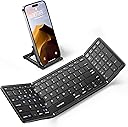
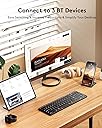
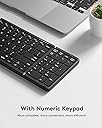
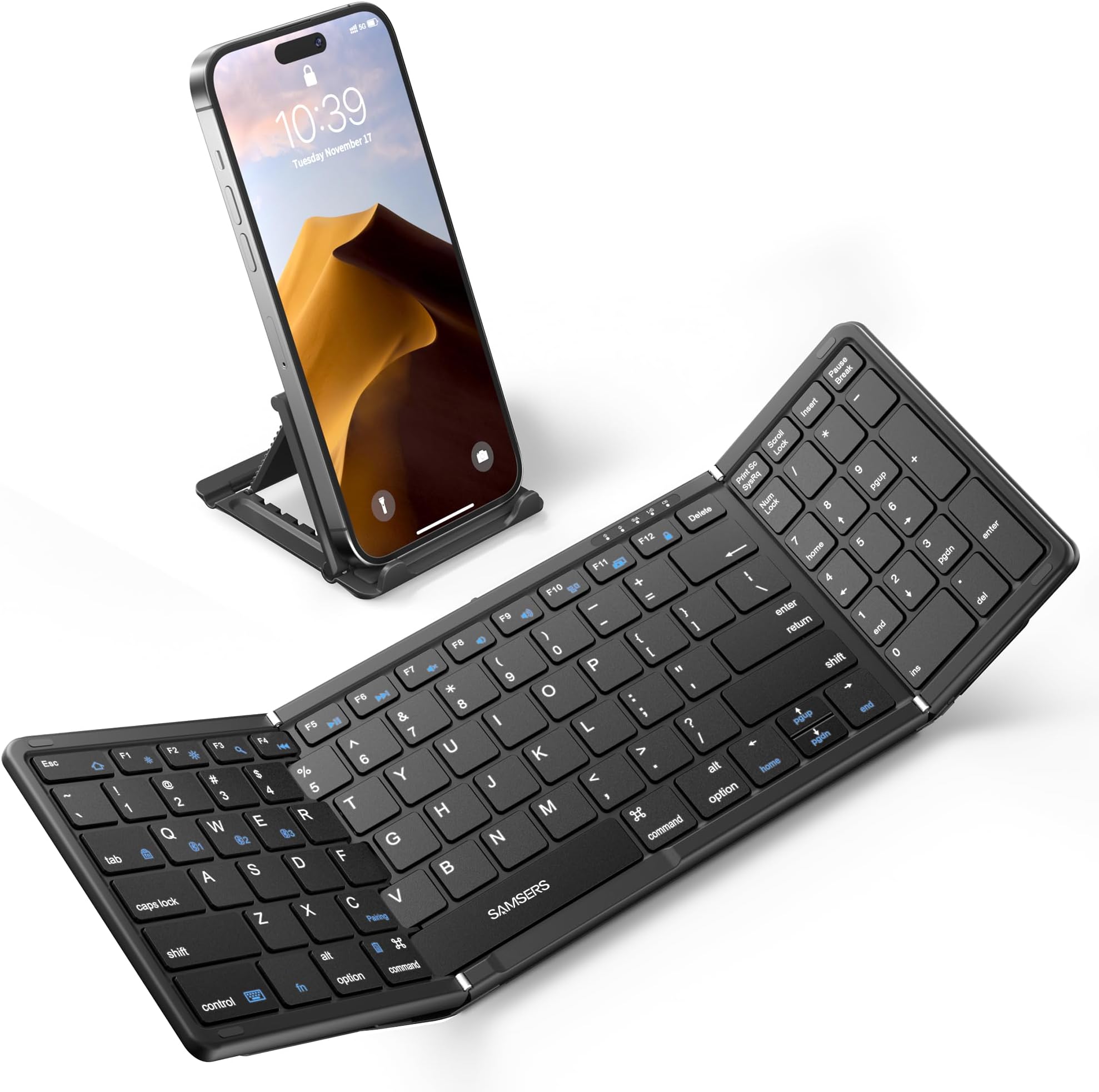
The Samsers Foldable Bluetooth Keyboard is a full-size, wireless folding keyboard featuring a numeric keypad and triple Bluetooth 5.1 device support. Designed with quiet scissor-switch keys and a premium PU leather finish, it offers a sleek, portable typing solution compatible with iOS, Android, Windows, and Mac OS. Lightweight and travel-ready, it includes a magnetic fold, phone stand, and velvet pouch, delivering up to 90 hours of battery life on a single charge—ideal for professionals who demand productivity on the move.


| ASIN | B0C1VRMP29 |
| Additional Features | Foldable, Lightweight, Numeric Keypad, Rechargeable |
| Antenna Location | Business, Multimedia, Personal, Student |
| Best Sellers Rank | #191 in Computer Keyboards |
| Brand | Samsers |
| Built-In Media | 1 x Full-size Foldable Keyboard, 1 x Phone Holder, 1 x Type-C Charge Cable, 1 x Velvet Storage Bag, User Manual |
| Button Quantity | 99 |
| Color | Elegant Black |
| Compatible Devices | Laptop, PC, Smartphone, Tablet |
| Compatible Operating System Family | Android |
| Connectivity Technology | Bluetooth |
| Customer Reviews | 4.4 out of 5 stars 674 Reviews |
| Enclosure Material | PU leather |
| Hand Orientation | Ambidextrous |
| Item Dimensions L x W x H | 13.5"L x 4.5"W x 0.35"H |
| Item Weight | 9.2 Ounces |
| Keyboard Description | Flexible |
| Keyboard Layout | QWERTY |
| Manufacturer | Samsers |
| Mfr Part Number | Folding Wireless Keyboard |
| Minimum Required Operating System Version | Android 1.0 |
| Model Name | Foldable Bluetooth Keyboard with Numeric Keypad |
| Model Number | Full-Size-Foldable-Bluetooth-Keyboard |
| Number of Keys | 99 |
| Number of Sections | 1 |
| Power Source | Battery Powered |
| Recommended Uses For Product | Business, Multimedia, Personal, Student |
| Special Feature | Foldable, Lightweight, Numeric Keypad, Rechargeable |
| Style Name | Contemporary |
| Switch Type | Scissor Switch |
| Theme | Modern Office |
| Unit Count | 1.0 Count |
| Warranty Description | 2 Year |
D**A
Excellent but be sure you prefer the version with the number pad
I really loved this keyboard right out of the box. The leatherette shell feels very nice and covers the hinges, an improvement from the previous and less expensive versions still available. The stand works well with both my phone and iPad mini and has 5 angles. The addition of the pouch was a nice touch. The fabric is thick and i put my iPad mini, the stand and the keyboard in it together. With all these great features I was excited to put it to use for what I purchased it for: to do my Duolingo lessons in several languages. Pairing was easy. Typing went well and I was surprised that it was much quieter than the videos shown in the product reviews. But then I encountered two problems. First, I found I had to manually touch my iPad screen in the text fields before I could type in my answers. Second, I was not able to create certain letters with the option key like on my MacBook. (Å, Ø,Æ, Ñ), so I contacted customer support. I received an answer within hours and the answer was so helpful I will copy it here in case there are other people who need to type into text boxes more than they need a numbers pad: Thank you very much for contacting us! Since our B099 keyboard does not come with a trackpad, it may not be possible to move the cursor around the keyboard. We actually have a keyboard that has a similar look to the B099, but also comes with a large trackpad. It is able to move the cursor on the keyboard. Please check the link below: https://www.amazon.com/Samsers-Foldable-Bluetooth-Keyboard-Full-Size/dp/B0C1VSRZ59/ref Regarding the inability to type Norwegian characters (å,ø,æ), it requires you to add Norwegian to your typing language first, and then press a key combination to switch the typing language. The procedure is as follows: The steps to add a language vary by system: · For iOS devices only: Settings > General > Keyboard > Keyboards > Add new keyboard > Select desired language · For Samsung Android devices only: Settings > Controls > Language and input > Samsung Keyboard > Select input languages > Select desired language · For Android devices only: Settings > Language & input > Physical Keyboard > Set up keyboard layouts > Select desired language · For Windows devices only: Control Panel > Clock, Language and Region > Select desired language And please try the following key combinations to switch the typing language: Android system: "shift + space" / "ctrl + space" / other ios system: ctrl + space Windows system: command + space I hope this solves your problem! If more questions please feel free to contact us! Thank you for choosing us! Sincerely. Samsers Even though I had done a search for Samser keyboards, that model had not popped up. I decided to return this one and ordered the one with the track pad. Return was fast and easy. I will do another review soon on the track pad version. Great customer support. UPDATE: I think you can get the cursor into a text box without a touch pad. Although I ordered the version with a touch pad, I accidentally discovered that if I hit the return key the cursor will appear in the text box. I find that much faster than using the cursor pad to the right of the keyboard.
R**2
Great Customer Service!
8 Month Update: My Windows laptop, iPad and iPhone do not have numeric keypads, so this is my favorite keyboard when working in Excel. After 8 months of light use, the “4”, “r” and “f” keys became unresponsive. I e-mailed Customer Support and they gave me directions for cleaning the keyboard (the next day). When that didn’t work, they asked me for my order number and a video of the issue (the next day). When that didn’t work, they sent me a new keyboard because the original keyboard was still under warranty. Can’t ask for anything more. UPDATE: After further use, I found that the numeric keyboard only works as numbers in all Apple devices. This means the keyboard does not have Home, End, PgUp, PdDn, Ins or Del buttons, which I want when using Excel on my iPad. However, I suspect this is an Apple limitation rather than a keyboard issue. I dropped a star to warn buyers of this (Apple) shortcoming. I just replaced my iPad Pro after almost 7 years of use. The new iPad did not come with a keyboard, which is available separately for $250. Even though both iPads have virtually the same dimensions, neither my old iPad keyboard nor my third party keyboard (with an aluminum case) would work with the new iPad. I like the compactness, light weight and automatic charging from the iPad of my old Apple keyboard, but the cost is substantial. I like the better protection, keyboard and cost of the third party case, but it’s much heavier. I couldn’t decide which way to go for my new keyboard. Then I realized that I use my iPad in tablet mode on a laptop stand at home 90+% of the time. The stand keeps the screen much higher so I’m not bending down to look at it. And when I want to use a real keyboard rather than the iPad’s on-screen keyboard, I need to take the iPad off the stand, get the keyboard in place, then type. Then the screen is much lower, too. So, I decided to get a very inexpensive iPad cover for lightweight protection while in transit and this folding keyboard for extensive typing. Unfolding this keyboard takes just as long as unfolding either type of iPad keyboard case and allows me to keep using the laptop stand. As for this specific folding keyboard, here’s what I like: 1. Has a dedicated numeric keyboard for when I’m using Excel. (There are folding keyboards that have trackpads, but I often inadvertently drag my thumbs across trackpads, which sends the cursor off somewhere — so I didn’t consider those.) 2. Has both delete and backspace keys that are always present in Windows keyboards. I don’t know why Apple keyboards only have a “Delete” key, which acts like Windows “backspace” key. 3. Has an “Esc” key, which is critical when using Excel. Supports Function keys, too, though I don’t use them as often. 4. Has full sized Enter and Shift keys. (Some small folding keyboards shrink these keys, which makes it harder to touch type with.) 5. Easily connects between 3 different Bluetooth devices, so I can easily pair with my iPad or my iPhone. For the sake of completeness, here’s my caveat. I am using my iPad in tablet mode on a stand. I don’t envision being able to use my iPad in true “laptop” mode because there’s noting to support the iPad on my lap since the keyboard is not connected to the iPad. As for the lack of automatic charging of the keyboard from the iPad itself, the 90 hour run time of this keyboard means you only need to charge every 1 or 2 months. A red light comes one to warn you when the battery runs low. And you can use the keyboard while charging (as I’m doing right now). So this “loss” is truly minor.
J**P
Perfect Travel Companion
Why did you pick this product vs others?: This keyboard paired effortlessly with my iPhone and iPad, making my work so much easier while traveling. It feels fantastic to type on, and as a fast typist, I really appreciate a good keyboard. The folding feature is incredibly convenient for fitting in my bag, and it looks pretty cool when it folds up! Highly recommend for anyone on the go!
A**N
Very Nice Portable Keyboard For Smart Phones and Devices
The Samsers Tri-fold Keyboard (model B099) is a very nice keyboard. It has full-sized A-Z & 0-9 keys, but all the other keys are smaller than normal (including the numberpad keys). Like others have said, the hinge on the bottom left side does get in the way a bit when typing, but it's not a huge deal. It actually helps you know where the small space bar ends. That said, if Samsers ever makes an updated tri-fold keyboard, recessed hinges might be the best way to go. Like the title says, this is a great keyboard for smart phones and other devices. Seems like that was what it was designed for, rather than traveling with a mini-computer running Windows as I am. Certain keys are programmed to make working on a smart device easier, such as making the ESC key open a web browser instead of actually sending the ESC key signal. This makes the keyboard a bit annoying to use with a Mac or PC. Samsers realized this, probably late in the design process, and added a "FN lock" (FN+Tab) to put the keyboard into a Windows/Mac mode that allows the ESC & F1-F12 keys act like normal PC/Mac keys, but unfortunately the lock doesn't stay locked. After a few minutes the lock is removed and the keyboard reverts back to the smart device keys. If the keyboard's firmware is able to be upgraded, this is the one thing I would recommend Samsers update... prevent the FN lock from turning off until a user manually turns it off. One of the things I do during my down time while traveling is game. The ESC key is pretty much essential to back out of windows and screens quickly or to cancel actions. Many games also use the F1-F12 keys for various actions. Holding down the FN key to use these keys will make you go slower as the habits you have formed will not automatically press the FN key in order to press one of the ESC or F1-F12 keys. You'll hit the ESC key, for example, and then a couple seconds will tick by before you realize it didn't work. Then you'll need to hunt for the FN key (which takes time), press that and the ESC key at the same time (which requires you to move your entire hand, not just your fingers). It's a pain. That said, it is an awesome keyboard. The scissor keys work well, and when folded up the keyboard is 18 cm (7 in) long and almost 2 cm thick, and about 12 cm (4.5 in) wide. Nice and small! It also comes with a small pouch that can fit the keyboard and most of your cables, which is also nice. I've tried a few other portable keyboard, such as the silicon keyboard that you roll up, but so far this Samsers is the best I've found.
I**R
High quality meets cool factor
There is something very cool about making your phone into a makeshift laptop! I bought this while trying to wean myself out of buying a new iPad. Ultimately, I did decide to order a new one (and try to replace the batteries in my old one) but this is so very nice. I enjoy whipping out my keyboard and typing up whatever so need to and then quickly stashing it away. And it changed my opinion of Bluetooth. I used to think that I needed Apple products in order to connect efficiently. This keyboard changed my mind. Connection is quick and seamless. Also, I look forward to using it with apps that need these keys for the shortcut to work. Oh! I almost forgot the most important thing - It is fantastic to type on! I am a touch typist and it drives me crazing when keyboard are not spaced properly, don’t give feedback, or are too clicky. This one is just perfect! It is like typing on a regular full sized keyboard. I am glad that I bought this!
T**G
Portable
This foldable, portable keyboard worked great for the purpose used. I liked the color and the storage bag, too. Unfortunately, I let my young grandson use it to pretend working in an office and he bent the one side the wrong way … essentially, he broke it. Prior to that, it was durable enough for what I needed. I would not recommend it for frequent or primary use. It did connect to my devices very well. I never had a connectivity problem.
K**R
Cute, DOES work (edited)
Update after receiving the replacement: I'm not too bright, apparently. Every other keyboard that I have ever bought with multi bluetooth connection functionality requires you to hold the function key as well as the desired channel that you're going to use... That is not the case with this device. Also, as far as the charging goes, yeah... it's been at 100% and just charged really fast. I decided "what if..." and I pulled out the packaged one that I was going to send back to Amazon and tested it out - lo and behold, it works just fine. On that note, I'll be keeping both keyboards and just paying for the replacement one since I don't know if my dummy-ness is going to some how break the one I'm using now and just keep the other packaged in it's box as a back up. TL;DR : Don't use the FN key and the bluetooth channel button at the same time to connect to a device, also it charges super fast... So don't be concerned about that. (my old review below) It came perfectly fine, no damage to the box, no damage to the product. But it doesn't charge for more than a minute. I thought that it might have come with some charge on it, so I didn't press it too much to keep charging. I tried to turn it on, but it flashed the first Bluetooth connection once and then shut right off. I didn't even have a chance to touch the buttons for pairing! Thought that I might have attached it to too strong or too weak of a power source for charging.. After attempting to charge off of several different styles of battery pack, wall charger, power strip, my computer, I have given up on ideas as to why it's not charging. I am not unfamiliar with the practice of doing so as I have a couple of silver keyboards of this style that I used for work; I wanted this pink one for personal use. I have submitted a return and replacement.. so I'm hoping that I just received a defective one..I'll update when I receive the replacement!
C**E
Good, but some issues
I like the size of the keyboard and the color options. I also like that I can connect three devices and it is very clear on how to set them up and switch to each. The key sizes are just right for me (female with smaller hands and I type with my fingernails alot). I also LOVE that this is a full keyboard with the 10-key. I was raised using 10-key with data entry and when I am forced onto a keyboard without it, it really slows down my typing and overall productivity. Kudos for having it on this model! I do have a couple issues with it that I would like to share. 1) Some people have commented on how the hinge is bothersome to typing, but it is not in my way. What I do have an issue with the hinge on is that there is no lock for it and it folds too easy. You have to use this on a flat surface or it just folds on you. I wanted to use this for traveling, not only of r packing, but for use, but that also means putting this on my lap and then it is very hard to type because it keeps wanting to fold up on itself. I wish the hinge was tighter so this would not occur, or if there was a lock to prevent it from folding (maybe though for a future release). If you are someone that will always use this on a flat surface, this would not bother you. 2) The Quiet scissor-switch keys are nice, but I feel that you really do need to press down on them as I have missed a couple of letters in my sentences. This could also be related to the unexpected folding as noted above. 3) There is sometimes a lag in my typing (only by a couple of seconds) as if the bluetooth is not transmitting. Sometimes it just picks up where I am at in the typing when I notice it, and sometimes it is just delayed and spits out the entire sentence really fast; otherwise, the speed is spot on. It could also be related to it going into standby and me not noticing, but I will pay attention to this and update if I can narrow down the reason for this. I have only been using this for a week right now, but it is my only keyboard, so I will keep an eye on all the aforementioned and update this review in a couple more weeks.
R**A
Easy to carry
Why did you pick this product vs others?: Easy to carry and good battery life
A**O
Works well, but feels a bit fragile when folding
Not bad, not amazing. It gets the job done if ur looking for something portable n easy to carry. The keys work fine n it feels like a standard keyboard when typing. Num pad is a bonus. The downside? hinge doesn’t feel very strong, n the build seems more aesthetic than protective. I wouldn’t be rough with it. If you need something ultra durable, this might not be it. But for light use n convenience, it delivers well.
Trustpilot
3 weeks ago
3 weeks ago