Desertcart purchases this item on your behalf and handles shipping, customs, and support to South Korea.
🎥 Own your virtual presence with Logitech Brio 4K — where clarity meets confidence.
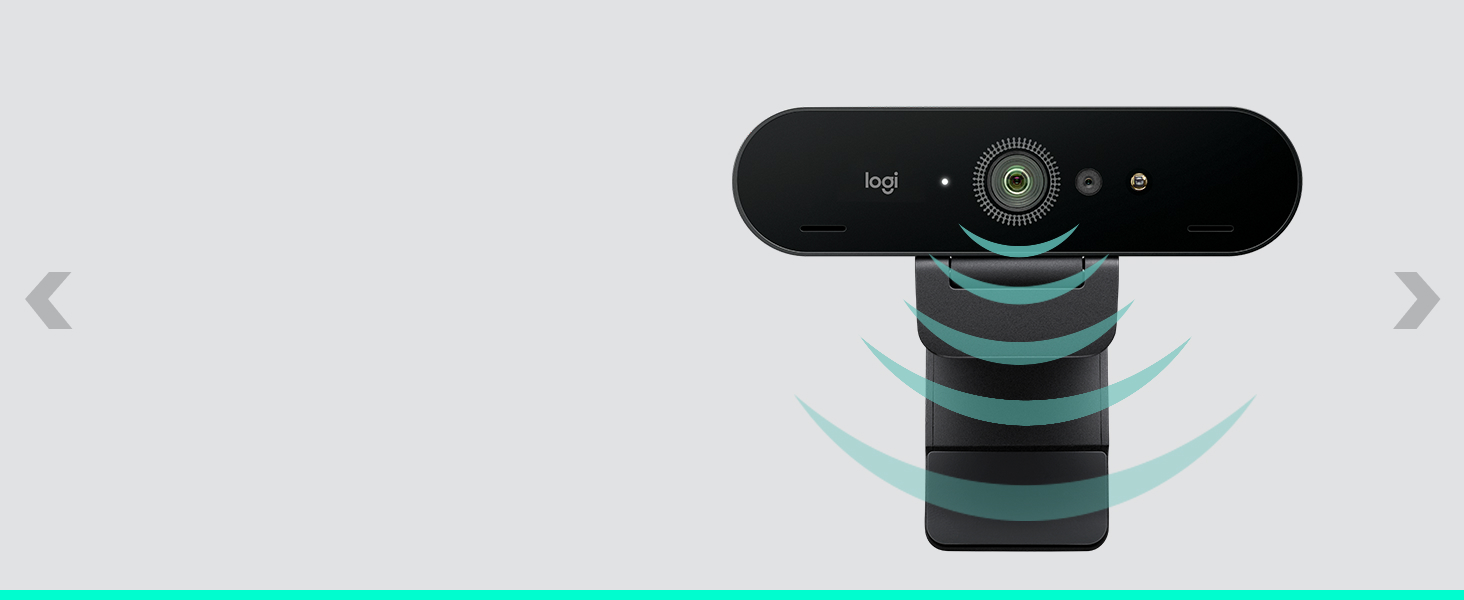
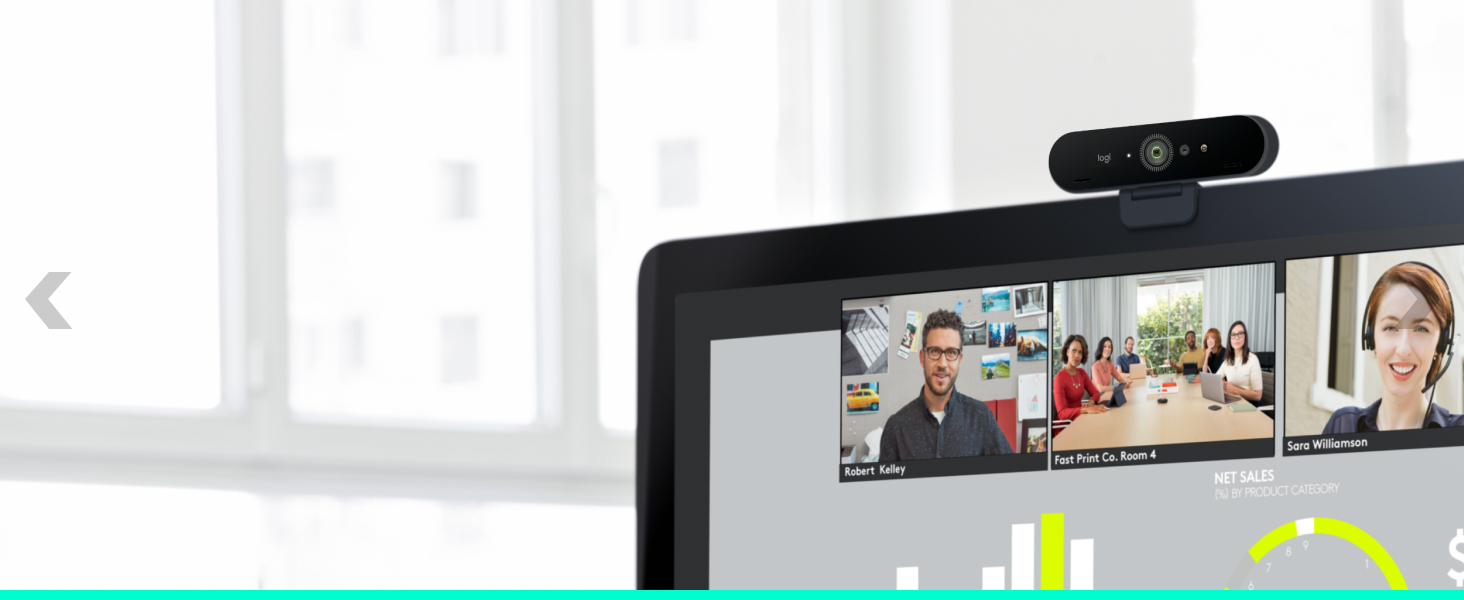
The Logitech Brio Ultra 4K HD Webcam delivers professional-grade video with 4K resolution at 30fps, enhanced by RightLight 3 and HDR for flawless lighting adaptation. Its adjustable field of view and 5x digital zoom let you customize your framing, while dual noise-canceling microphones capture crystal-clear audio. Featuring Windows Hello facial recognition and a physical privacy shutter, it combines cutting-edge security with seamless compatibility across Windows, Mac, and ChromeOS platforms—perfect for high-impact streaming, meetings, and telehealth sessions.


| ASIN | B09NBWWP79 |
| Antenna Location | Video conferencing and collaboration in professional and personal settings |
| Best Sellers Rank | #16 in Webcams |
| Brand | Logitech |
| Built-In Media | Webcam |
| Camcorder Type | Webcam |
| Color | Black |
| Compatible Devices | Personal Computer, Laptop, Tablet |
| Connectivity Technology | USB-A & USB-C |
| Customer Reviews | 4.5 out of 5 stars 1,289 Reviews |
| Digital Zoom | 5 x |
| Display Resolution Maximum | UHD |
| Effective Still Resolution | 13 mp |
| Effective Video Resolution | 3840 pixels |
| File Format | MP4, AVI, or MOV |
| Flash Memory Speed Class | C10 |
| Flash Memory Type | Micro SD |
| Flash Memory UHS Speed Class | 3 |
| Flash Memory Video Speed Class | V90 |
| Focus Type | Auto Focus |
| Form Factor | Compact |
| Global Trade Identification Number | 00097855177780 |
| Image Aspect Ratio | 16:9 |
| Image stabilization | Dynamic |
| Item Dimensions D x W x H | 1.06"D x 4.02"W x 1.02"H |
| Item Type Name | Webcam |
| Item Weight | 2.22 ounces |
| Lens Type | Zoom |
| Manufacturer | Logitech |
| Maximum Aperture | 2.4 millimeters |
| Maximum Focal Length | 1 |
| Minimum Aperture | 2.4 millimeters |
| Minimum Focal Length | 1 |
| Model Name | Logitech BRIO PRO X 4K |
| Model Number | 960-001419 |
| Operating System | Windows (Proprietary Firmware With Windows Compatibility) |
| Optical Zoom | 5 x |
| Photo Sensor Technology | CMOS |
| Screen Size | 3 inches |
| Sensor Type | CMOS |
| Shooting Modes | Low Light |
| Special Feature | Lightweight, Low Light |
| Style Name | New: 2022 Version |
| Supported Audio Format | AAC |
| Supported Image Format | JPEG |
| UPC | 097855177780 |
| Unit Count | 1 Count |
| Video Capture Format | MP4 |
| Video Capture Resolution | 4K |
| Video Resolution | 4K |
| Warranty Description | 1 Year Limited Hardware Warranty |
| Water Resistance Level | Not Water Resistant |
| White Balance Settings | Auto |
| Zoom | Digital |
K**V
Amazing
Upgraded from a Logi 920S to this one. I am not sure if it's running at 4k with the default settings (since I'm using Linux and there is no Logi software for it, just Windows and Mac), but the image quality is amazing. It's really sharp and the colors are very nice. Definitely looks better than the old 920S. I'm currently sitting in a brightly lit room, so haven't tried the auto-brightness adjustments. I got this specific model mostly because of Windows Hello support and it works very nicely, most of the time (sometimes fails after a resume from suspend, but that's not a big deal). On initial login after a cold boot it seems quite reliable. I love the physical shutter and the small light that comes on when the camera is in use. Both are very nice privacy features. Mounting was easy, the clamp fits my 27" display just fine. There are cheaper models of course, but at $169 this one was a pretty good deal too, considering all the features.
K**Y
A Must-Have for Therapists Conducting Telehealth/Teletherapy
The Logitech Brio 4K Webcam stands out as an exceptional tool for clinicians who are expanding their practice into the telehealth sector. One of its most commendable features is the ultra 4K HD video calling capability, which ensures that every session with a client is as close to an in-person meeting as possible. This high-resolution clarity is indispensable for sharing emotional expression and and non-verbal cues during therapy sessions. Another pivotal feature for telehealth applications is the noise-canceling microphone, which effectively minimizes background noises. This ensures that conversations remain clear and focused, maintaining the flow of conversation without distractions. If you're like me and practice telehealth from a home office, it is very effective at cancelling out pet noise. Lighting can often be a challenge in video calls, but the Brio's HD auto light correction technology addresses this issue adeptly. It automatically adjusts to the lighting conditions of your environment, ensuring that the video quality remains consistent and clear, even in less than ideal lighting situations. This feature is particularly useful for clinicians who may not always have control over their working environment, as it ensures that the clinician's face is always well lit and visible, fostering a more personal connection during remote sessions. The wide field of view offered by the Logitech Brio is another significant advantage. It provides the flexibility to capture more of the environment, which can be particularly useful in demonstrations or sharing live visual aids (e.g., holding up a book or poster). This feature, coupled with its compatibility with major telehealth platforms such as Microsoft Teams, Zoom, and Google Voice, ensures that the webcam is not only versatile but also easily integrable into a clinician's existing workflow. I use this webcam in combination with my Electronic Health Record (EHR) telehealth feature, and it connects seamlessly. Ease of use is another key factor, with the webcam working seamlessly with both PC and Mac systems, as well as laptops, Macbooks, and tablets. This plug-and-play functionality means that clinicians can get started without the need for complicated setups, allowing them to focus more on their clients and less on technical configurations. I personally have tested it on my work desktop and laptop devices, and quality remains consistent. In conclusion, the Logitech Brio 4K Webcam is a highly recommended product for clinicians venturing into telehealth. Its superior video quality, noise-canceling microphone, and automatic light correction ensure that sessions are as effective and engaging as face-to-face meetings. When combined with its wide field of view and ease of use, this webcam becomes an essential tool for any clinician looking to provide high-quality care in a remote setting. My only complain is that it does get a little hot in back-to-back sessions, but to date this has not impacted sessions or caused a loss in quality of video or audio.
W**T
Wish I'd bought it sooner
Nothing like 4K, absolutely nothing. What a sweet little camera. Two thirds the size of the NexiGo HelloCam Pro this is replacing. Obvious huge improvement in image quality, auto focus actually works, and quite well. I think what I like as much or more than anything is the instantaneous Facial Recognition. It's immediate, no moving around so it reads just right, it just works. Could not be more pleased with it. Price has come down some, not inexpensive by any measure, but a solid deal at today's price.
K**K
Great video, hardware quality but the camera privacy system needs work
The camera, as a video camera, is good. Video quality is better than my previous Razer camera and with Windows Hello support it makes system access a breeze. My only gripe with the camera? The privacy shutter is terrible. It comes off way to easy and is just not what I'd expect from Logitech. The privacy cover just clips on (poorly) to the top of the camera and has a little flap/door you swing down to cover the camera. Logitech, you really couldn't just add a privacy shutter and switch? Other than the privacy shutter my only other complaint is with the cord. It's too thick and stiff and makes it hard to position the camera without the cord forcing unwanted movement. Aside from those grips everything else about the camera, you know the camera/video stuff, is great. Logi's software is intuitive, video quality is top notch and runs without a hitch. I really like Windows Hello and that is supported on this camera with it's 3d face supplemental camera. All in all it's one of the top "streaming" cameras on the market with good reason, especially for Windows users with support for Windows Hello.
A**M
Very good
Great camera. Quality picture. Nice features. Helps me adjust the picture with overhead light
C**A
Love the setting capability and privacy cover
I have been hobbling through telecommuting days with an ancient webcam that was so grainy I looked like a bad 80s movie. This was a necessary upgrade and I really wanted to invest in a webcam that would last more than a year and give me some adjustments in settings to improve the picture and layout. This webcam is fantastic at all these things. I love that I can adjust focus, zoom, pan, and tilt while preserving a high quality picture. It is plug and play with my windows laptop and attaches securely tiny here too if my monitor with ease. It’s a bit spendy but I was happy to invest for higher quality. I haven’t tested the sound as I prefer to use headphones but so far u am very pleased.
A**N
Great in poor light
It's an excellent camera, in sll lighting conditions, and the app allows you to zoom in and out and adjust angles. The camera has an auto zoom function which I disable for certain kinds of filming and recording. It's all I need for recording and conferencing.
P**S
Don't bother if you want to use MS Teams or Windows Hello
Camera worked okay for a few weeks, and I was able to sign in to Window 11 using Windows Hello, but had problems in Teams almost from the start. I'd join a meeting and the camera would be on and apparently working, but the video would freeze after a few seconds, no one could hear me on the camera mic, and the video would then be disabled. I could usually get it working by enabling the camera multiple times until it finally "stuck", but this is annoying to me and everyone in the meeting while they have to wait until I get my equipment to work. After a while, I started getting the message "Couldn't turn on the camera" when trying to sign in with Windows Hello, even though the red light on the camera would turn on and flash before this message is displayed. Tried going into Windows settings and re-setting up Hello, but I get the "couldn't turn on the camera" message again. Even with all this going on, I can open the Camera app in Windows and it works just fine. Updating the driver is no help, Windows just says the most recent driver is already installed, and the Logitech support site has no drivers for this camera available to download whatsoever, just some "Logi Tune" software that according to its update history seems very, very proud of itself for supporting "Desk Booking" within the app, whatever that is. In summary, this is a very expensive web cam that is totally useless for anything but taking up space in a very crowded junk drawer.
T**M
Outstanding Quality and Value – Logitech Brio 4K Webcam Review
The Logitech Brio 4K Webcam has exceeded all my expectations in terms of quality and value. The ultra-high-definition 4K resolution makes a noticeable difference in video calls, capturing sharp, clear images with vivid colors. The HD auto light correction is impressive, adjusting perfectly to different lighting conditions and ensuring I look professional in any setting. The noise-canceling microphone is also a great feature, filtering out background noise for crystal-clear audio. The wide field of view is ideal for presentations or group calls, and it seamlessly integrates with platforms like Zoom, Microsoft Teams, and Google Voice. Setting it up on my PC and laptop was quick and easy, and it works flawlessly across both. Overall, this webcam is a fantastic investment for anyone looking to upgrade their video conferencing experience. Highly recommended for both personal and professional use!
P**U
Great 4k camera with Windows Hello Support
Great camera. Delivers value
J**.
Buen producto
Buen producto nítida la imagen
V**L
Crystal-clear quality for professional calls
The webcam sets a high bar for video clarity and color accuracy. Its ultra HD resolution and automatic light correction make you look sharp even in dim environments, while the noise-cancelling microphones ensure your voice comes through clean and natural. The wide field of view is perfect for framing shots just right, whether for meetings or content creation. Reliable, plug-and-play, and built to impress—it’s an excellent choice for anyone serious about video calls or streaming.
A**O
Best product
Best product. No compromise with video quality
Trustpilot
2 weeks ago
2 months ago