💾 Unlock the past, power your present.
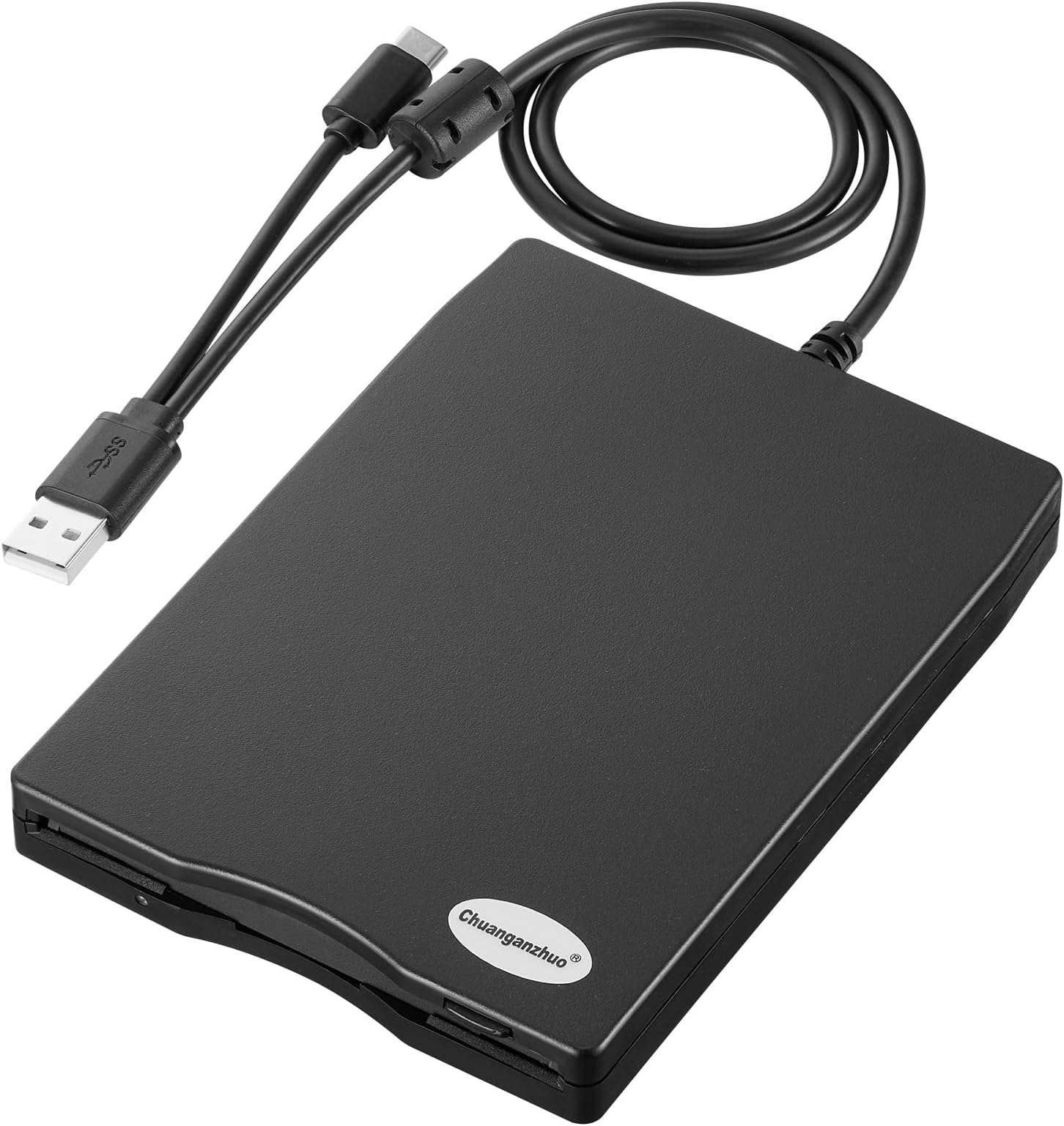
The Chuanganzhuo 3.5 inch External USB Floppy Disk Drive is a sleek, ultra-portable device designed to read and write classic 1.44MB floppy disks via USB 2.0 and Type-C. Compatible with Windows 11 through XP, it requires no drivers and offers plug-and-play convenience. Perfect for professionals seeking to recover vintage data, it combines nostalgia with modern tech reliability, backed by a 2-year warranty.


| ASIN | B0C33XQYQ8 |
| Best Sellers Rank | #17 in Floppy & Tape Drives |
| Brand | Chuanganzhuo |
| Color | Black |
| Customer Reviews | 4.3 4.3 out of 5 stars (391) |
| Date First Available | October 2, 2023 |
| Hard Drive | 1.44 MB Hybrid Drive |
| Hard Drive Interface | USB 2.0 |
| Hard Drive Rotational Speed | 1 RPM |
| Hardware Platform | PC |
| Item Dimensions LxWxH | 0.63 x 0.63 x 0.63 inches |
| Item Weight | 7.8 ounces |
| Item model number | ACM-006C |
| Manufacturer | Chuanganzhuo |
| Number of USB 2.0 Ports | 1 |
| Power Source | USB |
| Product Dimensions | 0.63 x 0.63 x 0.63 inches |
| Series | CAZED-006C |
M**B
Quality purchase, worked great
Great purchase Great quality. Was able to recover old highschool photos i had saved from 25 yrs ago on the 3.5" disks. Very fast and was compatible with my Chromebook. Easy to install.
R**K
Fine for occasional use
I have a few old floppy disks and needed to get some data off of them. Neither my desktop nor my laptop have floppy drives anymore. I bought this unit and it got the job done. I've only read about 7 or 8 floppies and haven't written any, so I can't speak to long-term durability. But for my purposes, which was to read a limited amount of data, this worked just fine and the price-point was acceptable.
J**F
Good product. Able to store and read data off the floppy disk. Make sure you use the refresh button
EDIT: seller explained to me that you must right click the windows 11 explorer and click "refresh" in order to update the contents of the device and read the data off the newly inserted floppy disk. Its also described in troubleshooting section 3 page 9 of the manual. Thanks! Does not work as expected. Here is how this works: If you insert a floppy disk ( lets call it A1 ) with data on it, read the data, then close the file explorer and remove the floppy disk, and re-enter the floppy disk drive on your computer ( windows 11 ) you will still see the data even though the floppy disk was taken out. In tech speak, I think the drive ( adapter ) stores a cache of the data of the previous floppy disk that was inserted. Furthermore, if you insert any further floppy disks ( B1, C1, D1, etc., etc. ,) - let's say B1 for this example, this disk will read the same data as A1 UNTIL you unplug the device, and plug it back in using the B1 floppy disk. Meaning, if you want accurate readings of multiple disks ( let's say you have a stack of floppy disks to go through ) - if you want to read all the disks, you have to unplug and plug it in each time, other wise when you are reading one floppy disk it will always read the data on the previous floppy disk inserted. Bad design. Doesn't work as expected but it is one of the only floppy disk readers on the market and once I figured out how to use it I was able to get the job done with a lot of time and effort. I feel sorry for the usb-c port on my windows 11 computer. EDIT: seller explained to me that you must right click the windows 11 explorer and click "refresh" in order to update the contents of the device and read the data off the newly inserted floppy disk. Its also described in troubleshooting section 3 page 9 of the manual. Thanks!
J**E
Works but slow
Reads disks accurately, very slow.
B**Z
Its Time To Easily Review, Sort, Transfer and Dispose My Old Floppy Disks Collection
The last built-in 3.5 floppy disk reader I had (have) is in an old Windows XP PC tower I built. This USB reader solves the problem to have 3.5 floppy read capability at my newly built Windows 11 PC to take on the project to review, sort, and download any important information I have on about 200 floppy disks. It worked plug-and-play compatibility right out of the box as long as you follow the instruction to plug it into a USB socket directly sticking out from the motherboard. Even trying a high quality USB extension cable compromised the ability to actually transfer the files. Because it is USB powered, it will continue to spin, even without a disk inserted, so only plug it in when needed. Device Manager reveals it is actually a TEAC drive inside with good read speed. Attractively encased. At the bargain price under $20 it is a value.
J**.
Don't trust this device.
The good - It is "plug-n-play". The bad - It is only able to read 1/4 of any of the files on the hundreds of 3.5 disks I have. I thought the files were corrupted and was going to delete them. It has trouble with JPG files of only 38kb in size. I doesn't like gif or video files and seems to choke on documents. I have images I took on one of the original digital cameras out there, the Sony Mavica. Luckily I found that camera in an old chest and it still works. And ALL of the images are fine, not one is corrupted. This disk reader is junk.
A**R
Great Deal
This device works excellent.
W**G
Read? Yes. Write? Well...
Will it read 720KB and 1.44MB floppies? Yes, it will. But if your needs require using write or formatting functions, be prepared for inconsistent performance (track/head errors). My plans were to create some disks from image files (via Winimage), and this unit failed miserably at that task. The same floppy disks that wouldn't work with this drive, later worked fine in a TEAC USB floppy drive. If you have some old floppies kicking around that you want to check out, this product might work for you.
A**M
This floppy disc reader came with plenty of (clear) instructions, including troubleshooting suggestions, but really I plugged it in and it worked well from the start. Was able to read my old floppy discs and copy some data over to my computer no bother.
Trustpilot
1 month ago
2 weeks ago