Desertcart purchases this item on your behalf and handles shipping, customs, and support to South Korea.
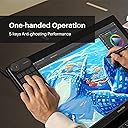
🎨 Elevate your creative flow—command shortcuts like a pro with HUION Keydial Mini!
The HUION Keydial Mini is a Bluetooth 5.0 wireless programmable keypad featuring 18 customizable keys and a versatile dial controller with 3 function modes. Designed for digital artists and professionals, it offers anti-ghosting for up to 5 simultaneous key presses, broad compatibility across Windows and Mac devices, and a portable, ambidextrous design with up to 70 hours of battery life. Perfect for streamlining workflows in creative software like Photoshop, Illustrator, and Premiere Pro.
| ASIN | B0BQJMPYDX |
| Additional Features | Bluetooth 5.0 Connection |
| Antenna Location | gaming |
| Best Sellers Rank | #3,859 in Computers ( See Top 100 in Computers ) #12 in Tablet Keyboards |
| Brand | HUION |
| Built-In Media | Quick Guide |
| Button Quantity | 18 |
| Color | multi |
| Compatible Devices | Laptop, Drawing Tablets, PC |
| Compatible Operating System Family | Android |
| Compatible devices | Laptop, Drawing Tablets, PC |
| Connectivity Technology | Bluetooth, USB-C |
| Connectivity technology | Bluetooth, USB-C |
| Customer Reviews | 4.2 out of 5 stars 643 Reviews |
| Enclosure Material | Plastic |
| Generation | 1st Generation |
| Hand Orientation | Ambidextrous |
| Is Electric | Yes |
| Item Dimensions L x W x H | 14.6L x 9.3W x 1.1H centimeters |
| Item Weight | 0.26 Pounds |
| Keyboard Backlighting Color Support | Single Color |
| Keyboard Description | Multi Functional |
| Keyboard Layout | QWERTY |
| Keyboard description | Multi Functional |
| Manufacturer | Shenzhen Huion Animation Technology Co. Ltd. |
| Mechanical Keyboard Switch Model | Scissor-Switch |
| Minimum Required Operating System Version | Mac OS 10.12 Sierra, Windows 7 |
| Model Name | Mini KeyDial |
| Model Number | K20 |
| Number of Batteries Required | 1 |
| Number of Items | 1 |
| Number of Keys | 18 |
| Number of Packs | 1 |
| Number of Sections | 1 |
| Power Source | Battery Powered |
| Recommended uses for product | gaming |
| Series Number | 20 |
| Special features | Bluetooth 5.0 Connection |
| Style Name | K20 |
| Switch Type | Clicky or Tactile |
| Theme | No theme |
| Unit Count | 1.0 Count |
| Warranty Description | 1 year |
| Water Resistance Level | Not Water Resistant |
A**N
Excellent at its job very highly reviewed
Works well, easy setup
S**A
Perfect accessory
I use it with my kamvas 24 and it helps me draw faster. But you cannot use key combinations when drawing and it sometimes disconnects from the drawing tablet
T**A
Surprisingly good.
A nice side keyboard with fully mappable keys - a sequence of keystrokes can be mapped to one button. Jog dial is very handy, however rather small. One thing I noticed was inconsistent jog speed when used within the web browser - the page scroll was ok, but an overflowing element on the page scrolled extremely slow, while scrolling with a mouse dial behaved consistently. The device is well worth the price.
N**U
random key gets pressed down spoiling the entire experience.
Sometimes, randomly, a key gets stuck, pressed down, without me intending it to. I bared with it for a few months but now in the end I'm fed up. Solution is to turn off and turn the pad back on, but I have decided to buy a mini keyboard instead for my design needs. If not for that I would have awarded more stars.
A**R
Software issue
Software downloaded from the website is not working. And this particular model is not listed as well in the driver list
C**4
Nice looking device, poor software and customer service.
Pros: - Nice Design. - Good hardware features - Good Battery life - Stable connection - Undocumented feature: the device has memory, so you can program the keys on android, then use it every where without installing their software Cons: - Poor and basic software - Annoying delay due to power saving feature - Lack of option for adding some important keys like page-up / page-down - Limited Mac software - Horrible customer service, instead of fixing the issue of their software they asked me to use arrow keys instead of page-up/down. the issue is yet to be fixed after a month
A**S
Works Well
Linking it for my Display Tablet works
R**B
Yay!
I love it it comes with stickers! Works perfectly
L**V
atajos de teclado barato
si quieren arreglar la rueda solo necesitan desarmar el mando para quitar el anillo de cobre y doblar la punta un poco mas y si no me entienden solo busquen el nombre del producto en youtube y allí aparece como hacerlo no se necesita desarmador
C**R
Bien
Esta bien, llego bien.
K**R
Great option for a cheaper MacroPad
Slight Update: This can't function while charging. Of course, wireless is more convenient, but if I'm running out of juice, I'd expect it to still work wired. Nope. Not a dealbreaker, but an inconvenience. *original review* I'd been using the older version of this from XP-Pen (AC19) for a few years and used it daily. I'm not an artist, but I love using a macro pad for productivity purposes. Unfortunately, two of the keys started dying, so I weighed my options between the newer model from XP-Pen and this one from Huion. I figured the extra buttons would be good, so I got this one. Everything is plastic, but it feels durable enough. I expected the buttons to be rubbery, but they're just flat plastic. No complaint, but just different than I thought. Bluetooth paired easily and I haven't had any issues with is reconnecting. I personally with it had a 2.4Ghz receiver, but that's more just personal preference. The software works perfectly well. Personally I like to use some longer text strings as shortcuts and this couldn't handle that. Instead I had to use a key binding with Auto Hotkey to do what I wanted. It worked for me, but is an extra step. The scroll wheel has been working as expected. Personally, I with it didn't poke out as far as it does, but I generally just use one finger on top, not fingers on either side, so I can't fault it for a difference of opinion. The only actual complain I have is with the included stickers. They're great if you plan to use the default functions in art programs, but I expected extras printed to give me more options. There are a few blank ones, but what's the point of blank black stickers? The keys are already black, and I can't write anything on them. They should have at least provided some blank white stickers so I could write or draw my own shortcut reminder on them. I might try to get other stickers or experiment with regular paper and hodge-podge. All in all, I'd definitely recommend it (at least when it's on sale for $40). There aren't enough options out there, but this is a good option.
K**Z
Fallos de diseño
Tiene fallos de diseño de fábrica, la rueda dual tiende a tener fallos al girar a la primera semana ya tenía a romperce, busqué si era solo mi unidad pero es un fallo común
J**N
Perfect Little Helper
This was super convenient for my needs, the buttons were easy to set-up and use, and it came with stickers to make it easy to remember what keys were what. Knocked a star off because it had some problems, mainly with deleting too much off of one press. I tried several times to fix it, but could never figure out why it did that. Otherwise, it was perfect. Small, comfortable, easy to get used to. And the battery lasted several hours to even days. Great choice for your HUION needs.
Trustpilot
2 weeks ago
5 days ago