🚀 Print Smarter, Faster & Bigger—Join the 3D Printing Elite!
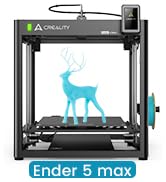
The Creality K1 Max is a powerhouse 3D printer designed for professionals and enthusiasts who demand speed, precision, and reliability. Featuring a massive 11.81-inch cubic build volume, ultra-fast 600mm/s printing speed with 20,000mm/s² acceleration, and advanced AI-powered print monitoring, it ensures flawless prints with minimal supervision. Its Core XY structure and dual hands-free auto leveling deliver stable, high-quality results, while optimized cooling and a dual-gear extruder guarantee smooth operation. Perfect for rapid prototyping, functional parts, and larger creative projects, the K1 Max sets a new standard in desktop 3D printing.


| ASIN | B0C6248YFR |
| Best Sellers Rank | #36,480 in Industrial & Scientific ( See Top 100 in Industrial & Scientific ) #55 in 3D Printers |
| Customer Reviews | 4.2 4.2 out of 5 stars (10,075) |
| Date First Available | August 31, 2023 |
| Item Weight | 39.7 pounds |
| Item model number | K1 Max |
| Manufacturer | Creality 3D |
| Product Dimensions | 17.12 x 18.18 x 20.7 inches |
J**R
Ender 3 Pro is both Professional with a few upgrades and Beginner as is NICE
I was really surprised at what this printer can do. I have 5 of them now and use them for production parts in my valve and machine. I even print sprockets using a chain drive and PC carbon fiber PETG carbon fiber. I have upgraded all of them a bit. All have direct drive extruder and the all metal hot ends, as I print at 248C and the Teflon tube cannot take that temperature very long and will cause a blockage in the hot end. The hottest I have had to print so far is 255 and it works great. You can buy a cheap “heat break” that makes the Creality hot end “all metal”. Three have the dual Z axis kit on them, and the other two still single and print fine. But the single Z's need leveling more often. I put all aluminum extruders on and have no issues with feed. I have never had to adjust the E steps, nor have I upgraded the firmware, as they all work and print parts within .02 mm. The only issue I had was three of them had .4 mm nozzles were not .4 mm, from the factory, and that caused some funny prints with the walls separating. I used a digital caliper and measure the filament coming out of the nozzles at under .3 mm. Now with every nozzle install I run some filament out and see if it, shows 0.4 exactly on all the replacements. All the walls print strong now. I think that Creality got some .3 mm nozzles with .4 marking. To get perfect prints requires some testing and working on the printers. I print almost exclusively PETG and many different brands depending on he price. I noticed that some I bought direct from China were “wet” and so I bought dryers. All the PETG I dry before using and get no “blistering” where the moisture expands under heat. I just don't have time to keep reprinting because of moisture. I also print some TPU and at on time printed over 500 of these “rubber” grommets that our supplier stopped making during the COVID shortages. The main thing is to assemble it correctly so that the X bar is level and the wheels (with the pom tires) can actually spin with some friction. You can measure with a metric tape or rule and get it within .5 mm. I actually drilled a 5 mm hole in the vertical to be able to get the X axis perfect. The hole allows the Allen wrench to loosen the X cross member so you can level it without having to keep removing and adjusting the whole X axis bar. The verticals need to be square to the base and they are very close. On two I put the triangle rods to get it perfect. I used a machinist square to get it perfect. Smooth is the keyword. You don't want any "jump" from the Z axis (rising axis). Parallel and 90 deg to the bottom frames. After about 6 months I installed the dual Z axis and that was simple enough. This one change made it so I can print the same part over and over up to 100 times without having to tram the bed. Also called leveling. `After some time I learned that he Z limit switch will get out of calibration and that spraying it with canned air removes the dirt or whatever is changing the stop point. I think an LED version would be better. On the beds, every one of them has had loose axles on the wheels. The 5 mm screws with 8 mm nuts needed to be tightened. To do this you need to loosen the offset wheels so you can get them vertically stable. There should be absolutely NO wobble in the bed. If you feel any, stop and tighten the rollers. I have had to replace three rollers where the bearings were bad and the wheels wiggled on the shafts. Always adjust the cam 10mm so the wheels can move with slight friction. Over tight causes problems and too loose is also bad. Just so they spin with friction. No wobble side to side or when you lift the corners of the bed. Every screw on the printer needs to be checked for tightness. EVERY screw. Loose screws are a nightmare. Even on my $1000 big printers, all of them needed to have the screws tightened, even the screws under the bed. No wobble and you will have “happy printing”. I have not put the auto bed leveling on as it actually takes longer to print with it (on my other printers). I use only glass on the beds (I scrapped off the magnetic sheet and cleaned with alcohol) and still use the doubled standard printer paper to set the level. I just got “good” at it. Then when the print starts sometimes, but rarely, I will tweak the adjustments. I usually print a skirt with three lines so I can “feel” the thickness of the first layer. I did put the stronger bed springs on also, this gives more stability. I use the Ultimaker Cura (updated)and it has more adjustments than most beginners can use. But as you learn you can make slight adjustments and try them out and see things improve. One of the good things is this printer is so popular you can find lots of YouTube videos to help you. And parts can be found on Aliexpress for the same parts way less. The all come from China, anyway. I have five of these Ender 3 Pro's now, bought two from Comgrow Amazon, came with the glass bed plates. I print almost exclusively PETG at 248c Nozzle and 85C bed temp, (this makes for very good layer welding) and bought the Creality glass plates and the Bed Weld, water based adhesive so the PETG will let go. The higher temp is to insure both a good layer weld and that the cooling will cause the parts to just come of very easy. Once printed they just come off very easy. If I dry the filament I get almost NO stringing. I can't stress how important dry filament is for nice prints. The metal flex plates and the ones that come with the printers magnetic plastic do not work with PETG at all. They are ruined after two prints. Glass is the best with the Layerneer Bed Weld and I have no problems with adhesion and removal. Just have to wait for cooling. The prints come off as if nothing was holding them when it cools. The parts in the photo are actually functional parts that we can't get from a supplier.. So, naturally I made a CAD drawing and made them. The trick with functional parts is to make the plastic about 1/3 thicker than on injection molded, because of the tiny gaps caused by the space between the "lines" of print. It is not 100% solid even if it looks like it is. And most of my prints use 100% infill because hey are parts getting some heavy use. Overall, it is a good choice and a workhorse printer. For the money it still can't be beaten, That is why the 5 stars. But for those who are “technically challenged”, you may get frustrated with the learning curve. After a few hundred prints you will be a pro. Watch the videos as there are tons of them. There may be equally good or better printers for the price, but the availability of parts, upgrade parts and help resources for these printers is amazing.
D**R
Great printer
I've had this about bit less than a year now, and it's my first 3D printer. It was pretty much ready to go and was a very easy first printer. It prints well, and has a large volume. I've tried various filaments and it has handled all of them (except one cheap PLA from "e-sun" but that's due to the poor quality filament). I did root it to use Orca and print wirelessly, but Creality software has gotten a bit better and you probably wouldn't even need to root anymore. Orca does have more options though. The creality app and cloud stuff is useless. If I did it all over again, I might look at the offerings from elegoo which are cheaper, but this is still a great deal IMO. I've put about 10 problem-free spools through it. I'm not into figurines and stuff, I mostly print tools or adapters for things around the house. I think if you want to do figurines you'd want a resin printer.
P**E
Excellent starter (and beyond) 3D printer
I am completely pleased with this printer and don't see spending more money would add any value or improve prints, all around excellent. Product arrived perfectly, excellent packaging, all parts included, no hardware issues. This is my first 3D printer so I want anyone new to 3D printing to have a realistic perspective. I have been printing jigs and parts useful in my woodshop and a few things for the printer itself. I had early success then lots of issues getting prints to stick then reached a plateau of excellent success with limited issues. Bad prints early on can just be stopped and restarted with the main screen. What to expect: • A steep learning curve, documentation is ok but doesn't address everything, lots of mistakes and plenty of solutions you gain quickly from just doing it. • Take the time to assemble the printer, square up the frame parts and review a couple assembly videos on youtube. They help to ensure early success in printing. • Remove and clean the magnetic sheet with warm soapy water to remove any grease or dirt. Then carefully dab to dry and don't touch the surface to avoid finger oils. • If the magnetic sheet lays flat but is crooked, that is ok and affects nothing. I had to trim each side of the sheet by 1/8-1/4" to avoid it touching the Z rails but it lays dead flat. • Bed leveling and a clean bed are two of the most valuable checklist points to make in printing. Early on I was cleaning the bed with acetone and isopropyl alcohol but since I just now use soap and water to clean it, I have had so many successful prints and have not removed the magnetic sheet at all, just use the spatula. No finger oils, no need to clean, and all the plastic comes off. • Use a feeler gauge 0.004" (1.0mm) and level the bed all around so the tip just touches the gauge but doesn't press hard because you can actually push the bed down and then it can spring back and be too close to the tip. Stay with 0.2 or 0.3mm layers in Cura slicing software early on (upgrade the software to current version). I think a feeler gauge is better than paper since paper can be compressed, fractions of a paper thickness can be the make or break it in successful prints. Home the head, set the bed just below it, disable the stepper motors from the Ender screen, then move the head around and begin to level the bed with the gauge. you can do the 4 corners only about an inch in or you can also check many other spots on the bed to ensure the bed is flat too with no cupping. • Prints can take a very long time so correct setup and first layer adhesion are so critical to success. • Cura defaults sometimes work and sometimes don't, but custom settings make for a much higher success rate of prints adhering to the bed. *** The first layer is absolutely the most important layer. *** If it is not perfect or near perfect then prints will most likely fail in many ways, lifting up at corners, shrinking, popping off, skipping, spaghetti mess etc. • Default print speed needs to be slowed down for the first layer. I am using as low as 15-20mm/s instead of the 30mm/s default. Go into preferences/settings/setting visibility and make some settings viewable in the custom window. 50mm/s is a decent normal print speed after initial layer. Top/bottom shell thicknesses can help add strength to many needed prints. • Experiment with infill. 20-50% is common unless 100% fill is needed for a solid. Higher than 50% doesn't really help much unless going full solid. • Supports do help but are not necessary for every part with small hangovers unless you require a flawless print versus a shop needed print. • Add a few extra lines for skirts to 5 which can aid in seeing any priming issues and early leveling issues. Brims are good for narrow and tall prints. Rafts can help with unique shaped prints for early layer adhesion and build. • Cura will remember the settings from the previous print so you don't have to start from scratch every time with settings. • When a print is done, Cura puts in the gcode that the steppers are disabled so you can move the head or bed, but don't move then around fast if they are not disabled. Print an extension for the spool filament from thingiverse, it will help to keep the filament at a better arc and out of the Z lead screw. Changing colors is simple, heat the tip up, then remove the filament and push in another color. The skirt/brim etc will prime the color so the part will be solid to the new color. A solid table surface is good, nothing flimsy or wobbly. Included spatula is excellent, sharp and removes prints very well. Buy some full 1kg spools of colors you like and also try some test colors which come in small loose spools about 50g. I printed a small spool to hold the test colors which helps while printing so filament can spin smoother. I am running the printer near non stop. I have many more dozens of things I want to print and just waiting to get through them all, at which point I'm sure to have added many more. Have fun and create. Plenty of free files for printing, millions are out there. Yeggi.com is a great 3D print file search engine, along with myminifactory.com and thingiverse.com
N**S
So I was iffy buying my first 3D printer. Boy did I pick the right one! I got it within the correct shipping period. Everything was easy to assemble. The images included worked great, and if not there are SOOOO many videos on youtube to show you how to do it. I had to level the bed which is very normal with a new buy. I had an issue with my first print, turns out I was the problem. This machine WORKS GREAT and I highly recommend to anyone who wants to get into 3D printing. The customer support is also excellent. Regarding the issue I had which was an easy fix, and again NOT AT ALL an issue with the printer. I merely selected the wrong printer in the cutting software. Either way, the customer support replied quickly with an IN-DEPTH troubleshooting analysis to help me fix my issue. But as mentioned above, the problem was user based. And I managed to solve it quickly without needing the help from the customer support. I'm confident that if the issue would have been technical or greater, the customer support team would have guided me efficiently and quickly through fixing my printer. GREAT MACHINE GREAT PRINTS EASY TO LEARN! Cheers!
E**N
Perfeita
G**O
Well packaged; comes with everything you need but the liquid and gloves. I was afraid it wasn't going to come with a lid for the container, but it does and it seals nicely. The different speeds worked great with the fragile portions of my print. Extra parts are provided in case the bearing for the propeller is worn out. Very thoughtful. Parts look brilliant after wash.
O**H
So easy to setup and get going. Roughly 45-min setup time. Not perfect though. Bed springs are very soft so be prepared to level everytime you want to print. Other than that great price and really good quality prints.
D**H
The product is absolutely great for beginners or for home/hobby purpose specially at the price point. Tough the product was fulfilled by Amazon, the only complaint I have is that it took a bit longer to deliver. I wish it was delivered the next day as it is fulfilled by Amazon itself. The assembly was a bit tricky in some points but overall not too complicated. Most of the parts came pre-assembled which was great. And the parts where I had some doubts, WOL3D has a great WhatsApp customer support. They helped me clarify my doubts and i got the printer assembled with ease. Once assembled, make sure the bed is leveled properly and if that is done right, even the first print would come out beautiful like it did for me. Overall this 3D Printer (Ender 3 Pro) is a great printer and definitely value for money. Go for it without any doubts.
Trustpilot
1 month ago
2 days ago