Desertcart purchases this item on your behalf and handles shipping, customs, and support to South Korea.
✂️ Elevate your craft game with precision, power, and quiet confidence!
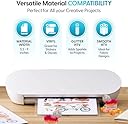
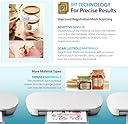
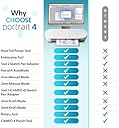
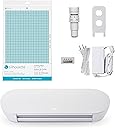
The Silhouette Portrait 4 is a compact, 9-inch vinyl cutting machine featuring advanced IPT technology for tension-free, multi-layer cuts with razor-sharp detail. Operating at a quiet 50 dB, it supports electric tools for expanded creative options and comes bundled with intuitive Studio software, PixScan, and access to a vast design library. Designed for professionals and hobbyists alike, its sleek metal build fits perfectly on any workspace, delivering precision and versatility for all your crafting projects.


| ASIN | B0CHY9CY3Y |
| Active Surface Area | 81 square inches |
| Best Sellers Rank | #23,667 in Arts, Crafts & Sewing ( See Top 100 in Arts, Crafts & Sewing ) #19 in Scrapbooking Die-Cut Machines |
| Brand | Silhouette America |
| Brand Name | Silhouette America |
| Color | White |
| Customer Reviews | 4.3 out of 5 stars 2,887 Reviews |
| Included Components | Machine |
| Item Dimensions D x W x H | 18"D x 9"W x 9"H |
| Item Weight | 16 ounces |
| Manufacturer | Silhouette Amercia |
| Material | Metal |
| Material Type | Metal |
| Model | SILH-PORTRAIT-4-4T |
| Number of Items | 1 |
| Operation Mode | Automatic |
| Part Number | SILH-PORTRAIT-4-4T |
| Print media | Fabric |
| Product Dimensions | 18"D x 9"W x 9"H |
| UPC | 819177026900 |
| Unit Count | 1 Count |
L**D
FAR more versatile and less expensive than alternative machines AND MADE IN THE U.S.A.!!!
This machine is AMAZING!!!!! VERY easy to learn/use-I showed my 11-yr old son how to use it in less than 5 minutes! It easily connected to my home PC and has a built in library with maybe 20 or so designs, an intuitive (but powerful) built in design studio. PLUS this machine can recognize any font already installed on your PC and use most basic graphic formats as designs (as in .jpg, .png. and others). It also comes with a $10 gift card to their online store-might not seem like much, but most designs are only .99 cents, plus they give away a free design each week!! My first project: FAIL! I'd tried to simply type my son's name in the hope of making a little sign for his room (using normal scrapbooking paper). The paper curled and ripped, the mat was WAY too sticky. Second, just as bad (having buyer's remorse for sure). By the third, piece of cake, a very intricate 3d mini lantern, pillow boxes and a mini-stationary set came out PERFECTLY, every minuscule detail PERFECT!! Unfortunately, I'd already cut my mat to shreds-clean through in some areas. 1) Although the instructions very clearly show you how to create a design, load the media, set the blade, and cut, it was only once I started "futzing" with the media thickness setting AND using the "test cut" (it will cut a little triangle in the upper far corner of your selected media to see if it cuts properly-duh?) going from cutting through my mat to not cutting at all in areas that I understood how to compensate for the different media instead of thinking I was stuck only choosing between "printer paper", "cardstock", "heavy cardstock" (hint: I shredded my mat using the "cardstock" setting, which is what the paper is labelled as, instead of choosing that setting, but lowering the media thickness-once I figured out how to adjust this, do a test cut-it was a breeze-just too bad it wasn't BEFORE I'd shredded the mat!!). 2) **Evidently EVERY mat is 'too sticky' the first use/requires some 'breaking in' (not just this brand). I've read many tips about sticking a t-shirt to the surface at first to let the fibers reduce some of the "stickiness" before using paper, (particularly THIN, regular scrapbooking paper as I had for my first few projects). OR, use a MUCH thicker cardstock for the first few projects. 3) USES YOUR OWN INSTALLED FONTS/GRAPHICS!! Plus, you can purchase individual designs at their online store which literally has something like 38,000+ designs-very searchable, and they give away a free design every week. I've seen some of the $50+ cartridges for Cricut, and while there may be 4 or 5 fonts/designs I'd actually REALLY want and use ($4 or $5 worth?) the other $45 could easily be used buying more paper and consumables. This machine allows for that. Plus, it seems to be an "open source" type of library system where individuals can constantly create and upload new designs of their own. What I particularly liked about this is the "3D projects". I downloaded a fairly intricate 4-sided mini-lantern design. With the included "studio", which came out perfectly and was very easy to put together. I can easily break apart this design (keeping the foundation shape/perforations and cuts) and continue to customize it however I chose!! 4) Has "print & cut" functionality. You can create a design with a printed pattern. Send it to your normal printer, which will add in registration marks to the design, so that you can properly place and cut out the design on the Silhouette! To me, that kind of removes the whole concept of additional "sketch pen" functionality....?? 5). One HUGE shocker was that the replacement mat for this is almost double what the Cricut is!? I think the idea was to gain revenue, BUT, I see this FAR surpassing Cricut and other brands both for the versatility AND being more cost effective to own-gaining money on uploaded/contributed designs of their library. The replacement mat (I almost immediately needed) is like $9 for one, and they're VERY "flimsy" compared to the Cricut, of which you can buy two new mini-mats for around $11. With some research, I've discovered that you can use the slightly larger (1/2" overall) Cricut mat, you simply need to apply tape over the outer 1/4" adhesive on each edge so that the Silhouette's rollers don't get sticky (place it over the top of your Silhouette mat with the green protective sheet in place for proper application). You also need to adjust for a slightly thicker media, since the mats are thicker (thus less likely for "cut-through"). I've also seen many "mat refurbishing kits" that consist of adhesive remover (nail polish remover/acetone) and spray cans of repositionable adhesive. You mask off the non-sticky area of your 'naked' mat so that the adhesive only gets applied to the right area. 6) I didn't purchase the additional tool kit. Have used an old credit card as a squeegee, have tweezers, pins, etc. and have been able to utilize other objects. I'm a bit disappointed the tool kit (or even a cheap version) isn't included since it would definitely help, particularly when trying to create projects using normal printer and scrapbooking paper due to the amount of curl. Overall, I am constantly seeing new possibilities for developing another new "hobby/craft" and this machine makes it so much easier and more affordable!!
M**O
Excellent Little Machine
After hearing about the Silhouette Cameo for a while and seeing what it could do, I was very intrigued but not wanting to spend a couple hundred dollars. I am not a hardcore crafter, but do enjoy the occasional craft every now and then. I wanted to start making my own stationary and realized that it would be handy to have one of these machines. After talking to many friends who own both the Cameo and the popular Cricut, the verdict was clear: Silhouette wins. When I saw that the Silhouette had come out with a smaller, cheaper version that did the same things as the Cameo, I knew I wanted it. It arrived very quickly and the install was easy. I was pleased to see a simple machine that sat perfectly on top of my desktop computer (it's so petite!). I plugged it in and got started with what I had on hand. The software is very user-friendly and reminds me of working in Microsoft Publisher. I found it interesting that the Portrait sounds like an old fax machine as it works. It's not loud, but not necessarily quiet. Either way, it quickly did its job and I was satisfied with my first successful attempt at an intricate design. I can't wait to try the sketching feature and cutting out fabric (for cute hair bows!). I love that you can completely make your own designs, but that Silhouette provides a bunch of great ones as well. They have free designs that are actually useful and a bunch of great videos online. All in all, I think that this machine is perfect for the random crafter who makes things on a smaller scale. The software is much easier to use and navigate than what I had originally heard, so I am very pleased about that. Again, I also love that the actual machine is very compact and unobtrusive. I highly recommend this to anyone wondering if they should take the dive or not.
S**H
A wonderful machine to create the crafts of your dreams.
I LOVE this machine! I'm a lifelong crafter (thanks, Mom!) and after reading about this Silhouette for quite sometime my mom sent me a giftcard to get on myself and I have used it so much! Pros: 1. Sleek design - it's so small you can store it anywhere, SUCH a big plus after having a Cricut machine that weighs a ton and takes up an enormous amount of room 2. Versatility - there are SO many things you can use this machine for ranging from cards to stickers, vinyl etc 3. The Silhouette image library - the image library is WONDERFUL. You can find an image of nearly anything you could ever dream of and subscriptions are incredibly reasonable. Also, there are so many online resources for images and projects that the possibilities are endless Cons: 1. Software Learning curve - I've very, very computer savvy so I picked up the software relatively quickly, but I will say it is not very intuitive for those that are not familiar with other design software. It sometimes behaves similarly to Photoshop, but for the most part the software is its own breed and you'll need to either experiment (my preferred method usually) or watch a lot of online tutorials before you feel comfortable with it 2. Slight unpredictability ability - sometimes my Silhouette has a mind of its own - it will start cutting and everything will be going fine, and then suddenly it will go rogue. This can be incredibly frustrating; the Silhouette requires what seems to be an endless amount of patience, but in the end is totally worth it. 3. Blade Settings - these are also trial and error. The settings that Silhouette suggests are not accurate - it takes some research and a lot of experimentation to find the proper blade setting for your projects, but after a couple of years I have it pretty down pat. Overall, I absolutely love my Silhouette! It's a great little machine and has brought me hours of crafting joy.
S**L
Very good purchase. Delivered quickly
Very good purchase. Delivered quickly, easy to set up. There is about a 1-2 hr. learning curve if you are at least reasonably familiar with Windows software, USB devices and crafting. Recommend watching the how-to video on the included CD and also using the "Test Cut" feature inside the Studio software. I tend to back off the cutting blade setting by about 1/2 to 1 setting as it seems the recommended cutting setting go a little to far (i.e. end up cutting into or thru the cutting mat). The build of the machine is very simliar to that of a lower-end ($40-60) printer. I have definitely put this machine thru several complex cutting sequences and so far it has cut them and operated very well with no problems. The resolution on the cutting is excellent and roughly equivalent to 300 DPI. I would personally not classify it as noisy. It is about the same level maybe just a little more than a typical printer. The cutting mat is somewhat messy to work with and is very sticky. I do think over time I will go thru several of the mats. The included Studio software was easy to install and very intuitive to use, especially if you are used to Adobe Photoshop or other design type software. I was tempted to purchase the larger Cameo machine but opted for the Portrait as I felt the Cameo was not worth another $150 just to get the 12 inch width cutting area. So far, that is the only difference that I can see between the two machines. If you have the extra money laying around, you might want to consider the Cameo as some designs utilize the larger cut area. With the Portrait you have to make more cutting runs for the larger designs. I am also using this machine for simple rapid prototyping (framing). You can quickly work up a custom idea and print / cut it out and build a simple 3D prototype with this machine. If you purchase the optional pens, you can also use this machine as a (CAD) plotter. Overall good machine and would recommend.
A**A
Better than Cricut
For starters, i never owned a cricut machine but have used my friends when I needed to use it. I finally decided to pull the trigger and buy a cutting machine for myself. I happened to stumble on this product when scrolling through youtube videos. I went with the silhouette because it was more cost effective than even some of the used cricut machinesi saw online. First thing i would like to mention is the cut borders, it has a bigger area inside the border than what the cricut does (for 8.5 x 11 paper). So I was able to fit more images, which is a major plus in my opinion. For those that are not tech savvy, i highly recommend following every step when setting up, also look at the official youtube channel for any advice or additional learning curves to understand it better. Especially for those that are visual learners. If you have experience with machines like this, it'll be a breeze to understand everything and every action on the software is very straightforward and when hovering over a button a little box will pop up to show you what the action is for those buttons. Overall, great product. i would say this is personally better for people just starting out with using cutting machine, not only for the price but how easy the software is to use. When buying brand new, and setting up your account for the first time, you will get a 1 month free trial, which i personally don't use as i use it to cut out vinyl and sticker paper. But if you're doing small project for the little ones they have cutouts in their store that change on a weekly/monthly basis that become free instead of going with the subscription.
K**E
Customer service is AWFUL!
I've had the machine for 2 weeks, and cut about twenty pages of card stock. The machine works fine, and learning to work with the software is a breeze, especially with the online videos by fellow users. My real issue is with the quality of the mat and the customer service. After cutting about twenty pages of card stock, my mat lost it's stick. Fine, I thought, I'll just buy a new one. While reading the reviews of the silhouette mat I came to realize that the mat that came with my machine was faulty. I emailed customer service after being disconnected twice from their phone line. Apparently, they don't believe in connecting customers to support. I received a response two days later which was a script. I've included my email and theirs below. If they don't respond, I will be returning the machine as it is faulty, and customer service is not helpful. I personally don't mind waiting several days for a real response, but I won't buy from a company that can't respect their customers enough to answer their questions. My advice.... Don't buy this machine. There are other alternatives. I recently purchased a silhouette cutting machine, which is working well. However, the mat it came with is already lost it's stick after about 2 weeks or 20 sheets of typical card stock. I store it with the wax paper covering it came with so it doesn't get debris attached. Is this normal? I've read reviews that they are supposed to last much longer, and although I'd like to keep the machine, if it uses 2 mats a month it's just not feasible for me. Could you please let me know if my mat is in some way dysfunctional. I've heard from friends that I have a mat that is older, and that their newer replacement mats last much longer. RESPONSE: Thank you for your alert. If the cutting mat is not holding your material well enough during the cutting process, you will want to first confirm the mat's liner has been removed. If the mat is brand new and has never been previously used, then it is possible the liner has simply not yet been removed. Otherwise, we would recommend cleaning the mat between uses to ensure there are no fibers or other materials which cause papers or other materials to not be gripped as well. We have had reports from some customers who have reported using a disposable lint roller to clean these fibers or other pieces from their mats between usage works quite well. While this will not apply a new adhesive coating to the mat, it should ensure that the cutting mat is clean. In addition to cleaning the mat, it is vital to replace the cutting mat's liner on top of the sticky surface when not in use. If left uncovered while not in use, the mat's adhesive surface may collect dust or other particles. You may also want to review what material type is in use. If you are using a specialty material type (such as construction paper, handmade paper, or cardstock that has a high fiber strand make-up, etc) you may wish to explore the use of an alternate material known to work with the cutting mat. Finally, if your mat is older and no longer holding materials well during the cutting process, you may simply need to replace your cutting mat.
K**Y
I think I am in love!!!!
While my package was stuck in Texas due to some sort of bad weather, I scoured the Silhouette website downloading the software, purchasing a monthly package and downloading some things in preparation for the arrival. I was glued to my UPS tracking and YouTube demonstration videos, waiting. Today, my favorite man in brown arrived and I tore into the package. I plugged it in, set it up and started cutting. Well, attempting to cut. By try number 5 I was so frustrated and those darn video tutorials, the Silhouette instruction manual in paper form and online, and Googling was not helping me. Finally, I saw my mistake....I had the blade in upside down. Duh! My first project was a beautiful heart doily. The cuts were so intricate and so beautiful. I had no problems getting them off the very sticky mat with only minimal spatula and scraper use. I cut a beautiful A2 card with a heart design cut into it. And then, I cut a gigantic monkey holding gigantic hearts in his gigantic paws, which I had to figure out how to resize to fit on my card. There is little out there to help you do that; but trial and error and a lot of button clicking. I did eventually figure it out. Last, I cut some beautifully intricate words that were just too small to do anything with and I grew tired of trying to get them to the right size. I gave up for the night. I didn't cut through the mat or cut off my fingers, so it was a good first day. I bought this machine because I love flowers: stacked, rolled into 3D form, cut outs. I love Doilys and medallions. And I wanted to be able to cut my cards into some interesting shapes. I seem to have already figured out how to make most of those, so I am a happy cardmaking/scrapbooking camper. I can see this machine will meet my needs and make what I wanted. The rest of the stuff available, I hope to one day master as well. If I don't, so be it. I already got what I wished for. Count me in as one happy new Silhouette Portrait owner.
K**N
Coming Over from Cricut
So I've only ever owned cricut products and machines. And while I love the simplicity of cricut, I got increasingly tired of the issues with their design space. I wanted a backup machine that I could use in its place if needed, as well as something a little smaller. After a lot of research I dipped my toes into silhouette with this machine. The design studio takes some getting used to, and I have to re-learn it all, but so far I'm really enjoying it. I feel like there are so many more possibilities and the best part of all, I've had absolutely NO issues with it working flawlessly (only user errors). Plus the machine works amazingly! It's a work horse. Right out of the box I cut some stickers, and I didn't even need to calibrate it, it just worked. I like that. Some things to note, it's louder than my cricut. But I don't mind. And there is a lot more to learn in the design space. Coming over from cricut, it can be quite frustrating and difficult, however I believe it's worth it in the long run. I like that there are more options and you are more in control of your designs. I like the endless possibilities. I like that it WORKS! It's not slow or doesn’t crash on me. When I say "difficult" I mean it feels like I went from kindergarten (cricut) to high school(silhouette). Which isn't a bad thing, just different.
M**N
... Portrait not far off a month and I absolutely love it. It's everything I expected it to be ...
I've had the Silhouette Portrait not far off a month and I absolutely love it. It's everything I expected it to be and it's something I've wanted for a while but I wanted the prices to come down before getting one. I've always loved papercrafting but found the hassle of using a cutting board and cutting knife tiresome and agonising with my fingers due to the pressure when cutting through the paper. This does the job perfectly and expands on complicated designs I'd most likely never attempt or could humanly do. I've seen a lot of tutorials online with the Cameo cutter, to be honest though the Portrait does the same thing from what I can gather albeit primarily with A4 paper. It's come in really good for Christmas!
C**7
Quality cutter
Good quality cutter and the software allows for greater creativity.
J**K
Als Hobbygerät zur Aufklebergestaltung absolut TOP
Das Gerät wurde zur Gestaltung von Aufklebern und ggf. Shirts gekauft. Das im Lieferumfang alles enthalten ist um zumindest mit dem Design sofort starten zu können fällt positiv auf. Hier muss keinerlei Software zusätzlich gekauft werden - und wer clever ist kann ohne spezielles Zubehör schon Bilder, Zeichnungen, Texte u.ä. in plottbare Dateien verwandeln. Die Software ist auch für Einsteiger oder IT Unerfahrene Personen schnell und einfach zu verstehen. Das Gerät an sich sollte mit besonderer Vorsicht behandelt werden. Besonders beim einsetzen des Messers muss darauf geachtet werden dem Halter festzuhalten damit die Klinge nicht auf die Gleitfläche gedrückt wird. Einige Abstriche müssen im Vergleich zu teureren Profigeräten gemacht werden: - keine stufenlose Einstellung der Führungsrollen - Gerät sollte bei der Verarbeitung von Rollenmaterial beaufsichtigt werden - Gehäuse komplett aus Kunststoff - kein Zubehör wie Ständer und somit nur als Tischgerät verwerndbar Wer sich jedoch über all dies im klaren ist kann bedenkenlos zugreifen. Anfangs habe wurde die Schneidematte mal ausprobiert um Foliereste zu verwerten - dies hat ganz gut funktioniert, jedoch ist die Klebekraft der Matte zu hoch so dass sich die Sticker beim abziehen von der matte auf dem Trägerpapier wellen. Ist aber kein Drama und wenn man die Matte ein paar mal mir den Shirt abdrückt reduziert sich die Klebekraft. Geschnitten wird aber fast ausschliesslich von Rollen welche selbst auf 21cm Breite zugeschnitten werden - hier wurde das optimum zwischen Handling und Verschnitt bei Stickern mit größeren Längen gefunden. Momentan wird Orafol 651 mit folgenden Schnitteinstellungen verwendet Rasterklinge: 1 Geschwindikeit: 1-5 (je nach Detailgrad) Druck: 6 Der auf eine Bild sichtbare "Made in Wolfsburg" Sticker wurde gekauft alles andere ist selbst geschnitten Als Zubehör wurde eine passende Staubschutzhülle gekauft und ein weiteres Messer. Hülle: https://www.amazon.de/dp/B00AVYCCJ2/ref=cm_cr_ryp_prd_ttl_sol_32 Messer: https://www.amazon.de/dp/B008QD6JJY/ref=cm_cr_ryp_prd_ttl_sol_11 Ein Messer bei dem die Klinge als Einzelteil austauschbar ist wird wohl die nächste Anschaffung in diesem Bereich sein da der Halter an sich ja nicht verschleisst und ich nicht einsehen will damit dann unnötig Müll zu produzieren und mehr zu bezahlen als nur die reine Klinge an sich. Das enthaltene Messer hat jedoch schon einige Meter Folie geschnitten und ist immernoch einwandfrei. Sind vollauf zufrieden und würden im Hobbybereich immer wieder zu diesem Gerät oder anderen Produkten des Herstellers greifen!
A**.
Excelente plotter muy compacto y fácil de usar!
El envio fue rapido y el precio excelente, al abrir la caja y ver el tamaño del plotter dije a caramba esa cosa se va a romper porque mi impresora es más grande que el plotter, pero al verla trabajando digo wow qué ágil y fácil de usar es, sin tantas complicaciones la pude hacer funcionar a la primer y realizar un primer corte de prueba, así que estoy muy feliz con el plotter para hacer manualidades y otras cosas!
L**A
met my needs... i did not know ...
met my needs...i did not know about this type of vinyl cutter. I should have bought many years ago
Trustpilot
1 month ago
2 weeks ago