


๐ Elevate Your Reality โ Experience the Future of Viewing!
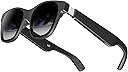
The XREAL Air AR Glasses redefine personal entertainment with a massive 201" Micro-OLED display, weighing just 79g for ultimate comfort. TรV Rheinland-certified for eye safety, these smart glasses offer versatile compatibility with various devices, making them the perfect alternative to traditional screens.


| ASIN | B0CG9Q5MQJ |
| Age Range Description | Adult |
| Band Material Type | Plastic |
| Best Sellers Rank | 53,510 in Electronics & Photo ( See Top 100 in Electronics & Photo ) 166 in Wearable Tech Glasses |
| Brand Name | XREAL |
| Colour | Black |
| Communication Feature | Bluetooth, Wi-Fi |
| Compatible Devices | Laptop, PC, Television |
| Compatible Phone Models | iPhone (all current models), Android (most models) |
| Connectivity Technology | USB |
| Connectivity technology | USB |
| Controller Type | App Control |
| Customer Reviews | 3.8 out of 5 stars 828 Reviews |
| Display Type | OLED |
| GPS | No GPS |
| GPS Geotagging Functionality | No GPS |
| Human Interface Input | Buttons |
| Item Dimensions | 19.3 x 10.7 x 9.4 centimetres |
| Item Dimensions D x W x H | 14.8D x 6W x 5.2H centimetres |
| Item Weight | 79 Grams |
| Manufacturer | XREAL |
| Maximum Display Brightness | 400 Nit |
| Metrics Measured | Augmented Reality Meter |
| Model Name | 0787947d-eb39-45b2-be90-889f204b119a |
| Model Number | 0787947d-eb39-45b2-be90-889f204b119a |
| Operating System | Windows |
| Operating system | Windows |
| Product Features | Lightweight |
| Product Warranty | 2 years manufacturer |
| Resolution | 1920 x 1080 per eye |
| Screen Size | 201 Inches |
| Shape | Rectangular |
| Special feature | Lightweight |
| Supported Application | Gaming, Streaming, Video Glasses |
| Warranty Type | Limited |
| Water Resistance Level | Not Water Resistant |
| Wearable Computer Type | Smart Glasses |
| Wireless Compability | Bluetooth |
| Wireless communication standard | Bluetooth |
A**.
It opens a new world !
I love it because ...whatever, I just love it ! If you never had anything like this this is a perfect starter ! The price is not over the roof and yet it does the job ! Simply connect to your phone and enjoy the future ! I'm using it on my phone ,watching Disney +,netflix ,appletv + ,amazon video,it works with Samsung dex mode as well! The dark side is ...video streaming requires wired connection! YouTube works in AR mode but no app store on the nebula AR surface ! 4K 60Hz ,so your eyes will get tired ! Air 2 or air 2 pro has brighter projector with 120Hz that is better for the eyes ! After all , I'm quite happy with it ! It's perfect even on the go ! Get one , you'll love it !
"**"
Only semi amazing
It doesn't work with a desktop PC or an X Box. YOu have to buy an expensive adaptor if you want to use it with a PC or X Box. I presumed that because it worked with a laptop it would work with a PC but it does not. The image size stated is misleading. When I'm sat at my desk with a 27 inch monitor, the image produced by the XReal AR glasses is smaller than the 27 inch monitor. Having said that, it does produce a good, bright, clear image so for use on a train or plane with a laptop it is great
R**C
Great Big Screen for Quite Movie / Video sessions
Nice product, easy to use everywhere (specially plane trips) as long as your phone or table support video over USBC.
M**S
Love my xreal Airs
So I was really concerned about buying these due to the large number of paid for YouTubers reviewing these and massive amount of marketing hype. But decided as amazon I can take punt and return if poor. My use case is iPhone 15, iPad Pro, Mac Air M2 and Steam deck all with USB C output so no need for beam which does seem to get poor reviews. I wanted this to take in my camper for watching films and playing steam deck. I am a massive gadget geek and love latest tech etc and must say when I first put these on it was holy crap this is amazing. So few points: Picture to me is amazing I need reading glasses but don't need when using these. You have to spend bit of time adjusting and getting picture where to want it. But edges can blur as screen is almost too big to fit in the narrow FOV, if you use steam deck there is a great decky plugin that does anchor screen and allows size to be changed so this is great. In terms of picture size people are going to see this differently, if I sit in my lounge with 55" TV 4m away the screen is easily double. But if you sit with a laptop in from of you yes the screen appears smaller, its all perception and I think if you understand this you will be pleased with size of display. In bright daylight you really need the lens cover if watching films etc but general YouTube you can get away with. Sound is not great on Airs, it's ok for YouTube or quick steam deck game but best to use in ear buds. Comfort with vary from people to people but I have large head and the rear ear piece with our cable digs in a little, I have put of glasses sleeve over and its now fine. I did get mine in the sale so if paying full price I would be tempted to go Air 2 as apparently this is improved. I have sat and waited couple of movies with no issue and really enjoyed experience, you do get a little motion sickness but I have learnt to keep head as still as possible and also am now getting use to them and it doest affect me as much. I have also tried them on Mac (note you need an M chip as will not work on older Intel Macs) and the 3 screen anchored setup is good but really limited by the FOV as this means you have to move your head around. So to summarise I am really pleased with the xreals the picture is great for such a small portable device and for my use case think they give me a good quality large screen when needed. I am still tempted to get Beam to try just for the anchoring element but holding off to see how I progress with them long term. The field of view does limit these and if you are just doing bit of gaming or watching film they are great.
A**.
Worked great for 5 mins now unusable! Confidence in this Brand destroyed.
Just got these today after studying reviews of these and similar competitors. I don't need the AR stuff so was just expecting to use as displays. I have a Samsung Fold 4 a laptop and a Tablet that are compatible and I have a steam deck in transit. Got them out of the box, plugged them into the Samsung and they turned on. The display was sharp and bright and dex looked great. Started watching a movie for 5 mins then the display cut out. Now whatever I try does not bring it back. 2 hours wasted with 3 different devices, nebula app and any combination of buttons and config and the best I can get is a dark unreadable dex display from the phone which flickers like a bad refresh on an old TV. If I didn't know better (because they are OLED) I would almost say the back-light has failed. They are recognised by all my devices OK and the cable seems OK (as you would expect being new out of the box) but nothing works. Pretty sure they are faulty. Great shame because the 5 mins they worked I was impressed with the screen. I have booked my return and will be very reluctant to try another pair from this Brand!
D**C
It works really well and even better with the XReal Beam. Geek heaven!
This is my favourite tech at the moment. Please note, these are not VR glasses. Using with PC: You need to plug it into a usb-c port or buy a converter from usb-c to hdmi if your PC doesn't have a usb-c port. For Windows, it will just replicate the screen so you can use it as your main display. The screen remains in front of you, even when you move your head. For Macs, you can download and run XReal Nebula software which let's you create multiple virtual desktops that can be pinned in virtual space. It looks excellent. They are still developing the Windows version. Android phone, you will need to download XReals Nebula app. This has two modes. You can duplicates the phone screen or you can open a virtual environment where you can open apps that can be resized and moved in virtual space. This is currently limited to a few apps, but I use the browser and You Tube mostly. It's a really nice experience. If you buy the XReal Beam then this let's you connect to your PC and resize and pin your screen in virtual space. I have a gaming PC setup without a monitor. I use these glasses as my main monitor and play games with a very large virtual screen. It's a bit pricey if you included the XReal Beam, but I love tech and it's a great experience especially with games and movies. Lastly, note that XReal are actively developing this and it's software. I am looking forward to when Nebula is available for Windows.
P**H
Screen door and fading issues with screen cast in particular
I purchased these because it was reported that the optics on this version of Xreal Air are bigger and better than the "upgraded" Air 2. This is the case, however, quality has taken a dip in a significant way (a software issue it seems), reported to have occurred following a recent software update. This issue occurs in Screen Cast mode, and on Android what I'm getting are vertical lines, something of an aggressive screen door effect, and fading, the screens appearing rather more like an LCD, with greys instead of blacks. It came on in the middle of something I was watching on a streaming service, making me think it was a network issue, but then I saw it on videos in my photo gallery. If, however, you go into AR mode you don't see this issue. I've since found that if I go into AR mode first, and then go into Screen Casting from there, the issue doesn't appear to present, but given my first discovery of this issue came on suddenly during a streaming session I suspect that, despite this workaround, it will switch into the screen door and fading issue again. I shall see. This would indicate that this is a software problem. I didn't have this issue on the Air 2s, however, the optics were abysmal on there, so maybe it was something I missed on account of those issues. There are some issues with comfort, and sound, which have been my chosen sacrifices with this downgrade in order to improve on the picture quality, and these issues are expected. Comfort problems stem from the arms behind my ears, right side in particular in my case, and the sound is very lacking in comparison to it's update. I can't criticise this, it has since been upgraded in another model, but my ability to view the screens is much improved on this model, however, the screen door vertical line and fading issue has made me question even the value of that. Basically, what's needed in a further model would be the Air One optics, with a slider function for IPD (that moves the screens with the optics), combined with the Air Two's screen and audio, and improved comfort options, which would make for a great product. The difficulty I'm having with the screen door issue for air casting, and the fading (honestly looks like an LCD screen when this occurs) will be my reason for sending these back. I will first see if this issue generally doesn't present so long as I select AR mode first, and then screencasting, but if it does continue to happen I will be sending these back as well as the Air 2's I recently sent back. So much room for a great experience, but I suppose I might be a couple of years away from an optimal model!
W**T
Can replace tv and pc and gaming consoles
The future I think
G**N
Las mejores gafas de AR.
Tenia mis dudas de comprarlas, pero sin duda son las mejores del mercado, han solucionado sustancialmente el problema con los sensores de movimiento. Sin duda tener las 3 pantallas virtuales para trabajar en tu computadora es otro nivel.
C**C
Most reliably readable XR glasses available afaik
I originally bought these both as a comparison and a temporary stop gap while I waited 2 weeks for my VITURE One glasses to ship from China. During those 2 weeks, I got full days long tests for these. I used them on my iPhone (with the extra suggested adapter), Steam Deck, and Macbook Pro laptop. I was visiting my parents for a week and, as they have no monitor nor room for a monitor, my primary development monitor was the XREAL Air glasses. I worked in these for 8 hours a day for 5 days. And it worked surprisingly well. Given that they are only 1080p, I had to zoom out to shrink the text on my code development low enough that I could see 2 columns of code in the glasses. However, the view was always clear and sharp, if a little pixelated. Using them with the Steam Deck was always solid. I have played 15-20 hours of No Man's Sky in these and the only difference from playing on my PC running at 4K with a RTX 4070 Ti is that the graphic fidelity is obviously lower. But the gameplay is just as smooth and I can accomplish all the same missions and tasks as on PC. The experience on the iPhone was probably the most rough because the bulky, awkward adapter makes it basically impossible to use with the phone in your pocket as it will awkwardly droop out of your pocket with the heavy end of the adapter flailing out. I mainly use the iPhone adapter by laying the iPhone flat on a table face down while I do the long ritual of brushing my teeth for some orthodontic aligners I'm wearing. Then, finally, after 2 weeks my VITURE One glasses arrived and I fully expected to be ready to replace the XREAL Air glasses with them. To my surprise, I did not. The VITURE One glasses had the following advantages I fully expected: - Much more solid and protective case - More comfortable and stylish frame - Better dimming when not using the face shield - Higher quality, more isolated sound - Seemingly cooler running temperature - A technically sharper and more high resolution image However, there was one huge problem: no matter how much I fiddled with the dials and nose attachments on the VITURE One, I could almost *never* get a completely clear image. Fringing and blurriness was rampant. There is *no way* I could have developed in these for the 8 hours a day 5 days a week like I did with the XREAL Air. The text simply would never have been clear enough. And even on No Man's Sky on my Steam Deck, there was an unacceptable amount of blurring on text in the inventory screen that would have driven me mad. If all I wanted to do was watch movies and play games with no text in the interface, the VITURE One may have been fine. But for reading text, the blurriness was unacceptable. Also, the VITURE One didn't come with the face shield, meaning there was always some light pouring through even with the dimmer active. Not to mention that I had to activate the dimmer *every time* I plugged them into a device. After a week of total darkness clarity using the face shield on the XREAL Air, that was also unacceptable. Popping the XREAL Air back on after fiddling with the VITURE One for an hour, the difference was immediate. No fiddling. No adjustment. Just an immediate, completely lucid picture, if slightly more pixelated. So much to my surprise, I will be sending the VITURE Ones back and keeping the XREAL Air. From the only comparison video I could find, the XREAL Air also has this no-fiddle clarity advantage over other XR glasses like TCL. As far as I can tell, these are currently the best on the market. Also, at the time of this review you can get them in a single day rather than waiting 2 weeks, which is a nice bonus. Edit: If you would like a snap case that is better than the stock one, the Oakley Large Metal Vault is the only one I have found on Amazon that is big enough. It is hard shell, providing much better protection than the soft, flimsy stock case. And since it snaps open and closed, you don't have to fiddle with a zipper every time you use the glasses.
P**7
Good hardware - bad software. Great portable monitor, but be realistic with expectations
Got my XReal Air this week, thought I'd post a short review. Tl;dr - great piece of hardware, not-so-good piece of software. Before launching into the review, I should be clear about my use case: I was looking for a small portable monitor that I could use for work an entertainment when I'm traveling instead of a small screen. Packaging and in-the-hand - The XReal comes in a small box that contains the glasses, cable, and nose pieces in what is roughly the size of a large sunglasses case. Portability is definitely there! The packaging is classy and professional, and so are the glasses and cable in the hand. They feel (and look) solid, and well made. Buttons on the glasses are responses and the cover accessory snaps on firmly. Grade: A Plugging in for screen mirroring - The glasses work with both my laptops, my samsung tablet and my Sony 5 iv (it is not on compatibility list, but it does work). You can use all these devices without touching Nebula to mirror your screen and it just works - plug it in and you're away - mostly. I have noticed on my phone that netflix appears to only play downloaded titles, not titles streaming. I assume this is a DRM restriction of some type; I have not experimented with other streaming apps yet. Grade: B+ Plugging in with the app - Nebula sucks, I'm sorry to say, it just sucks. The idea of being able to control/shift the screen is great, but it promises more than it delivers because a) it has no apps beyond YouTube that you would ever use, and b) many streaming and other services will not work in the Nebula browser. I'm also a bit iffy on routing, for example, my email and especially my work office 365 through a browser from a vendor I don't really know much about. So you can't stream in the Nebula app, at least not with anything I tried, and I'm not comfortable doing anything else in the browser. I don't know what the answer is here, or if there is an answer. What would be ideal is be if Nebula functioned almost like a launcher that transformed my android homescreens, but still ran the actual apps, but it just doesn't work that way. It's a bummer, and I think it's something that puts a lot of people off because the advertising really promotes a different user experience. I don't care over much, but if you were invested in that experience you would be unhappy with this device. Grade: D Viewing experience - It's great! At least for me. Screen is crisp and legible. I can use this for work and for play, typing emails etc is no problem after some minor adjustment. The brightness levels are good, though colors do appear to be a little over-saturated to me. I can really only compare this to my metaquest 2 - which I could never even hope to use for work and isn't really that enjoyable for watching shows due to the pixellation and 'screen door' effect. There is not of that here. Screen is crisp and great to watch. Do experiment with the angles on the arms and nose piece. I have found it's best for me if they are almost angled slightly "up" off my face. The speakers are fine, I prefer using bluetooth headphones, however. Grade: A Comfort - Not bad. In bed, there is no discomfort and I can wear these for quite some time. Sitting up, and the nose pieces do pinch the nose after a while, they could be a little larger/softer. Also, I have quite a small head, the arms are wide enough for me, but if you have a large head I imagine you could mind them a little pinchy after a time. I had no problems with headaches or anything like that from using them. Grade B Overall, I really like this device and it meets my needs perfectly. I do think the advertising grossly oversells what you can do with them because screen resizing, head tracking etc only works in the app - and virtually nothing useful works in the app. However if you are looking like me for a portable monitor, they are terrific. B+
D**T
No after sales support
The product worked as expected. But in six months it started falling off and now it is probably bricked and the cable which comes with it is not suitable for regular usage. It gets damaged very easily. Contacting xreal support was not helpful since , they asked to contact the seller. Amazon says 1 year warranty , but it is not clear how to claim it.
K**B
Buy them!!!
Don't doubt this purchase. If you have a Samsung galaxy your dex will turn these into the ultimate handy phone. Example. Today driving I used side view ( image was to the left of my field of view so that I can see the road and a see through image of Google maps ๐ never had to look down for directions. Second the doctors office was horrible but thank God I had these and turned on Netflix and had a huge screen to watch my favorites show. I forgot I was waiting for the doctor lol I got a call from my husband via video and my phone was hooked into my wireless charger and his image was in my glasses video chatting while my phone charged and captured my video image for his view. Advice- works best with a phone that has a dex because you will have much more flexibility than their apps. Their system in up and coming. Patience as it gets better, but for new tech these are legitimately the best glasses. Video is clear and bright too bright sometimes I turn it down especially when I lay in bed at night to watch a movie. They are comfortable flexible and easy to keep clean. The carrying case is great I almost returned them due to the app glitches but the new updates have helped dramatically. It's been a week and it's only getting better as I figure more things out and realize how convenient these actually are. Thanks for reading.. now your turn buy them lol
Trustpilot
3 days ago
2 months ago