Desertcart purchases this item on your behalf and handles shipping, customs, and support to South Korea.
🎮 Elevate your audio game—connect smarter, play faster, hear clearer!
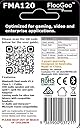
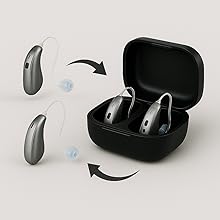
The FLOOGOO FMA120 LE Audio Bluetooth Adapter is a versatile USB-A device designed for professionals and gamers seeking flawless audio. Supporting Bluetooth 5.4, aptX Lossless, and dual-mode Classic & LE Audio, it delivers ultra-low latency for gaming and crystal-clear sound for calls. With Auracast TX/RX/Relay functionality and hearing aid compatibility, it future-proofs your audio setup across PCs, consoles, and mobile devices—all backed by exceptional customer support.


| ASIN | B0CN71FL92 |
| Audio Input | USB-A |
| Audio Output Mode | a2dp |
| Audio Output Type | Bluetooth, Auracast |
| Best Sellers Rank | #35 in Bluetooth Network Adapters |
| Bluetooth support? | Yes |
| Brand | FLOOGOO |
| Color | white |
| Compatible Devices | Laptop, Speaker, Television |
| Customer Reviews | 4.2 out of 5 stars 147 Reviews |
| Hardware Interface | Bluetooth |
| Includes Remote | No |
| Installation Type | wired |
| Item Weight | 5 Grams |
| Manufacturer | Flairmesh Technologies |
| Number of Channels | 2 |
| Number of Ports | 1 |
| Rechargeable Battery Included | No |
| Supported Application | Music, Voice, Spotify, YouTube, MP3, AAC |
| Supported Media Type | bluetooth |
| Supported Standards | Bluetooth 5.4, aptX, aptX HD, aptX Adaptive, aptX Lossless, LE Audio |
| Supports Bluetooth Technology | Yes |
| Unit Count | 1.0 Count |
| Wireless Communication Standard | Bluetooth |
| Wireless Compability | Bluetooth |
G**H
Perfect for the Sony INZONE Buds (and other LE Audio headsets) plus excellent customer support
I bought the Sony INZONE Buds in 2023 and initially I was only plannung to use them for the PS5, knowing that compatibility will be limited. The peculiar feature of these is that they don't use any classic bluetooth connection or codec (like adptX), only LE Audio (also know als LC3 codec). The only method of connection was the bundled dongle, a rather flimsy piece of equipment and very soon I felt it a bit tiresome to always unplug it from one device and plug it into another; was almost a bit regretful over not having bought inears with broader compatibility. Nonetheless, since the headset was pretty great (good sound and very long lasting battery) I kept it while being on the lookout for a way to connect it to pc and smartphone another way. Smartphone compatibility simply rose over time, but on the pc front I went through several dongles without success. Among them the eppfun AK3040 PRO MAX, which claims to be LE Audio compatible as well as the Creative BT-W6 for which even the Creative support gave misleading feedback before the purchase, only to admit it isn't compatible after I returned the device. -.- I was about to give up when I stumbled over an Australian company, Flairmesh, producing a bluetooth LE Audio dongle, the FlooGoo FM120. Since I needed to import the dongle to Germany, again I sent a question to the customer support: "Is it compatible with the Sony INZONE Buds?" Their answer really suprised me: "No", but they promised me to buy the Sony INZONE Buds, test them and publish a compatible firmware. And...well...they did, a few weeks later. Nothing more to it other than to acknowledge and praise what is EXCELLENT customer support, dare I say a rare thing these days. I imported the dongle, and it works. If I had to dig up any kind of critique for the FM120, it'd be that the process of pairing bluetooth devices is a bit finicky. Because there is a button on their software that reads "add device" and I was expecting it to show me a list of devices to pair, as when you use a regular bluetooth dongle in Windows or when adding devices with a mobile phone. Instead it will automatically search for and pair with devices that are in close proximity to the dongle. The software is not needed for (subsequent) pairing, or at all. You just plug the dongle it, use the inears and it works. But with the software you can change modes and codecs according to your needs, be it high quality lossless audio or low latency for gaming. Especially the latter is very impressive because it really is fast, making for no perceivable audio delay for the inears I tested. There is a limitation in the hardware or software, as in that an LE Audio device will always take precedence over any classic bluetooth device. This is a limitation by the current available chipset for LE Audio and other dongles (who weren't compatible in the first place though) have these notes plastered on their description pages as well. I tested several classic bluetooth headsets / inears (before I settled to only use the Sony INZONE Buds, as they are the best I have anyway) and when only these you can easily switch between them. All in all I'm very pleased with the whole process of aquiring the FlooGoo FM120 and it finally fullfills the task I've been looking for, for almost two years. :)
R**B
AMAZING - So good that I did not appreciate it at first!
I have tried many USB audio adapters and this is the ONLY ONE that works as it should. It is reliable, versatile and extremely useful. I use it with my Phonak hearing aids, for both computer and iPhone connectivity. Most importantly, is the unmatched follow up and concern of their tech support. The seller IS the manufacturer, and his concern for his customers is incredible. At first I did not appreciate this Bluetooth adapter and actually returned it. Without my reaching out, the seller contacted me, to inquire what was it that I did not like. This led to a numerous back and forth messages, and my vastly improved understanding of the product's potential. Over nine months I realized the limitations of other USB adapters and kept hearing glowing things form associates about this, the FMA120. UNLIKE OTHER USB dongles, that I dumped, returned or gave away, due to unhelpful, and uncaring technical support or product claims that did not work, THIS seller took such an interest in understanding my use case scenario, and even crafted a firmware version for people with similar needs. Eventually, I decided the only thing I could do was PURCHASE THIS AGAIN. Repeatedly I would reach out with a lame or befuddled question, always due to my impatience, or confusion, and every time within hours, (time-zone considered), I would get a concerned and helpful response. Bluetooth can be confusing due to the various similarly named protocols, and the varying needs of one way and bi-directional sound transmission when hearing aids are involved. Most hearing aid manufacturers are either late or lax in modernizing their Bluetooth specifications and especially lame in regards to Auracast. Auracast is an emerging technology that for many devices has not yet been fully implemented. but which IS THE FUTURE of audio streaming to audiences at religious, performance and public gatherings. And which can today be used at home, work and in more and more ways. Hearing aid users will find a knowledgeable, concerned and helpful vendor here. The FMA120 can be used from TV to multiple family earbuds/headphones. You will enjoy this - ahead of it's time product, made by an outstandingly dedicated manufacturer. I am writing this unsolicited review, not as an ad, but as an acknowledgement of something special in both product and service from this company. This item, along with the company's other similar product the FMA121 is a reliable gateway into a whole world of connectivity - YOUR WORLD!
J**I
One way to try Auracast
This will let you add Bluetooth connections to your existing devices, like your TV. Unfortunately, all my existing devices are incompatible with this level of Bluetooth, so I had to return it.
W**X
Works with Oticon Intent
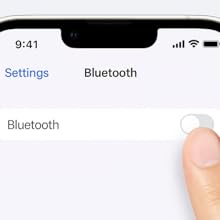
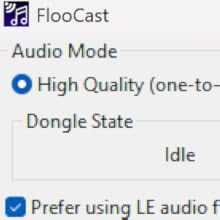
Floogoo is the only manufacturer I know that actively tests hearing aid compatibility when users report issues. With all other transmitters, you're stuck with trial and error—returning it if it doesn't work with your hearing aids. I really appreciate their effort. Good company! I can confirm that this works with Oticon Intent. Prerequisites: Oticon Intent must have the latest firmware (1.2.1 as of now—the launch firmware will not work). You can use their app, FlooCast, to fine-tune the settings. Be patient during the first pairing; it may take a few minutes. If pairing fails repeatedly, turn off AptX and ensure only LC3 is enabled. Don’t use broadcast mode. (Make sure "Prefer LE Audio" and "Public Broadcast" are checked, and leave all other options off except LED.) All other Bluetooth devices paired to your hearing aids must be turned off during pairing. Turn off your phone’s Bluetooth. If you have paired your hearing aids to iPad/Mac, don't forget them. If you have a ConnectClip or TV Adapter, turn them off as well (they likely won’t interfere, but it’s better to be safe). Once paired, you don’t need to turn off the ConnectClip or TV Adapter to use this transmitter. It’s treated as a "phone" by the hearing aids, and Oticon Intent supports multiple Bluetooth connections. You can only have one device streaming audio at a time, but multiple devices can remain connected simultaneously. However, if your iPhone is paired to the hearing aids, you must turn its Bluetooth off in order to connect the FMA120 to your hearing aids. This is because the Made for iPhone (MFi) protocol assumes exclusive use of the hearing aids (you can still use a TV Adapter concurrently, but not a second phone connection). If you connect the FMA120 first, your iPhone won’t be able to stream audio to the hearing aids. If you connect the iPhone first, the FMA120 won’t stream. This is not like the TV Adapter and iPhone combination—those can both stay connected, and the second device can stream as long as the first isn’t actively streaming. With the FMA120 and iPhone, even if the first device is idle, the second cannot stream. So you do need to switch them manually. To switch between them, simply disable Bluetooth on one of the devices. For the FMA120, unplug it. For the iPhone, use Control Center. No need to unpair, don't try it. The signal strength is just slightly better than an iPhone, perhaps because the exposed USB pins are more vulnerable to interference. Any USB 3.0 device—such as an external HDD or SSD—will interfere with it if connected to the same USB hub. This is a known limitation of Bluetooth audio streaming.
C**S
Doesn't do what it advertises
i was not able to make this work with sony wf-1000xm6 earbuds, despite it advertising compatibility. i followed about every bit of advice I could find on the internet and there is either something wrong with this dongle or it just cannot do what it advertises. i'm exchanging it to see if it is the dongle. i am not able to use this in games on Windows 11, the audio cuts in and out. the dongle is placed a few feet from my head. most of the time the dongle software does not detect the dongle, or after using it for a few minutes it looses connection and you will have to restart your computer again to use the software. the dongle will still work without the software. i tried using this in discord but it cuts in and out there too. it is a shame because this is the only device advertising LC3 connectivity with mic support, and with support for the chipset the sony wf-1000xm6 earbuds use. if a replacement dongle fixes these issues i'll update my review, but i have doubts...
E**O
Perfect for Linux gaming with WH-1000XM6
Low latency gaming mode was super easy to setup with Sony WH-1000XM6 firmware 3.1.5, after updating the adapter's firmware too. Having an open-source configuration app that also works on Linux with full functionality is a huge plus. Just wish I could update the firmware from Linux instead of Windows... As an engineer, I love all the technical documentation and attention to detail. Definitely money well spent to support them.
R**S
Works perfectly and instant email tech support replies
I got this to use with my Denon Perl Pro earbuds primarily on my iPhone. You have to set it up initially on Windows or a Mac/Linux machine (this requires a bit of computer technical know how to use the Mac/Linux version). The Windows app is simple and once you get the settings saved the dongle works great. A couple notes. At first I was only getting an aptX Adaptive connection. Make sure that the devices in windows are set to have Spatial Audio off as well as set the sound device (the FMA120) default audio quality to 44.1khz or 48khz. Also in my case I had to go into the Denon app and turn off Spatial Audio and once I did that the connection instantly changed to Lossless. See photo for the Lossless transfer rate. :) Since I’m using an iPhone 15 it would be convenient to have a usb C connector on the dongle but I wouldn’t have been able to connect it to Windows to set it up without the USB A connector anyway and it works just fine with a USB A to USB C adapter. I noticed the product page says it comes with a USB C connector but that is incorrect. You will need an adapter to connect to any device without a USB A output. Amazing product and the sound is top notch. No other products out there have the capabilities that this BT transmitter has currently. You won’t be disappointed.
B**E
Great product
Wonderful for the Sony WH1000-xm6. The app is a little hard to set up but once you do everything just works every time I boot up my PC.
L**N
Auracast streamen van je telefoon naar hoortoestellen
Deze gekocht omdat ik Auracast wil ontvangen en op mijn hoortoestellen van Oticon OPN 3 wil luisteren. Tegenwoordig krijgen steeds meer treinstations, vliegvelden en ook theaters (Zwolle Odeon / De Spiegel bijvoorbeeld) ook Auracast. Mijn hoortoestellen hebben geen Auracast, maar via deze dongle aangesloten op mijn telefoon (iPhone 13) is het mogelijk om Auracast te ontvangen en via mijn telefoon naar mijn gehoortoestellen te luisteren. Dit werkt echt super. Support is ook snel. Ik had hun eerst gemaild en binnen een dag al antwoord. Het kastje kost wel wat, maar dubbel en dwars waard. Ik hoef nu niet alleen te kijken naar hoortoestellen die Auracast hebben, dat los ik nu zo op. Handleiding moet je rustig volgen van de makers. Deze is ook gewoon duidelijk.
A**E
Schweizer-Taschenmesser unter den Bluetooth-Dongles
Nach ein paar Realtek-basierten Bluetooth-Antennen (Windows Bluetooth-Stack) und dem Sennheiser BTD 700 Dongle (Knack-Geräusche seit Firmware 3.11.0, Probleme mit aptX Lossless, bzw. Wechsel zu aptX Adaptive) habe ich den FlooGoo FMA120 für mich entdeckt. In Verbindung mit der FlooCast-App ist der Dongle eher ein Schweizer-Taschenmesser als ein gewöhnlicher Dongle. Ich nutze den Dongle mit einem Bose QuietComfort Ultra (Gen 1) Headset. Über die App kann ich sauber zwischen allen Codecs wechseln und das Headset macht die Wechsel (insbesondere im Vergleich zum BTD 700) problemlos mit. Die blinkende LED lässt sich per App abschalten, sehr gut. Firmware-Update (und da gab es schon diverse Upgrades) ist auch schnell eingespielt und die App lässt sich nach dem Autostart automatisch in die Systray minimieren. Zur Sprachqualität in Teams Meetings kann ich zwar noch nichts sagen, aber bisher bin ich sehr glücklich mit dem Dongle. Es lohnt sich also, ein paar Wochen (kommt aus den USA) auf das Teil zu warten.
H**M
The Missing Link between Sony WH-1000XM6 and LE Audio on Windows
Finally, Stable Calls and LE Audio! This little adapter is a game-changer. I paired the FlooGoo FMA120 with my Sony WH-1000XM6 headphone and my Samsung Android phone, and the performance is excellent. It delivers crisp, clear LE Audio without any issues. The most significant improvement is with Microsoft Teams calls. Before, I had constant audio dropouts, but with this adapter, the connection is perfectly stable. It has made work calls significantly less frustrating. Important Note: You must upgrade the firmware as soon as you get it for it to work properly. The only real downside is that the firmware update software is only available for Windows. Despite the initial painful setup step, I highly recommend the FMA120. It's a fantastic solution for anyone wanting to improve call stability and take full advantage of LE Audio.
謎**謎
LE Audio で接続、やっとたどり着いた答え
想えば LC3 という規格を知ってからずいぶんと苦労してきました。 これからのスタンダードは LE Audio になるなんて登場した LC3 ですが、ふたを開ければ信じられないレベルの互換性問題。 ほとんどのトランスミッターは SoC が qualcomm。 aptX 対応機種はほぼ例外なく qualcomm。 実は本機も例にもれず qualcomm です。 そして、LC3 対応のはずなのにうまく接続できないイヤホンやヘッドホンたち。 aptX 非対応機種はほぼ例外なく airoha です。 イヤホンの SoC が qualcomm だったら別に良いのです。 素晴らしい LE Audio の世界を楽しんでください。 でも、Sony をはじめとした割と主力なメーカーたちは airoha を選択しました。 トランスミッターが qualcomm だと何か問題なの?と思われるかもしれませんが、ほとんどの場合ドライバが未完成で airoha 相手に接続がうまくいかないのです。 そして、トランスミッターを出しているメーカーは airoha に接続することをはじめから放棄しています。 もしくは対応する詐欺です。 彼らにそんな技術力はありません。 ところが、本機メーカーである FlooGoo は、この問題に積極的に対応してきました。 今でも活動的に更新が続いており、おそらく airoha 相手に安定して接続できる唯一の qualcomm ドングルです。 この製品に出会えた時、今まで抱えてきた LC3 へのジレンマがすべて解決しました。 ソフトウェアの SS を載せておきます。 同じく LC3 で苦労してきた方は目を輝かせてしまうのではないでしょうか? 洗練されつつ、必要な要素を全て押さえています。 いまなんのコーデックで通信しているの? ビットレートは?遅延は? 全部表示してくれます。 また、これらの調整は使用者であるあなたが決めてよいのです。 メーカーが適当に決めた、不明なビットレートに縛られる必要はありません。 LC3 って低遅延じゃなかったの? そう思いながらだましだまし接続してきました。 本機に出会う前までは。 いまなら声を大にして言えます。 LC3 って低遅延なんだよって。 そして、確かに高音質なのです。 あなたがしている苦労、僕にはとてもよくわかります。 イヤホンは airoha ばかりなのに、なんでドングルはほとんど qualcomm なの? LC3 対応予定って何? なんでこんなに遅延するの? なんでこんなにノイズが乗るの? 音悪くない? 結局メーカーの怠慢です。 なんとなく自社製品が接続できればそれでよいのです。 むしろそのほうが良いと思っているのかもしれません。 さあ、あなたはやっとまともに接続できるドングルに出会うことができました。 次世代規格 LE Audio を楽しみましょう!
G**F
Works with Oticon Intent 1 & Steamdeck OLED
My Floo Goo FMA120 arrived this morning, did a quick update to the latest firmware using the FlooCast software on my Microsoft Surface Pro 9. Now have my Oticon Intent 1 hearing aids functioning as a head set to my PC. Also plugged the FMA 120 into my Steamdeck Oled & it also connects the audio to my Intent 1 hearing aids without issues. Could not be happier.
Trustpilot
2 months ago
2 days ago