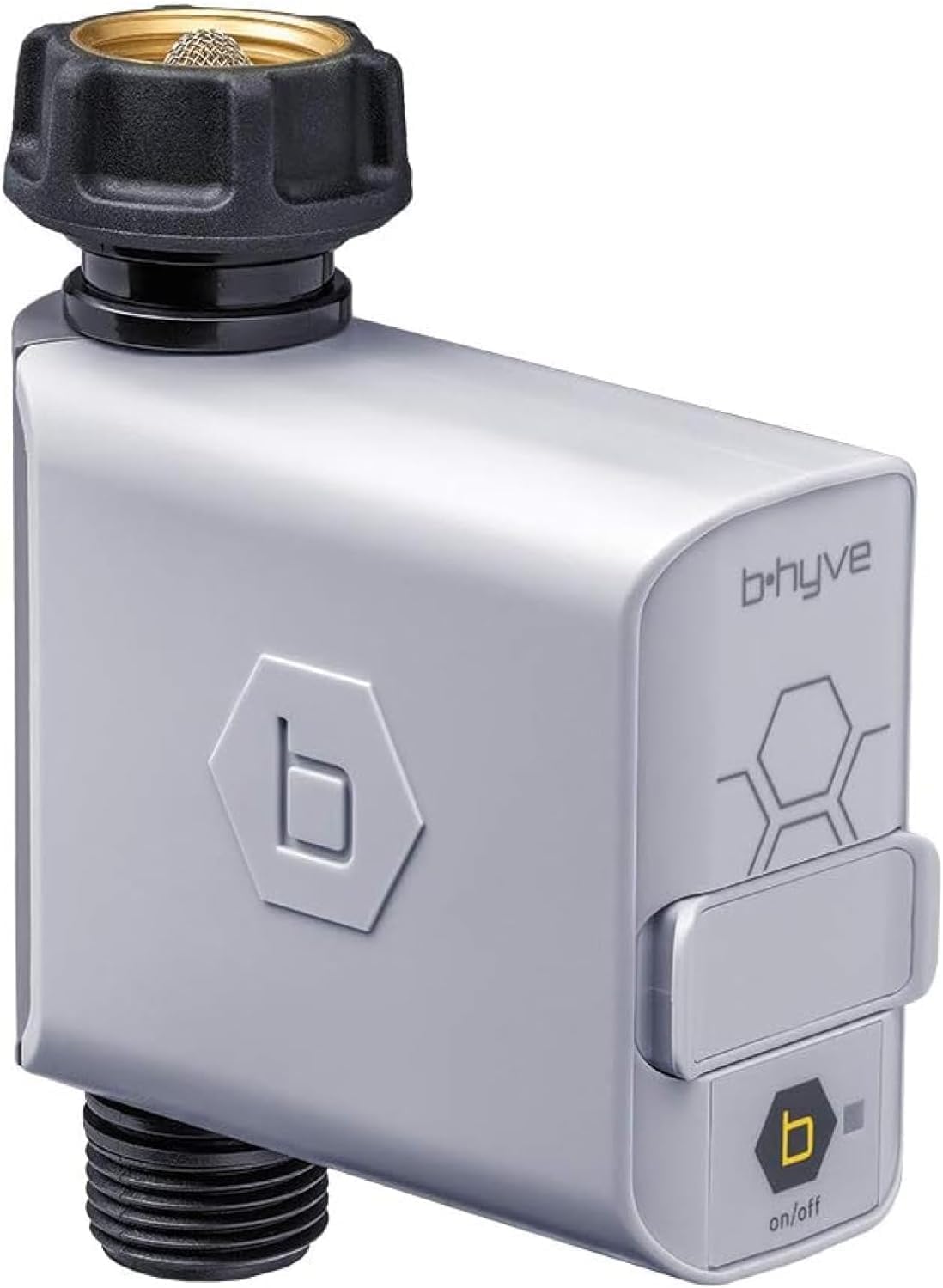



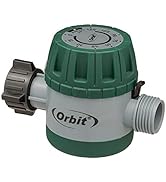
B-hyve Hose Faucet Timer
Product ID: 60382680
Details
- BrandOrbit
- ColorGray
- Item Weight10.56 ounces
- MaterialPlastic
- Product Dimensions2.34"D x x
💧Optimized water usage
📶WiFi-enabled remote control
⏱️Precise timed watering
Buy anything from 5,000+ international stores. One checkout price. No surprise fees. Join 2M+ shoppers on Desertcart.
Desertcart purchases this item on your behalf and handles shipping, customs, and support to South Korea.
🌿 Smart watering made simple — never miss a drop or a moment!
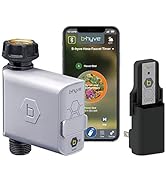
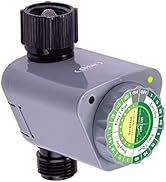
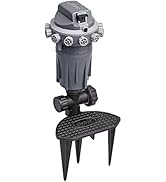
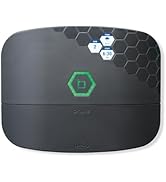
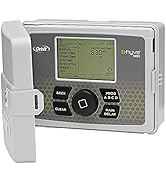
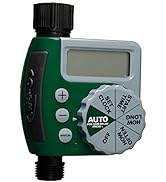
The Orbit 21005 B-hyve Smart Hose Watering Timer is a WiFi-enabled device designed for precise, automated garden watering. It offers remote control via a mobile app, rain delay features to prevent water waste, and compatibility with Orbit’s Gen 1 WiFi hubs. Ideal for busy professionals, it ensures optimal hydration for plants and lawns, saving time, water, and effort while maintaining a lush, healthy garden.















| ASIN | B0758V2JQS |
| Best Sellers Rank | #47,828 in Patio, Lawn & Garden ( See Top 100 in Patio, Lawn & Garden ) #137 in Watering Timers |
| Brand | Orbit |
| Brand Name | Orbit |
| Color | Gray |
| Customer Reviews | 4.0 out of 5 stars 4,183 Reviews |
| Global Trade Identification Number | 00046878210059 |
| Included Components | timer |
| Item Dimensions D x W x H | 2.34"D x 6.58"W x 7.19"H |
| Item Type Name | Smart Hose Faucet Timer |
| Item Weight | 0.66 Pounds |
| Manufacturer | ORBIT IRRIGATION |
| Manufacturer Part Number | 21005 |
| Manufacturer Warranty Description | Warranty. |
| Material | Plastic |
| Material Type | Plastic |
| Model Number | 21005 |
| Number of settings | 3 |
| Product Dimensions | 2.34"D x 6.58"W x 7.19"H |
| Screen Size | 2.9 Inches |
| Smart Home Compatibility | Smart Home Compatible |
| UPC | 046878210059 |
| Unit Count | 1 Count |
C**5
Addon - Gen 1 wifi compatible
Originally got the wifi “kit” with the hub and valve to see if it was worth the extra cost for wifi. With the rain delay feature alone, it saves on eliminating wasted water versus the old digital timer that required manual adjustment for every rain delay so not very convenient and unable to control remotely. After a few weeks, the orbit system has proven to be reliable. So I ordered a 4 port XD model for the other parts of the lawn but had to return it since it is not backward compatible with gen 1 wifi hubs. This is ultra irritating since these gen 1 are only single port. But since I already had the gen 1 hub it didn’t make sense to start over with gen 2 which offer very little other than the multiport timers. If anything, I’d wait to see what gen 3 or 4 brings for features since it’s apparent that’s the way these tech products go these days, a new gen every yr or two. So to remain compatible with existing investment, I ordered this gen 1 valve timer and a hose splitter. It was pretty simple to connect to my existing gen 1 wifi hub and so far it’s working well. I plan to reconfigure the sprinklers so I can daisy chain a soaker hose using a pass through fitting so that the one splitter will suffice. We seem to have enough water capacity depending on type of sprinkler, impact types seem to need the most pressure to flip them from side to side, so I can daisy chain maybe one off the impact type - the oscillator and soaker hose seem fine to add on after the impact but two impact types don’t work well, could be the particular models. Anyway, for reasonable cost I’m able to cover the majority of the lawn with a variety of sprinklers we luckily inherited from former owners who left them behind. Benefit with city water is savings on water usage/cost. Time will tell but just a handful of rain delays each month should pay for the hub and 2 timer system within 1 season.
K**S
Have 3, one broke.. but I'm still giving it 5 stars.
Anyone who is proficient in home automation knows that NOT everything is going to be easy. Sometimes you need to put down the product, walk away, and come back to it. Such is with these. I've bought 3 total (well, now 5) and one is a dud. We bought the first 3 in the spring and installed them knowing that a) I was going to be away from my flowers for the summer and B) my husband was in charge of keeping the new sod and said flowers alive. When I got home from my 3 month hiatus my flowers were mostly alive... my husband decided to play with the system why trying to deal with thing b. So, thats not really orbits fault, but it is... let me explain: the reason he began to mess with these was because one died. Being that this whole automation thing is *my* thing, and not his- he had no idea what he was doing and wound up flooding my plants, killing the sod, etc. He LOVES that things work, but 98% of the time I am the one who is researching, purchasing and setting up. So, here I am, July, finally able to deal with it.. and I try to fix it. The thing still claims its connected to the hub, the app acts as though the box is watering stuff, but the lights aren't on and nobody is home inside the control box. So, what do I do? I go to orbits website and follow the links to make a warranty claim. I assume its going to be worse than the camera's he broke while I was gone.. but it was easier... So I begin to tell the automated messaging what is going on. and apparently I'm giving it to much detail but it has LITERALLY taken longer to write this review than it took to do the claim. I got a giftcard to replace it, which was MORE than the like-replacement, so I ordered 2 more. Because heck, if they are going above and beyond to replace a product that is defective, I'm throwing ALL my money at them. Sure, the app is wonky, but its usable and does 9 out of 10 things I need it to do (I really need soil sensors that can be integrated orbit!) I was worried when I first got the bhyve box's because I had one of orbits mechanical timers that blew out suddenly. I was hoping that paying a bit more would save me in repotting my plants for the fall. Indeed, it did. Only 2 pots died on his watch! But overall, in home automation the app is pretty standard imo. Its complicated, but more that the app was made for the more "expensive" version, aka, in ground sprinklers. I've watched my nextdoor neighbor fuss with his every year, I'm going to stick to my garden hoses and these little guys for life at this point!
J**H
App + Timer + Hub = Terrible
I rarely, if ever, complain about a product. If something doesn't work the way I like, hardly ever return it. This is different. Bought the timer and the hub separately. Time worked great, but I can't always be literally either in sight range outside of the timer, or right next to it inside through my cinderblock walls. If I'm anywhere else, it can't connect. So I get the Wifi Hub. Great, set it up. Sets up great. Here is the problem(s): 1) No way to connect an already established Timer to the new Hub. While setting up the new hub, it DID ask what device I wanted to attach to the Hub. Great. I put the Timer back in pairing mode (remember - I already have it on my account so it wont even let me go "hey, I already have this one attached, let's just "move" it over to the Wifi Group." Nono, it has me set-up the timer AGAIN. No-can-do since it's already attached to my account. Okay... Remove Wifi and Timer (remember to do the Timer LAST or you CAN'T LOG INTO YOUR ACCOUNT WITHOUT SETTING UP A TIMER...). This leads me to the second problem. 2) After removing both of the devices from my account, I go to "set up" a new device. Choose the Timer+Hub. Cool, have me set-up the Hub first. Perfect. Judging from the previous experience, since the Timer isn't attached to the account yet, this should work great! It'll ask me what device to add to the Wifi group, I'll select the Timer. We'll be golden!... Nope. After setting up the Hub in "step 1 of 2" for the HUB+Timer device addition, it COMPLETELY skips that part. Doesn't ask me to add a device to a group. Cool... On to problem 3. 3) Now we're back to square 1. Timer and Hub are separate and not talking to each other so I can control the Timer anywhere via Wifi. Well great. Cue me searching through every setting possible on the app to see if there is a "groups" section to maybe Drag/Add the Timer to the ALREADY SET UP Wifi Hub. Nope, nothing. Can't remove the Timer from the account because then you just have to Re-add it and the app doesn't let you do anything AT ALL unless you have a Timer set-up. Can't "re-set" the Hub to make a group unless you disconnect it all together but then, AGAIN, back to problem 1 where you can't connect the Timer to the Hub since it's already on your devices. So that's useless. I'm just beyond frustrated. I shouldn't be. I get it, it's not worth it. But this SHOULD NOT be this hard. I genuinly don't see how others are NOT having an issue with this. Either my app skips the Hub+Timer set-up to connect the two into a group, or it just wont work at all. It's hot out, I'm mad, this is a waste of time and money. If you're fine with just using the Bluetooth for the the Timer: great. Have it it. We'll see how long it works judging by the other reviews. If you're looking to connect via Wifi w/ the Hub. Honestly, I don't know. Try it? I feel like I'm alone in this because I've looked up literally everything I could and it doesn't seem like anyone else is having this same exact issue. I'll try a few more times after I cool down, but I just spent 2 hours trying to reset both devices every way possible, multiple ways, and nothing worked. Honestly just a waste of time and money for me at this point.
J**M
Great hardware/ poor software
I've had this for several years and they work fine. Since in the mid-west our watering season is only a few months of the year, 1 set of rechargeable batteries, that I change when I install in the spring, works fine until I winterize. I have the hub plugged into an outlet in the basement near the timers. These are no way properly integrated with Alexa (just marking buzz which is too bad since I love having Alexa run my porch lights) and the valve is fast closing so you WILL get water hammers you need to deal with. As explained elsewhere, you need to do everything from the app and when you create your watering schedule, you need to deal with all timers wanting to run at once. All do-able but software should exist to make the user's life easier. These are installed on the shady side of my house so I don't really know how the plastic housing stands up to UV exposure over several years. The female (house side) threads are brass encased by plastic but the male threads (hose attachment) are plastic so don't do stupid stuff with them (hand-tight should be fine). I haven't tried the smart watering but one of the extensive reviews covers the details. You MUST create a b•hyve user account which I don't like having to do since there is no real reason to do so with proper software. But every company seems to be doing that; need to educate the product marketing people there is no need with proper software so you don't needlessly provide a security vulnerability. I'd rate the software 1-star and spend less effort on the nice graphics and more on functionality. But since I'm retired from doing app development, I completely understand how this happens. I was going to rate the product 5-stars but the software and water hammer issues drops it a star.
N**E
Have Patience, This is a Good Product
After tons of research on wifi timers, I finally settled on these devices. I've had lots of hose timers in the past for gardens and for my lawn, and I was finally ready for a connected device. The reviews were mixed, so I didn't know what to expect. The critiques of these devices are correct... I think Orbit intended for this software to be for a traditional sprinkler system, not a garden hose faucet system. So, a few of the software features are a bit confusing at first. Just remember that every timer operates independently. It has its own zone and program and once you realize this, the setup and usage is just fine. The connectivity has been perfect. Both the bluetooth and wifi connectivity options worked great for me... not a single problem with connectivity. I can now control my sprinklers from wherever I am in the world.. or just my sofa... by simply using the app. No more running out to the back yard at awkward times to start or stop a timer. I often pull out the app on my phone in the middle of the night and change the program based on the latest weather report. Very useful! The configuration of the app is a little confusing at first, but like I said, treat each device as its own entity which doesn't communicate to the other timers, and you are in the clear. It's actually quite easy to understand and use once you realize that you setup each timer independent of each other. Once configured the usage is very straight forward. I did a full lawn renovation and needed reliable and configurable watering schedules from my DIY underground sprinklers. I have four zones in the back yard that have varying watering needs and this did the job perfectly. I can add all sorts of of different times for sprinkler activation, I can check the watering history, I can start rain delays. Basically everything I wanted in a connected timer. In fact I'm about to buy a couple more for my front yard. Have patience, and these should serve you well.
G**S
Total control over outdoor watering
I've used the older style Orbit watering system for years. When it came time to upgrade I switched to Orbit Smart Hose system. Using the Wi fi enabled 21004 and 4 additional 21005 modules for 5 total zones. The 21004 WiFi hub gives me total control over all timers from anywhere via the App. (you do need to have a Smart Phone and wifi service at your location to use all the features.) The modules are all bluetooth enabled and can be controlled locally with a smartphone if you dont have wifi. Setup was easy following the instructions. The App has a bit of a learning curve but once you play with it it is very easy. I did mess up a bit and locked out one of the timers, telephone Tech support was great, and was able to unlock my timer via the internet through my account. These controllers are so much more advanced than the old systems. You now can control multiple watering times per day, days to water - everyday even - odd or pick days from the app calendar. I use Smart Water in the App which automatically delays watering if rain is in the forecast for your location. If you have a garden hose connected watering system you will completely appreciate this technology and price over an expensive inground system. I'm impressed.
R**Z
Short Battery Life Otherwise OK
I was pleased with the Orbit Faucet Timer. It wasn't perfect and could use some improvement. I wanted to use the value to water an area that did not have irrigation pipes routed to it but had a convenient hose valve. I had a electronic timer valve there that had failed. Since I already have a B-hyve 12 station system running I thought I would had this individual valve to the system. When I compared costs of the B-hyve valve with standalone valves it was $10 more so I thought it was worth the extra cost for the convenience of using a app that integrated all my watering. The paper instructions are very thin but give me some very basics you'll need like the strange instruction to push the on/off button 5 times quickly to re-pair. Something you'll never figure out unless you keep the paper instructions on file. The paper alone wont give you the install procedure and you need the app. The best help and instruction really comes from the app. In my case I installed the timer using my home network (LAN) vs Bluetooth and also installed with existing B-Hyve 12 station unit. Just using the Devices "+" on the app allowing me to add this 2nd system. The app walked me through the installation and I thought it was very well done and very easy to set up the timer, even provided a short test of the valve before completing the install. One benefit for me is that now I can standoff to test the watering and not get wet as i had to do with the standalone timer. There were a few things I didn't care for. -- After 6 weeks the battery was completely used. Lost communication and no more watering. 6 weeks is ridiculously short time to have to change batteries all the time. Im highly suspicious of other reports of the unit lasting 1 year, dont believe it. Had I know, I would not have purchased the unit. - The valve itself is mostly plastic. Even the outlet threads are plastic so I don't have total confidence it will stand the test of time with a hose hanging off it and Ill report back and several months of use. - Also the this valve installed as a 2nd system is not completely integrated. In other words it does not show up as an additional zone on the 12 station unit already installed. You have to choose which system you want to control or change by selecting the Devices and then selecting "control" for the device you want to use. - The battery compartment snaps on with some thin rubber gasketing to prevent water. I am not confident that weak cover system will keep water out and time will tell. Since I had to change the batteries after 6 weeks, it saw no water instruction into the battery compartment at that time.
M**O
Works as advertised. Helpful tips for setup of a large system.
I have a system of 12 faucet times controlled by three hubs. The three hubs are situated on three sides of the house and the timers are all around a 1/2-acre yard. The hardware is excellent. The range is great so no issues with connectivity between the hubs and the faucet timers. I was pleasantly surprised how far out a timer can be located from a hub. The App is a bit difficult to learn but very powerful in terms of its overall capability. The key point to understanding its usage is to learn that each faucet timer is a “zone” and that there is only one zone per timer. In short Timer = Zone. Once I read that on the B-hyve support forum, everything else sort of fell into place and I had the 12 timers configured and their watering programs created in about two hours. The thing that took the most time during configuration was forced updating of the firmware on the timers. Each time I configured one of the timers, it had to go through the process of downloading the new firmware which took about three minutes. I can't recall if the hubs required updating but I think not. I used a Sharpie pen to label each timer with numbers 1 through 12. I then gave the timers names in the App such as: “Cherry Trees (1)”, “Apple Trees (2)”, “Plum Trees (3)”, … The zones they controlled were given matching names: “Cherry Trees”, “Apple Trees”, “Plum Trees”, and so on. With that I could sit in my house and program all 12 of the timers and know which timer went where when I took them out to the yard. The same will be true when I go to reinstall them come spring. Keep in mind that the programming of the timer stays with the timer so you really want to keep track of which timer is hooked to a given sprinkler. One of the included pictures shows four of the numbered timers attached to an outdoor hydrant. I used masking tape to label the three hubs. Again, this allowed me to be in one place and configure how the timers were assigned to the hubs. The App allows you to take pictures of where everything is physically located — the hubs, timers, and sprinklers in the zones, which helps to document your setup. Here is another tip worth passing along. Many of the sprinklers in the 12 zones mentioned are placed in lawn areas that have to be mowed. The exact locations of the sprinklers is important as they are located to create overlapping coverage. Before I mow, I mark the locations of the sprinklers with a circle of marking paint applied to the grass around the sprinkler. That way I can quickly reposition the sprinklers after I mow. See the picture.
G**Y
Great control system for remote watering.
I purchased this to replace the Orbit 58911 Complete Yard Watering Kits I was using at the time. I was going on an extended vacation and wanted to reduce the workload for my house sitter and control and monitor watering remotely. I started out with one unit for testing and quickly realized this was an ideal solution. Make sure you update all your devices to the most current software version. The hub which connects your Bluetooth valves to your wifi needs to be in relative proximity on the inside of your house to the exterior location of your valves. Signal connection between the two had no issues even through 2’ stone walls. The valves communicate with each other creating a mesh which increases stability. Figure out where your valves will be to calculate how many hubs you need for larger systems. I needed 8 more valves and 2 more hubs so I purchased 2 Orbit 21044 b-hyve Smart Hose Watering Timer 4-Packs each included a hub and a 4 way Hose Manifold. There are different b-hyve packages on Amazon so figure out the most economical way to get what you need. Although the b-hyve software isn’t great, (at times it can be downright frustrating) setup is easy. Download the app, add your hubs and valves (this part is a little frustrating as there are redundancies that could be avoided even with having an auto fill option). Regardless setup process is worth it, as this system gives you great flexibility and functionality with your watering schedules. I set up multiple watering schedules for each zone each day in order to supply water to each plant when they need it most while maintaining water pressure to the house for high usage times. You can setup your own watering schedules or use the WeatherSense® feature for watering based on live weather feeds through wifi connection. I was hesitant to try the smart watering feature while I was away but upon my return I found it was very useful and reliable. Overview I like being able to easily change schedules remotely especially useful when you are figuring out the water requirements for new situations. The app lets you attach a photo of the actual zone for easy reference of each zone. Smart watering saves water, as well as adjusting watering to specific soil and seasonal weather conditions preventing overwatering and allowing you to fine tune each zone to its specific needs. Overall this is by far the best system I have used.
C**E
Still passes water internally when shut off
The product still passes water internally when shut off. Orbit accept the product is faulty but their local agent will not replace any products bought from Amazon. Even as a Prime member. Amazon Australia make you pay for return to the USA even though bought in Australia. Amazon only offer a maximum of $24 to cover returns postage.
A**U
Buena calidad, aunque a veces es difícil emparejarlos al celular
Buena calidad, aunque a veces es difícil emparejarlos al celular
A**V
Todo OK
Buen producto, ya he comprado varios. He leído opiniones de otras personas de problemas de conectividad, pero en mi caso nunca he tenido problemas. Lo que sí recomendaría es usar baterías recargables.
T**2
Good but still needs improvement
I just set up my third B-hyve and the set up was definitely better than 2021 model. No update nightmares where the update just loops or worse bricks the unit. The app still needs tweaking since the new unit I installed connects to bluetooth. I set it to join the other 2 via wifi and it did. Minutes later it’s on bluetooth and for the life of me, I couldn’t change from bluetooth to wifi. Then I noticed I have a different firmware. Tried the update (nightmare)…sure enough….it froze then it said it would update on the background. Nope. Then I tried to change the profile picture. Changing the profile picture (example: veggies). New pictures showed on the my b-hyve at settings but not on the individual timers. The new one also do not show the battery life icon either.
Trustpilot
2 weeks ago
1 day ago