Buy anything from 5,000+ international stores. One checkout price. No surprise fees. Join 2M+ shoppers on Desertcart.
Desertcart purchases this item on your behalf and handles shipping, customs, and support to South Korea.
🚀 Upgrade to WiFi 7: Because your network deserves the future today!
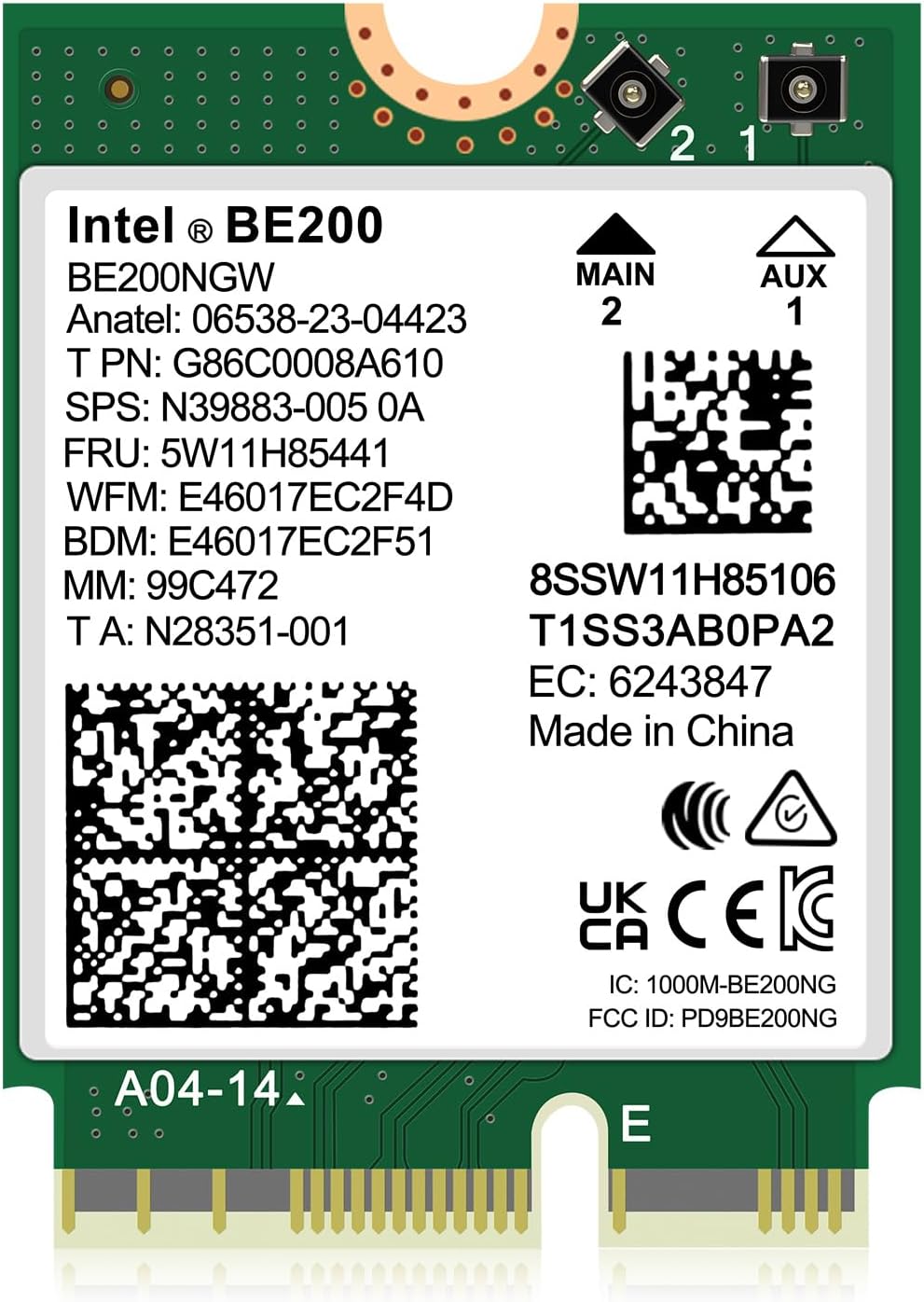
The Intel BE200 NGW WiFi 7 Wireless Card delivers ultra-fast tri-band WiFi 7 speeds up to 5800Mbps on the 6GHz band, combined with Bluetooth 5.4 for stable wireless connections. Designed exclusively for Intel 12th Gen+ CPUs, it supports Windows 10/11 (64-bit) and Linux, featuring MU-MIMO technology to optimize multi-device performance. Ideal for professionals seeking cutting-edge connectivity and seamless integration.


| ASIN | B0CSYJDJGP |
| Best Sellers Rank | #73 in Internal Computer Networking Cards |
| Brand | GigaPlus |
| Compatible Devices | Laptop, Desktop |
| Customer Reviews | 4.5 out of 5 stars 572 Reviews |
| Data Transfer Rate | 5800 Megabits Per Second |
| Hardware Interface | Bluetooth |
| Item Weight | 0.03 Kilograms |
| Manufacturer | GiGaPlus |
| Mfr Part Number | BE200 NIC |
| Model Number | BE200 NIC |
| UPC | 790885293580 |
| Warranty Description | 1 Year Warranty |
B**R
Plug and Play for extra fast WiFI!
This card was fantastic to move our laptop into WiFi 6 territory. I have another one I bought with WiFi 7 but we currently only have a WiFi 6 mesh router, so the extra $10 we saved was a great value for the money. This card was plug and play with my windows 11 laptop and completely compatible with our WiFi 6 mesh system, but if you are using Windows 10 or just want to ensure it was installed correctly I recommend the drivers from Intel. Download Speeds are much faster than my original card and this one is very fast. Functions perfectly, and is an upgraded Bluetooth as well which is really nice for some newer devices. The only downside, other than making sure the drivers work, is if you're installing on a machine you've been using for a while you'll have to re-synch your Bluetooth devices entirely, so keep that in mind if you use a lot of devices you'll have to reinstall all of them. This also goes for any WiFi networks you've had programmed with your old card, you'll have to re-learn or re-connect to them. Could be a problem if you travel frequently and change WiFi sources a lot. Other than that, I'd highly recommend this device for anyone that wants to get the most out of their WiFi.
J**Y
Newest Fastest WiFi Bluetooth card 2025.
As of writing this in 2025, the BE200 is the newest wifi card Bluetooth card combo. This card you have to be careful as only certain motherboards accepts this card. Most people that have problems are running AMD cards. Intel does have a list of accepted computers and motherboards. When installing you need to be careful since the antennas are really small and you can damage them if try to gorilla force them on. The the only warning I can give. Also try the card before installing everything back together. If you install this and your wifi doesn't work, at least you don't have to take apart your device twice. This card is able to keep up with my wifi speed not a problem at all. The Bluetooth also works not one problem.
S**.
Works perfectly
Worked very good. It gave me the possibility to connect to through Wi-Fi 7 and Bluetooth 5.4. It is cheap (Cheaper than a proper Wi-Fi 7 USB dongle) Just by installing it, I could see that the signal for Wi-Fi 5 and 6 is stronger compared to previous WI-FI 6 Card (I wasn't really expecting this, just was expecting Wi-Fi 7 connectivity, but stronger signal is always welcomed) In my laptop, it was easy to install, but the ease of installation will depend on device, I guess there are laptops that will make this difficult. Just to mention it, I installed it in a ASUS ROG Strix Scar 15 2022 version, and worked perfectly.
D**K
This is a solid wifi card
I have had intel wifi cards for years and they are solid performing cards. I picked this up to replace the mediatek 7925 that came in my new laptop which was horrible. Quick install, solid wifi, speed is top notch as expected. Value for the price is indeed worth the upgrade. Just make sure before you swap wifi cards to download the specific drivers from Intel to be on your computer so the setup goes smooth.
D**G
No complaints
So far exactly what I needed. Works perfectly. I installed on my Framework 13 laptop
J**Z
Fast
Very fast! But you are gonna need a WiFi 7 router in order to work to the Max. Also you will need to order the antenna for separate, since it's only the card. Working with my Dell QCM1250. You will also need to download the driver from Dell if it doesn't do by itself.
K**N
NOTE that Wifi 7 is NOT yet supported by Windows 11, according to Intel Driver page
When downloading the drivers from Intel today, I noticed that Wifi 7 is NOT yet supported in this Intel description of the drivers: "For the new Intel® Wi-Fi 7 products - Intel® Wi-Fi 7 BE202 and Intel® Wi-Fi 7 BE200... The Wi-Fi 7 features are not currently available because of pending OS (Windows 11*) support. As a result, after installing the drivers, the Intel® Wi-Fi 7 products function with Wi-Fi 6E capabilities on Windows 11*." Seems the manufacturer/seller should know and disclose that up front. So I think I will wait until Wifi 7 is supported. I got this to replace a 6E card in a brand new laptop for the fastest internet. But it might not be any faster than the one I have and not yet worth my time.
B**G
Works great!
Works great! The instructions are helpful as they walk you through putting card into slot and the QR code gives to a direct link to download 2 drivers from intel. one for WiFi and one for Bluetooth. I also purchased a WiFi antenna kit that had external and internals antennas. Maybe this was overkill for my older tinyPC (Lenovo thinkcentre m900x) but if you was using a usb WiFi/BT adapter ditch it and get one of these! I I definitely looked inside my computer case at the motherboard to ensure I had the right type of Wi-Fi card as there’s, PCI express, E key, A key, A+E key WiFi cards out there. Also make sure your WiFi antennas are the correct type for your WiFi card.
J**A
Perfect and fast
Easy to install great instructions. Pushes my WiFi 7 to its limit up and down on 2500Mbps on my laptop, up from 1600Mbps with WiFi 6. but my WiFi router is limited to 2500Mbps per device. I believe it can go higher with a different router. Make sure you download driver before installing the card unless you have an Ethernet connection also.
A**U
Works perfectly
Works perfectly with my laptop. Was immediately detected under Linux and connects without issues. Speed went up from 300 to 750 Mb
P**Y
works with linux and some lessor known operating systems
works perfectly, from a linux perspective it works well there also
D**S
Funciona sin problemas
Increible. Funciona apenas la conecte sin ni siquiera instalar los drivers. Me funciona notablemente mejor internet y el alcance del bluetooth también. La cambie en una Lenovo Y15-540 del 2019 que tenia una tarjeta wifi 5
A**D
Great WiFi card!
Exactly what I expected from this WiFi card, amazing upgrade compared to the card I had before! Speeds (as you can see) seem to go up to 788.7 Mbps on wireless, which is about right. The WiFi signal is perfect. As long as your router has good signal, then you should have no problems. Really easy to setup, as soon as you get the WiFi card installed, it’s just getting the latest drivers using Intel Driver and Support Assistant or using Windows Update. This comes with a screwdriver and two screws, which is useful if you don’t have a screwdriver, and it the screws on the old WiFi card have disappeared somewhere (or if you put this into a PC, you wouldn’t even have any screws to reuse anyway for the card). Functions exactly as it should, and also fits exactly as it should. Would buy again :)
Trustpilot
2 weeks ago
2 weeks ago