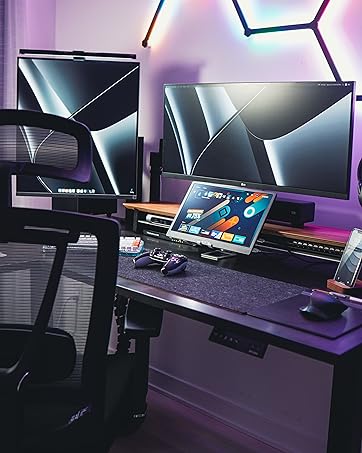
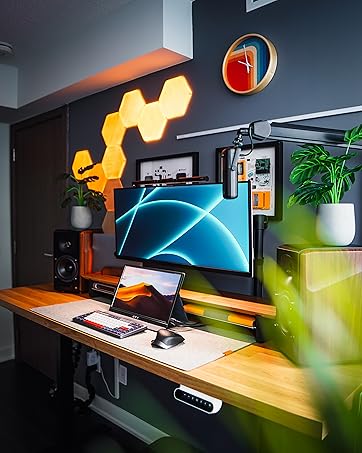
🚀 Elevate Your Workspace with Triple the Vision!
The KYY Triple Laptop Monitor Extender is a 14-inch 1080P FHD IPS portable screen designed for seamless integration with both Windows and MacOS systems. It features a user-friendly setup, a stable built-in stand with adjustable angles, and a remarkable 210° rotation capability, making it ideal for multitasking and collaborative work. With a commitment to quality, it comes with a 3-month return policy and a one-year warranty.





| ASIN | B0CSK7YRY3 |
| Additional Features | Lightweight, Portable |
| Aspect Ratio | 16:9 |
| Best Sellers Rank | #219,860 in Electronics ( See Top 100 in Electronics ) #4,584 in Computer Monitors |
| Brand | KYY |
| Brightness | 300 Candela |
| Color | Space Gray |
| Compatible Devices | Laptop, Tablet |
| Connectivity Technology | USB Type C |
| Contrast Ratio | 1000:1 |
| Customer Reviews | 4.7 4.7 out of 5 stars (44) |
| Display Resolution Maximum | 1920 x 1080 Pixels |
| Display Technology | LCD |
| Display Type | LCD |
| Hardware Connectivity | USB 3.1 Type C |
| Has Color Screen | Yes |
| Item Dimensions D x W x H | 13.9"D x 8.19"W x 1.18"H |
| Manufacturer | KYY |
| Model Name | X90A |
| Model Number | X90A |
| Mounting Type | Desk Mount |
| Native Resolution | 1920x1080 |
| Picture Quality Enhancement Technology | HDR, IPS |
| Power Consumption | 5 Watts |
| Refresh Rate | 60 Hz |
| Resolution | FHD 1080p |
| Response Time | 1 Milliseconds |
| Screen Finish | Glossy |
| Screen Size | 14 Inches |
| Specific Uses For Product | Business |
| Total Usb Ports | 2 |
| Viewing Angle | 178 Degrees |
| Voltage | 5 Volts |
| Warranty Description | KYY Portable Monitor provides 12 months warranty & 30-days return policy for no reason , any question pls feel free to contact our 24/7 professional after-sales customer service team. |
| Warranty Type | 1 Year Manufacturer Warranty |
M**S
Awesome three-screen for my laptop
For my desktop, I absolutely need my three screens. Work on one screen, copy and paste from another and watch TikTok on the third. Well, perhaps not the last one. But having more than one screen is essential. But when I’m traveling I have, so far, been limited to the one small screen. Ugh. Here’s the answer: this foldable screen extension is truly awesome and I am way more productive (and way less frustrated) than I was constantly flipping between applications. This is the only way to go. PROS: + Perfect size for my 13” HP laptop. Would work for a larger unit, but probably not for a 17-18” monster. + Great screen brightness and resolution. Only standard HD (1920x1080) but I don’t need more and my laptop wouldn’t drive it anyway. Anyway, there’s two of them so it’s really 3840x1080. Or with my laptop screen 5760x1080. I can live with that. + Kickstand. Works really well, I can lean my laptop screen back and, as long as I rotate the extended screens back a little so the weight is toward the back, the setup is quite stable. + Can get away with a single USB-C cable for power and data (but see below). + Independent menu system for each screen so I can control brightness, etc. I haven’t needed to use these at all since the native setup is just fine. + Comes with cables and instructions, but who needs instructions? + Running Windows 11, the OS had no trouble identifying the two new screens (but see below). CONS (-) and NOTES (o) - The combination of the screens and my laptop are a bit heavy and bulky. That said, this is the price you pay for having a three-screen system. I love my desktop rig and now I love my laptop rig. - Try as I might I could not get the system to use the laptop as the primary screen. I want the mouse to track across the screens from left to right, but setting up like that, meant that the primary screen was the right-most. Not a big issue by any means, but it is a little odd. Windows allows the screens to be set up to track almost perfectly so when the mouse leaves one screen it arrives at the same level as the next screen. o There are two USB-C ports on the center stand. One is ostensibly for power and the other to connect to the laptop. I found that unless I was powering the laptop, it would not push out enough power to drive the extended screens, but by plugging in the power cord to the laptop it would. The one connection provides both power and data and saves having two cables into the extended screens. PHOTOS: One photo shows the laptop setup running in front and my desktop rig behind it. This allows comparison of the two sets of screens. I don’t normally use both like this. I do need three screens, but six would be a tad extravagant, right? The other photo is a close up of the laptop setup. Pretty sharp IMO. SUMMARY: Great for travel if you’re doing a lot of work on your laptop. Really recommended!
R**T
laptop screen extender
This screen extender works well with my HP - bought it for extra screens when working remote away from my home office and it does the job as needed. It's an easy set up needing only one cord. It is on the heavier side, but for the price point, i can't complain. there is a built in kickstand that will allow for up to a 90 degree recline. Each screen can be rotated up to 210 degrees. It provides 14 inch screens with a 1080p resolution.
S**S
Really great solution, loved it on business trip
Was eager to try this for business travel. I’ll summarize a few key pros and cons and then my overall impressions. Pro’s: the layout of the two monitors and base is terrific, and the side monitors adjust to any angle and tilt to limit any glare you might have. Cable kit and AC adaptor is great, location of the power and AV ports is recessed so it does not conflict with your laptop. The kick stand also helps manage cords. Metal housing is super sturdy. Screens are bright. Plug and play, no drivers or apps needed. Con’s: since the housing is metal, it’s a bit heavy. Resolution is HD (1080) but surprisingly I didn’t mind. Hinges are very tight/firm, but that is why they stay exactly the angle you want them. Overall impressions? I tried this in the office at work and then took it on a business trip. I wasn’t sure when in the office but on the road it felt luxurious both working in the hotel and at the airport. Felt a little conspicuous setting it up at the Gate at DFW but because the screens wrap around you I was quickly immersed in my task and almost forgot I was at the airport. The extra weight in my bag was a consideration but the extra screens let me move apps around rather than tabbing, minimizing and restoring all the time. It does appear to run off the laptop battery but I always just used the AC adaptor because my laptop battery isn’t large to start with. Ideal travel solution for a person with a smaller “executive” sized laptop who is used to working on multiple monitors via a docking station. They go so many things right with the layout of the base, screens, and ports, that I really don’t have any complaints. A few trade offs, but nothing I would want to change or give up.
Trustpilot
2 days ago
5 days ago